Establishing secure connection…Loading editor…Preparing document…

Colorado Grant of Easement with Warranties

This template is fully customizable. Edit the text, fill out the fields, and send it for signature. Give it a try!
Colorado Grant of Easement with Warranties

What a Colorado Grant of Easement with Warranties Is

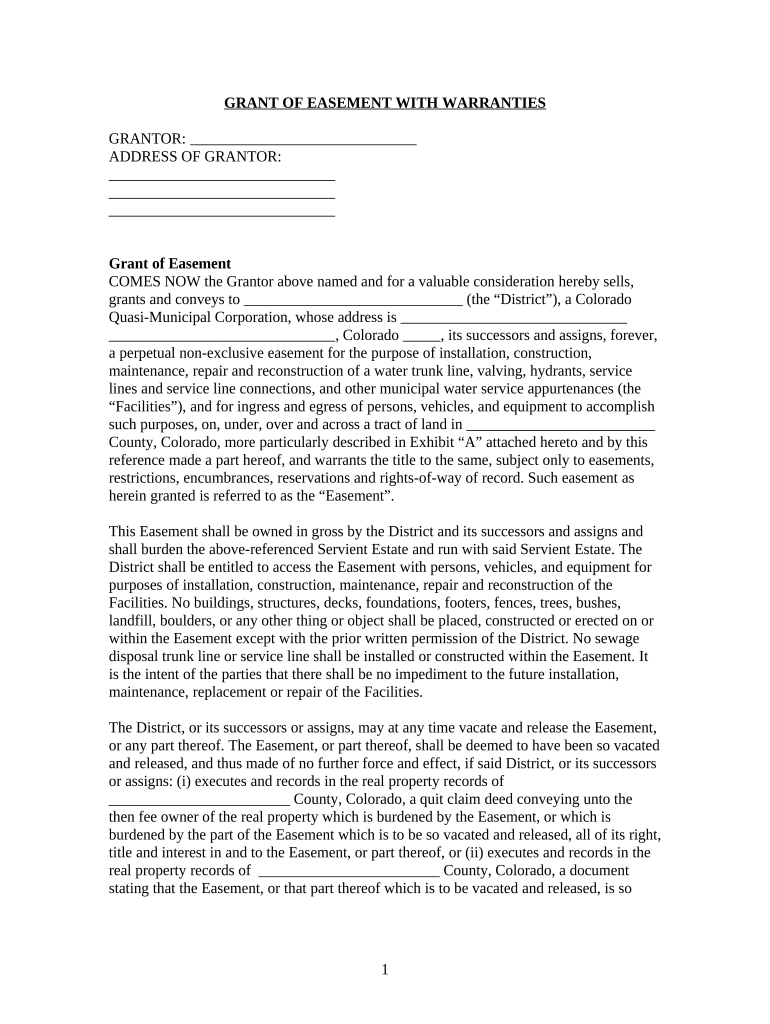
A Colorado Grant of Easement with Warranties is a recorded real estate instrument by which a property owner (the grantor) conveys a defined easement interest to another party (the grantee) and provides express title warranties. The document specifies the easement scope, legal description, consideration, duration, permitted uses, and warranty covenants that protect the grantee against title defects. It is typically executed, notarized, and recorded in the county where the servient parcel lies to provide constructive notice and to bind future owners.

Why this easement form matters for property rights

Using a grant with warranties clarifies rights and limits, creates marketable title for the grantee, and shifts certain risks to the grantor through warranty covenants. It reduces later disputes, facilitates financing or development, and supports accurate county records for future transactions.

Why this easement form matters for property rights

Who typically prepares and signs this easement

The document is used across property transactions where a permanent or long-term access or utility right is needed; parties vary by context.

  • Property owners granting limited access or utility corridors, usually represented by counsel or title company.
  • Utility companies, municipalities, and developers acquiring rights to install or maintain infrastructure.
  • Title companies and lenders reviewing easement scope to support closings and lien priorities.

Parties should confirm authority to grant easements, check existing encumbrances, and coordinate recording to protect priorities.

Typical signer profiles

Grantor — Property Owner

A landowner who conveys the easement; may be an individual, trust, or corporate entity. Grantors should provide accurate legal names, authority documentation for entities, and proof of ownership for the servient parcel prior to signing.

Grantee — Utility/Developer

The recipient of the easement interest, often a utility company, municipality, or developer. Grantees must verify the easement description, confirm warranty protections, and ensure the recorded instrument supports intended uses and access rights.

Core elements to include in a professional easement

A complete Grant of Easement with Warranties contains a clear granting clause, precise legal description, warranty covenants, use restrictions, and recording instructions to protect grantee interests and title insurer requirements.

Legal Description

A metes-and-bounds or recorded-plat description that uniquely identifies the servient parcel and the exact geographic location, width, and limits of the easement area to avoid ambiguity.
Granting Clause

Language that conveys the easement interest (exclusive or non-exclusive), includes purpose, duration, and any conditions or limitations on use.

Warranty of Title

Express covenants by the grantor that the title is free of undisclosed encumbrances and that grantor will defend grantee against lawful claims arising before transfer.

Scope of Use

Detailed permitted uses, maintenance responsibilities, access protocols, and prohibited activities to limit future conflict and inform title underwriting.

Consideration

A clear statement of monetary payment, nominal consideration, or other exchange that supports enforceability and tax reporting when required.

Recording Instructions

Direction to record the instrument in the county clerk and recorder’s office where the servient property is located and to return copies to designated parties.

Required information checklist

Grantor name: Exact legal name
Grantee name: Exact legal name
Property description: Plat or metes-and-bounds
Consideration: Amount or description
Execution date: MM/DD/YYYY format
Notary block: Acknowledgment required

Common risks and legal consequences

Unrecorded interest: Loss of priority
Ambiguous description: Litigation over boundaries
Missing notarization: Recording refusal
Incorrect grantee: Document void or re-execution
Inadequate warranties: Limited title recourse
Conflicting encumbrances: Clouded title issues

Real-world easement scenarios

Representative scenarios show common uses and drafting details to consider when preparing a Colorado Grant of Easement with Warranties.

Utility Corridor Acquisition

A municipality secures a 20-foot non-exclusive utility corridor across private lots to install water lines.

  • The grant includes maintenance and restoration obligations for the grantee.
  • The recorded instrument includes warranty covenants, a clear legal description tied to the plat, and a provision requiring prior notice before third-party work to reduce disputes and support title insurance issuance.

Private Driveway Easement

A landowner grants a perpetual driveway easement to a neighboring parcel for ingress and egress.

  • The grantor warrants title to the access strip.
  • The document limits vehicle weight, assigns maintenance responsibilities proportionate to use, and directs recording in the county clerk’s office to notify subsequent purchasers and lenders.

Step-by-step: completing the easement form

Follow these sequential steps to prepare, execute, and record a Colorado Grant of Easement with Warranties.

  • 01
    Collect ownership proof: Obtain current deed and title report
  • 02
    Draft description: Use plat or metes-and-bounds language
  • 03
    Add warranty language: Include standard title covenants
  • 04
    Execute and notarize: Sign before a Colorado notary

How the executed document is routed and recorded

After signing and notarization, the easement must be recorded and distributed to protect grantee priority and provide necessary copies to stakeholders.

  • Notarize: Notary completes acknowledgement block
  • Record: File with county clerk and recorder
  • Notify title: Provide recorded copy to title insurer
  • Distribute copies: Send to grantor, grantee, and counsel

Technical file and signature considerations

Use standard file formats and clear signature practices to ensure acceptance by recording offices and title companies.

File Formats

Use PDF/A or high-resolution PDF for recording and archiving to preserve formatting and signature appearance when submitting to county systems or storing long-term.

Signature Types

Handwritten signatures with notary acknowledgment are standard; remote notarization may be available subject to state RON rules and county acceptance for recording.

Notarization

Complete a proper notary acknowledgement block with printed names and dates; a missing or incomplete acknowledgement can result in recording refusal.

Recording Copy

Provide an original signed and notarized paper for counties that require paper recordation or a certified electronic copy where accepted.

Practical drafting and execution tips

Adopt these best practices to reduce errors and strengthen enforceability of the easement.

Use precise boundaries and references
Reference recorded plats, survey maps, and parcel numbers where possible; attach a survey exhibit to remove ambiguity and expedite title underwriting.
Define maintenance and access
Allocate responsibilities for maintenance, repair, and vegetation control in detail to prevent future disputes between grantor and grantee.
Consult title insurance needs
Coordinate with the title company early to confirm that the warranty language and form of easement meet underwriting requirements for insurance or lender approval.
Confirm execution authority
For entities, include corporate resolutions or trustee certificates to demonstrate signatory authority and attach as exhibits when necessary.

Timing and recording expectations

Timely recording and document retention preserve priority and reduce risk of intervening liens or subsequent purchaser claims.

Record promptly:

Record in the county clerk as soon as possible to protect grantee priority.

Notary timing:

Sign in presence of notary the same day as acknowledgment for validity.

Survey timing:

Obtain or update surveys before execution to ensure accurate legal descriptions.

Distribute copies:

Provide recorded copies to lender and title insurer immediately after recording.

Retention schedule:

Keep executed originals and recordings for recommended retention periods.

Frequent drafting and processing errors to avoid

  • Using informal sketches instead of recorded legal descriptions leads to enforceability disputes and title insurer objections if corners or bearings are not tied to record.
  • Failing to confirm entity authority results in later challenges requiring re-execution and possible litigation to quiet title or validate the easement.
  • Omitting maintenance or access specifics creates recurring neighbor disputes and ambiguous cost allocation that complicates enforcement and practical use.
  • Recording a scanned copy without required notarization or a proper acknowledgement can cause county rejection and void constructive notice protections.

Digital signing and platform needs

If using electronic signatures or remote notarization, confirm platform features, integrations, and compliance needs before executing the easement.

  • Supported formats: PDF, PDF/A, DOCX
  • Integrations: Salesforce, NetSuite, Google Workspace
  • Authentication: Email, SMS, KBA, or advanced methods

Ensure the chosen platform supports audit trails, tamper-evident sealing, and, if needed, a Business Associate Agreement for PHI; coordinate with the county recorder about electronic submission rules.

Configuring an efficient online completion workflow

Set up fields and authentication to match legal requirements and reduce signer friction when completing the easement electronically.

Field Configuration
Authentication Email link or SMS code; use stronger methods for notarization
Notary workflow Support in-person or RON sessions per state rules
Template reuse Save as a template with conditional fields for standard clauses
Storage Archive signed PDF/A copies with audit trail

Frequently asked questions about Colorado easements

Answers to common execution, recording, and enforceability questions for a Colorado Grant of Easement with Warranties.


Need help? Contact support

be ready to get more
Join over 28 million airSlate SignNow users