Statement of Refusal
A clear declaration that the signer irrevocably and unconditionally refuses the specified interest, without acceptance of any part of the transfer or benefit.
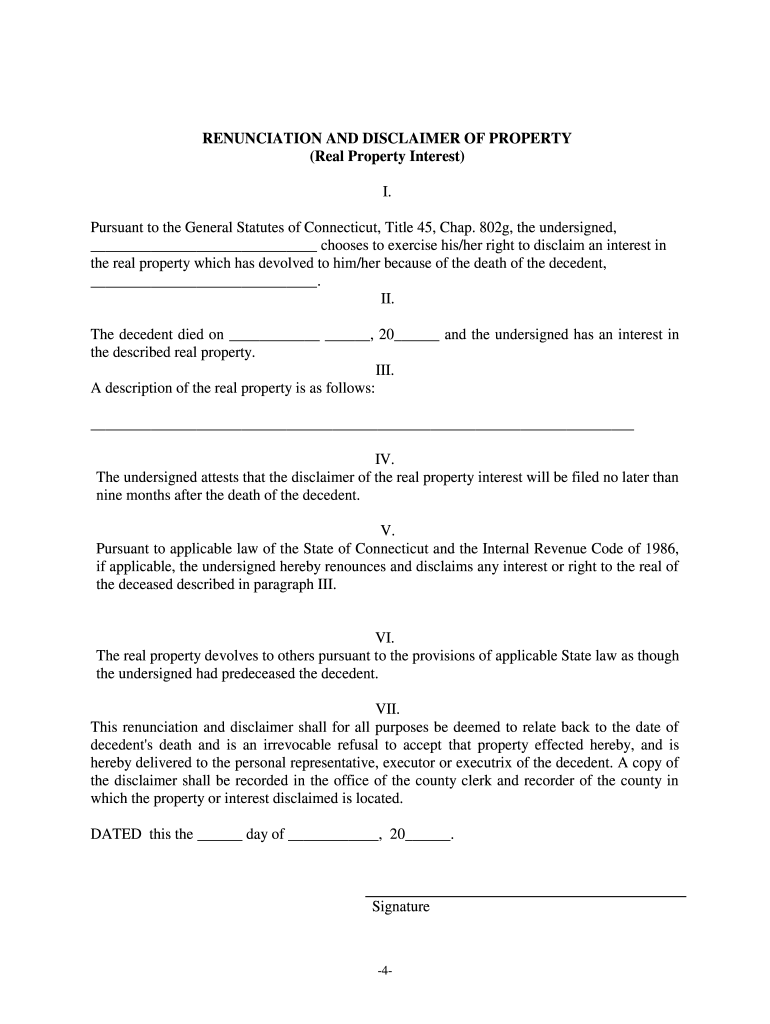
A Connecticut Renunciation and Disclaimer of Property lets a person refuse unwanted property, avoid added tax liability, or redirect interests to alternate beneficiaries while creating a clear written record of intent; it can preserve favorable estate or gift tax positions when it meets federal rules such as IRC §2518.

Typical users include named beneficiaries, surviving spouses, trustees, and estate counsel managing probate, trusts, or estate tax planning.
| Field | Configuration |
|---|---|
| Signatures | Allow in-person or ESIGN-compliant eSignatures with clear audit trail. |
| Authentication | Use ID verification plus email or SMS code for signer attribution. |
| Notary | Enable in-person notary or RON where state law permits remote notarization. |
| Retention | Store signed copies with audit logs for at least seven years. |
Ensure the provider supports ESIGN and UETA compliance, offers tamper-evident storage, and can supply certificates of completion for legal or tax review.
A clear declaration that the signer irrevocably and unconditionally refuses the specified interest, without acceptance of any part of the transfer or benefit.
Full legal names and contact information for the disclaimant and decedent or transferor, plus relationship and any estate or trust identifying numbers.
A precise legal description for real property or account and asset identifiers for personal property to avoid ambiguity in what is disclaimed.
An explicit date of execution and statement of when the disclaimer takes effect for title and tax purposes; format MM/DD/YYYY recommended.
A statement describing to whom and how the disclaimer is delivered, including any recordation steps for land records or probate filing.
A reference to the potential tax consequences and whether the disclaimant seeks qualified disclaimer treatment under federal law (e.g., IRC §2518).
Qualified disclaimers generally must be completed within nine months (see IRC §2518).
Signer’s execution date determines effective timing for many title and tax rules.
Deliver according to instrument instructions; proof of delivery may be required.
Provide copies to the executor or administrator promptly to avoid distribution delay.
Record disclaimers for real property as recommended by the land records office.
| signNow | DocuSign | Adobe Sign | PandaDoc | HelloSign | |
|---|---|---|---|---|---|
| Starting Price | $8/user/mo | $15/user/mo | $14/user/mo | $19/user/mo | $15/user/mo |
| Free Trial | 7-day trial | Trial offered | Trial offered | Trial offered | Trial offered |
| Bulk Send | Yes | Yes | Yes | Yes | No |
| Audit Trail | Yes | Yes | Yes | Yes | Yes |
| HIPAA Compliant | Yes | Yes | Yes | No | No |
| Envelope Cap | No cap | 100 envelopes/user/year | Varies by plan | Varies by plan | Varies by plan |