Establishing secure connection…Loading editor…Preparing document…

Conservatorship

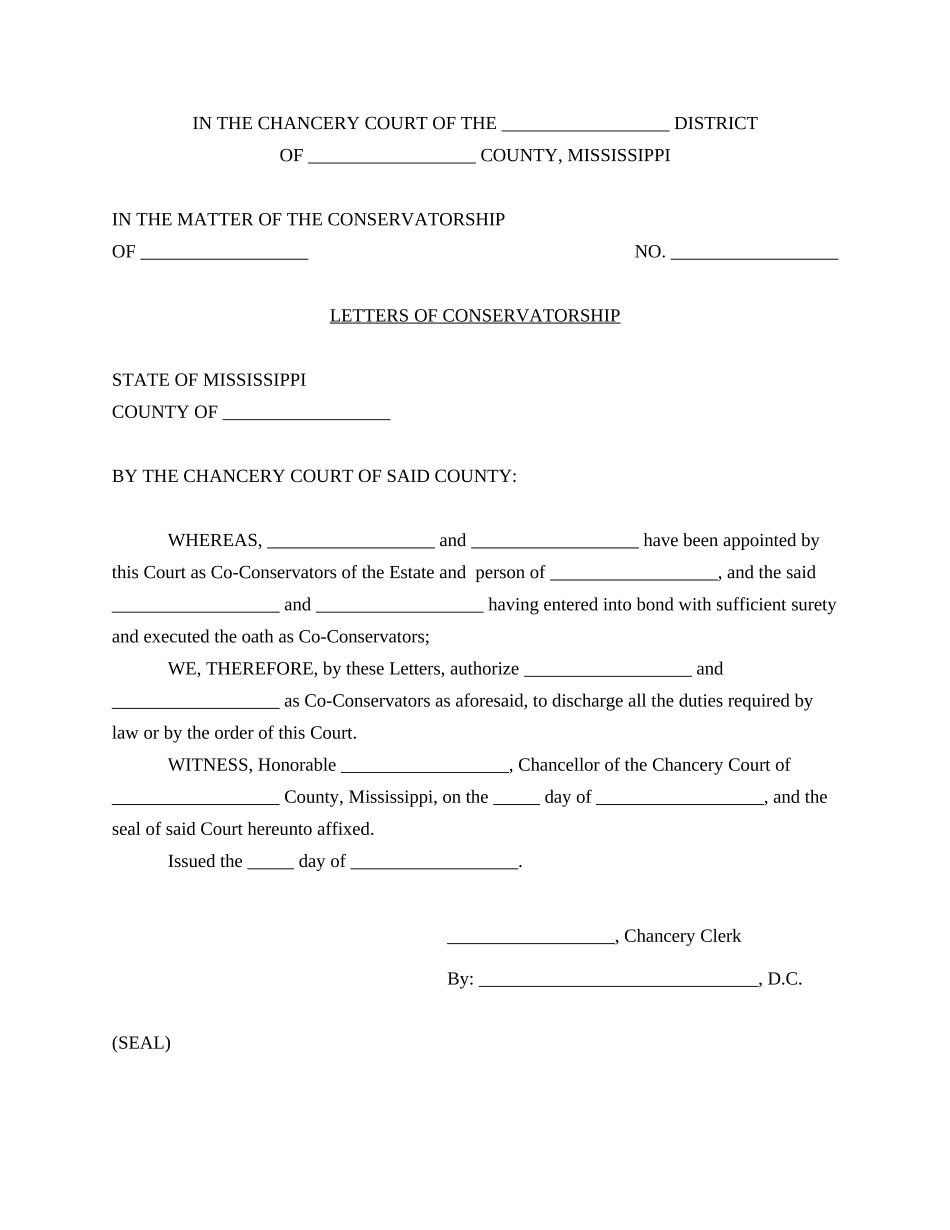
This template is fully customizable. Edit the text, fill out the fields, and send it for signature. Give it a try!
Conservatorship

What a Conservatorship Is and When It's Used

A conservatorship is a court-created legal arrangement in which a judge appoints a conservator to manage the personal care, financial affairs, or both, of an adult (the conservatee) who lacks decision-making capacity. Conservatorships are supervised by probate or surrogate courts and typically require a petition, supporting medical evidence, notice to interested parties, and a hearing before a judge can appoint a conservator. The scope of authority may be limited or plenary, and courts require periodic accounting and reports to protect the conservatee from exploitation or mismanagement.

Why Conservatorships Matter for Protecting Vulnerable Adults

Conservatorships provide a legal framework to protect adults who cannot manage finances or personal care, ensure bills and medical needs are handled, and create enforceable fiduciary duties under court supervision. They reduce the risk of financial abuse and provide an accountable decision-maker when informal options are insufficient.

Why Conservatorships Matter for Protecting Vulnerable Adults

Who Typically Files or Completes a Conservatorship Petition

Conservatorship petitions are usually prepared by family members, attorneys, public agencies, or professional fiduciaries who observe or document incapacity and unmet needs.

  • Family members seeking legal authority to manage care and finances for an incapacitated relative.
  • Public or county conservator offices acting when no suitable private conservator is available.
  • Private professional fiduciaries or trust companies serving as paid conservators for complex estates.

Core Components of a Professional Conservatorship Petition

A complete petition combines legal, medical, and financial information to justify appointment and define powers. Courts expect clarity about scope, safeguards, and reporting requirements.

Petition

Formal court filing that names the proposed conservator, states requested powers, lists interested parties, and explains why the conservatee needs protection and oversight.
Medical Evidence

Current physician or licensed clinician statement describing cognitive or functional impairment, with dates and facts supporting lack of capacity to manage finances or personal care.

Capacity Evaluation

Detailed assessment or neuropsychological report when requested by the court to document decision-making deficits and options considered to avoid conservatorship.

Asset Inventory

Comprehensive list of bank accounts, investments, real property, and debts to support bond calculations and ongoing accounting obligations.

Proposed Plan

Clear management plan for housing, healthcare decisions, expenditure limits, and restrictions the conservator will follow to protect the conservatee's best interests.

Bonding & Accounting

Proof of bond or waiver, and a statement of recordkeeping and reporting practices the conservator will use to satisfy court oversight requirements.

Essential Information to Provide on the Form

Conservatee Name: Full legal name
Date of Birth: MM/DD/YYYY
Social Security Number: SSN or last four
Current Address: Street, city, state, ZIP
Medical Provider: Physician or clinic
Asset Summary: High-level asset totals

Step-by-Step: Filing a Conservatorship Petition

Follow a defined sequence—gather evidence, prepare pleadings, provide notice, and attend a court hearing—so the petition proceeds smoothly.

  • 01
    Gather Documents: Collect medical statements, asset lists, and ID for the conservatee.
  • 02
    Prepare Petition: Draft forms, specify requested powers, and calculate bond if required.
  • 03
    Serve Notice: Provide notice to spouse, adult children, and other interested persons as required.
  • 04
    Attend Hearing: Present evidence; judge decides and may impose conditions or require periodic reports.

Configuring an Online Conservatorship Workflow

Set up an electronic workflow to collect signatures, attachments, and identity verification while preserving an auditable record for the court.

Template Setup Create a reusable petition template with required fields and attachments.
Signer Roles Define roles: petitioner, attorney, clinician, conservator, witness.
Authentication Level Choose email, SMS, or advanced ID verification for critical signers.
Document Attachments Require clinician reports and asset statements as mandatory uploads.
Notifications & Reminders Enable automatic reminders for signature completion and filing steps.

Where to File and How Documents Move Through the System

Filing typically occurs in probate, surrogate, or county court; follow local rules for service, filing format, and required exhibits.

  • Local Probate Court: File the petition where the conservatee resides or holds assets.
  • Court Clerk Processing: Clerk assigns a case number, schedules a hearing, and posts filing requirements.
  • Certified Service: Serve notice to interested parties per local rules before the hearing.
  • Post-Appointment Filings: Submit bond proof, inventories, and initial accounts as ordered by the court.

Technical Considerations for Electronic Filing and Signing

Confirm local court accepts electronic filings, RON notarizations, or scanned documents before relying on an e-signature workflow.

  • Document Formats: PDF or PDF/A is widely accepted for court filings.
  • Identity Proofing: Use multi-factor or credential analysis for high-assurance signers.
  • Audit Trail: Capture timestamps, IP, and signer authentication records.

Typical Timelines and Deadlines to Expect

Timelines vary by jurisdiction and complexity; begin early to accommodate notice periods, medical evaluations, and court scheduling.

Initial Filing Deadline:

File promptly when incapacity is documented to prevent financial harm.

Notice Periods:

Most courts require service several weeks before the hearing.

Hearing Scheduling:

Appearances commonly scheduled 30–90 days after filing.

Inventory Submission:

Courts often require inventory within 60–120 days post-appointment.

Ongoing Reporting:

Annual or periodic accountings are typical per court order.

Common Mistakes to Avoid When Preparing a Petition

  • Incomplete asset listings that omit accounts, retirement funds, or real property cause delays and supplemental filings.
  • Missing or undated medical statements that do not clearly describe functional deficits may lead to continuance or denial.
  • Failure to properly serve all interested persons triggers contested hearings and potential rehearings.
  • Not requesting limited or tailored powers when less restrictive alternatives exist can prolong court supervision unnecessarily.

Risks and Consequences of Errors or Misconduct

Removal Risk: Court may remove a conservator
Civil Liability: Damages for breach of fiduciary duty
Criminal Exposure: Fraud or theft can trigger criminal charges
Financial Loss: Improper transactions can deplete assets
Delayed Care: Administrative delays may harm the conservatee
Court Sanctions: Fines or contempt for noncompliance

Practical Scenarios Showing How Conservatorships Work

These anonymized examples illustrate typical situations where a conservatorship petition provides necessary authority and court oversight.

Elder with Dementia

Adult child documents progressive cognitive decline with clinician reports and bank statements

  • Petition requests limited financial authority only
  • Court appoints a family conservator, requires annual accounting, and approves a plan to preserve the conservatee's residence while preventing creditor loss.

Adult with Traumatic Injury

Spouse files after catastrophic injury preventing decision-making; medical affidavit included

  • Petition seeks personal care and medical decision authority
  • Judge appoints a professional conservator for finances and confirms spouse as primary healthcare decision facilitator under supervised reporting.

Who May Serve as Conservator and What That Means

Family Member

Often a spouse, adult child, or sibling who petitions to manage care and finances; court assesses conflicts, availability, and fitness before appointment, and may require bond or limited powers.

Professional Conservator

Licensed fiduciary or trust company acting for compensation; suitable for complex estates or when no willing family member exists; subject to court reporting, bonding, and stricter scrutiny.

Key Milestones from Filing to Ongoing Oversight

A conservatorship proceeds in stages; each milestone triggers required actions such as service, evidence submission, and periodic reporting to the court.

01

Assessment & Documentation

Gather medical and financial evidence before filing.

02

Filing & Service

File petition and serve interested parties per local rules.

03

Court Hearing & Order

Judge determines necessity and scope of conservatorship.

04

Post-Appointment Compliance

Submit inventories, bond proof, and periodic accountings.

Comparing eSignature Vendors for Conservatorship Workflows

Basic vendor features and pricing for electronic signature solutions used in legal and fiduciary workflows; signNow is listed first for clarity and comparison.

signNow DocuSign Adobe Sign PandaDoc HelloSign
Starting Price $8/user/mo $15/user/mo $14/user/mo $19/user/mo $15/user/mo
Free Trial 7-day trial Varies Varies Varies Varies
Bulk Send Yes Yes Yes Yes Yes
Audit Trail Yes Yes Yes Yes Yes
HIPAA Compliant Yes Yes Yes No No

Frequently Asked Questions About Conservatorships

Answers to common practical and procedural questions related to preparing, filing, and administering conservatorships in the United States.


Need help? Contact support

be ready to get more
Join over 28 million airSlate SignNow users