Establishing secure connection…Loading editor…Preparing document…

Corporate Resolution

This template is fully customizable. Edit the text, fill out the fields, and send it for signature. Give it a try!
Corporate Resolution

What a Corporate Resolution Is and when it matters

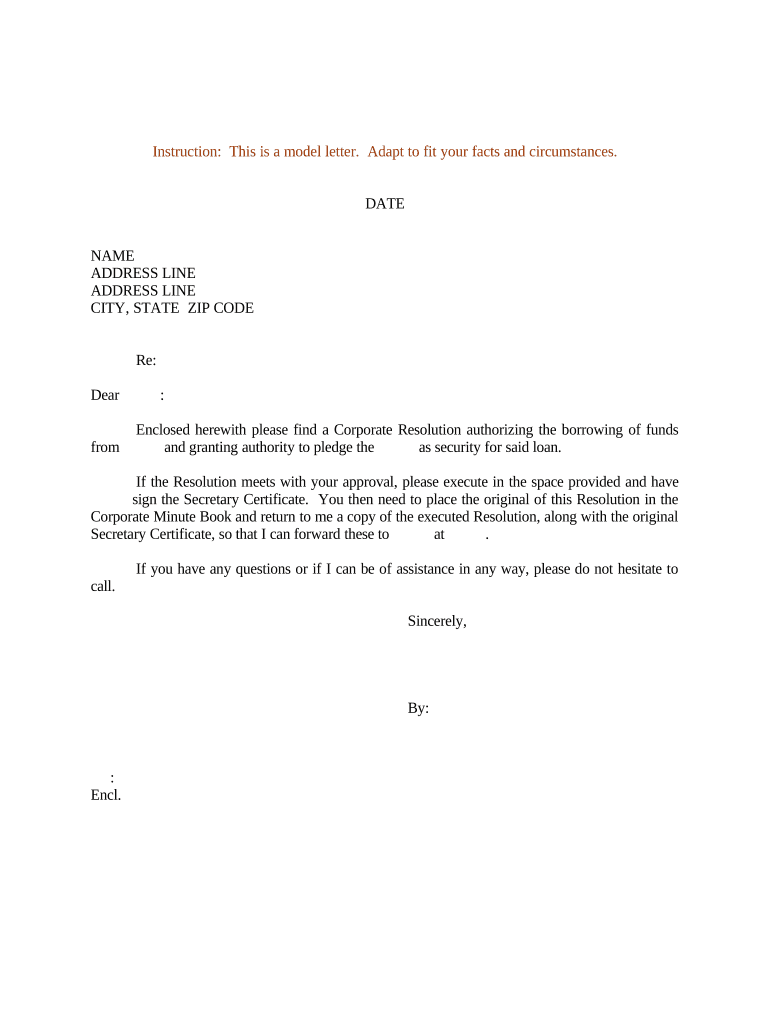
A Corporate Resolution is an official written action adopted by a corporation’s board of directors or authorized committee that documents a corporate decision, delegates authority, and records approval for specified transactions. Typical uses include opening or closing bank accounts, authorizing officers to sign contracts or loans, approving mergers or asset transfers, and delegating signing authority to agents or officers. The resolution becomes part of the corporate minute book and serves as evidence of the corporation’s internal authorization when third parties—banks, title companies, or partners—request proof of corporate authority.

Why a clear Corporate Resolution reduces administrative friction

A well‑drafted Corporate Resolution creates a clear legal record of board action, reduces disputes about who may bind the company, speeds commercial transactions, and helps third parties verify authority without additional legal review.

Why a clear Corporate Resolution reduces administrative friction

Who prepares and relies on a Corporate Resolution

Corporate officers, in‑house counsel, external counsel, corporate secretaries, and bankers commonly prepare or request resolutions.

  • Company officers and directors: Use resolutions to document board approvals for agreements and officer authority.
  • Banks and title companies: Request resolutions to confirm who may open accounts or sign closing documents.
  • Legal and compliance teams: Maintain resolutions in the corporate minute book for audit and governance purposes.

Keep corporate resolutions alongside meeting minutes and stock records so internal governance and external third parties can confirm authority quickly.

Core components to include in a professional Corporate Resolution

Include standard sections and precise language so the resolution evidences both the decision and the authority granted.

Title

A concise header stating 'Corporate Resolution' plus the corporation’s legal name and the meeting or action date to make the document searchable and clearly identify the subject.
Recitals

Brief background statements that explain the context for the resolution, such as the meeting date, quorum confirmation, and the reason action was necessary; avoid vague recitals.

Resolved Clause

Clear, numbered resolutions that specify the action to be taken, the scope of authority, and any limits (monetary caps, term limits, or transaction types).

Authority Grant

Name the officer(s) or agent(s) authorized to act, include titles, and specify whether authority is exclusive, joint, or conditional to avoid later disputes.

Effective Date

State the effective date of the resolution and whether authority expires or continues until revoked, ensuring timing aligns with related agreements or closings.

Certification

A signature block where the corporate secretary or authorized officer certifies that the resolution was duly adopted and remains in effect, including date and optionally a corporate seal.

Step‑by‑step: completing and approving a Corporate Resolution

Follow these sequential steps to prepare, approve, and store a compliant Corporate Resolution.

  • 01
    Draft: Draft resolution text with specific authority and limits.
  • 02
    Board Action: Hold a meeting or obtain written consent per bylaws.
  • 03
    Certification: Secretary certifies adoption and signs the resolution.
  • 04
    Store: File in the minute book and provide certified copies to third parties.

Setting up an online workflow for corporate approval

Configure templates, signer order, and authentication when automating resolutions to ensure auditability and compliance.

Field Configuration
Template Lock key clauses; allow only specific editable fields.
Signer Order Require director sign-off before secretary certification.
Authentication Use email plus SMS or SSO for higher assurance.
Audit Trail Enable IP, timestamp, and action logs.

From draft to relying party: the typical submission path

A Corporate Resolution frequently follows a predictable flow from internal approval to external reliance.

  • Internal Approval: Board meets or returns written consent.
  • Certification: Secretary signs and certifies authenticity.
  • Provide to Bank: Deliver certified copy to financial institution.
  • Third‑Party Reliance: Title company or counterparty retains copy for closing.

Technical considerations for eSigning and storage

Choose a platform that supports strong audit trails, multiple signer authentication, and secure document storage.

  • Authentication: Email, SMS, SSO
  • Document Formats: PDF, DOCX
  • Integrations: CRM and storage connectors

Verify the provider supports required compliance frameworks and provides tamper‑evident signed PDFs plus a downloadable certificate of completion for each execution event.

Timing expectations and common deadlines

Understand typical timing so a resolution is ready when counterparties request it.

Bank Account Openings:

Provide certified resolution at account opening; banks may require same‑day certification.

Real Estate Closings:

Title companies often request a notarized resolution before closing.

Loan Closings:

Lenders may require a fresh resolution dated within previous 30–90 days.

Corporate Recordkeeping:

File resolution in minute book immediately after adoption.

Revocation Timing:

Deliver written revocation to third parties promptly to stop further reliance.

Consequences of an incomplete or incorrect resolution

Rejected by Banks: Bank may refuse transactions
Contract Invalidity: Third party may challenge authority
Liability Exposure: Officers could face personal liability
Delays in Closing: Transactions may require remedial actions
Regulatory Risk: Noncompliance for filings or licenses
Operational Disruption: Business operations may be temporarily blocked

Common drafting and execution errors to avoid

  • Using informal or trade names instead of the entity’s exact registered name leads to rejections by banks and title companies, increasing turnaround time.
  • Failing to specify limits or conditions for authority produces ambiguity about whether an officer may execute loans, sell assets, or bind the company for large obligations.
  • Skipping the secretary’s certification or omitting minutes of the adopting meeting makes a resolution harder for third parties to accept as proof of authority.
  • Not checking whether a notarized resolution is required for a particular transaction—especially real estate—causes last‑minute delays and additional notarization costs.

Document formats, export options, and traceability

Use formats and export settings that preserve signatures, metadata, and audit evidence for future reliance.

Signed PDF

Produce a tamper‑evident PDF containing embedded timestamps, signer metadata, and an audit trail so the executed resolution is admissible and verifiable by third parties.

Word Template

Maintain a locked DOCX template for internal drafting; convert to signed PDF for execution to preserve formatting and reduce editing after signing.

Export Options

Export executed records with a certificate of completion and full audit log to support audits, legal review, and regulatory requests.

Version Control

Track template versions and approvals so you can demonstrate which resolution language applied at the time of authorization.

eSignature vendor pricing and capability comparison for Corporate Resolutions

Compare core pricing and feature differences across common eSignature providers; signNow appears first per table convention.

signNow DocuSign Adobe Sign PandaDoc HelloSign
Starting Price $8/user/mo $15/user/mo $14/user/mo $19/user/mo $15/user/mo
Free Trial 7‑day free trial, no card Varies Varies Varies Varies
Bulk Send Yes Yes Yes Yes Varies
Audit Trail Yes Yes Yes Yes Yes
HIPAA Compliant Yes Yes Yes No No

Real examples of corporate resolution use in practice

These condensed case notes illustrate how organizations use resolutions to streamline transactions and confirm authority.

Tech Data

Tech Data needed a single approach for internal approvals across distributed teams

  • Board adopted standing resolutions for routine signings
  • 'Tech Data uses airSlate SignNow to improve our internal and external customer service while increasing our speed to revenue.' — Bob Dutkowsky, CEO

Martin Properties

A real estate owner required rapid closing authority for managers during sales

  • Board delegated limited signing authority with monetary caps
  • 'I can process and execute all of these documents online with 100% compliance and built-in security.' — Tim Martin, Founder

Frequently asked questions about Corporate Resolutions and eSigning

Answers to common execution, notarization, and storage questions to help avoid delays and ensure valid authority.


Need help? Contact support

be ready to get more
Join over 28 million airSlate SignNow users