Establishing secure connection…Loading editor…Preparing document…

Complaint for Mandatory Injunction

This template is fully customizable. Edit the text, fill out the fields, and send it for signature. Give it a try!
Complaint for Mandatory Injunction

What a Complaint for Mandatory Injunction Is

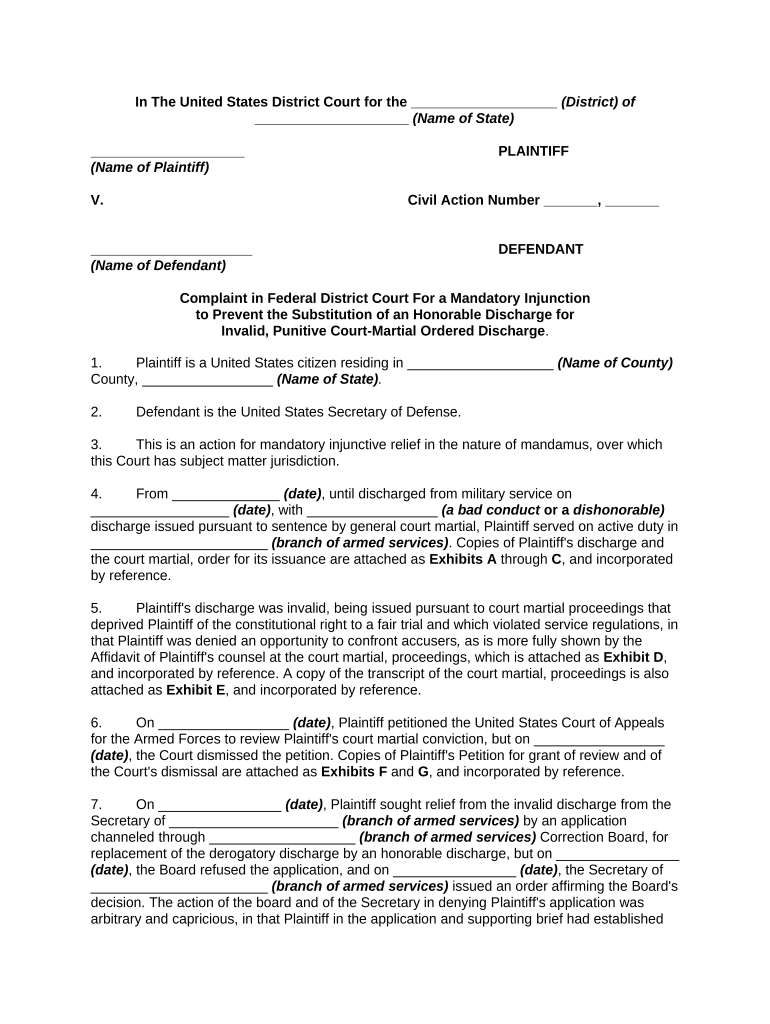
A Complaint for Mandatory Injunction is a civil pleading filed in court asking a judge to order a defendant to take a specific action rather than simply to stop an activity. It sets out jurisdiction, parties, facts showing irreparable harm, the lack of adequate remedy at law, and the equitable grounds supporting mandatory relief. The complaint typically requests emergency interim relief (temporary restraining order or preliminary injunction) followed by a final mandatory injunction after full hearing. Drafting must align with local rules and federal or state pleading standards.

Why this Complaint Matters

A mandatory injunction can compel performance when monetary damages are insufficient, protect time‑sensitive rights, and preserve the status quo until a full hearing resolves the dispute. The complaint explains why equitable relief is necessary and documents immediate harm and legal entitlement to the requested act.

Why this Complaint Matters

Who Typically Prepares and Files This Complaint

Attorneys, corporate counsel, and self‑represented litigants prepare complaints for mandatory injunctions when a specific action must be ordered by the court.

  • Litigation attorneys representing plaintiffs seeking specific performance or compelled actions in equity
  • In‑house counsel for businesses needing immediate court orders to protect operations or assets
  • Pro se litigants in urgent matters where statutory relief is unavailable or inadequate

Parties should confirm local court rules for emergency motions, service, and briefing schedules before filing to avoid procedural dismissal.

Core Components of a Professional Complaint for Mandatory Injunction

A complete complaint combines jurisdictional statements, factual narrative, legal claims, immediate relief requests, supporting affidavits or exhibits, and a proposed order tailored to the requested mandatory act.

Caption

Court name, case number placeholder, party names, counsel contacts and bar numbers. Accurate captioning is required for e‑filing and service.
Jurisdiction

Statement of subject matter jurisdiction and venue (federal question, diversity, state law basis). Explain personal jurisdiction or attach proof of service jurisdictional facts.

Factual Allegations

Chronological facts showing the defendant's conduct, the plaintiff's reliance, and the specific ongoing or imminent harm that justifies court‑ordered action.

Legal Claims

Counts asserting entitlement to mandatory relief (specific performance, statutory mandate, equitable powers) with citations to governing statutes or precedents.

Emergency Relief

Request for Temporary Restraining Order or Preliminary Injunction with supporting affidavits, bond proposal, and proposed limited duration to preserve status quo.

Proposed Order

Draft order describing precise affirmative acts required of the defendant, deadlines, enforcement terms, and any monitoring or reporting obligations.

Required Basic Information to Include

Plaintiff Name: Full legal name
Defendant Name: Full legal name
Relief Requested: Specific affirmative act
Jurisdiction Basis: Statutory or diversity basis
Factual Dates: MM/DD/YYYY format
Exhibits List: Evidence identifiers

Step-by-Step Filing Process

Follow these steps to prepare and file a complaint seeking a mandatory injunction and any emergency relief.

  • 01
    Draft Complaint: Assemble caption, facts, claims, and proposed order.
  • 02
    Collect Evidence: Attach affidavits, contracts, and exhibits supporting irreparable harm.
  • 03
    File with Court: E‑file complaint and proposed order per local rules.
  • 04
    Serve Defendant: Complete service promptly and file proof of service.

How to Configure an Online Document Workflow

Set document routing, signer roles, and authentication before sending to preserve evidence of intent and attribution.

Field Configuration
Signers Plaintiff / Attorney / Court liaison
Authentication Email + SMS code recommended
Attachments Affidavits, exhibits, and proposed order
Retention Enable audit trail and storage

Where to File and Send the Complaint

Determine the proper court and follow that court's e‑filing and service procedures; emergency relief often requires separate ex parte procedures.

  • Federal Court: E‑file via CM/ECF where federal jurisdiction exists
  • State Court: Use local e‑filing portal or clerk's office
  • Emergency Ex Parte: Follow local rules for temporary restraining orders
  • Service: Serve by permitted methods and file proof

Digital Signing and eSubmission Requirements

Use an eSignature workflow that captures intent, attribution, authentication, and an audit trail to meet ESIGN/UETA standards.

  • Authentication: Email, SMS, or advanced methods
  • Audit Trail: IP, timestamps, action log
  • File Formats: PDF/A or DOCX preferred

Confirm the court accepts electronically signed filings and retain exportable audit records for reproduction on request.

Supporting Documents to Attach

Attach documentary evidence and procedural exhibits to substantiate jurisdiction, irreparable harm, and the feasibility of the requested affirmative relief.

Affidavits

Sworn statements from witnesses or parties detailing facts supporting immediate harm, signed and dated; where possible include notarization or e‑signature with proper authentication.

Contracts

Relevant agreements demonstrating contractual duties or obligations the defendant must perform; highlight clauses authorizing specific performance or mandating actions.

Proposed Order

A clear, narrowly tailored draft order that lists the exact acts to be compelled, deadlines for compliance, and enforcement provisions such as contempt or bond.

Exhibits Index

Numbered or lettered list matching attached documents, with brief descriptions to help the court and opposing counsel locate supporting material quickly.

Typical Timelines and Deadlines to Expect

Timelines vary by jurisdiction; expedited relief follows compressed schedules and requires prompt service and compliance with local emergency procedures.

Temporary Restraining Order:

Often same‑day or within 48 hours emergency hearing

Preliminary Injunction Hearing:

Usually scheduled within 7–30 days after initial filing

Service Deadline:

Serve defendant as required by local rules immediately after filing

Bond Requirements:

Court may set security before issuing injunction

Opposition Response:

Opposing brief deadlines set by court rules

Penalties and Risks of an Incorrect or Improper Complaint

Dismissal: Case dismissal or loss of emergency relief
Sanctions: Court sanctions for frivolous filings
Contempt: Risk of contempt for noncompliance
Fee Shifting: Liability for opposing counsel fees
Delay: Procedural defects cause time loss
Enforceability: Improper service undermines enforcement

Common Preparation Mistakes to Avoid

  • Relying on vague relief language that fails to describe the exact affirmative acts the court should order, which can lead to denial or a narrowed remedy.
  • Failing to attach sworn affidavits or contemporaneous documentation that show imminent harm, resulting in weaker evidence at an ex parte or preliminary injunction hearing.
  • Not confirming the court's emergency motion procedures or e‑filing requirements, causing rejected filings or missed temporary relief opportunities.
  • Using incomplete service methods or delayed proof of service, which can prevent emergency orders from being entered or enforced.

Real-World Examples of Time‑Sensitive Injunction Filings

These examples show how organizations use electronic workflows and clear pleadings in urgent equitable matters.

Optica Ventures

A technology investor needed rapid court action to enforce an asset transfer clause after a counterparty breach.

  • The firm filed an emergency complaint with supporting exhibits.
  • Brian Fitzgibbons, COO, said the interface is simple and easy‑to‑use for the team and customers, enabling quick assembly and submission of documents.

Martin Properties

A property manager required immediate compelled repairs to prevent tenant harm and business loss.

  • They assembled contracts, photos, and affidavits and sought a temporary order.
  • Tim Martin, Founder, reported processing and executing documents online with compliance and built‑in security, which supported faster court filings.

Comparing eSignature Options for Preparing and Submitting Complaints

Basic capability and pricing differ across eSignature providers; choose a platform that supports secure PDFs, audit trails, and any required HIPAA or 21 CFR Part 11 needs.

signNow DocuSign Adobe Sign PandaDoc HelloSign
Starting Price $8/user/mo $15/user/mo $14/user/mo $19/user/mo $15/user/mo
Free Trial 7‑day free trial No No Yes, limited Yes, limited
Bulk Send Yes Yes Yes Yes No
Audit Trail Yes Yes Yes Yes Yes
HIPAA Compliant Yes Yes Yes No No

Frequently Asked Questions About This Complaint

Answers to common questions about drafting, electronic signing, filing, and enforcement of a Complaint for Mandatory Injunction in U.S. courts.


Need help? Contact support

be ready to get more
Join over 28 million airSlate SignNow users