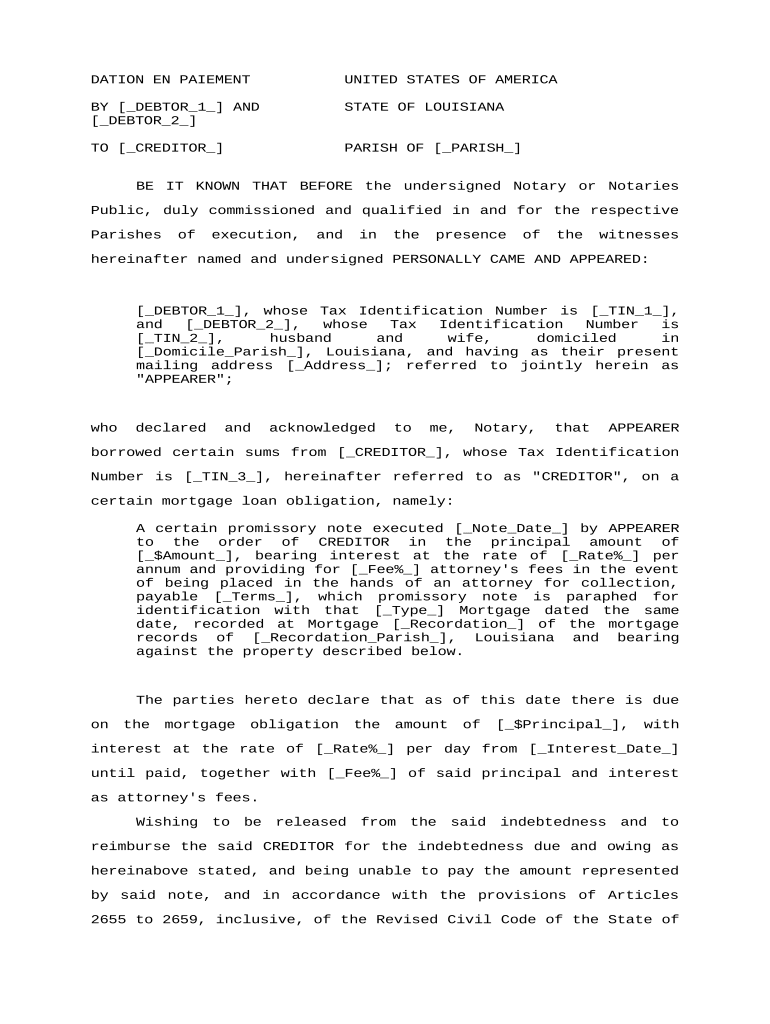
Dation En Paiement
What Dation En Paiement Means and How it Works
When a Dation En Paiement Is a Practical Option
A Dation en paiement can resolve indebtedness without cash flow, avoid foreclosure or lengthy litigation, and provide a mutually agreed exit. It is most useful when the creditor accepts the asset value in full or partial satisfaction and both parties prefer certainty over extended collection efforts.
Who Typically Uses a Dation En Paiement
Common users include secured creditors, debtors transferring real property or high-value assets, insolvency practitioners, and attorneys negotiating alternative remedies.
- Lenders and creditors seeking asset-based recovery without foreclosure or repossession proceedings.
- Borrowers or obligors lacking liquidity who can transfer property to resolve obligations.
- Legal and insolvency professionals structuring settlements or workout agreements on behalf of clients.
Parties should confirm authority to transfer assets, check lien priority and tax consequences, and document each step to reduce future disputes.
Step-by-Step: Preparing a Dation En Paiement
-
01Identify asset: List the asset precisely, including legal description and identifiers.
-
02Confirm authority: Verify signatory power and lien status before transfer.
-
03Agree terms: Document the debt amount satisfied and any retained obligations.
-
04Record transfer: Execute conveyance, notarize if required, and record where applicable.
Common Risks and Legal Consequences
Typical Timing and Filing Expectations
Execution Date:
Signing date establishes transfer effective date
Notarization Window:
Complete notarization at signing when required
Recording Delay:
Record within days to weeks depending on county
Lien Search:
Run before transfer; allow several business days
Tax Filings:
Report transfers per local transfer tax timelines
Practical Tips to Reduce Risk and Speed Processing
Typical Transfer Workflow and eSignature Steps
-
Draft Document: Prepare the transfer and release language for review.
-
Authenticate Signers: Confirm identity and authority before signature.
-
Execute and Notarize: Sign in presence of notary or use RON if allowed.
-
Record and Close: File with the recording office and update ledgers.
Real-world Examples of Asset Acceptance in Lieu of Cash
Martin Properties
A small real estate firm accepted a property to satisfy a loan in a workout scenario, documenting the conveyance precisely and recording immediately.
- The firm used mobile signing and secure storage to finalize documents.
- Tim Martin: "I can process and execute all of these documents online with 100% compliance and built-in security. Whether on mobile or working offline, I can get forms back to their necessary parties efficiently."
BIS
A corporate client transferred equipment to resolve a supplier dispute, combining a settlement agreement with a bill of sale.
- Parties recorded the transfer and issued releases for existing claims.
- Dan Rotelli: "We felt most comfortable with airSlate SignNow given their SOC 2 certification and strict focus on ESIGN and UETA act compliance."
Frequently Asked Questions and Practical Answers
-
Can this be signed electronically?
Yes in most cases. Electronic signatures are legally valid under the ESIGN Act (15 U.S.C. ch. 96) and UETA where adopted, provided intent, consent, attribution, and retention requirements are met.
-
Is notarization always required?
Notarization is typically required for conveyances of real property to be recorded. Verify the county recorder and state law; some states also require witnesses for deeds.
-
How do liens affect acceptance?
Existing liens generally remain unless expressly released. Obtain lien releases, payoffs, or escrow holdbacks to ensure the creditor receives clear title to the asset.
-
What tax consequences should parties expect?
Transfers may trigger transfer taxes or taxable gain. Consult tax counsel; document the transaction value and report as required by local tax authorities.
-
Can remote online notarization be used?
RON availability varies by state and requires identity-proofing and recorded audio-video. Confirm state notary rules and retention obligations before using RON.
-
What if a signer lacked authority?
An unauthorized signature can void the transfer or prompt rescission. Obtain corporate or trustee proof of authority before recording to mitigate this risk.