Establishing secure connection…Loading editor…Preparing document…

Deed Affidavit

This template is fully customizable. Edit the text, fill out the fields, and send it for signature. Give it a try!
Deed Affidavit

What a Deed Affidavit Is and when it’s used

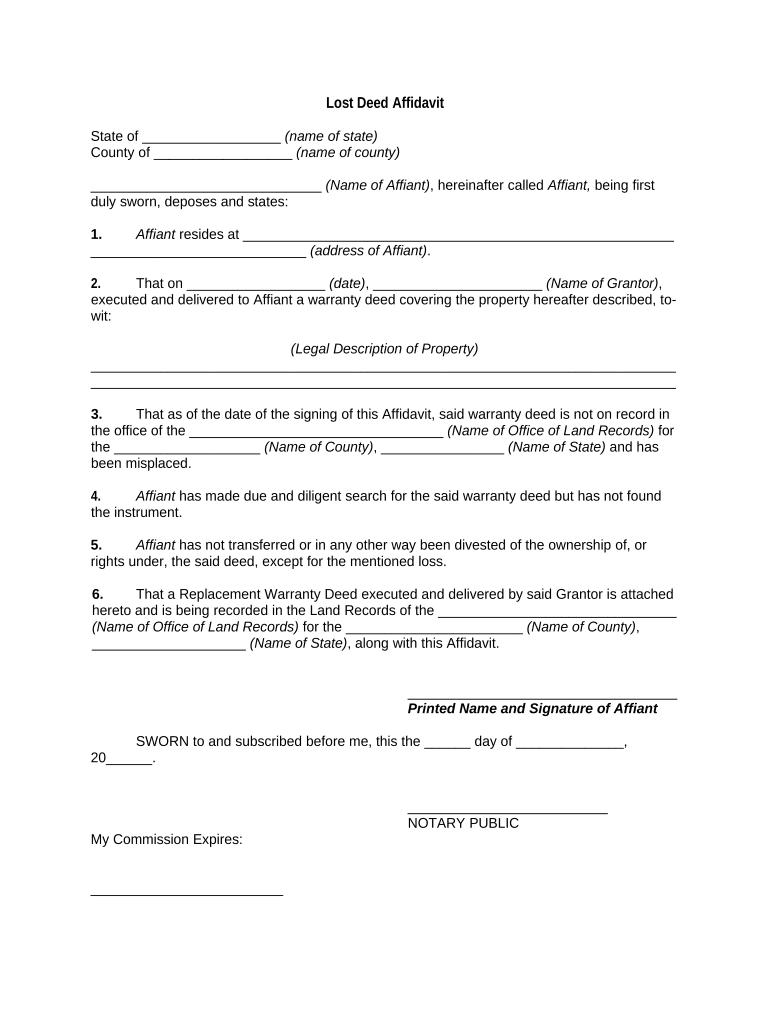
A Deed Affidavit is a sworn written statement attached to or recorded with a property deed that clarifies facts about title, identity, or transaction history. Typical uses include correcting a scrivener’s error, confirming ownership or marital status, identifying heirs, clarifying boundary descriptions, or declaring the absence of liens. The affidavit is signed under oath and must be acknowledged before a notary or in accordance with state notarial rules before recording with the county recorder or land registry.

Why a clear Deed Affidavit matters

A properly drafted Deed Affidavit reduces recording delays, prevents title defects, and gives examiners and title insurers a concise, sworn explanation for irregularities. It supports clean public records and helps avoid later disputes over chain of title or ownership.

Why a clear Deed Affidavit matters

Who commonly prepares and reviews Deed Affidavits

Professionals and parties who regularly encounter property title issues prepare Deed Affidavits to document facts before recording or to resolve defects.

  • Title companies and abstractors — Prepare affidavits to clear exceptions and support title insurance underwriting.
  • Real estate attorneys and escrow agents — Draft, review, and attest to factual statements for recording.
  • Property owners and trustees — Provide sworn statements about identity, marital status, survivorship, or chain of title.

The affidavit supports public filing and title continuity; involvement of title counsel or a title agent is common when the issue could affect insurance or sale proceeds.

Primary elements to include in a professional Deed Affidavit

A well-formed Deed Affidavit combines factual clarity with legally required formalities so county recorders and title examiners can rely on the statement during review.

Affiant identity

Full legal name and capacity (individual, trustee, executor) matching government ID and the name used in the deed being explained.
Statement of facts

Clear, chronological factual narrative describing the issue being corrected or explained, including dates, instrument references, and precise circumstances.

Legal description

Complete metes-and-bounds or lot-and-block description identical to the instrument recorded or proposed for recording.

Reference instruments

Cite book/page or document identifier for the original deed, prior conveyances, liens, or other recorded instruments.

Oath / notary

Notarial acknowledgement or jurat signed by the affiant and notarized in compliance with state notary laws.

Attachments

Supporting exhibits such as copies of the challenged deed, death certificates, trust instruments, or powers of attorney.

Step-by-step completion checklist

Follow these sequential steps to prepare, notarize, and record a Deed Affidavit with minimal rework.

  • 01
    Gather records: Collect deed, prior instruments, IDs, and supporting exhibits.
  • 02
    Draft facts: Write a clear, chronological narrative tied to recorded instruments.
  • 03
    Notarize: Affiant signs before a notary in compliance with state rules.
  • 04
    Record: Submit affidavit and deed to the county recorder with required fees.

Where to file and how the affidavit moves through the process

Recording and distribution follow a standard path: prepare, notarize, submit to the county recorder, and distribute copies to title stakeholders.

  • Preparation: Affidavit drafted and reviewed by counsel or title examiner.
  • Authentication: Affiant signs under oath and obtains a notary's acknowledgement or jurat.
  • County Recording: Recorder accepts and indexes the affidavit with recording fee receipt.
  • Distribution: Provide recorded copies to title insurer, lender, and parties of interest.

Suggested digital workflow settings for online completion

Configure a simple online workflow that enforces required fields, captures identity, and routes the signed affidavit for recording and distribution.

Field | Configuration Required | Format enforcement
Authentication Email plus SMS code or ID verification
Signature Type Drawn or typed signature with audit trail
Attachments Required: deed copy, ID, supporting exhibits
Integrations Connect to title software or cloud storage

Digital signing and eSubmission considerations

Use an eSignature flow that preserves an auditable record, supports notarization workflows, and produces a record suitable for recording.

  • Audit Trail: Time-stamped signature evidence
  • Notary Support: RON or in-person acknowledgement
  • Document Formats: PDF/A or PDF preferred

Verify the chosen platform supports required notarization processes and generates a certificate of completion and a tamper-evident signed PDF for county recorders and title insurers.

Essential data elements recorded on the affidavit

Grantor Name: Full legal name
Grantee Name: Full legal name
Legal Description: Complete parcel description
Consideration: Amount or value stated
Recording County: County of record
Notary Block: State-compliant acknowledgement

Common errors that delay recording

  • Incomplete legal description or typos that prevent matching to the recorded deed and trigger examiner queries.
  • Affiant name variations (omitting middle names, suffixes) that fail to match government ID or the recorded instrument.
  • Missing or improper notarial wording or jurat format incompatible with state notary requirements.
  • Failing to attach referenced exhibits or providing unreadable copies of supporting documents required for title clearance.

Consequences of an incorrect or defective affidavit

Recording Rejection: May be refused
Title Clouding: Creates exceptions
Delayed Closing: Settlement postponement
Legal Dispute: Litigation risk
Notary Penalties: State fines or discipline
Tax Impacts: Potential withholding issues

Practical tips for accurate and efficient completion

Adopt a consistent drafting and review routine to reduce rework and to satisfy both the recorder and title insurer requirements.

Verify identity details and instrument citations
Cross-check the affiant's government ID and the exact instrument reference (book/page or document number). Accurate citations reduce examiner follow-up and speed recording.
Use precise sworn language
Include a clear oath or affirmation and jurisdiction statement. Avoid ambiguous phrasing that could be read as opinion rather than fact.
Attach supporting exhibits
Attach copies of the deed, death certificates, trust documents, or powers of attorney referenced in the affidavit to provide immediate context for examiners.
Coordinate with title and recording counsel
When the affidavit addresses insurance exceptions or complex ownership questions, obtain title counsel review to align language with underwriting requirements.

eSignature vendor comparison for Deed Affidavit workflows

Compare starting price and key capabilities relevant to notarization, bulk delivery, and HIPAA compliance when evaluating eSignature providers for affidavit workflows.

signNow DocuSign Adobe Sign PandaDoc HelloSign
Starting Price $8/user/mo $15/user/mo $14/user/mo $19/user/mo $15/user/mo
Free Trial 7-day free trial Varies Varies Varies Varies
Bulk Send Yes Yes Yes Yes Varies
Audit Trail Yes Yes Yes Yes Yes
HIPAA Compliant Yes Yes Yes No No

Real-world examples of affidavit workflows in action

Organizations across industries use sworn affidavit attachments to clarify title issues before recording and to speed closings.

Optica Ventures LLC

Staff used online affidavit workflows to document owner identity and correct minor instrument errors

  • The interface is simple and easy-to-use for our team
  • The tool made it straightforward for customers to sign and for our operations team to close files with fewer follow-ups and clearer records.

Martin Properties

A small property management firm replaced paper affidavits with a mobile-capable e-sign workflow

  • Works on mobile or offline
  • I can process and execute all of these documents online with compliance and security, returning forms promptly to necessary parties.

Common questions about Deed Affidavits and answers

Answers focus on legal validity, notarization, state differences, and practical steps to avoid rejection when preparing a Deed Affidavit.


Need help? Contact support

be ready to get more
Join over 28 million airSlate SignNow users