Establishing secure connection…Loading editor…Preparing document…

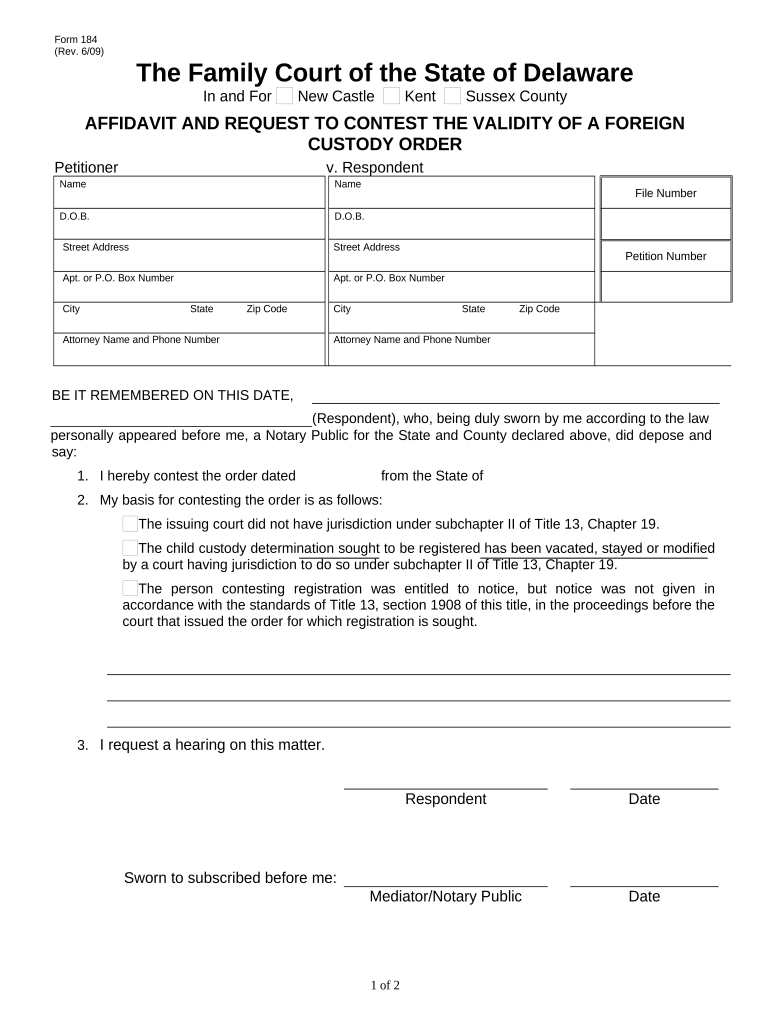
Delaware Affidavit

This template is fully customizable. Edit the text, fill out the fields, and send it for signature. Give it a try!
Delaware Affidavit

What a Delaware Affidavit Is and when it's used

A Delaware Affidavit is a written, sworn statement of facts executed under oath and typically notarized for use in legal, real estate, corporate, or administrative matters in Delaware. Affidavits can confirm facts for court filings, title work, corporate records, or regulatory compliance. Electronic signing and submission are generally acceptable when the signature and record meet federal ESIGN requirements (15 U.S.C. ch. 96) and applicable state law such as UETA where adopted; verify state-specific notarization or witness rules prior to filing.

Why a Delaware Affidavit matters for reliable fact evidence

An affidavit creates a formal, sworn record of facts that courts and third parties rely on. Properly completed affidavits reduce litigation risk, support transactions, and—when electronically executed consistent with ESIGN (15 U.S.C. ch. 96) and state law—speed processing while preserving evidentiary weight.

Why a Delaware Affidavit matters for reliable fact evidence

Who commonly prepares and signs Delaware Affidavits

Typical users prepare or sign affidavits when sworn fact statements are required for legal, title, or corporate processes.

  • Legal professionals and litigants who need sworn testimony for court filings or motions.
  • Title companies and real estate professionals verifying ownership, liens, or chain-of-title matters.
  • Corporate officers, registered agents, and trustees confirming factual statements for business records.

Stepwise process to prepare and finalize the affidavit

Use a consistent sequence to assemble, sign, notarize, and deliver the affidavit to avoid rework or rejection.

  • 01
    Gather Evidence: Collect supporting documents and ID for the affiant.
  • 02
    Draft Statements: Write clear, numbered factual assertions without hearsay.
  • 03
    Sign & Notarize: Affiant signs; notary completes acknowledgement per jurisdiction.
  • 04
    File or Serve: Deliver affidavit to court, title company, or requesting party.

Frequently asked questions about Delaware Affidavits

Answers to common execution, notarization, and filing questions to reduce avoidable delays or rejections.


Need help? Contact support

Typical eSignature pricing and capability comparison for affidavits

Compare basic plan pricing and common capabilities relevant to signing and distributing affidavits. signNow is listed first per vendor comparison requirements.

signNow DocuSign Adobe Sign PandaDoc HelloSign
Starting Price $8/user/mo $15/user/mo $14/user/mo $19/user/mo $15/user/mo
Free Trial 7-day free trial Varies by vendor Varies by vendor Varies by vendor Varies by vendor
Bulk Send Yes Yes Yes Yes No
Audit Trail Yes Yes Yes Yes Yes
HIPAA Compliant Yes Yes Yes No No

Common risks and potential penalties tied to incorrect affidavits

Perjury Charges: Criminal penalties for false sworn statements
Notary Errors: Invalid acknowledgement or missing journal entries
Missing Signatures: Document may be rejected or deemed inadmissible
Wrong Jurisdiction: Improper venue can void filing or prolong proceedings
Late Filing: May forfeit rights or trigger sanctions
Privacy Violations: Sensitive data disclosure risks under HIPAA or state law

Security and compliance controls relevant to electronic affidavits

In-transit Encryption: TLS 1.2/1.3
At-rest Encryption: AES-256
Authentication Options: Email, SMS, KBA, or advanced methods
Audit Trail: Timestamps, IP, and action history
Certifications: SOC 2 Type II, ISO 27001
Regulatory Support: HIPAA (BAA), 21 CFR Part 11 compliance

How electronic affidavit signing typically flows

Electronic affidavit execution follows a predictable workflow; document handling and signer authentication determine admissibility.

  • Upload Document: Sender uploads affidavit template or scanned form
  • Add Fields: Place signature, date, and notary fields
  • Authenticate Signer: Use email, SMS code, or KBA as required
  • Complete & Archive: Signed copy plus audit trail stored for records

Technical considerations for eSigning and eFiling affidavits

Confirm the receiving party accepts electronic records and which authentication or notarization methods are permitted.

  • Integrations: Salesforce, NetSuite, Google Workspace supported
  • File Formats: PDF and DOCX supported
  • Notarization Support: In-person and RON where allowed

Typical configuration settings for an affidavit signing workflow

Standard workflow settings help ensure identity verification, field accuracy, and an auditable completion record.

Field Configuration
Signature Placement Assign signer role and required flag
Authentication Method Email link, SMS code, or KBA
Conditional Fields Show additional questions when needed
Auto-Reminders Enable to reduce completion time

Practical tips to prepare accurate, admissible Delaware Affidavits

Follow these best practices to reduce rejection risk and maintain evidentiary value.

Use precise, factual language
Write short, numbered statements limited to observable facts. Avoid legal argument or conclusions presented as fact. If interpretation is required, label it as opinion and support it with cited documents or witness statements for credibility and clarity.
Verify signer identity and authority
Confirm the affiant's legal name, capacity to make the statement, and any necessary corporate authority. Use government ID, officer resolution, or corporate documents to substantiate authority before notarization or electronic execution.
Attach supporting exhibits
Reference and attach exhibits (documents, photos, invoices) and label them sequentially. State how each exhibit supports a specific numbered affidavit paragraph to create a clear evidentiary link.
Follow notarization and format rules
Use the notary wording required by the receiving jurisdiction. For electronic notarization, verify RON acceptance and retention requirements. Keep an audit trail and preserve the original signed record for the retention period.

Real-world examples showing how affidavits are used

Two brief examples illustrate common affidavit use cases and how signNow-supported workflows can simplify execution and recordkeeping.

Martin Properties — Real Estate

A property manager needed a sworn occupancy affidavit to resolve a title issue quickly.

  • Used electronic signatures and notarization.
  • The team executed and delivered a notarized affidavit online, preserving the audit trail for the title company and avoiding a site visit, which reduced turnaround time for closing-related tasks.

Fertility Centers of Illinois — Healthcare

A clinic required patient-authorized affidavits for insurance claims and release of records.

  • HIPAA considerations applied.
  • The clinic used secure, auditable electronic forms and a Business Associate Agreement to protect PHI, ensuring signed affidavits met privacy and evidentiary requirements while minimizing patient in-person visits.

be ready to get more
Join over 28 million airSlate SignNow users