Case Caption
Identifies court, county, case number, and party names; accurate captioning prevents misfiling and ensures the documents are routed to the correct judicial division.
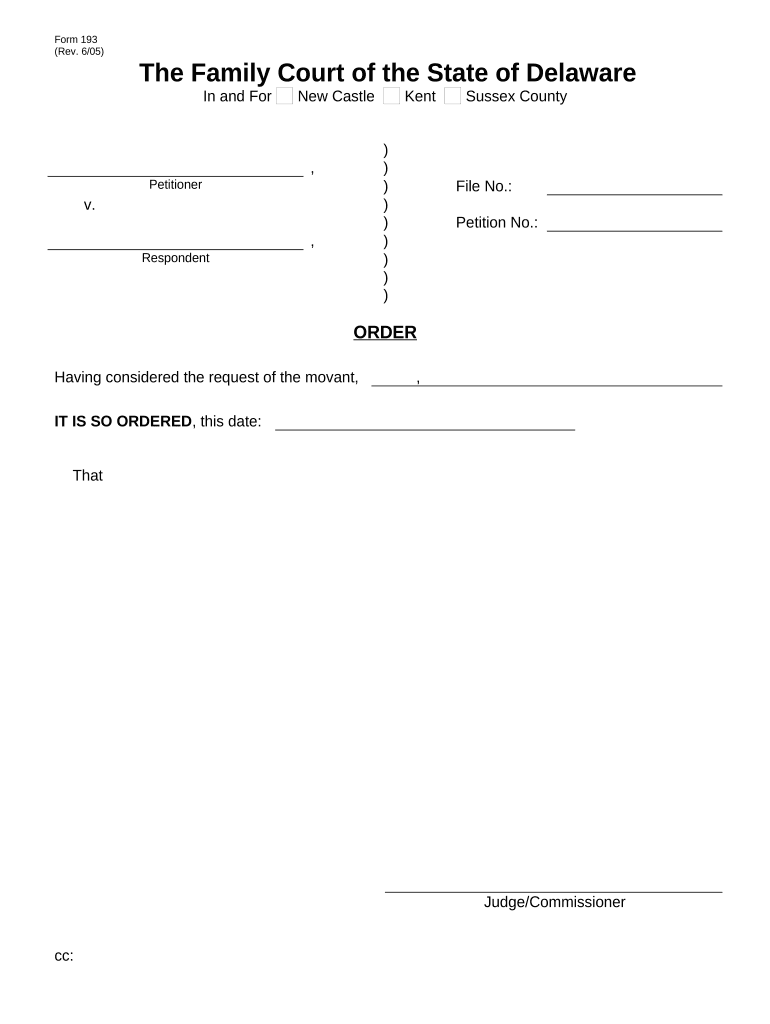
Completing the Delaware Divorce Form correctly ensures your petition or response is accepted by the court and that statutory deadlines and procedural requirements are met. Accurate paperwork speeds case processing, reduces the risk of dismissal or continuances, and preserves rights related to property division, support, and custody.

A mix of self-represented individuals and attorneys prepare Delaware Divorce Forms, supported by court clerks and family law professionals.
Knowing which role applies to you helps determine whether to seek legal review, use court self-help resources, or rely on electronic tools for signatures and filing.
The person who initiates the divorce by filing the petition. The Petitioner must provide accurate personal data, list marital assets and debts, and propose relief. Missing or inconsistent details may delay service or scheduling of hearings; legal counsel often reviews financial disclosures before filing.
The person served with the petition who must file an Answer or response within the court's deadline. The Respondent's timely and complete reply preserves defenses and allows negotiation or mediation. Failure to respond can result in a default judgment.
Identifies court, county, case number, and party names; accurate captioning prevents misfiling and ensures the documents are routed to the correct judicial division.
States the marriage date, grounds for divorce under Delaware law, and the specific orders requested including property division, support, and custody where applicable.
Itemizes income, expenses, assets, and liabilities for each party; required by many courts to calculate support and equitably divide marital property.
If children are involved, includes custody allocation, visitation schedule, decision-making responsibilities, and proposed child support calculations or attachments.
Documents how the Respondent was notified; proof of service and signed summons are required before many courts proceed to hearings or default entries.
Signature blocks, dates, and notarial acknowledgements when required; some courts also accept e-signed and remotely notarized documents subject to local rules.
| Field | Configuration |
|---|---|
| Signature Block | Require signer name, signature, and date fields. |
| Notary Block | Include space for notary name, seal, and date if required. |
| Supporting Attachments | Allow uploads for financial statements and parenting exhibits. |
| Authentication | Configure email or SMS verification for signer attribution. |
Confirm the court accepts electronic filings and whether e-signatures or RON are permitted for family law documents.
Check local court rules for e-filing portals and remote notarization acceptance; if in doubt obtain a wet signature or local notary to meet procedural requirements.
Optica needed a simple signing path for clients and internal approvals.
A healthcare provider required secure patient consent capture across locations.
| signNow | DocuSign | Adobe Sign | PandaDoc | HelloSign | |
|---|---|---|---|---|---|
| Starting Price | $8/user/mo | $15/user/mo | $14/user/mo | $19/user/mo | $15/user/mo |
| Free Trial | 7-day free trial | Varies by vendor | Varies by vendor | Varies by vendor | Varies by vendor |
| Bulk Send | Yes | Varies by plan | Varies by plan | Varies by plan | Varies by plan |
| Audit Trail | Yes | Yes | Yes | Yes | Yes |
| HIPAA Compliant | Yes | Varies by plan | Varies by plan | Varies by plan | Varies by plan |
| Envelope Cap | No cap | 100 envelopes/user/year | Varies | Varies | Varies |