Establishing secure connection…Loading editor…Preparing document…

Delaware Judgment

This template is fully customizable. Edit the text, fill out the fields, and send it for signature. Give it a try!
Delaware Judgment

What a Delaware Judgment Is and What It Does

A Delaware Judgment is a court-entered determination issued by a Delaware state court that documents the parties, the court's ruling, and any monetary award or declaratory relief. Once entered, a judgment becomes an enforceable legal obligation that can support execution, garnishment, or lien recordation where permitted by statute or local practice. The judgment record typically identifies the case number, the judgment amount, post-judgment interest, and the clerk's docketing or recording information necessary for subsequent collection or title searches.

Why an Accurate Delaware Judgment Matters

A clear, properly entered judgment converts a court decision into an enforceable instrument that secures collection remedies, establishes lien priority when recorded, and reduces dispute risk during enforcement or title review.

Why an Accurate Delaware Judgment Matters

Who Typically Works with Delaware Judgments

Lawyers, creditors, judgment purchasers, and county recording offices use Delaware Judgments to enforce obligations, perfect liens, and clear titles.

  • Plaintiff's counsel — prepares, submits, and records the judgment; coordinates enforcement and post-judgment collection steps.
  • Creditors and collection agencies — use the judgment to pursue garnishment, levies, or property liens where authorized.
  • Title agents and purchasers — check recorded judgments during due diligence to identify liens affecting real property.

Court clerks and recorders apply local filing rules; lenders and secured parties monitor judgments for priority and title impact.

Primary Parties Involved

Judgment Creditor

The person or entity awarded a monetary judgment by the court. Responsible for filing the judgment, recording liens if applicable, and taking enforcement steps such as writs of execution, garnishment, or seeking domestication in other jurisdictions.

Judgment Debtor

The person or entity against whom the judgment is entered. Obligated to satisfy the judgment amount, including post-judgment interest and costs, and may seek relief by post-judgment motion, stay, or appeal under court rules.

Essential Judgment Data at a Glance

Case Number: Official court docket identifier number.
Parties: Full legal names of plaintiff and defendant.
Amount: Principal judgment amount in dollars.
Interest Rate: Post-judgment rate and calculation method.
Court Name: Issuing court and division named.
Recordation: Clerk filing stamp and recording details.

Step-by-Step: From Draft to Enforcement

Follow these steps to prepare and file a Delaware Judgment, from drafting through recording and enforcement actions.

  • 01
    Draft Judgment: Draft judgment reflecting the court order and damages awarded.
  • 02
    Clerk Filing: Submit judgment to the clerk and obtain docket stamp and certified copy.
  • 03
    Record Lien: Record judgment with county recorder to create a property lien.
  • 04
    Enforce Judgment: Pursue execution, garnishment, or domestication depending on remedies needed.

Setting Up an Online Workflow for a Delaware Judgment

Configure an e-filing workflow with template fields, signer roles, and optional recording automation to streamline judgment submission.

Field Configuration
Template Name Pre-filled Delaware Judgment template
Signer Role Plaintiff, court clerk, and optional notary
Authentication Email by default; SMS or KBA optional
Auto-Record Integrate with county recorder where supported

How and Where to File or Submit a Delaware Judgment

Typical routing for a Delaware Judgment runs from court entry to clerk docketing, then to county recording and enforcement channels as needed.

  • Entry: Court enters judgment and clerk posts it on the docket and issues certified copies.
  • File: File judgment or certified copy with county recorder to create a public lien.
  • Record: Recorder indexes the judgment against debtor property records to notify title searchers.
  • Serve: Serve certified copies on debtor and other required parties for enforcement.

Digital Submission and eSignature Considerations

Confirm technical and legal requirements before e-submitting or e-signing a Delaware Judgment to ensure acceptance by court and recorder.

  • File Formats: PDF, DOCX, and searchable PDF formats are commonly accepted.
  • Authentication: Email, SMS, or stronger signer authentication may be required.
  • Integrations: Connectors to e-filing or recorder systems can reduce manual steps.

Key Timing and Deadline Guidance

Timelines for entry, recordation, appeal, and enforcement vary by court and county; plan filings promptly to protect lien priority and remedies.

Entry Date Deadline:

Judgment is effective on docket entry and interest accrual typically begins then.

Recordation Timing:

Record as soon as practicable to protect lien priority against intervening interests.

Appeal Period:

Appeal windows vary by court; consult local rules for exact deadlines.

Enforcement Window:

Collection methods are subject to statute of limitations and execution rules.

Renewal Restrictions:

Statutory renewal or extension may be necessary to preserve enforceability.

Milestones: Drafting to Collection

A sequential view of milestones helps track filing and enforcement activities from entry through collection and renewal.

01

Draft and Approve

Prepare judgment language, verify figures, and obtain client approval prior to filing.

02

File and Docket

Submit to the clerk for docket entry and request certified copies.

03

Record Lien

Record in the appropriate county to establish public notice and lien priority.

04

Execute Remedies

Use levy, garnishment, or domestication to collect on the judgment.

Common Preparation and Filing Pitfalls

  • Using abbreviated or informal party names and incorrect case numbers increases the risk of clerk rejection or failed lien attachment during title searches.
  • Recording in the wrong county or failing to obtain the clerk's certified copy can delay or invalidate lien perfection and enforcement steps.
  • Failing to compute post-judgment interest correctly creates recoverable discrepancies and provides debtors grounds for contesting the amount.
  • Relying on unsigned copies or failing to secure required clerk stamps increases the chance the recording office will refuse the document.

Risks and Consequences of Errors

Recording Errors: Can void lien priority.
Incorrect Party Name: May prevent enforcement.
Missing Signature: Clerk may reject filing.
Improper Service: Enforcement stays or reversal.
Expired Judgment: Collection window may close.
Pending Appeal: Enforcement may be stayed.

Key Components of a Professional Delaware Judgment

A well-structured Delaware Judgment contains specific elements that support enforceability, recording, calculation of amounts due, and future title searches.

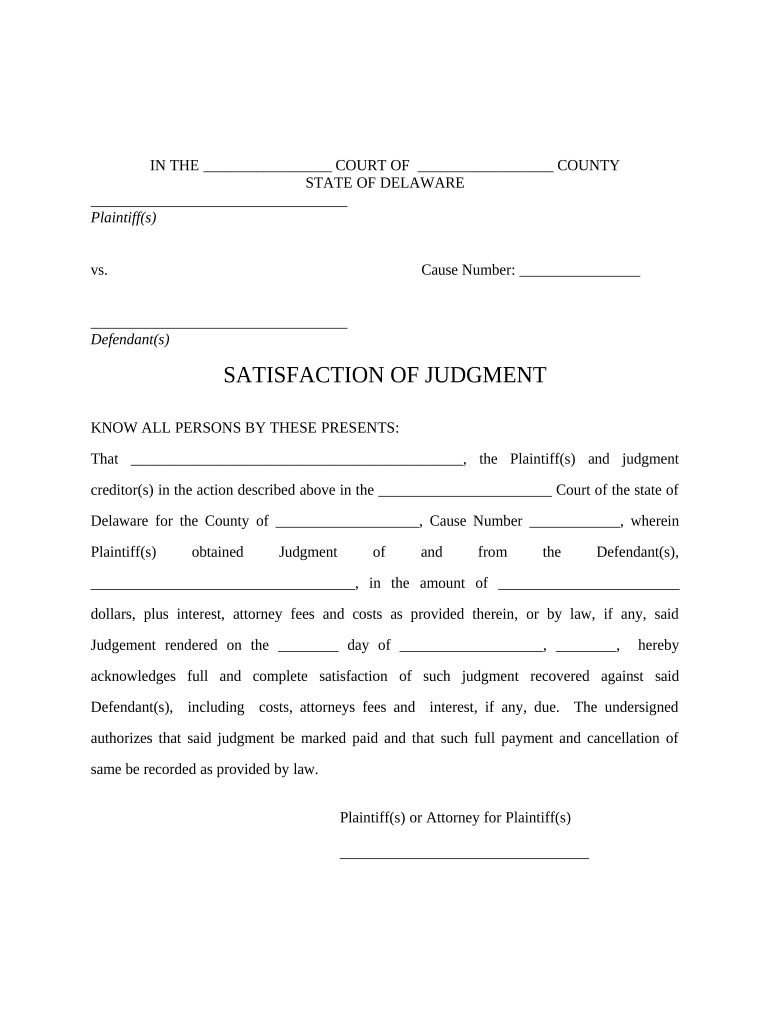
Caption

Complete case caption showing court name, docket number, and party designations so the entry links unambiguously to the underlying case and filings.
Judgment Recital

A clear recital of the court's findings or consent terms that explains the basis for the awarded relief and the court's authority.

Monetary Award

Detailed statement of principal, itemized costs, taxable fees, and any conditional payments to avoid ambiguity in enforcement and collection.

Interest Calculation

Express statement of post-judgment interest rate, method of calculation, and start date to ensure recoverable totals are determinable.

Enforcement Directions

Specific instructions authorizing writs, levies, garnishment, or domestication that guide clerks and enforcement officers during collection.

Clerk Acknowledgement

Docket stamp, clerk signature, or certified copy notation evidencing official entry and enabling recorder acceptance for lien perfection.

Practical Examples of Judgment Use

These scenarios show how judgments move from court entry to practical enforcement or title impact in common contexts.

Commercial Creditor

A creditor obtains a money judgment after trial and records the certified judgment in the county where debtor property is located to create a lien.

  • The lien appears on title searches for subsequent purchasers.
  • The recorded judgment enables the creditor to pursue levy or foreclosure on identified assets, increasing likelihood of collection while preserving priority over later claims.

Residential Title Clearance

A title company discovers an unresolved judgment during a closing search and requests a certified release or satisfaction.

  • The seller must satisfy or subordinate the judgment before closing.
  • Resolving the judgment via payment or lien release clears title, prevents post-closing claims, and allows insurer issuance of an owner policy without exception.

Frequently Asked Questions About Delaware Judgments

Answers to common practical and legal questions about preparing, recording, and enforcing a Delaware Judgment.


Need help? Contact support

Comparing eSignature Providers for Judgment Workflows

Common capability and price dimensions for eSignature solutions used to prepare, route, and store judgments and related documents. SignNow appears first for feature parity and pricing context.

signNow DocuSign Adobe Sign PandaDoc HelloSign
Starting Price $8/user/mo $15/user/mo $14/user/mo $19/user/mo $15/user/mo
Free Trial 7-day free trial Varies Varies Varies Varies
Bulk Send Yes Yes Yes Yes No
Audit Trail Yes Yes Yes Yes Yes
HIPAA Compliant Yes Yes Yes No No
Envelope Cap No envelope cap 100 envelopes/user/year Varies Varies Varies
be ready to get more
Join over 28 million airSlate SignNow users