Recitals
Background facts, corporate identifiers, board resolutions, and the effective date for winding up; sets the legal foundation for all subsequent actions.
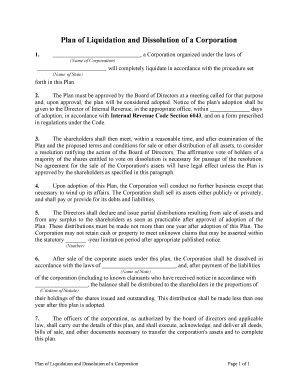
A written plan reduces legal and financial risk, documents decision-making, clarifies creditor and shareholder priorities, and creates an auditable trail for tax and regulatory review. It centralizes duties, timelines, and distributions to avoid later disputes.

Corporate officers and in-house counsel usually lead preparation, often with outside legal and accounting support.
Smaller corporations often engage an attorney or liquidator to ensure statutory compliance and to manage creditor notices and filings.
A chief financial officer or CEO typically certifies the plan and executes distributions; they must follow board and shareholder authorizations, document approvals, and ensure tax and regulatory filings are completed before final dissolution.
General counsel or outside counsel drafts and reviews legal language, verifies statutory notice and creditor procedures, and often handles filings for Articles of Dissolution and related state-required documentation.
Background facts, corporate identifiers, board resolutions, and the effective date for winding up; sets the legal foundation for all subsequent actions.
Comprehensive list and valuation approach for tangible and intangible assets, including title references, estimated sale method, and valuation assumptions.
Detailed creditor list, priority classification, dispute resolution process, and mechanism for reserving funds for contingent claims.
Notice content, publication or direct-service rules, claim submission deadline, validation steps, and dispute-handling protocol.
Order of payments (administrative expenses, secured creditors, taxes, unsecured creditors, shareholders) and formulas for prorated distributions.
State-specific actions: filing Articles of Dissolution, certificate requirements, officer affidavits, and final IRS/state tax returns and notices.
| Field | Configuration |
|---|---|
| Template | Create reusable plan template with locked sections and editable schedules. |
| Authentication | Use email + SMS OTP or stronger methods for signer verification. |
| Signing Order | Define sequential or parallel signing by officers, counsel, and shareholders. |
| Notifications | Send automated reminders and completion receipts to stakeholders. |
Complete before public notices or filing dissolution documents.
Provide the state-required claim period; timing varies by jurisdiction.
File with Secretary of State per that state's filing procedures.
File final federal and applicable state returns by statutory due dates.
Retention periods begin on effective date or filing date depending on law.
Board adopts resolution initiating liquidation and authorizes plan drafting.
Shareholders approve the Plan of Liquidation and Dissolution as required.
Notify creditors and allow statutorily required time for submissions.
File dissolution paperwork and finalize distributions per the plan.
Choose a platform that supports required authentication, audit trails, and the file formats you use.
Ensure the chosen provider supports record retention, exportable audit logs, and any required HIPAA or 21 CFR Part 11 controls.
The interface is simple and easy-to-use for our team.
We chose a compliant platform with strong API support.
| signNow | DocuSign | Adobe Sign | PandaDoc | HelloSign | |
|---|---|---|---|---|---|
| Starting Price | $8/user/mo | $15/user/mo | $14/user/mo | $19/user/mo | $15/user/mo |
| Free Trial | 7-day free trial | Varies by plan | Varies by plan | Varies by plan | Varies by plan |
| Bulk Send | Yes | Yes | Yes | Yes | No |
| Audit Trail | Yes | Yes | Yes | Yes | Yes |
| HIPAA Compliant | Yes | Yes | Yes | No | No |