Establishing secure connection…Loading editor…Preparing document…

Exemption Application for Insurance

This template is fully customizable. Edit the text, fill out the fields, and send it for signature. Give it a try!
Exemption Application for Insurance

What the Exemption Application for Insurance Is

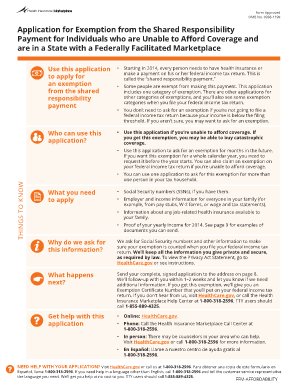
The Exemption Application for Insurance is a formal request that individuals or entities submit to an insurer or regulator to seek relief from a policy requirement, classification, or coverage obligation. The form collects applicant identifiers, policy details, the legal or factual basis for the requested exemption, and supporting evidence such as medical records, affidavits, or financial documentation. Insurers review submissions against policy language, underwriting rules, and applicable state insurance law, then record a decision that may include conditional approval, denial, or additional requirements for compliance and future renewal.
Why a Clear Exemption Application Matters

A well-prepared Exemption Application for Insurance creates a documented record for underwriting and regulatory review, reduces processing delays, and clarifies conditions if an insurer grants or denies relief.

Why a Clear Exemption Application Matters

Who Typically Prepares and Reviews These Applications

Common users include policyholders, brokers, and compliance staff when exemptions are requested or processed internally.

  • Policyholders filing personal exemptions for medical, religious, or financial reasons with insurer or regulator.
  • Insurance brokers preparing applications on behalf of clients to support underwriting or claims exceptions.
  • Compliance and legal teams reviewing, approving, or appealing exemption decisions and maintaining documentation trails.

Essential Sections to Include in the Application

Core sections of a professional Exemption Application for Insurance define applicant data, exemption grounds, supporting evidence, insurer review steps, decision options, and appeal instructions.

Applicant Details

Provide full legal name, contact information, policy number, employer or business identification, and any additional identifiers the insurer requests. Accurate identification prevents processing delays and supports verification checks.

Exemption Basis

Describe the legal or factual basis for the exemption request, citing relevant policy provisions, statutory exemptions, or regulatory authority. Include a concise explanation of why standard requirements should be waived.

Supporting Documents

Attach legible, dated documents such as medical records, affidavits, proof of hardship, tax records, or employer statements. Label each file and reference it clearly in the narrative section of the application.

Attestations

Include signer declarations and an explicit signature block with printed name, title, and date. Required attestations may carry legal consequences if false statements are submitted.

Insurer Review

Reserve space for insurer determinations, internal notes, review completion date, and any imposed conditions. Structured review fields streamline triage and audit readiness.

Appeals Process

Outline steps for reconsideration, time limits to request review, required supplemental materials, and contact information for the insurer's appeals unit or regulatory ombudsman.

Required Data Elements (Quick Reference)

Policy Number: Enter full policy number as printed.
Policyholder Name: Use legal name matching government ID.
Insurer Name: Record the carrier or issuer exactly.
Effective Date: Use MM/DD/YYYY format.
Signature Date: Enter date signed by applicant.
Document ID: Assign a unique internal tracking ID.

Step-by-Step: Prepare and Submit an Exemption Application

Follow these sequential steps to prepare, validate, and submit an exemption application to an insurer or regulator.

  • 01
    Gather Documents: Collect IDs, medical or financial evidence, and policy documents.
  • 02
    Complete Form: Enter required fields, reference attachments, and explain the exemption basis.
  • 03
    Authenticate: Sign, date, and complete notarization or eAuthentication steps if required.
  • 04
    Submit & Track: Send to insurer or portal and retain confirmation or tracking number.

Setting Up a Digital Workflow for Exemption Requests

Configure a digital workflow to automate validation, routing, and retention for exemption applications across teams.

Field Configuration
Authentication Email, SMS code, or knowledge-based answers
Attachments PDF preferred; include file naming convention
Conditional Fields Show fields when exemption reason selected
Signature Order Set signer sequence: applicant then compliance reviewer

How Submission and Review Typically Flow

The submission lifecycle covers upload, field placement, signer authentication, signature capture, and distribution of final documents.

  • Upload: Upload PDF or DOCX and verify pages.
  • Prepare: Place fields, add conditional sections, and attach exhibits.
  • Authenticate: Choose email, SMS, or advanced verification.
  • Complete: Signer applies signature; system captures audit trail.

Platform and Integration Considerations

Use platforms that support PDF, Word, and secure eSignature workflows integrated with enterprise systems and cloud storage.

  • File Formats: PDF, DOCX, and XLSX supported.
  • Integrations: Salesforce, NetSuite, Google Workspace integrations.
  • Auth Options: Email, SMS, KBA, SSO available.

Typical Timelines and Processing Expectations

Typical timelines and deadlines for exemption applications vary by insurer and state; monitor processing windows and appeals periods closely.

Submission Window:

Submit as soon as the triggering event occurs; delays may forfeit eligibility.

Insurer Review Time:

Many insurers review within 30–60 days; confirm specific SLA with the carrier.

Appeal Deadline:

Appeals frequently must be filed within 30 days of denial; check policy for exact period.

Notarization Timing:

If notarization required, complete signatures during the notarization event or via authorized RON.

Record Retention:

Retain copies until appeal exhaustion plus statutory retention period.

Penalties and Risks of an Incorrect Application

Denial of Exemption: Application may be denied.
Coverage Gap Risk: Loss of coverage or claims denial.
Regulatory Penalties: Fines or administrative sanctions possible.
Premium Adjustment: Insurer may increase premiums retroactively.
Data Mismatch: Incorrect data triggers processing delays.
Perjury Risk: False attestations can carry legal penalties.

Common Mistakes to Avoid

  • Submitting incomplete identification or mismatched names that cause identity verification failures and require supplemental documentation.
  • Failing to attach clearly labeled supporting evidence such as dated medical records or employer letters, which delays adjudication.
  • Using vague legal language or failing to cite a policy provision or statutory basis for the exemption request.
  • Signing out of sequence or before notarization requirements are met, which can render the form noncompliant.

eSignature Provider Comparison for Supporting Exemption Workflows

Comparing common eSignature providers on price, bulk send capability, audit trails, and HIPAA support can inform platform selection for exemption workflows.

signNow DocuSign Adobe Sign PandaDoc HelloSign
Starting Price $8/user/mo $15/user/mo $14/user/mo $19/user/mo $15/user/mo
Free Trial 7-day trial Varies Varies Varies Varies
Bulk Send Yes Yes Yes Yes No
Audit Trail Yes Yes Yes Yes Yes
HIPAA Compliant Yes Yes Yes No No

Practical Examples of Digital Exemption Workflows

Organizations adapt eSignature and document workflows to collect exemption attestations and preserve compliance-ready records; two examples are summarized below.

Optica Ventures

Optica adopted digital authorization forms to replace paper exception requests

  • Result: faster turnaround and fewer manual follow-ups
  • Leadership reported the interface simplified internal and customer-facing workflows, improving traceability and reducing phone/email coordination for exemption reviews while preserving an auditable record.

Fertility Centers of Illinois

A healthcare organization moved exception requests online to consolidate patient and payer documentation

  • Outcome: reduced administrative steps and improved submission completeness
  • The team cited improved API integrations and reliable audit trails that supported compliance needs and reduced processing time for exception decisions.

Practical Tips to Complete Applications Accurately

Adopt these best practices to reduce errors, speed review, and support regulatory compliance for exemption applications.

Verify identity and documentation
Confirm names and identification documents match exactly; include government-issued ID copies and cross-check policy numbers to avoid routing errors and verification delays.
Cite policy or statute precisely
Reference the exact policy clause or statutory provision that supports the exemption request and explain how facts map to that authority.
Use clear file naming and labeling
Label attachments with descriptive filenames and cite them in the narrative so reviewers can locate supporting evidence without requesting resubmission.
Record dates and reviewers
Capture submission, review, and decision dates, plus reviewer names and titles, to support appeals and satisfy audit requirements.

Who Signs and Who Authorizes These Applications

Policyholder

The individual or organization covered by the policy must sign attestations and provide required documentation. Their signature demonstrates intent and attribution; mismatches with ID can invalidate the submission and delay determination.

Compliance Officer

An insurer or employer compliance officer often reviews and signs internal determinations. Their authorization documents the carrier response and any conditions; retain their decision record for audit and appeal purposes.

Frequently Asked Questions and Troubleshooting

Answers to common questions about completing, signing, submitting, and appealing Exemption Application for Insurance submissions.


Need help? Contact support

be ready to get more
Join over 28 million airSlate SignNow users