Establishing secure connection…Loading editor…Preparing document…

Grant of Easement

This template is fully customizable. Edit the text, fill out the fields, and send it for signature. Give it a try!
Grant of Easement

What a Grant of Easement Is and when it applies

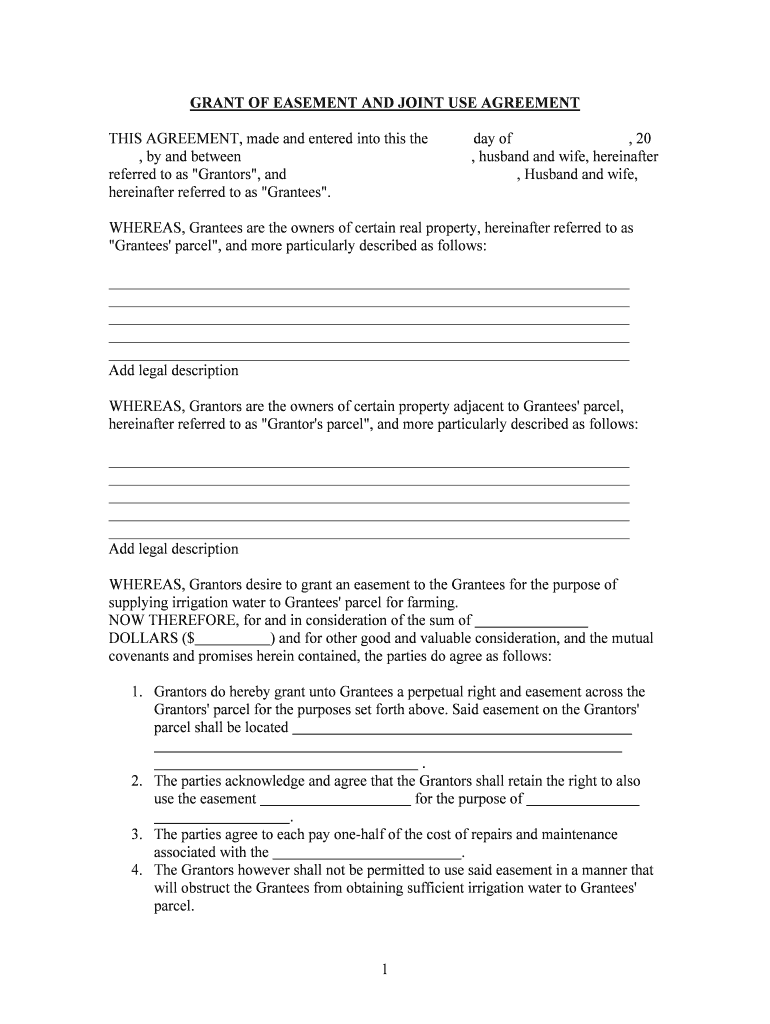
A Grant of Easement is a recorded legal instrument by which a property owner (the grantor) grants another party (the grantee) a nonpossessory right to use, access, or install improvements on a portion of real property for a stated purpose. Typical easements include rights-of-way, utility corridors, drainage, and access to landlocked parcels. The document identifies parties, describes the easement area by metes and bounds or recorded plat reference, states permitted uses, duration (temporary or perpetual), any consideration, and conditions affecting maintenance, relocation, or termination. Proper execution and recording are required to bind future owners.

Why a clear Grant of Easement matters

A Grant of Easement clarifies rights and limitations for use of land, reduces future disputes over access or utilities, and creates an enforceable record that runs with the land when properly recorded. It protects both grantor and grantee interests.

Why a clear Grant of Easement matters

Typical parties who prepare or receive an easement

Typical users include private and institutional landowners, utility companies, local governments, developers, and other easement holders.

  • Grantors (recorded owners) — convey easement rights while retaining title and other property rights.
  • Grantees (utilities, neighbors) — obtain defined access for installation, maintenance, or ingress/egress.
  • Title companies and recorders — ensure proper description, recording, and notice to future owners.

Step-by-step: complete and record a Grant of Easement

Complete the Grant of Easement by preparing parcel descriptions, specifying use terms, securing signatures, notarizing, and recording with the county recorder.

  • 01
    Identify Parties: Enter legal names of grantor and grantee exactly as on title.
  • 02
    Describe Easement Area: Use metes and bounds or recorded plat reference with exhibit.
  • 03
    State Purpose: Specify permitted uses, restrictions, and maintenance responsibilities.
  • 04
    Execution & Recording: Sign, notarize, and record in the county where property is located.

Common questions and practical resolutions

Answers to common questions about drafting, executing, and recording a Grant of Easement, with practical guidance on validity and fixes.


Need help? Contact support

Essential elements to include in a professional easement

Core elements to include in a professional Grant of Easement ensure enforceability, recordability, and clarity for both grantor and grantee.

Parties

Clearly identify grantor(s) and grantee(s) with legal names, entity types, mailing addresses, representative contact details for notices, and corporate identifiers such as EIN when applicable.
Legal Description

Provide an unambiguous metes-and-bounds description or recorded plat reference and label an attached exhibit showing the exact easement corridor and dimensions, including bearings and distances, and attach the surveyor seal when available.

Purpose & Use

Define permitted activities, restrictions, hours of use if relevant, vehicular or pedestrian access limitations, and expressly prohibit unrelated intrusions to limit future disputes, and set maintenance obligations for each party.

Duration

State whether the easement is perpetual, for a fixed term, or terminable on condition; include effective date and any automatic renewal or termination triggers.

Consideration

Record any monetary payment, covenant, or exchange of value that supports the grant; describe payment timing, escrow or security arrangements, and clarify tax consequences and whether assessments pass to successors.

Maintenance

Allocate responsibility for upkeep, define standards for repair, state cost-sharing formulas or indemnities for damage caused by use or relocation, and include timelines and notice procedures for required work.

Required data fields at a glance

Grantor Name: Exact legal name on title
Grantee Name: Full legal name or entity
Parcel ID: County assessor parcel number
Legal Description: Metes and bounds or plat
Easement Area: Dimensions and exhibit reference
Effective Date: Enter effective date as MM/DD/YYYY

Risks and consequences of errors

Title Clouding: Ambiguous language can create title defects
Recording Rejection: Improper form or missing notary causes rejection
Tax Consequences: Unreported consideration may trigger tax issues
Access Disputes: Undefined rights lead to litigation
Liability Exposure: Grantee activities can create property liability
Enforceability Issues: Oral modifications are ineffective without writing

Common drafting and execution mistakes to avoid

  • Using vague location descriptions without a survey or exhibit, which leads to ambiguity about the exact easement corridor and problems at recording or enforcement.
  • Failing to state maintenance responsibilities or cost allocation, causing disputes between parties over repairs, vegetation control, or replacement of utilities.
  • Not obtaining necessary consents from mortgage lenders or other encumbrance holders, which can jeopardize enforceability or lead to lender objections.
  • Recording in the wrong county or failing to reference the original deed by book and page, making it difficult to locate and link to title records.

How signing, notarization, and recording typically flow

This outlines where and how to submit a Grant of Easement for signature, notarization, and recording with the appropriate authorities.

  • Signatures: Obtain signatures from grantor(s) and any required co-owners.
  • Notarization: Have signatures acknowledged by an authorized notary public.
  • Recording: File original with county recorder where property is located.
  • Provide Copies: Distribute recorded copy to grantee, grantor, and title insurer.

Online workflow settings for digital completion

Configure an online workflow to collect signatures, notarization where allowed, and automatic distribution of the recorded instrument to stakeholders.

Field Configuration
Signer Authentication Email link with optional SMS code
Notary Handling In-person or RON when authorized
Document Fields Signature, initials, date, and exhibit attachment
Post-Recording Transmission Automatic copy to grantee and title insurer

Technical features to support eSigning and recording

Use an eSignature platform that supports required authentication, document formats, and integrations with title or recorder workflows.

  • File Formats: PDF/A and DOCX supported
  • Integrations: Connectors for title, cloud storage, and email
  • Authentication: Email OTP, SMS, or KBA options

Representative eSignature vendor pricing and capabilities

Comparison of representative eSignature vendors and capabilities relevant to executing and managing a Grant of Easement.

signNow DocuSign Adobe Sign PandaDoc HelloSign
Starting Price $8 per user per month billed annually $15 per user per month billed annually $14 per user per month billed annually $19 per user per month billed annually $15 per user per month billed annually
Free Trial Yes — 7-day free trial, no credit card required Varies by plan; check vendor Varies by plan; check vendor Varies by plan; check vendor Varies by plan; check vendor
Bulk Send Available on Business Premium and higher plans Available on select commercial plans; varies Available on business and enterprise tiers Available on some plans; verify feature set Feature availability varies by plan and vendor
Audit Trail Includes detailed audit trail with timestamps and IP logs Includes audit trail and logs Includes audit trail and logs Includes audit logs Includes audit trail
HIPAA Compliant Yes — BAA available for covered entities Yes — BAA available for healthcare customers Yes — enterprise agreements include BAA No — BAA generally not offered No — limited HIPAA support
Envelope Cap No envelope cap; unlimited users included Cap of 100 envelopes per user per year Envelope limits vary by subscription plan Limits vary; consult plan terms Limits vary by plan and vendor

Timing considerations and deadlines

Key timing considerations include execution date, notarization, prompt recording, and alignment with mortgage or closing timelines.

Execution Date:

Effective date determines rights; use MM/DD/YYYY

Notarization Timing:

Notarize before recording; some counties require original notarized document

Recording Promptness:

Record promptly to protect priority and notice to subsequent purchasers

Closing Alignment:

Record before or at closing as required by title company

Tax Reporting:

Disclose any consideration for correct tax treatment and reporting obligations

Milestone timeline from drafting to recorded instrument

Milestone timeline for completing a Grant of Easement from initial drafting to final recording and distribution.

01

Draft Agreement

Prepare legal description, exhibits, and draft terms with counsel as needed.

02

Sign and Notarize

Obtain signatures and notary acknowledgment consistent with recorder requirements.

03

Record Instrument

File original with county recorder and pay required recording fees.

04

Distribute Copies

Provide recorded copies to grantee, title insurer, and mortgagee if applicable.

Practical examples showing common easement outcomes

Real-world examples show how Grants of Easement resolve access, utility, and development needs while preserving title clarity.

Access Easement — Neighbor

A rural landowner granted a permanent access easement to an adjacent neighbor to create legal vehicular access to a public road where none existed.

  • Metes-and-bounds and recorded exhibit resolved location ambiguity.
  • The parties recorded the instrument with clear maintenance terms allocating repair costs, secured notarized signatures, and provided the recorded copy to the title company to prevent future title disputes and ensure enforceability against subsequent owners.

Utility Easement — Provider

A municipality granted a utility easement to a power company to install underground lines and facilitate maintenance access across private parcels.

  • Agreement included relocation provisions and compensation.
  • The recorded easement included indemnity language, a cost-sharing schedule for relocation, and an exhibit showing conduit placement; the county recorder indexed the instrument to the parcels and provided certified copies to affected owners.

be ready to get more
Join over 28 million airSlate SignNow users