Establishing secure connection…Loading editor…Preparing document…

Guaranty Promissory Note

This template is fully customizable. Edit the text, fill out the fields, and send it for signature. Give it a try!
Guaranty Promissory Note

What a Guaranty Promissory Note Is and How It Works

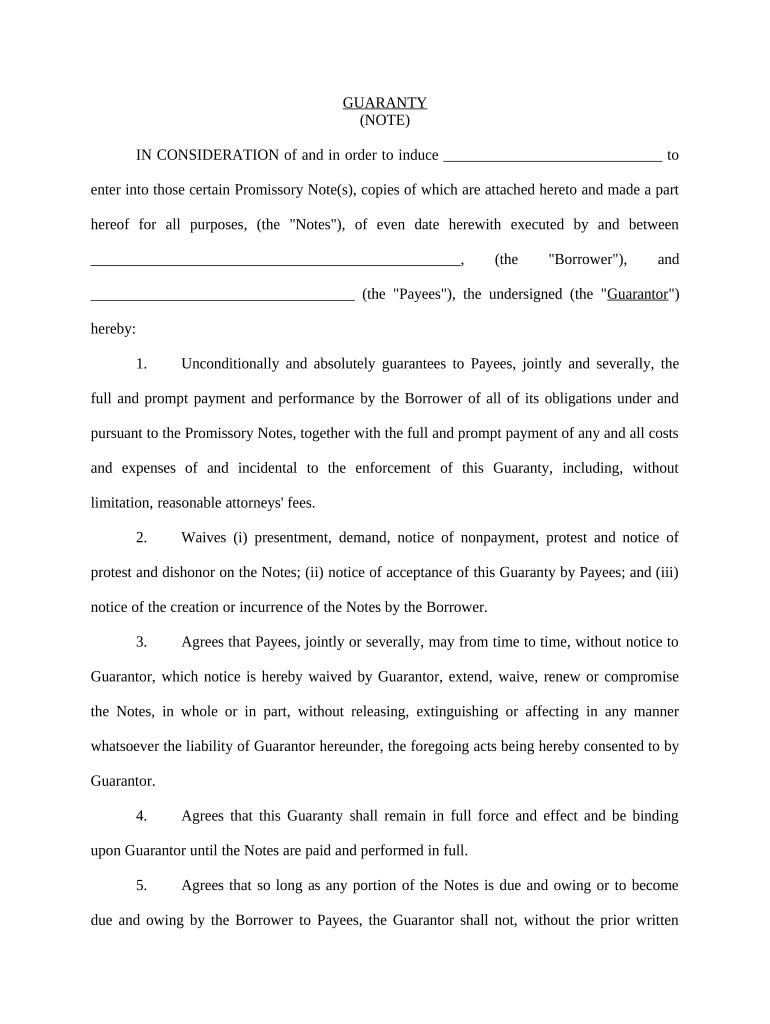
A Guaranty Promissory Note is a written promise by a guarantor to repay a debtor's obligation if the primary obligor defaults. It combines a promissory note (the debt instrument describing amount, interest, and payment schedule) with a guaranty clause that creates secondary liability for the guarantor. These documents are used in commercial loans, lease guaranties, and supplier credit to allocate repayment responsibility. Properly drafted notes set clear triggers for liability, default remedies, and governing law to limit ambiguity and support enforceability in court if collection becomes necessary.

Why a Clear Guaranty Promissory Note Matters

A precise Guaranty Promissory Note clarifies who owes what and when, reduces litigation risk, and helps lenders enforce repayment. It preserves evidence of consent, repayment terms, and related remedies that courts review when assessing guarantor liability under state law and contract principles.

Why a Clear Guaranty Promissory Note Matters

Who Typically Prepares and Signs This Document

Lenders, landlords, vendors, and legal departments commonly use guaranty promissory notes to secure credit or lease obligations.

  • Small-business lenders and credit departments use standardized forms to document third-party guaranties and reduce underwriting ambiguity.
  • Landlords and property managers secure lease obligations where an individual or company guarantees tenant performance and rent payments.
  • Vendors and suppliers require guaranties for new accounts or higher-risk customers to reduce trade receivable exposure.

The document serves both creditors who need enforceable security and guarantors who should understand committed obligations before signing.

Common Signatory Roles

Guarantor — Individual

A guarantor signs to accept secondary liability. Individuals should ensure their legal name, capacity (e.g., personal or corporate officer), and authority are accurate; mistakes can impede enforcement or trigger unintended personal exposure.

Lender — Institution

A lender or creditor signs to acknowledge obligation terms and provide contact and payment routing. Institutional signatories should include authorized officer name, title, and corporate address to establish clear points for notice and collection.

Core Elements to Include in a Professional Note

A complete Guaranty Promissory Note organizes identity, monetary terms, guaranty scope, default mechanics, remedies, and governing law so courts and counterparties can easily interpret obligations.

Parties

Identify lender, borrower, and guarantor with full legal names, entity type, and addresses. Use exact names that match formation records or government IDs to avoid disputes.
Principal Amount

State the precise dollar amount guaranteed, including any maximum liability cap, whether it accrues interest, and how advances or fees affect the balance.

Guaranty Scope

Specify whether guaranty is limited, continuing, joint and several, or conditional. Clear scope prevents disagreement over extent of guarantor responsibility.

Payment Terms

Include payment schedule, interest rate (fixed or variable), late fees, and application of payments. Tie interest to a defined index if variable rates apply.

Default & Remedies

Define events of default, acceleration rights, collection costs, and remedies such as judgment, lien enforcement, or recovery of attorney fees.

Governing Law

Choose the state law that will govern disputes and clarify venue; this affects enforceability and statutory limitations.

Step-by-Step: Completing a Guaranty Promissory Note

Follow simple steps to prepare, review, and finalize a note so it is clear and enforceable.

  • 01
    Prepare Parties: Confirm exact legal names and contact details for all parties.
  • 02
    Enter Loan Terms: Record principal, interest, schedule, and payment application rules.
  • 03
    Draft Guaranty Clause: Define scope, duration, and any caps or release conditions.
  • 04
    Sign and Authenticate: Obtain signatures, witnessing, and notarization or electronic audit trail as required.

Typical Electronic Workflow for Execution

An eSignature workflow reduces turnaround time while preserving an auditable record of consent and completion.

  • Upload Document: Sender uploads the PDF or DOCX and reviews fields.
  • Assign Roles: Place signature, initial, date, and witness fields by role.
  • Authenticate Signers: Use email, SMS code, or stronger MFA for identity assurance.
  • Capture Audit Trail: System records timestamps, IP addresses, and actions for proof.

Recommended Digital Field Configuration

Set up fields and conditional logic to reflect guaranty-specific requirements before sending for signature.

Field Configuration
Signature Field Required for guarantor and lender; validate signer attribution.
Date Field Auto-fill or require MM/DD/YYYY entry on signing.
Conditional Guaranty Show limited-guaranty language only if a checkbox is selected.
Notary Block Reserve space for notary acknowledgement or RON session metadata.

Technical and Integration Considerations

Confirm your signing platform supports required authentication, audit trails, and export formats before use.

  • Integrations: Use CRM or ERP connectors to sync borrower and guarantor data.
  • Formats: Prefer PDF/A export for long-term retention.
  • Authentication: Enable SMS or knowledge-based authentication for higher assurance.

Ensure the platform meets regulatory needs (ESIGN/UETA compliance) and supports secure storage and retrievability of the signed record.

Common Preparation Mistakes to Avoid

  • Using informal or partial names for guarantors, which creates ambiguity and can delay enforcement or collection actions.
  • Leaving payment application rules vague, causing disputes over how payments are applied to interest, fees, or principal balances.
  • Failing to state expressly whether the guaranty is continuing, limited, or terminable, which affects ongoing liability.
  • Skipping notarization or witness steps where required by state law, risking challenges to authentication in litigation.

Penalties, Liabilities, and Risks

Default Liability: Guarantor may be held personally liable.
Collection Costs: Guarantor may bear attorney and enforcement fees.
Credit Damage: Default can affect guarantor credit ratings.
Tax Reporting: Loan forgiveness or settlements may trigger tax consequences.
Fraud Risk: Incomplete disclosure risks fraud or rescission claims.
Statute Limits: Time limits on enforcement vary by state.

Practical Examples of Guaranty Promissory Note Uses

Two representative scenarios show how guaranty notes are customized and executed in practice.

Case Study 1

A small developer guarantied a line of credit to secure construction funding, ensuring lender access to repayment if the borrower defaulted.

  • The guaranty was joint and several to avoid inter-party disputes.
  • The documented cap and clear payment schedule helped the parties resolve a later payment acceleration without protracted litigation by relying on the written terms.

Case Study 2

A landlord required an owner guarantee for a commercial lease when the tenant was a new subsidiary with limited history.

  • The guarantor provided an unlimited continuing guaranty to satisfy underwriters.
  • Having precise default remedies and a notarized signature enabled swift enforcement and recovery of unpaid rent under the lease terms.

Practical Tips for Accuracy and Enforceability

Follow these practical steps to reduce ambiguity and increase the likelihood of enforceability.

Use Exact Legal Names
Always use full names that match government IDs or formation documents, and include entity type (LLC, Inc.) to avoid misidentification in enforcement actions.
Define Guaranty Scope Clearly
State whether the guaranty is continuing, limited, conditional, or absolute; specify covered transactions and any termination mechanics to prevent disputes.
Document Consideration
Record consideration (value exchanged) clearly; courts may scrutinize unconscionable or unsupported guaranties more closely in certain jurisdictions.
Record Execution Evidence
Keep notarizations, witness statements, or robust electronic audit trails to support authenticity and help overcome challenges in litigation.

Frequently Asked Questions About Guaranty Promissory Notes

Answers to common execution, enforceability, and recordkeeping questions for guaranty notes and their electronic execution.


Need help? Contact support

be ready to get more
Join over 28 million airSlate SignNow users