Establishing secure connection…Loading editor…Preparing document…

Jury Instruction Document

This template is fully customizable. Edit the text, fill out the fields, and send it for signature. Give it a try!
Jury Instruction Document

What a Jury Instruction Document Is

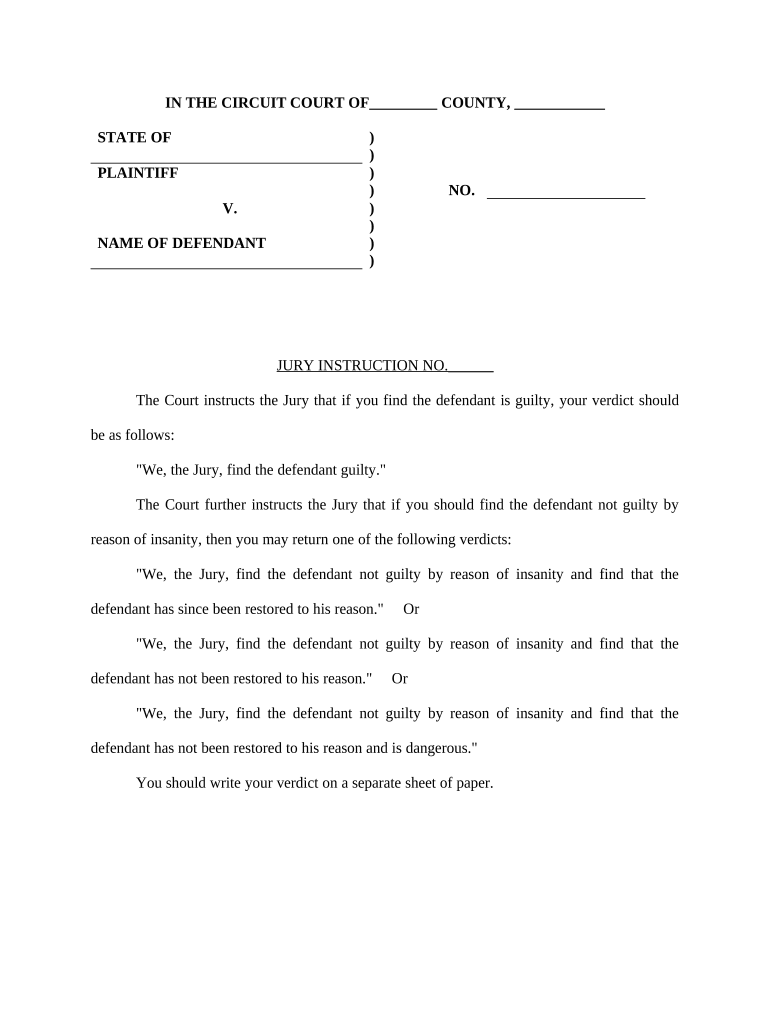
A Jury Instruction Document is a written set of proposed legal and factual directions submitted to a trial court for the judge to read to the jury. It typically collects statutory language, model instructions, party-proposed wording, and cited authority so the judge can resolve disputes about the applicable law and the jury’s duties. In civil and criminal trials the document frames elements, burden of proof, definitions, and permissible inferences; the final form may be edited by the court before being given to jurors.

Why a Clear, Complete Instruction Document Matters

A precise jury instruction package reduces confusion, preserves objections on appeal, and documents the legal positions presented to the court. Properly prepared instructions help ensure the jury applies the law intended by the parties and the judge.

Why a Clear, Complete Instruction Document Matters

Who Prepares and Relies on Jury Instruction Documents

Multiple courtroom participants prepare, review, or use jury instruction documents during pretrial and trial proceedings.

  • Trial judges who evaluate proposed language, resolve disputes, and deliver the final instructions to jurors.
  • Plaintiffs’ and defendants’ counsel who draft, cite authority, and lodge objections or alternative wording.
  • Court clerks and administrators who file, docket, and distribute the submitted instruction packages to chambers and counsel.

Roles vary by jurisdiction; local rules often dictate timing, formatting, and submission mechanics that each participant must follow.

Essential Elements of a Professional Jury Instruction Document

A professional package balances legal precision, clear organization, and citation accuracy so the judge and opposing counsel can assess proposed language quickly.

Purpose

States the issue the instruction addresses, whether it defines terms, states elements, explains burden of proof, or describes verdict options.
Format

Numbered instructions with short titles and a table of contents; consistent numbering helps the court reference and rule on specific items.

Authority

Each instruction cites primary sources: statutes, controlling case law, model pattern instructions, and secondary authority where applicable.

Proposed Wording

Clear, plain-language text for the jury to read; avoid argumentative phrasing and include alternatives if law is unsettled.

Objections

A separate section or column identifying opposing counsel’s objections and the legal basis for each objection for the record.

Signature Block

Counsel of record signs and dates the proposal; include counsel contact information and party designation for service.

Required Information to Include

Case Caption: Party names and case number
Court Name: Court and division
Instruction Title: Short descriptive heading
Citations: Statute and case citations
Submitting Party: Counsel name and bar number
Filing Date: Date of submission

Stepwise Process to Prepare and Submit

Follow a standard sequence—draft, support with authority, coordinate, file, and preserve objections—to reduce court pushback and appellate risk.

  • 01
    Draft: Prepare numbered instructions and concise titles
  • 02
    Cite: Attach primary authority and pattern references
  • 03
    Serve: Deliver the draft to opposing counsel per local rule
  • 04
    File: Submit to the court by the method required locally

Digital Workflow Settings for eSubmission

Configure your e-filing and eSignature workflow to match the court’s required authentication and document formats before sending.

Field Configuration
Document Format PDF / DOCX accepted
Authentication Email link with optional SMS code
Signing Order Counsel signatures then filing attorney
Audit Trail Enable timestamp and IP capture

Technical Requirements and Supported Formats

Ensure the chosen platform supports court-required formats, strong audit trails, and the authentication methods your local rules demand.

  • Formats: PDF and DOCX supported
  • Integrations: Connects to e-filing and cloud storage
  • Authentication: Email, SMS code, or 2FA options

Confirm the court’s e-filing portal accepts electronically signed PDFs and retains a copy of the audit trail for the official record.

Typical Electronic Submission and Service Flow

An efficient eSubmission follows upload, field placement, signer authentication, distribution to parties, and filing with the court, capturing an audit trail at each step.

  • Upload Document: Add final PDF or DOCX to your e-sign platform
  • Place Fields: Add signature, date, and initial fields where required
  • Signers Authenticate: Counsel signs using email link or additional verification
  • File and Serve: Submit signed copy to court and serve parties

Timing Considerations and Common Court Deadlines

Local rules set exact deadlines; confirm with the court calendar and scheduling orders. Common practice places proposed instructions well before closing arguments.

Proposed Instructions Due:

Often due prior to the charge conference

Objection Deadline:

Opposing counsel must lodge objections promptly

Charge Conference:

Judge and counsel resolve instruction disputes

Final Filing:

Court files the judge’s final instructions

Jury Delivery:

Judge reads or provides written instructions to jury

Key Milestones from Draft to Jury Delivery

Track milestones numerically so the record shows timely submission, objections, rulings, and final delivery of jury instructions.

01

Draft Preparation

Complete and proof proposed instructions before service

02

Service on Opposing Counsel

Serve proposals per local rules and confirm receipt

03

Objections and Responses

File objections with supporting authority as required

04

Charge Conference & Delivery

Court rules on disputes and delivers final instructions

Consequences of Incorrect or Untimely Submissions

Waiver Risk: Failing to object may waive appellate arguments
Late Filing: Court may strike or refuse to consider
Improper Format: Noncompliant documents may be rejected
Citation Errors: Misleading authority weakens the instruction
Signature Issues: Unauthorized signatures can invalidate submission
Record Gaps: Missing audit trail harms proof of service

Frequent Errors to Avoid When Preparing Instructions

  • Using argumentative language or facts in instructional text rather than neutral legal directives can prompt rejection by the court.
  • Failing to cite controlling authority or relying on outdated case law increases the chance the judge will modify or decline your instruction.
  • Renumbering instructions after objections without preserving original references complicates the record and appellate review.
  • Submitting unsigned or poorly authenticated documents, or missing required service certificates, may lead to non-acceptance by e-filing systems.

Practical Tips for Accurate, Efficient Preparation

Adopt consistent formatting, coordinate early with opposing counsel, and preserve a clear audit trail for each filing and service event.

Cite Primary Authority
Always include the most closely analogous statute or controlling case. Cite pinpoints and pattern instruction numbers so the judge and opposing counsel can verify sources quickly.
Use Plain Language
Write instructions that are readable aloud and avoid legalese where the substance and legal standard remain accurate and precise for jurors.
Coordinate Early
Exchange proposed instructions with opposing counsel well before the charge conference to narrow disputes and reduce court time.
Preserve the Audit Trail
When submitting electronically, enable timestamps, signer attribution, and delivery receipts to document service, signature, and filing events reliably.

Comparison: signNow and Common eSignature Providers

Vendor pricing and feature availability vary; the table below summarizes common plan starting prices and selective compliance features for quick reference.

signNow DocuSign Adobe Sign PandaDoc HelloSign
Starting Price $8/user/mo $15/user/mo $14/user/mo $19/user/mo $15/user/mo
Free Trial Yes, 7-day trial No No Yes Yes
Bulk Send Yes Yes Yes Yes No
Audit Trail Yes Yes Yes Yes Yes
HIPAA Compliant Yes Yes Yes No No

Real-World Examples of Use

Examples show how courts and counsel integrate submitted instructions into the trial record while preserving objection and appeal positions.

County Court Submission

A trial team prepared a consolidated instruction packet to streamline the charge conference

  • The court accepted numbered proposals
  • The preserved audit trail and service receipts simplified appellate citation and record retrieval.

Defense Counsel Coordination

Defense counsel exchanged proposed wording with opposing counsel before trial to narrow disputes

  • Counsel agreed on five neutral language items
  • The judge adopted the agreed items and focused hearings on contested instructions, saving court time.

Typical Signatories and Their Authority

Presiding Judge

The judge rules on instruction disputes and delivers the final charge. Judges ensure instructions accurately reflect applicable law and may edit language on the record to clarify legal standards for jurors.

Lead Trial Counsel

Counsel for each party drafts, signs, and files proposed instructions and objections. Signing counsel certifies service, verifies authority to submit on behalf of the party, and preserves objections for appeal.

Frequently Asked Questions About Jury Instruction Documents

Answers address common procedural, validity, and technical questions encountered when preparing or submitting jury instruction documents.


Need help? Contact support

be ready to get more
Join over 28 million airSlate SignNow users