Establishing secure connection…Loading editor…Preparing document…

Petition for Writ of Habeas Corpus By a Person in State Custody

This template is fully customizable. Edit the text, fill out the fields, and send it for signature. Give it a try!
Petition for Writ of Habeas Corpus By a Person in State Custody

What this Petition Is and When it’s Used

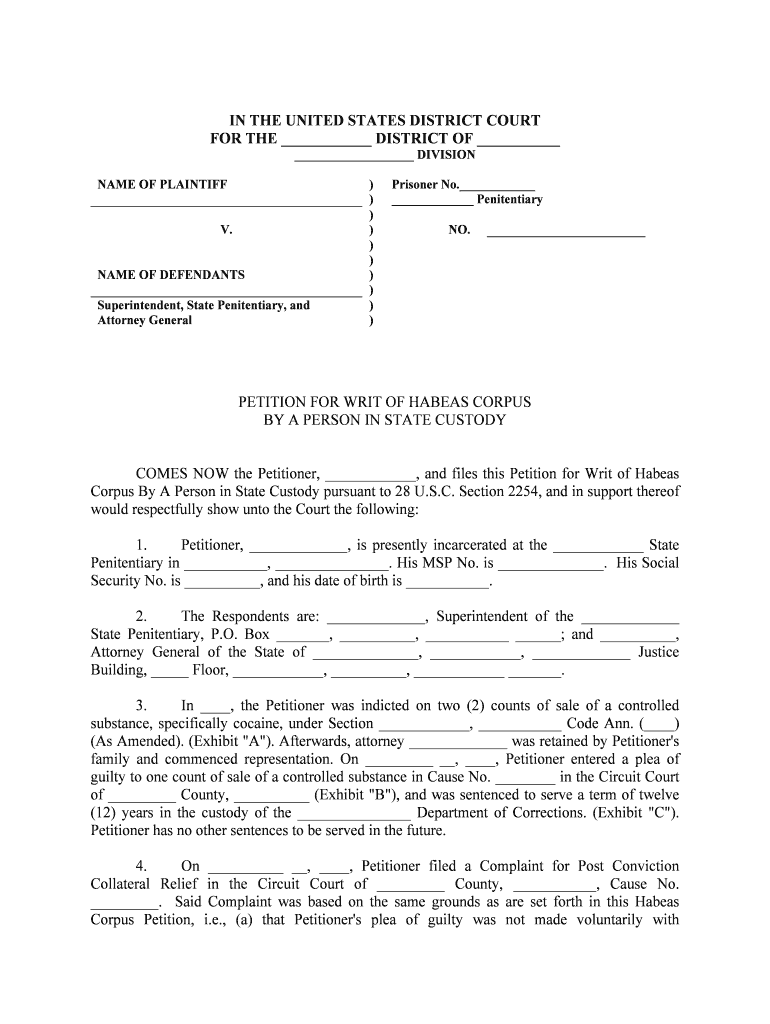
A Petition for Writ of Habeas Corpus By a Person in State Custody is a court filing by a person detained in state custody that challenges the lawfulness of detention and requests immediate release or other relief. The petition explains factual and legal grounds, identifies the custodian, and asks a court to examine whether constitutional or statutory rights were violated. It is typically filed in state trial or appellate courts under state habeas statutes and can raise issues such as due process, ineffective assistance of counsel, sentencing errors, or jurisdictional defects.

Why This Petition Matters for People in Custody

A properly drafted state habeas petition preserves liberty, triggers judicial review of custody, and can correct fundamental errors that other appeals may not reach; it acts as a safety valve when detention lacks legal foundation.

Why This Petition Matters for People in Custody

Who Prepares and Files a State Habeas Petition

Typical filers include detained individuals acting pro se and attorneys representing incarcerated clients.

  • Pro se petitioner — An incarcerated person who prepares and files without counsel, often citing procedural default or ineffective assistance issues.
  • Defense counsel — Criminal appellate or post-conviction attorneys who prepare detailed legal argument and attach records to support relief.
  • Legal aid or advocacy groups — Organizations that assist with drafting, records requests, and in forma pauperis applications.

Primary Roles Involved

Petitioner — Inmate

An incarcerated individual who challenges the legality of their detention. The petitioner must state facts, show exhaustion of remedies where required, and verify the petition under penalty of perjury when signature lines require affirmation.

Counsel — Attorney

A licensed attorney may prepare and sign the petition, file supporting records, request hearings, and represent the petitioner at evidentiary proceedings; counsel also advises on jurisdiction, timeliness, and procedural bars.

Essential Case Identifiers to Include

Case Caption: Names of parties and court.
Custodian Details: Name and official title of custodian.
Booking Number: Facility booking or ID number.
Docket Number: Original criminal case number.
Grounds Alleged: Short legal basis for relief.
Prior Filings: Exhaustion or prior petitions noted.

Legal Risks of an Incorrect or Incomplete Petition

Dismissal Risk: Court may deny for procedural defects.
Sanctions: Frivolous claims risk fees or sanctions.
Waiver of Claims: Untimely or unexhausted claims may be forfeited.
Perjury Exposure: False statements risk criminal penalties.
Missed Deadlines: Failure to act can bar relief.
Ineffective Assistance: Poor drafts may hinder future appeals.

Common Preparation Pitfalls to Avoid

  • Failing to attach or cite the trial record or transcripts that substantiate procedural or constitutional claims, which often leads to immediate dismissal.
  • Omitting the custodian’s proper legal name and title, causing service defects or misdirected filings that delay review.
  • Neglecting to explain prior post-conviction or appellate history and whether state remedies were exhausted, which is critical for jurisdictional assessment.
  • Submitting unsigned or improperly verified petitions; many courts require a verification clause or notarized signature when filed pro se.

Filing Steps for a State Habeas Petition

Follow these steps to assemble, verify, and file a petition in state court; adjust sequence for local court rules and counsel involvement.

  • 01
    Gather Records: Collect judgment, sentence, transcripts, and relevant filings.
  • 02
    Draft Petition: State facts, legal grounds, relief sought, and verification.
  • 03
    File with Court: Submit petition and required forms to the appropriate state court.
  • 04
    Serve Respondent: Serve the custodian and state counsel per local rules.

What Happens After You File

Courts and respondents follow set steps after filing; timelines and hearings vary by jurisdiction and case complexity.

  • Clerical Intake: Court assigns a docket number and opens the file.
  • Respondent Response: State counsel may file a return addressing allegations.
  • Evidentiary Review: Judge may order records review or an evidentiary hearing.
  • Disposition: Court grants relief, denies petition, or sets further proceedings.

Core Components of a Professional Petition

A complete petition organizes facts, legal argument, and evidence so the court can quickly identify jurisdiction, claims, and requested relief.

Caption

Jurisdiction, court name, case caption, and custodian identification to ensure correct filing and service.
Statement of Facts

Clear chronological narrative of arrest, conviction, sentencing, and events supporting the claim of unlawful custody.

Legal Grounds

Cite constitutional provisions or statutes (for example due process, Sixth Amendment, state habeas statute) that support the requested relief.

Relief Requested

Specific remedies sought, such as release, resentencing, remand for hearing, or correction of records.

Supporting Exhibits

Attach judgments, sentencing orders, transcripts, affidavits, or medical records as exhibits with an index and Bates labels.

Verification

Signed verification or affidavit attesting to truthfulness; include notarization when required by local rule.

Tips for Clear and Effective Petitions

Adopt clear structure and verified evidence to improve court review and reduce procedural rejections.

Use a concise chronology
Present facts in a short timeline with dates and document cross-references so the court can verify claims efficiently.
Cite controlling authority
Reference relevant constitutional provisions, state statutes, and key case law; explain why precedent supports relief in this record.
Attach essential records
Include certified copies of judgments and transcripts or explain reasonable efforts to obtain them if unavailable.
Confirm service and filing rules
Follow local rules for service on the custodian and state attorney; file proof of service with the court promptly.

Timing Considerations and Statute of Limitations

Time limits and exhaustion requirements vary; file promptly and verify state-specific deadlines and tolling rules.

Prompt Filing:

File as soon as a cognizable constitutional or jurisdictional claim is discovered.

Exhaustion of Remedies:

Many states require exhaustion of direct appeal or administrative remedies before state habeas relief.

Tolling Rules:

Statutes of limitations may be tolled for pending appeals or equitable reasons.

Emergency Relief:

Seek stays or emergency hearings if imminent harm or illegal detention is alleged.

Local Deadlines:

Confirm deadlines and filing windows with state court rules or clerk’s office.

Configuring an Electronic Workflow for Petition Assembly

Use a consistent digital workflow to assemble the petition, attachments, verifications, and service documents for filing.

Field Configuration
Document Template Use a master petition template with conditional sections for counsel or pro se filers.
Evidence Attachment Organize exhibits into a numbered index and attach PDFs in order.
Signature Type Choose signer authentication and verification method per court rules.
Service Records Generate proof of service and retain electronic filed notices.

Digital Filing and Platform Considerations

Ensure the chosen platform supports secure storage, audit trails, optional signer authentication, and exports suitable for court e-filing systems.

  • Accepted Formats: PDF and searchable text preferred for court compatibility.
  • Authentication: Use audit trails and certified signatures where court rules permit.
  • Integrations: Integrate with document storage and case management systems like Salesforce, NetSuite, Google Workspace.

Comparing eSignature Vendors for Petition Workflows

Key platform attributes affect cost, compliance, and high-volume petition workflows; signNow is listed first for neutral comparison across common criteria.

signNow DocuSign Adobe Sign PandaDoc HelloSign
Starting Price $8/user/mo $15/user/mo $14/user/mo $19/user/mo $15/user/mo
Free Trial 7-day free trial, no credit card required Varies by plan Varies by plan Varies by plan Varies by plan
Bulk Send Yes Yes Yes Yes No
Audit Trail Yes Yes Yes Yes Yes
HIPAA Compliant Yes Yes Yes No No

Frequently Asked Questions About the Petition

Answers to common procedural and technical questions about preparing, filing, and preserving a state habeas petition.


Need help? Contact support

be ready to get more
Join over 28 million airSlate SignNow users