Establishing secure connection…Loading editor…Preparing document…

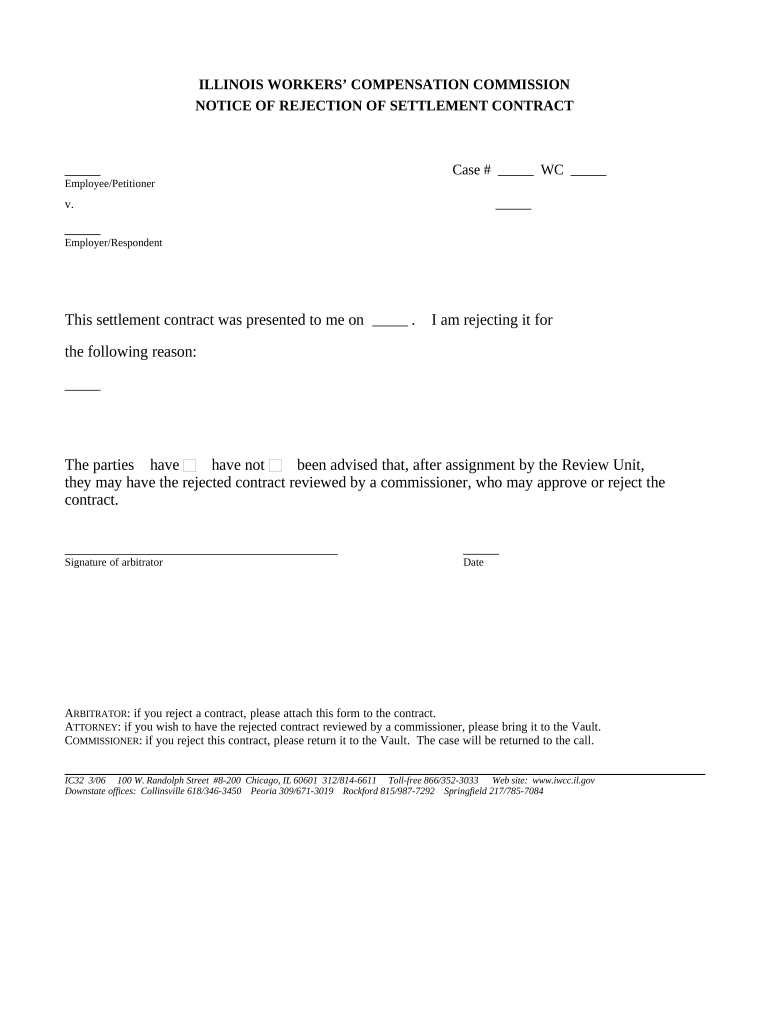
Illinois Notice of Rejection of Settlement Contract

This template is fully customizable. Edit the text, fill out the fields, and send it for signature. Give it a try!
Illinois Notice of Rejection of Settlement Contract

What the Illinois Notice of Rejection of Settlement Contract Is

An Illinois Notice of Rejection of Settlement Contract is a written communication by a party that formally declines a proposed settlement offer or disclaims agreement to settlement terms. It identifies the referenced contract, states that the settlement is rejected, and sets out any reasons or conditions for rejection. The notice can be used in pre-litigation negotiations, during active litigation, or in administrative dispute resolution, and should follow any notice provisions in the underlying contract or applicable court or agency rules.

Why a Clear Rejection Notice Matters

A concise, properly formatted notice preserves legal positions, documents the record, and avoids inadvertent acceptance. It reduces ambiguity about the parties’ intent and supports later litigation or negotiation strategies.

Why a Clear Rejection Notice Matters

Who Typically Prepares and Receives This Notice

Use the notice in alignment with contractual notice clauses and any procedural rules that govern service and filing.

  • Plaintiffs and claimants seeking to preserve claims and record rejection of settlement offers.
  • Defense counsel or insurance adjusters who formally decline proposed resolutions on behalf of clients.
  • Title companies, escrow agents, or settlement administrators who must record transactional rejections.

Key Roles Who May Sign or Send the Notice

Client / Party

The individual or business that owns the legal claim or contractual interest. They authorize counsel or an agent to send the notice and must confirm accuracy of factual statements.

Attorney / Agent

Counsel or authorized representative who drafts and signs the notice on behalf of a client. They ensure compliance with contractual notice provisions and local court or administrative rules.

Step-by-Step: Preparing a Rejection Notice

Follow these sequential actions to prepare and serve a compliant notice of rejection.

  • 01
    Identify Contract: Reference agreement title, execution date, and any file numbers.
  • 02
    Draft Statement: State unequivocally that the settlement is rejected and why.
  • 03
    Add Supporting Facts: Attach relevant exhibits, invoices, or correspondence as evidence.
  • 04
    Sign and Serve: Sign, date, and deliver per contract or procedural service rules.

Setting Up a Digital Workflow for the Notice

Configure a simple e-delivery workflow so the notice is signed, recorded, and archived with minimal friction.

Field Configuration
Authentication Email link with optional SMS code
Signing Order Single signer or sequential parties
Attachments Include contract excerpts and supporting exhibits
Retention Save PDF with audit trail and timestamp

Technical Considerations for eSubmission

Maintain a complete audit trail (timestamps, IP address) and export a signed PDF/A copy for long-term storage.

  • File Formats: PDF, DOCX, and HTML are widely accepted and preserve layout.
  • Integrations: Platforms often connect to Google Workspace, Microsoft 365, and CRMs for storage.
  • Authentication: Use email, SMS, or stronger methods for high-risk notices.

Where the Notice Goes: Service and Filing Path

Typical routing ensures the notice reaches relevant parties and preserves the record for later proceedings.

  • Send to Opposing Counsel: Deliver by the method required in the contract or rules.
  • CC Insurer or Administrator: Include claims adjuster or settlement administrator as needed.
  • File with Court: If required, file a copy per local filing rules.
  • Archive Copy: Store signed copy in case management and records.

Security and Compliance Essentials to Preserve Validity

Encryption: TLS 1.2/1.3 in transit
Data at Rest: AES-256 encryption
Certifications: SOC 2 Type II available
Privacy Compliance: HIPAA compliant with BAA
Legal Standards: ESIGN and UETA compliant
International: GDPR and ISO 27001 certified

Key Legal Risks of an Incorrect or Late Notice

Contract Waiver: Accidental acceptance risk
Evidence Loss: Unclear timeline or missing audit trail
Court Sanctions: Noncompliance with procedural rules
Statute of Limitations: Delay may affect claims
Regulatory Breach: HIPAA or agency violations
Financial Penalties: Contractual fee liabilities

Common Mistakes That Lead to Rejection or Delay

  • Failing to reference the exact contract or effective date leads to ambiguity about which settlement was rejected.
  • Using informal language or conditional phrases can be construed as partial acceptance rather than an unequivocal rejection.
  • Omitting required signature, title, or date may render the notice ineffective under the contract or court rules.
  • Serving the notice by an unauthorized method or missing a contractual notice period can forfeit rights or trigger penalties.

How a Rejection Notice Differs from Similar Documents

Compare common notice types to pick the correct form and understand legal consequences.

Criteria Rejection Notice Rescission Notice
Purpose decline settlement undo agreement
Timing before acceptance after formation
Legal Effect preserve claim void contract prospectively
Filing Needed sometimes often requires formal steps

Comparing eSignature Vendor Pricing and Features

Basic pricing and feature differences for common eSignature vendors. signNow appears first per product comparisons.

signNow DocuSign Adobe Sign PandaDoc HelloSign
Starting Price $8/user/mo $15/user/mo $14/user/mo $19/user/mo $15/user/mo
Free Trial 7-day free trial, no card Varies by vendor Varies by vendor Varies by vendor Varies by vendor
Bulk Send Yes Yes Yes Yes No
Audit Trail Yes Yes Yes Yes Yes
HIPAA Compliant Yes Yes Yes No No

Examples: How Organizations Use a Rejection Notice

Real organizations show how formal notices support compliance and speed.

Optica Ventures LLC

A real estate operator rejected a conditional settlement to preserve closing options.

  • The team attached the purchase agreement excerpt and timeline.
  • By documenting rejection and preserving evidence, Optica retained negotiation leverage while preparing parallel remedies and escrow protections for the property transaction.

Fertility Centers of Illinois

A healthcare provider declined a proposed settlement over confidentiality terms.

  • They used an audited electronic workflow for signatures.
  • The clear, signed record supported concurrent regulatory reporting requirements and protected patient privacy while negotiations continued.

Practical Tips for Accurate and Efficient Notices

Follow these practices to reduce disputes and ensure the notice serves its intended legal function.

Use Plain, Precise Language
State rejection in simple, unequivocal terms; avoid conditional phrasing that could be read as acceptance or negotiation.
Reference the Exact Contract
Include contract title, date (MM/DD/YYYY), and any identifying numbers to eliminate doubt about the agreement in question.
Follow Contractual Notice Procedures
Serve by the method specified in the contract (email, certified mail, delivery address) to preserve rights and avoid procedural challenges.
Keep a Signed Audit Trail
Retain the signed PDF, delivery receipts, timestamps, and IP data to support authenticity and timing in future disputes.

Timing Considerations and Common Deadlines

Deadlines often derive from the contract, local court rules, or statutory timing; confirm the applicable timeline before serving a notice.

Contractual Notice Period:

Follow the exact deadline in the agreement

Service Timing:

Allow for certified mail or process server transit times

Court Filing Windows:

Local rules may require filing within set days

Statute of Limitations Impact:

Delays can reduce remedies available

Administrative Deadlines:

Agency processes may impose separate timeframes

Key Milestones from Draft to Archive

Track these milestone stages to ensure compliant delivery, preserve evidence, and close the administrative loop.

01

Draft Notice

Prepare factual and contractual references for review.

02

Internal Approval

Obtain client or corporate sign-off before release.

03

Serve Opposing Party

Deliver using the contract-prescribed method.

04

File and Archive

File with court or agency if required and store signed copy.

Frequently Asked Questions About Rejection Notices

Answers to common questions about form, timing, and legal effect when rejecting a settlement proposal.


Need help? Contact support

be ready to get more
Join over 28 million airSlate SignNow users