Establishing secure connection…Loading editor…Preparing document…

Illinois Notice Form

This template is fully customizable. Edit the text, fill out the fields, and send it for signature. Give it a try!
Illinois Notice Form

What the Illinois Notice Form Is and When it’s Used

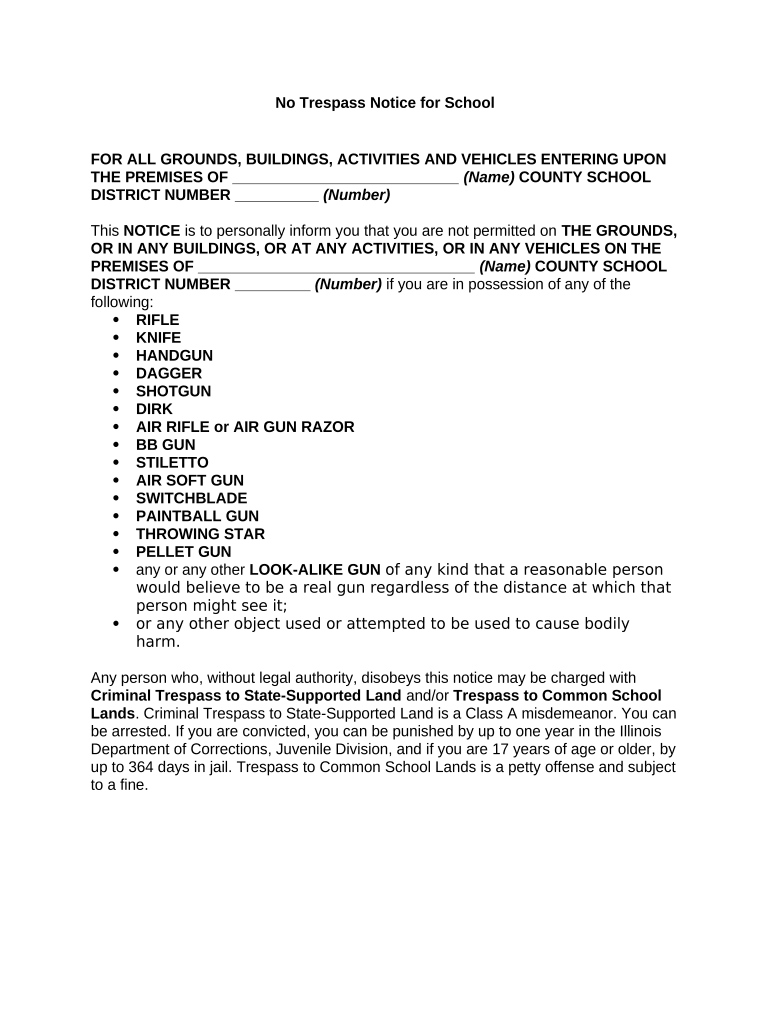
The Illinois Notice Form is a written communication used to give formal notice under Illinois law for a specific legal or administrative purpose, such as a contractual default, tenant notice, lien claim, or rights-of-way notification. It documents the sender, recipient, effective date, factual basis for the notice, and any requested remedy or response deadline. Although formats vary by purpose, an accurate notice preserves statutory rights, creates a record of delivery, and may be required before filing in court or recording with a county office. Electronic delivery and signatures are generally accepted where permitted by ESIGN and Illinois law.

Why a Proper Illinois Notice Form Matters

A correctly prepared notice protects legal rights, starts statutory timelines, and creates admissible evidence. It clarifies expectations, reduces disputes, and helps meet procedural prerequisites for enforcement under state or federal law.

Why a Proper Illinois Notice Form Matters

Who Typically Prepares and Receives These Notices

Common users include businesses, property managers, attorneys, and government units that need to deliver formal, date-stamped notices under Illinois law.

  • Real estate managers and landlords sending lease or possession notices to tenants.
  • Construction contractors issuing pre-lien or notice-to-owner communications to property owners or general contractors.
  • Legal counsel or corporations serving demand, default, or contract-performance notices to counterparties.

Essential Parts of a Professional Illinois Notice Form

A clear notice contains a set of fixed elements to ensure validity and traceability; include these components every time to avoid disputes or rejection.

Sender

Full legal name and contact information for the person or entity issuing the notice, used for service and follow-up.
Recipient

Complete name and address of the intended recipient; verify corporate entity names to avoid delivery or identity errors.

Effective Date

The date the notice takes effect; enter as MM/DD/YYYY and use this date to compute statutory deadlines and cure periods.

Statement of Facts

Concise factual description of the reason for the notice, including contract provisions or statute citations that support the claim.

Requested Remedy

Clear statement of actions requested (payment, cure, performance) and any specific amount or timeline for compliance.

Signature Block

Signature, printed name, title, and date; indicate whether signature is electronic, notarized, or witnessed where required.

Step-by-Step: Completing the Illinois Notice Form

Follow these steps in order to prepare, validate, and deliver an enforceable notice.

  • 01
    Gather documents: Collect contracts, invoices, and proof of default or performance issues.
  • 02
    Complete fields: Enter sender, recipient, effective date, facts, remedy, and signature.
  • 03
    Review: Verify legal names, dates, statutory language, and response timelines.
  • 04
    Deliver and retain: Send via required method, obtain proof of delivery, and store a copy securely.

Where to Submit or Serve an Illinois Notice

Delivery method depends on the notice type and any controlling statute or contract clause. Choose the method that creates verifiable proof of service.

  • Certified Mail: Common for tenant and contract notices; retains mailing receipt and return-receipt proof.
  • Personal Service: Used for process or where statute demands in-person delivery; obtain signed acknowledgment.
  • County Recording: Real-estate related notices or liens may require filing with the county recorder or clerk's office.
  • Electronic Delivery: Allowed if recipient consents; ESIGN and UETA govern electronic delivery and signatures.

Digital Signing and Technical Considerations

Verify platform compliance for your use case (ESIGN/UETA, HIPAA where applicable) and keep copies of signed records and certificates of completion.

  • File formats: PDF, DOCX supported; preserve original formatting.
  • Authentication: Email, SMS, or stronger KBA as required.
  • Audit trail: IP, timestamp, and action log retained.

How the Illinois Notice Form Differs from Similar Documents

Compare common attributes to choose the correct form or process for your legal objective.

Criteria Illinois Notice Form Demand Letter/Affidavit
Notarization Required often yes
Court Filing Needed sometimes yes
Typical Use trigger statutory cure sworn factual statement
eSign Accepted limited

Required Fields and Core Data Elements

Full Name: Complete legal name
Contact Address: Street, city, state, ZIP
Effective Date: MM/DD/YYYY
Issue Description: Concise factual summary
Relief Requested: Specific remedy or amount
Signature: Signed and dated

Common Mistakes to Avoid When Preparing a Notice

  • Using informal or vague language that fails to identify the controlling contract clause or statutory basis clearly enough for enforcement.
  • Entering incorrect or abbreviated legal names for businesses, which can lead to ineffective service or disputes over identity.
  • Missing the precise effective date or miscomputing response and cure periods, resulting in waived rights or procedural defects.
  • Failing to use the delivery method required by contract or statute and therefore lacking admissible proof of proper service.

Risks and Consequences of an Incorrect Notice

Loss of Rights: Statutory or contractual rights may be forfeited
Delay Costs: Enforcement and litigation timelines extended
Invalid Service: Notice may be held legally ineffective
Increased Liability: Potential exposure to counterclaims
Evidence Gaps: Lack of proof weakens court filings
Notary/Witness Errors: Can invalidate otherwise compliant notices

Typical Timelines and Response Deadlines

Deadlines depend on the notice type, governing contract, and applicable Illinois statute; confirm the applicable period before serving.

Effective Date Entry:

Date when notice and timelines begin

Response Deadline:

Often 10–30 days; verify contract or statute

Cure Period:

Set explicitly to allow remedy before enforcement

Filing Window:

If recording is required, file promptly with county recorder

Retention Requirement:

Keep proof of service for statutory period

eSignature Vendor Comparison for Preparing and Serving Notices

Vendor pricing and core capabilities vary; the table below shows starting prices and selected features across common providers with signNow listed first.

signNow DocuSign Adobe Sign PandaDoc HelloSign
Starting Price $8/user/mo $15/user/mo $14/user/mo $19/user/mo $15/user/mo
Free Trial 7-day free trial Varies Varies Varies Varies
Bulk Send Yes Yes Yes Yes No
Audit Trail Yes Yes Yes Yes Yes
HIPAA Compliant Yes Yes Yes No No
Envelope Cap No cap 100 envelopes/user/year Varies Varies Varies

Real-World Examples of Notices and Electronic Execution

Practical examples show how organizations use notices and eSignatures to document issues, request cures, and preserve rights.

Martin Properties

A property manager used an online notice to tenants to document lease defaults and request cure within 10 days

  • Quick delivery proof reduced escalation
  • The manager retained electronic receipts and used them successfully in later proceedings.

Fertility Centers of Illinois

A healthcare provider used an electronic notice to update patient-account obligations and request payment

  • HIPAA controls applied to transmission
  • The provider retained signed notices for compliance and billing reconciliation.

Practical Tips for Accurate and Efficient Notices

Adopt procedures that reduce errors, speed delivery, and preserve evidentiary value when issuing notices.

Use standardized templates
Keep a consistent template that includes required fields, statute references, and delivery instructions to reduce drafting errors and speed review.
Confirm recipient identity
Validate corporate names and addresses against public filings to avoid service failures and to ensure enforceability.
Document delivery proof
Choose certified mail, courier, RON recording, or documented electronic delivery and store receipts and timestamped audit trails.
Log retention
Maintain signed copies, audit trails, and related documents for the maximum period that could be relevant to claims or regulatory review.

FAQs and Troubleshooting for the Illinois Notice Form

Answers to common questions about validity, signing, notarization, and next steps when issues arise.


Need help? Contact support

be ready to get more
Join over 28 million airSlate SignNow users