Establishing secure connection…Loading editor…Preparing document…

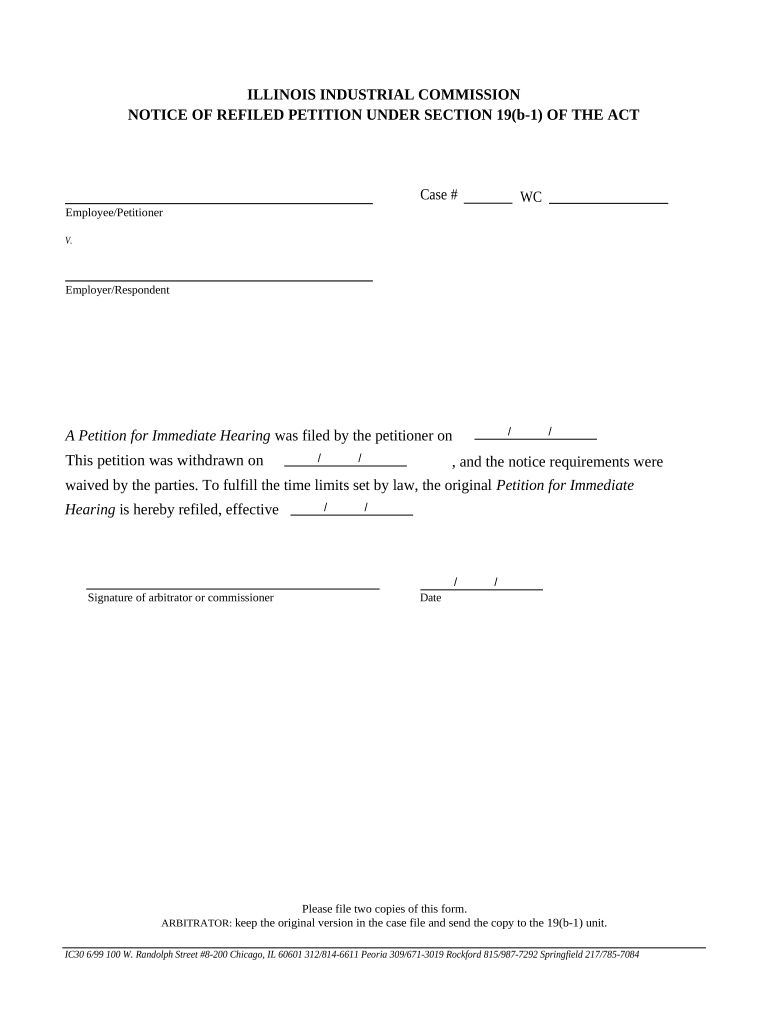
Illinois Workers' Compensation Form

This template is fully customizable. Edit the text, fill out the fields, and send it for signature. Give it a try!
Illinois Workers' Compensation Form

What the Illinois Workers' Compensation Form Is and When It’s Used

The Illinois Workers' Compensation Form documents workplace injuries or occupational illnesses to begin a claim for benefits, notify an insurer, and create an administrative record. Employers, medical providers, and injured employees rely on this form to describe the event, list treatment and time away from work, and record wages and employer contact details. Electronic or paper versions may be used depending on the recipient's requirements. Federal e-signature laws such as the ESIGN Act (15 U.S.C. ch. 96) and state UETA frameworks generally permit electronic completion when state rules and privacy requirements are satisfied.

Why Accurate Completion Matters for Claims and Compliance

A correctly completed form speeds benefit determinations, reduces disputes, and preserves both employer and employee rights. Accurate injury descriptions and timely submission reduce the chance of benefit denials, administrative penalties, and delays in medical care authorization.

Why Accurate Completion Matters for Claims and Compliance

Who Typically Prepares and Receives the Form

Multiple parties prepare, transmit, or review the form depending on their role in the claim process.

  • Employers and HR teams responsible for reporting workplace injuries to insurers and maintaining records.
  • Injured employees or their representatives providing incident details and medical treatment history.
  • Insurers, third-party administrators, and the Illinois Workers' Compensation Commission reviewing claims and authorizing benefits.

Step-by-Step: Complete and Submit the Illinois Workers' Compensation Form

Follow these high-level steps to collect information, complete the form, and deliver it to the necessary parties.

  • 01
    Gather Details: Collect employee, incident, witness, and medical provider information.
  • 02
    Fill the Form: Complete all required fields, using MM/DD/YYYY for dates.
  • 03
    Sign and Date: Obtain signatures from required parties or apply an accepted e-signature.
  • 04
    Submit: Send to insurer, maintain employer copy, and file with any required state office.

Core Sections of a Professional Illinois Workers' Compensation Form

A complete form groups claimant, employer, incident, and treatment details into distinct sections to ensure clarity for adjudicators and medical reviewers.

Claimant Details

Employee personal and employment identifiers, contact information, and payroll or wage data to calculate indemnity benefits and verify employment status.
Employer Information

Legal business name, FEIN if applicable, mailing address, and insurer or third-party administrator contact details required for timely claim routing.

Incident Description

Concise narrative of what happened, date/time, location, contributing factors, and witness names to support liability and compensability assessments.

Medical Treatment

Provider name, treatment dates, diagnosis codes where available, and whether the employee was released to work or required restrictions.

Lost Time and Wages

Dates absent from work, anticipated return date, and wage information needed to determine temporary total or partial disability benefits.

Authorization and Signatures

Signature blocks for employer and employee, dates, and a statement of truth. For e-signed forms, retain audit metadata proving signer identity and intent.

Security and Compliance Basics to Protect Sensitive Information

Encryption: TLS 1.2/1.3 in transit; AES-256 at rest
Audit Trail: Tamper-evident, timestamped signing record
HIPAA: BAA required for PHI handling
ESIGN / UETA: Electronic signature legal framework
SOC 2: SOC 2 Type II certified
Accessibility: WCAG 2.0 Level AA support

Potential Consequences of Inaccurate or Late Submission

Benefit Delay: Claim processing delay
Denial Risk: Possible benefit denial
Administrative Fine: Civil penalties possible
Investigation: Increased audit scrutiny
Privacy Violation: HIPAA or data breach exposure
Litigation: Higher litigation likelihood

Typical Workflow for Electronic Submission and Adjudication

Electronic workflows streamline routing to insurers, adjusters, and medical reviewers while preserving a signed record and timestamps.

  • Upload: Sender uploads completed form to portal
  • Field Placement: Assign signature and date fields for signers
  • Signer Verification: Authenticate signer via email or stronger method
  • Record Retention: Signed copy and audit trail archived

eSignature Vendor Pricing and Feature Snapshot

Compare common plan-level attributes for baseline procurement decisions; signNow appears first in the table per vendor ordering requirements.

signNow DocuSign Adobe Sign PandaDoc HelloSign
Starting Price $8/user/mo $15/user/mo $14/user/mo $19/user/mo $15/user/mo
Free Trial Yes, 7-day free trial Varies by plan Varies by plan Varies by plan Varies by plan
Bulk Send Yes Yes Yes Yes No
Audit Trail Yes Yes Yes Yes Yes
HIPAA Compliant Yes Yes Yes No No
Envelope Cap No cap 100 envelopes/user/year Varies by plan Varies by plan Varies by plan

Frequently Asked Questions About the Illinois Workers' Compensation Form

Answers to common questions about who files the form, acceptable electronic signatures, retention, and correcting errors.


Need help? Contact support

be ready to get more
Join over 28 million airSlate SignNow users