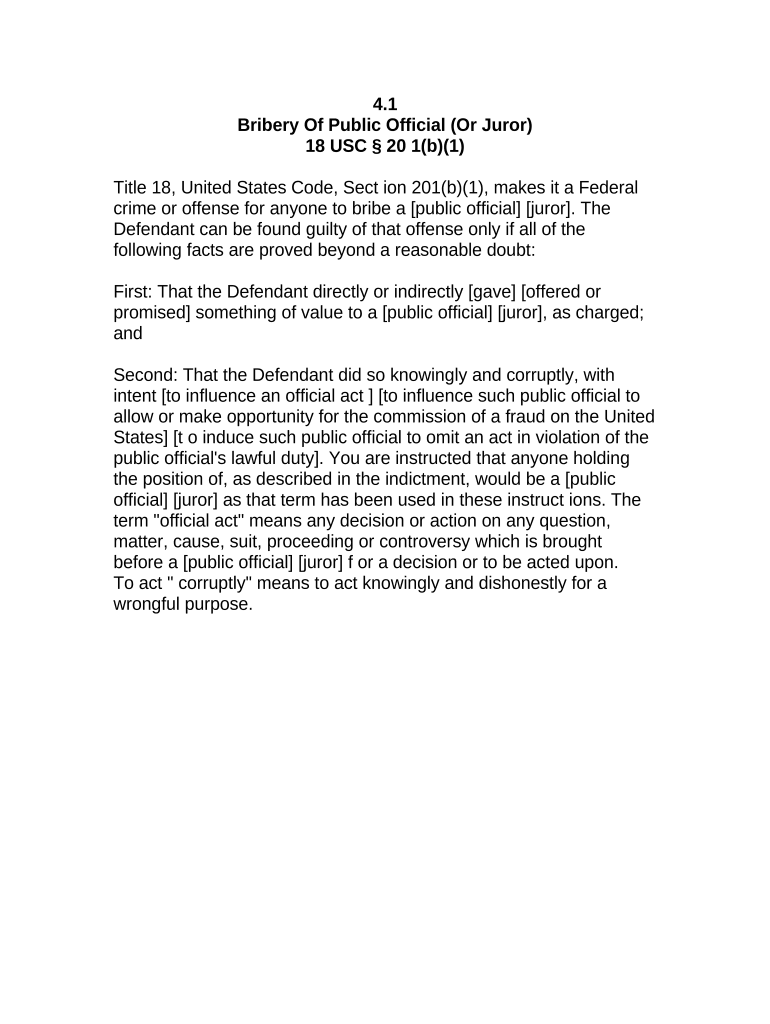
Bribery of Public Official Instructions
What the Bribery of Public Official Instructions cover
Why a clear instruction set matters
Accurate instructions reduce legal risk, ensure consistent evidence preservation, and improve the integrity of internal reviews and external referrals. A well-structured report supports timely decision-making and demonstrates a credible chain of custody for investigators and regulators.
Who typically prepares and relies on these instructions
These instructions are most often used by compliance, legal, HR, and investigative teams handling allegations of public-official bribery.
- Corporate compliance teams documenting allegations and preserving evidence for investigation
- In-house or outside counsel coordinating legal review and regulatory reporting
- Internal investigators or HR managing witness interviews and record collection
Primary signers and users
Compliance Officer
A compliance officer completes the form to start an internal investigation, records investigative steps, and certifies that internal protocols were followed. The officer routes the report to legal counsel and senior management as required by policy.
Investigative Counsel
Outside or in-house counsel uses the instructions to gather controlled evidence, advise on privilege and reporting obligations, and decide whether to refer matters to prosecutors or regulators while preserving attorney-client protections.
Consequences of incorrect or incomplete instructions
Common preparation pitfalls to avoid
- Incomplete timelines or missing timestamps that make events impossible to verify during investigation.
- Vague descriptions of alleged benefits or consideration, which weaken evidentiary value and invite follow-up requests.
- Failure to secure original evidence or record chain-of-custody, causing admissibility problems later in prosecution.
- Using unsecured email or public cloud storage for confidential attachments, risking unauthorized disclosure.
Step-by-step: completing the instructions correctly
-
01Gather facts: Record dates, places, participants, and alleged acts.
-
02Collect evidence: Attach documents, emails, receipts, and relevant metadata.
-
03Identify witnesses: List names, contact info, and interview dates.
-
04Sign and route: Signer certifies completeness and forwards per policy.
How to configure the digital submission workflow
| Field | Configuration |
|---|---|
| Authentication Method | Email plus SMS one-time passcode |
| Routing Order | Sequential: Reporter → Compliance → Legal |
| Document Format | PDF/A preferred for long-term preservation |
| Retention Setting | Apply legal-hold flag while case open |
Overview: the submission and review pathway
-
Submit report: Reporter uploads form and attachments via secured channel.
-
Verify identity: Compliance confirms reporter identity and signs chain-of-custody log.
-
Internal review: Legal evaluates for privilege, escalation, or referral needs.
-
External referral: If required, forward to law enforcement or regulator.
Digital platform considerations for secure submissions
Choose a platform that supports secure uploads, strong authentication, and a verifiable audit trail for evidentiary purposes.
- Integrations: Salesforce, NetSuite, Box, and Google Workspace supported
- File formats: PDF, DOCX, and image files accepted
- Authentication: Email + SMS OTP; optional advanced verification
Recommended timelines and processing expectations
Immediate preservation:
Secure evidence and preserve systems and accounts as soon as an allegation arises.
Initial internal report:
File a complete internal report within 72 hours of receiving credible information.
Legal review window:
Escalate to counsel within 7–30 days depending on case complexity.
Regulatory referral:
Refer to law enforcement or regulators promptly when required by law or policy.
Retention note:
Apply legal hold immediately; retention periods vary by statute.
Key milestones from report to resolution
Incident Recorded
Initial report entered and attachments uploaded into secure system.
Evidence Secured
Preservation steps completed, chain-of-custody logged and stored.
Legal Assessment
Counsel evaluates privilege, reporting obligations, and next steps.
Case Closure
Investigation outcome recorded, referrals made, and retention applied.
eSignature vendor comparison for secure report submission
| signNow | DocuSign | Adobe Sign | PandaDoc | HelloSign | |
|---|---|---|---|---|---|
| Starting Price | $8/user/mo | $15/user/mo | $14/user/mo | $19/user/mo | $15/user/mo |
| Free Trial | 7-day free trial | Varies | Varies | Varies | Varies |
| Bulk Send | Yes | Yes | Yes | Yes | No |
| Audit Trail | Yes | Yes | Yes | Yes | Yes |
| HIPAA Compliant | Yes | Yes | Yes | No | No |
| Envelope Cap | No cap | 100 envelopes/user/year | Varies | Varies | Varies |
Representative use-case examples
Municipal Compliance Review
A city procurement official is suspected of accepting gifts
- The compliance team documents dates, recipients, and invoices
- Detailed attachments and a preserved chain of custody enabled a swift internal referral and coordinated response with ethics authorities.
Corporate Investigation
An international sales agent is alleged to have paid an intermediary to influence award decisions
- Finance extracts wire transfers and communications
- Centralized reporting and secure eSign submissions preserved evidence for counsel and supported eventual remediation and controls changes.
Frequently asked questions and practical answers
-
Is an electronic signature legally valid?
Yes. Electronic signatures are legally enforceable in interstate and intrastate transactions under the ESIGN Act (15 U.S.C. ch. 96) and UETA where adopted, provided intent, consent, attribution, and record retention requirements are satisfied.
-
When must I involve counsel?
Engage counsel promptly if allegations suggest criminal conduct, cross-border implications, potential privilege issues, or if external reporting to regulators or law enforcement is likely.
-
Do I need notarization or witnesses?
Notarization is not universally required for internal reports, but state rules may require it for certain affidavits or sworn statements; witness requirements vary by state and document type.
-
How should evidence be preserved?
Preserve original files, export metadata, record chain-of-custody, and secure systems immediately. Avoid altering files and document every access or copy.
-
Can I correct a submitted report?
Yes, but treat corrections as amendments. Record who made changes, why, and preserve the original version to maintain an audit trail and evidentiary integrity.
-
How long should I retain records?
Retain per the longest applicable legal requirement and any active legal hold. Federal baselines include IRS three-year rules and HIPAA six-year retention for health records.