Establishing secure connection…Loading editor…Preparing document…

NCAA Radio Broadcasting Policy 2008-09

This template is fully customizable. Edit the text, fill out the fields, and send it for signature. Give it a try!
NCAA Radio Broadcasting Policy 2008-09

What the NCAA Radio Broadcasting Policy 2008-09 Covers

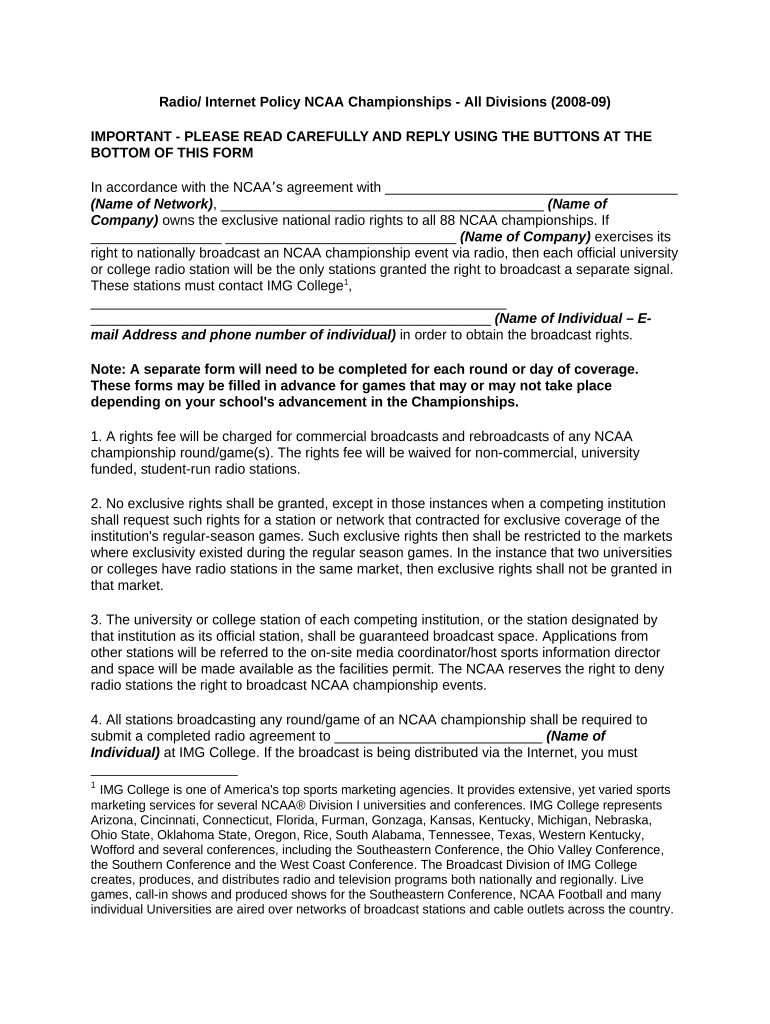
The NCAA Radio Broadcasting Policy 2008-09 sets out rules that govern radio broadcasts of collegiate athletics for the 2008–2009 academic year, covering rights allocation, territorial restrictions, credentialing, announcer expectations, and archive retention. It defines permitted live and delayed broadcast windows, approval processes for affiliate stations, advertising limits relative to NCAA rules, and recordkeeping expectations so institutions and broadcasters maintain consistent compliance with conference and NCAA oversight.

Why this policy matters for institutions and radio partners

Following the NCAA Radio Broadcasting Policy 2008-09 ensures that institutions protect broadcast rights, avoid territorial conflicts with conference contracts, and manage sponsor content in line with NCAA standards.

Why this policy matters for institutions and radio partners

Who typically reviews or implements this policy

Typical users include athletic department compliance officers, public relations staff, contracted radio networks, and legal counsel working on media rights.

  • Athletic Departments — Compliance and media relations teams who coordinate rights and credentialing with external broadcasters.
  • Broadcast Partners — Flagship stations and affiliate networks that must follow territorial and content restrictions.
  • Legal and Conference Offices — Counsel and conference administrators who review contracts and interpret NCAA rules.

These groups collaborate to finalize broadcast agreements, obtain required approvals, and keep records that demonstrate adherence to NCAA and conference obligations.

Step-by-step: completing the NCAA Radio Broadcasting Policy 2008-09

Follow these steps in order to complete and finalize the policy form accurately and in compliance with NCAA and conference requirements.

  • 01
    Prepare materials: Collect schedules, station lists, and prior agreements before starting.
  • 02
    Fill core fields: Enter institution, season, flagship, affiliates, and broadcast windows.
  • 03
    Review compliance: Confirm territorial limits and sponsor restrictions with conference counsel.
  • 04
    Sign and archive: Obtain authorized signature and retain a copy per retention rules.

How the approval and broadcast workflow typically runs

A clear workflow speeds approvals and reduces the chance of territorial conflicts or prohibited content being aired.

  • Submission: Athletic department submits completed policy and station list to conference/media office.
  • Verification: Conference or rights holder verifies affiliates and territorial compliance.
  • Authorization: Approved stations are notified and issued credential lists.
  • Broadcast: Stations conduct broadcasts within approved windows and keep logs.

Typical digital workflow settings for online completion

Configure document routing and fields to match institutional roles so approvals move automatically and audit trails are preserved.

Field Configuration
Signatory Order Institution signatory first, conference countersign as needed
Authentication Email verification with optional SMS code for higher assurance
Required Fields Flag institution, season, station list, and signatory fields as mandatory
Audit Trail Enable timestamps, IP capture, and download of certificate of completion

Essential elements to include in a professional policy form

A policy that anticipates operational and legal needs reduces disputes and aligns broadcast practice with NCAA expectations.

Rights & Territory

Clear mapping of exclusive or nonexclusive rights by game type and defined geographic boundaries to avoid overlap with conference or third-party contracts.
Broadcast Schedule

Detailed live and delayed broadcast windows, including time zones and any blackout periods tied to media contracts or local protections.

Station Identification

Complete list of flagship and affiliates with call letters, contact details, and authorized broadcast formats (AM/FM/streaming).

Sponsor Content Rules

Limitations on sponsor spots, prohibited sponsor categories, and required NCAA or conference disclaimers for paid content.

Credentials & Access

Process for credential issuance, press box access rules, announcer behavior standards, and security screening where applicable.

Recordkeeping

Requirements for broadcast logs, recording retention, and how to produce records in response to NCAA or conference inquiries.

Key information fields and required short entries

Season: 2008-09
Institution: Full legal name
Flagship: Call letters
Affiliates: Station list
Broadcast Window: Local time range
Authorized Signer: Name and title

Common pitfalls to avoid when completing the form

  • Using informal or shortened institution names that do not match NCAA records can create contractual ambiguity and delay approvals.
  • Failing to list all affiliates or incorrect station call letters may result in unapproved broadcasts and potential rights disputes.
  • Omitting precise broadcast windows or time zones can create overlap with protected telecast windows and lead to enforcement action.
  • Neglecting to document advertising restrictions or sponsor categories may expose the institution to NCAA compliance reviews.

Consequences of incomplete or incorrect policy submissions

Contract Breach: Loss of broadcast rights
NCAA Review: Compliance investigation
Fines: Monetary penalties possible
Injunctions: Court-ordered stops
Sponsor Loss: Revenue impact
Reputational: Public trust erosion

Timing considerations and typical submission windows

Adhere to institutional and conference submission deadlines; early filing avoids conflicts and facilitates timely approvals.

Preseason Submission:

Submit full station lists and broadcast windows before season start

Affiliate Changes:

Notify conference immediately when affiliates change

Game-day Logs:

Retain detailed broadcast logs for each game

Sponsor Approvals:

Get sponsor content cleared before airing

Records Production:

Produce logs within conference or NCAA requested timeframe

Comparing eSignature vendors for policy execution and archiving

A vendor comparison focused on common procurement criteria. signNow is listed first per vendor-comparison conventions and public pricing.

signNow DocuSign Adobe Sign PandaDoc HelloSign
Starting Price $8/user/mo $15/user/mo $14/user/mo $19/user/mo $15/user/mo
Free Trial Yes, 7-day free trial Varies Varies Varies Varies
Bulk Send Yes Yes Yes Yes No
Audit Trail Yes Yes Yes Yes Yes
HIPAA Compliant Yes Yes Yes No No
Envelope Cap No cap 100 envelopes/user/year Varies by plan Varies by plan Varies by plan

Frequently asked questions about using the NCAA Radio Broadcasting Policy 2008-09

Answers to common operational and compliance questions when completing, approving, or enforcing this policy.


Need help? Contact support

be ready to get more
Join over 28 million airSlate SignNow users