Parenting Time
Specify regular weekly schedule, weekend blocks, summer allocation, holiday rotation, and exchange logistics including precise times, locations, and acceptable transportation arrangements to reduce disputes.
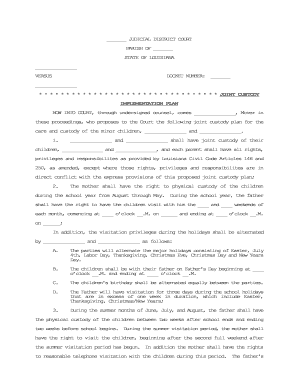
A Joint Custody Plan clarifies parental responsibilities, reduces conflict, and documents practical arrangements for children's care. Clear written terms help courts assess best interests, guide enforcement, and provide a record that can be modified by agreement or court order when family circumstances change.

Parents, family law attorneys, mediators, and child welfare professionals commonly prepare or review Joint Custody Plans to document custody and decision-making arrangements.
Primary signer: A parent or legal guardian initiating the plan. This person should provide full legal name, contact information, relationship to the child, and consent to the custody terms. Accurate identification helps establish attribution and supports later enforcement or court filing.
Co-Parent: The other parent or guardian who shares custody and decision-making. They must review, sign, and date the plan to show consent. If represented, counsel should confirm the co-parent's authority; mismatched names or unsigned pages can impede court acceptance.
Specify regular weekly schedule, weekend blocks, summer allocation, holiday rotation, and exchange logistics including precise times, locations, and acceptable transportation arrangements to reduce disputes.
Define authority for major decisions (education, medical, religion) and routine matters; include the process for joint decisions and a tie-breaker mechanism if disagreements persist.
Set rules for parent-to-parent communication, allowed child contact methods, notice requirements for travel, and information-sharing protocols for school and healthcare updates.
Detail child support allocations, responsibility for health insurance and extraordinary expenses, methods for reimbursement, and recordkeeping expectations for shared costs.
Include an agreed dispute-resolution path such as mediation, selection of mediator, timeframes for escalation, and whether arbitration or court filing follows unsuccessful mediation.
Describe steps required to amend the plan, required notice periods, the standard for material change, and whether temporary emergency adjustments are permitted.
| Field | Configuration |
|---|---|
| Template Name | Use standardized parenting-plan template with editable sections |
| Authentication | Email link or SMS code; use stronger KBA where court requires |
| Notarization | Enable RON where permitted; schedule in-person notarization if required |
| Routing Order | Set parent sign order or allow parallel signing for both parents |
Electronic custody plans require an eSignature platform that supports audit trails, signer authentication, secure storage, and applicable privacy controls such as HIPAA or FERPA compliance.
Complete and sign before filing or at mediation session
Often scheduled within 60–90 days of filing in many jurisdictions
File with family court per clerk instructions; hearings vary by county
Seek temporary custody orders immediately if imminent safety risks exist
File motion after material change; courts set hearing dates
Tim Martin described moving property and family-related document workflows online to meet clients and legal partners efficiently.
John Butler noted the importance of secure handling for sensitive patient-related forms in legal workflows.
| signNow | DocuSign | Adobe Sign | PandaDoc | HelloSign | |
|---|---|---|---|---|---|
| Starting Price | $8/user/mo | $15/user/mo | $14/user/mo | $19/user/mo | $15/user/mo |
| Free Trial | 7-day free trial | Varies by plan | Varies by plan | Varies by plan | Varies by plan |
| Bulk Send | Yes | Yes | Yes | Yes | Varies by plan |
| Audit Trail | Yes | Yes | Yes | Yes | Yes |
| HIPAA Compliant | Yes | Yes | Yes | No | No |
| Envelope Cap | No envelope cap | 100 envelopes/user/year | Varies by plan | Varies by plan | Varies by plan |