Establishing secure connection…Loading editor…Preparing document…

Maryland Renunciation and Disclaimer of Joint Tenant Interest

This template is fully customizable. Edit the text, fill out the fields, and send it for signature. Give it a try!
Maryland Renunciation and Disclaimer of Joint Tenant Interest

What the Maryland Renunciation and Disclaimer of Joint Tenant Interest Is

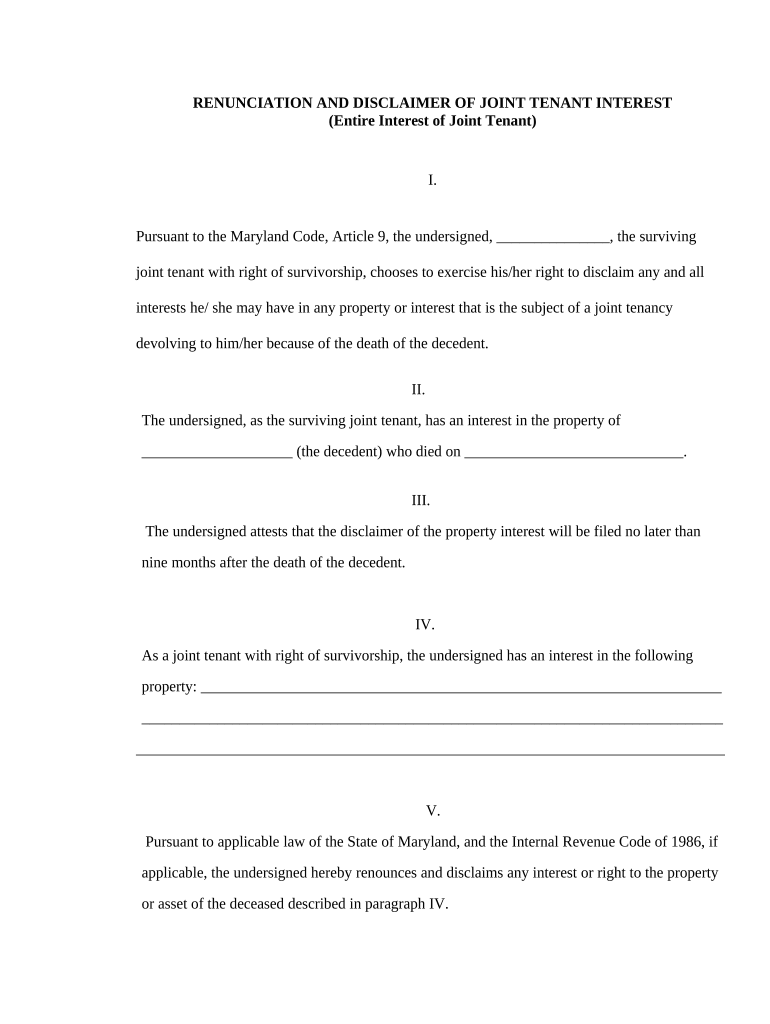
The Maryland Renunciation and Disclaimer of Joint Tenant Interest is a legal instrument used when a co-tenant relinquishes or disclaims any right, title, or interest held as a joint tenant in real property located in Maryland. The document records that the signing party surrenders their survivorship and ownership claims, often to clear title or to facilitate transfer to remaining co-tenants or third parties. Execution typically requires proper identification, notarization, and recording in the relevant county land records to be effective against third parties and subsequent purchasers.

Why a Proper Renunciation Matters for Maryland Property

Use this renunciation to remove a joint tenant's claim, clarify title, and enable transfers or mortgage activity. It minimizes future probate complications and provides a recorded public statement of intent, which can prevent disputes among co-owners and protect purchasers.

Why a Proper Renunciation Matters for Maryland Property

Typical Parties Involved in a Renunciation

Common users include co-tenants, executors, title companies, and attorneys handling Maryland real property matters and transactions.

  • Co-tenant disclaimers to clear title for remaining owners and future transfers.
  • Title companies require a recorded renunciation to resolve chain-of-title issues before closing.
  • Attorneys preparing or reviewing renunciations for estate planning, divorce, or settlement matters.

Who Signs and Who Reviews the Document

Co-tenant Signer

An individual joint tenant who renounces survivorship rights. The signer must confirm identity, understand the legal effect of disclaimer, sign before a notary if required by Maryland law, and consent to recording. Legal counsel is recommended when value or tax consequences are uncertain.

Title Company

A title professional or searcher who evaluates chains of title and may request a renunciation to clear encumbrances. They verify recording, ensure correct legal descriptions, and may accept an attorney-certified renunciation to complete closings while reducing lender title insurance exceptions.

Security and Compliance Considerations

Encryption: TLS 1.2/1.3 in transit.
Data at Rest: AES-256 encryption.
Audit Trail: Timestamp, IP, action log.
HIPAA Support: BAA available for PHI workflows.
ESIGN/UETA: Compliant with federal and state laws.
Access Controls: Role-based permissions and SSO.

Step-by-Step: Complete and Record the Renunciation

Follow these steps to complete and record a Maryland renunciation and disclaimer of joint tenant interest.

  • 01
    Prepare: Obtain full legal description and ownership details.
  • 02
    Draft: Use precise renunciation language and identify affected interest.
  • 03
    Execute: Sign before a notary per Maryland practice and record.
  • 04
    Record: File in county land records with correct fee.

Frequently Asked Questions About Execution and Recording

Answers to frequent questions about execution, recording, notarization, and legal effects of Maryland renunciations and disclaimers.


Need help? Contact support

Penalties and Risks of Errors

Invalid Recording: Title clouding risk.
Rejection by Clerk: Document returned unrecorded.
Tax Consequences: Gift or transfer tax issues.
Creditor Claims: Creditors may assert rights.
Probate Complications: Estate administration delays.
Legal Costs: Potential litigation or correction fees.

Common Pitfalls to Avoid

  • Using ambiguous language that fails to exactly describe the interest renounced often leads to recording rejection or later title disputes requiring corrective instruments.
  • Failing to include an accurate legal description or book-page reference can prevent clerks from indexing the instrument correctly, delaying public notice and title searches.
  • Not confirming county-specific cover sheets, fees, or format results in administrative rejection and an additional filing cycle with extra costs.
  • Assuming electronic signatures are acceptable without verifying RON or clerk policies can lead to refused recordings and costly re-execution.

Essential Elements of a Professional Renunciation Form

A professional Maryland renunciation includes specific clauses, execution blocks, and recording-ready formatting to ensure acceptance by county land records and clarity for title examiners.

Legal Description

Provide the complete metes-and-bounds description or recorded plat citation; include deed book and page numbers to allow precise identification of the property and prevent ambiguity during title examination and indexing.
Clear Statement

Include an unambiguous clause stating the exact nature of the renounced interest, whether survivorship, fractional share, or specific rights, and reference any related instruments by book and page.

Consideration

Document any consideration exchanged or state that the renunciation is voluntary and gratuitous; clarity here can affect tax treatment and enforceability in later disputes.

Acknowledgment

Provide a notary acknowledgment block with required notary details and signature lines for the renouncing party to meet county recording acceptance criteria.

Recording Block

Reserve space for the clerk's stamp, book-and-page citation, and recording fee receipt to confirm official filing and ease title searches.

Exhibit References

Attach or reference related deeds, wills, or court orders with exhibit labels so examiners can trace the instrument's context and prior conveyances.

Configuring a Digital Workflow for Execution and Recording

Configure your digital workflow to place signature, notary, and recording fields before sending to signers or for e-notarization.

Form Field Name and Purpose Configuration and signNow field settings
Signature Block Placement and Type Signer name, signature, date fields; optional SMS code.
Notary Acknowledgment Block Format for Maryland Include printed name, commission number, and expiration date for clerk acceptance.
Recording Cover Sheet and Metadata Attach county cover sheet and populate parcel ID and deed reference fields.
Authentication and Access Controls for Signers Set signer verification: email, SMS, or higher-level authentication for sensitive transfers.

Technical Requirements for eSigning and Notarization

Choose a platform that supports RON, notarization fields, and county recording-ready PDFs and secure storage with audit trails.

  • File Formats: PDF/A and DOCX accepted.
  • Integrations: Works with title and document management systems.
  • Authentication: Supports SMS, email, KBA, and SSO.

Timelines and Processing Expectations

Key deadlines and processing expectations for preparing, executing, and recording the renunciation in Maryland county offices.

Drafting and Attorney Review Time:

Allow 1–5 business days depending on attorney availability and complexity.

Notary and Execution Scheduling Window:

Schedule with notary; same-day signing common, allow extra time for RON.

County Recording Processing:

Processing varies by county; expect 1–10 business days for indexing and stamping.

Recording Fee Payment and Receipt Timing:

Pay fees at submission; obtain stamped receipt to confirm official recording.

Title Insurance Clearance and Underwriter Review:

Underwriters may require certified recorded copies before issuing clear title endorsements.

Key Milestones from Drafting to Title Clearance

Sequential milestones show expected progression from drafting through recording and final title clearance at closing.

01

Draft Completed

Legal description and renunciation clause finalized.

02

Notary Signing

Signer appears before notary or uses RON per county policy.

03

Record Filing

Submit to county land records with fee and cover sheet.

04

Title Clearance

Title company confirms recorded instrument and clears exceptions for closing.

eSignature Pricing and Compliance Comparison

Compare eSignature vendor pricing and compliance features relevant to executing and storing renunciations and notarized instruments.

signNow DocuSign Adobe Sign PandaDoc HelloSign
Starting Price $8/user/mo $15/user/mo $14/user/mo $19/user/mo $15/user/mo
Free Trial Yes, 7-day free trial, no card No No Yes, limited Yes, limited
Bulk Send Yes Yes Yes Yes No
Audit Trail Yes Yes Yes Yes Yes
HIPAA Compliant Yes Yes Yes No No
be ready to get more
Join over 28 million airSlate SignNow users