Establishing secure connection…Loading editor…Preparing document…

Motion to Sequester Jurors

This template is fully customizable. Edit the text, fill out the fields, and send it for signature. Give it a try!
Motion to Sequester Jurors

What a Motion to Sequester Jurors Is

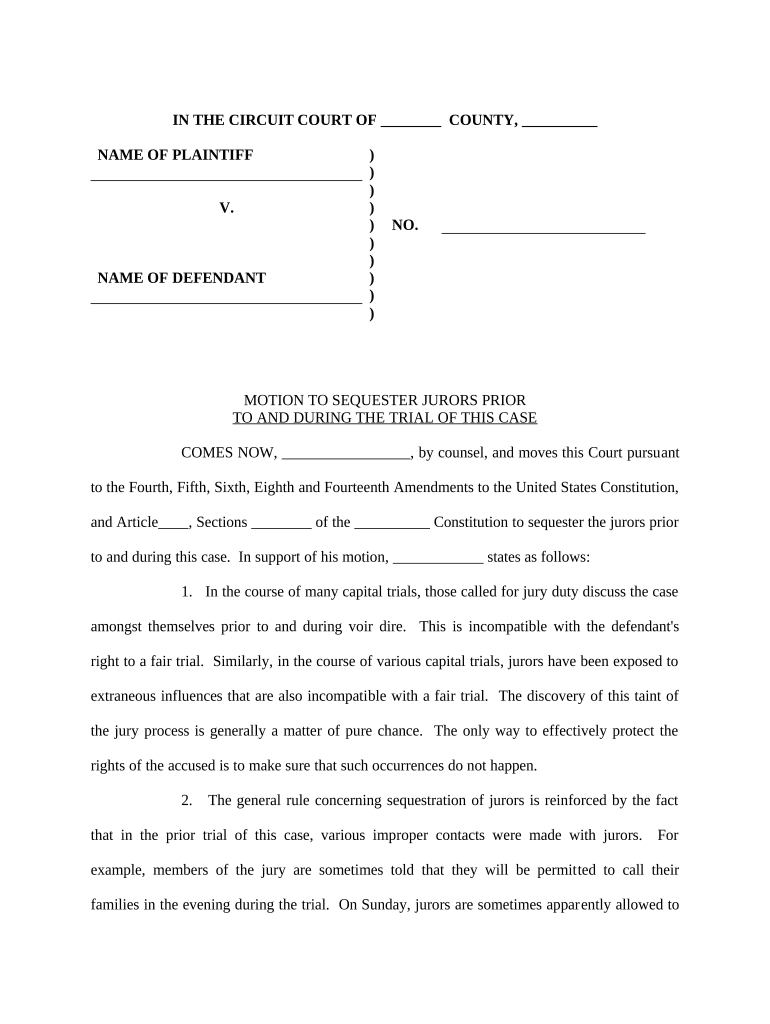
Motion to Sequester Jurors is a written request filed with a trial court asking the judge to isolate jurors from outside influences and contact during trial proceedings. It explains factual or publicity risks, proposes sequestration scope (overnight housing, restricted media exposure, limits on social contact), and cites legal authority supporting the request. Practitioners typically attach logistics, estimated costs, and proposed sequestration order language. Courts weigh public interest, hardship to jurors, and case-specific prejudice before granting sequestration.

Why a Sequestration Motion Matters

Sequestration prevents juror exposure to pretrial publicity or outside communications that could bias deliberations. It preserves trial fairness, supports the appellate record, and helps manage high-profile or safety-sensitive cases where juror influence or intimidation is a reasonable concern for the court.

Why a Sequestration Motion Matters

Who Typically Prepares and Uses This Motion

Attorneys in criminal and civil trials commonly prepare sequestration motions when publicity, witness safety, or evidentiary complexity risks juror impartiality.

  • Prosecutors handling high-profile public safety cases with extensive media coverage.
  • Defense counsel when juror intimidation or bias is plausible due to publicity.
  • Civil litigators in defamation, corporate wrongdoing, or product liability trials.

Who Signs and Submits the Motion

Attorney

The attorney of record prepares and signs the Motion to Sequester Jurors, certifying factual basis and legal authority under local court rules. Counsel must disclose estimated sequestration costs and propose precise order language; the attorney presents argument at the hearing and answers judicial questions.

Moving Party

The moving party (plaintiff or defendant) authorizes the motion, provides factual affidavits or declarations, and may cover sequestration expenses. If granted, the party must coordinate logistics and comply with court orders regarding juror privacy and communication restrictions.

Required Information to Include in the Motion

Case Caption: Parties' names as listed.
Court/Docket: Court name and docket number.
Moving Party: Who files and role.
Grounds: Specific publicity or safety facts.
Proposed Order: Draft order for judge's signature.
Cost Estimate: Projected sequestration housing and per diem expenses.

Consequences and Risks of an Incorrect Motion

Denial of Motion: May be denied by judge.
Juror Hardship: Extended sequestration burdens jurors.
Cost Exposure: Moving party may bear costs.
Privacy Concerns: Risk of juror identification.
Appeal Implications: Creates record for review.
Sanctions Risk: False statements risk sanctions.

Step-by-Step: Prepare, File, and Present the Motion

Follow a structured approach to draft, support, and present a Motion to Sequester Jurors consistent with local rules and evidentiary standards.

  • 01
    Draft Motion: State facts, legal basis, and requested relief.
  • 02
    Attach Evidence: Include affidavits, media samples, witness statements.
  • 03
    Propose Order: Provide precise sequestration order language and scope.
  • 04
    File & Serve: File per local rules and serve opposing counsel.

Set Up an Electronic Workflow for the Motion

Set up an electronic workflow to produce, review, sign, and submit the Motion to Sequester Jurors through court e-filing or secure delivery.

Workflow Step or Configuration Setting Configuration
Document Template Use court-ready PDF or DOCX
Signer Roles Attorney signs; client authorizes
Authentication Email with optional SMS code or KBA
E-Filing Submit via court portal or secure email

Where to File and How to Deliver the Motion

Choose the correct judicial venue and follow court-specific electronic filing procedures, service rules, and local civil or criminal rules for motions and emergency relief.

  • Trial Court: File with the clerk at the assigned trial court.
  • E-Filing Portal: Use the court's e-file system when available.
  • Service: Serve opposing counsel per local rules and proof.
  • Emergency Relief: Notify the court clerk for expedited handling.

Digital Signing, Formats, and Integrations

Electronic completion and submission require compatible formats, signer authentication, and secure transmission consistent with court e-filing and privacy obligations.

  • Formats: PDF/A or court-specified PDF preferred.
  • Authentication: Email, SMS code, or advanced methods.
  • Integrations: Supports Salesforce, Microsoft 365, NetSuite.

Timing Considerations and Typical Deadlines

Timing varies by jurisdiction; check local rules and the judge's scheduling order for briefing and hearing deadlines related to sequestration requests.

File Early:

Raise issues at the pretrial stage to allow schedule adjustments.

Opposition Deadline:

Responding party typically files objection per local briefing schedule.

Hearing:

Judge schedules evidentiary or argument hearing as needed.

Emergency Motions:

Court may expedite if juror safety or prejudice is imminent.

Order Timing:

Proposed order should address when sequestration begins and ends.

Key Milestones from Draft to Order

Key procedural milestones for a sequestration motion typically follow drafting, filing, briefing, and the court hearing and order stage.

01

Draft and Review

Assemble evidence, proposed order, and cost estimates.

02

File Motion

Submit motion per court e-filing rules and serve parties.

03

Opposition Briefing

Receive and review objections; prepare replies if permitted.

04

Hearing & Order

Present argument; judge issues ruling or instructions on sequestration.

Common Preparation Mistakes to Avoid

  • Failing to provide specific evidence of prejudice or publicity such as quantified media exposures, witness threats, or sample news articles undermines the motion's factual foundation.
  • Asking for broad, indefinite sequestration without limiting scope, duration, or reasonable accommodations increases juror hardship and reduces judicial willingness to grant relief.
  • Neglecting to include a proposed order, logistical plan, and cost estimate forces courts to speculate about implementation and may result in denial.
  • Improper service on opposing counsel or failure to follow local notice periods can produce procedural objections and delay hearings.

Representative Scenarios Where Sequestration Is Sought

Real-world scenarios show when sequestration succeeds: high-profile criminal trials and sensitive civil proceedings with pervasive publicity or safety concerns.

High-Profile Criminal Case

In a nationally covered homicide trial, defense counsel moved to sequester jurors after extensive pretrial media and social commentary.

  • Judge granted limited overnight sequestration for jury.
  • The order specified secure housing, restricted media access, daily admonitions, and an expenses allocation. The record included media exhibits and sworn declarations describing the publicity's breadth, which supported the court's finding of potential prejudice.

Civil Defamation Matter

A corporate plaintiff requested juror sequestration where social media campaigns and leaks threatened juror bias during a sensitive defamation and trade secrets trial.

  • Court ordered limited sequestration and stringent juror instructions.
  • The court balanced public interest and expense, narrowly tailoring sequestration to trial days with daily return-to-housing requirements and counsel-provided amenities. Detailed cost estimates and logistical plans convinced the bench to impose temporary isolation.

eSignature Vendor Pricing Snapshot for Legal Teams

Vendor starting prices and core features for eSignature services commonly used by law firms and courts; signNow is listed first per comparative format.

signNow DocuSign Adobe Sign PandaDoc HelloSign
Starting Price $8/user/mo $15/user/mo $14/user/mo $19/user/mo $15/user/mo
Free Trial 7-day free trial Varies by vendor Varies by vendor Varies by vendor Varies by vendor
Bulk Send Yes Yes Yes Yes No
Audit Trail Yes Yes Yes Yes Yes
HIPAA Compliant Yes Yes Yes No No

Frequently Asked Questions About Motions to Sequester Jurors

Answers to frequent questions about filing, evidence, e-signature, costs, and court procedures to help practitioners avoid mistakes and comply with local rules.


Need help? Contact support

be ready to get more
Join over 28 million airSlate SignNow users