Establishing secure connection…Loading editor…Preparing document…

Letter Regarding Plaintiff's Motions

This template is fully customizable. Edit the text, fill out the fields, and send it for signature. Give it a try!
Letter Regarding Plaintiff's Motions

What the Letter Regarding Plaintiff's Motions Is

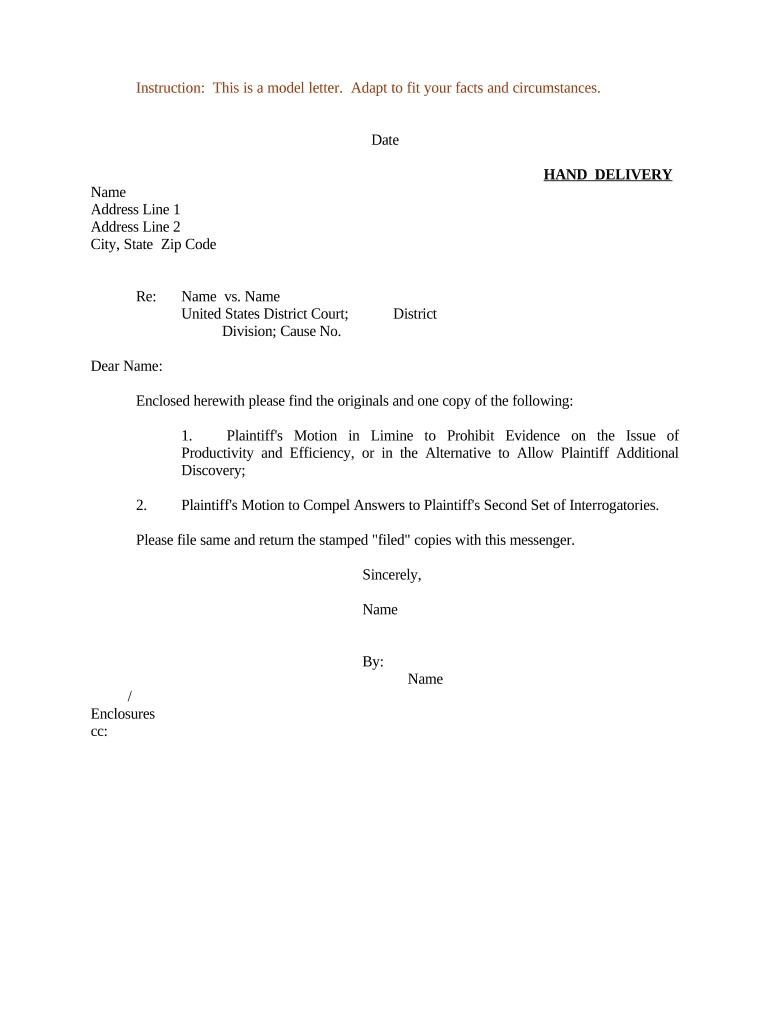
A Letter Regarding Plaintiff's Motions is a formal written communication used in civil litigation to summarize motions filed by the plaintiff, state the relief requested, and notify opposing parties and the court of any scheduling or procedural needs. It typically accompanies docket filings or served correspondence to ensure clarity about pending motions, exhibits, and procedural posture. The letter helps create a concise record, supports the certificate of service, and assists judges and clerks in quickly locating the motions and related exhibits referenced in case filings.

Why a Clear Letter Matters for Motion Practice

A concise letter improves case management by summarizing issues, reducing clerk follow-up, and documenting service. It preserves a contemporaneous record of what was filed and when, which can reduce procedural disputes and support calendaring and briefing schedules.

Why a Clear Letter Matters for Motion Practice

Who Prepares and Receives This Letter

Use this letter when coordinating motion filings, service, or scheduling between parties and the court.

  • Plaintiff's counsel preparing a motion package and notifying adverse counsel and the clerk.
  • Opposing counsel receiving notice to confirm deadlines and determine whether a response is needed.
  • Court clerks or judicial assistants receiving a short reference to assist with docket management.

The letter supports transparency in motion practice and speeds case processing when it follows local rule formats.

Typical Signers and Recipients

Plaintiff's Counsel

A partner or associate of the plaintiff's law firm signs on behalf of the client; the signer should be authorized to file and certify service and should include bar number and firm contact details.

Court Clerk

Clerical staff or the judge's chambers receives and files the letter; they use it to update the docket and to cross-reference the motions and exhibits described in the communication.

Security and Legal Elements to Include

Encryption: TLS 1.2/1.3 in transit
Data at Rest: AES-256 encrypted storage
Audit Trail: Timestamps and signer IP
HIPAA BAA: Execute BAA if PHI included
ESIGN / UETA: Complies with ESIGN/UETA standards
Access Controls: Role-based signer permissions

Consequences of Incorrect or Late Letters

1099 Late Penalty: IRC §6721: $60–$330 per form
Motion Denial: Court may deny relief or strike filing
Sanctions Risk: Possible fee awards or sanctions
Service Defect: Improper service may void filing
Privilege Risks: Unintended disclosures can waive privilege
I-9 Paperwork: 8 CFR penalties for noncompliance

Common Preparation Mistakes to Avoid

  • Failing to include the correct case caption and case number, which delays docketing and can cause the clerk to return or misfile documents.
  • Omitting a clear certificate of service or incorrect service method; this can result in missing response deadlines or require re-service.
  • Listing motions without Bates ranges or exhibit references, forcing the reader to search multiple filings and increasing clerk follow-up.
  • Using inconsistent party names or signatures that do not match the filing attorney's electronic signature, which may raise authentication questions.

Step-by-step: Prepare and Send the Letter

Follow these practical steps to create a compliant, clear letter that accompanies plaintiff motions and facilitates court processing.

  • 01
    Prepare Letter: Draft concise summary and include case caption
  • 02
    Reference Motions: List each motion, docket number, and exhibits
  • 03
    Attach Documents: Attach or cite exhibits with Bates ranges
  • 04
    Serve and File: File with clerk and serve opposing counsel

Digital Workflow Overview for eFiling and Notice

Use a consistent digital workflow to upload, authenticate, sign, and distribute the letter alongside motion filings and exhibits.

  • Upload Document: Save as searchable PDF and upload
  • Place Fields: Add signature and date fields
  • Add Signers: Assign signer role and authentication
  • Send / File: Serve counsel and file with court

Essential Elements of a Professional Letter

A well-structured letter includes specific components that make motions easy to identify, authenticate, and docket correctly by the court and opposing parties.

Case Caption

Full caption and case number at top of the page, matching the court docket exactly to prevent misfiling and to allow clerks to immediately associate the letter with pending motions.
Motion List

Concise enumerated list of all motions with docket numbers and a one-sentence description of each relief requested so the judge and staff can triage issues at a glance.

Procedural History

Brief timeline summarizing prior filings, hearings, and relevant deadlines to provide immediate context for the court without requiring a review of the entire docket.

Relief Requested

A short statement specifying the exact relief sought for each motion, including alternative relief and proposed briefing or hearing dates to guide scheduling.

Exhibit Reference

Clear exhibit citations with Bates or page ranges and attachment list so the court and opposing counsel can quickly locate supporting materials.

Certificate of Service

A signed certificate that lists recipients, service method, and date; include electronic service details where applicable to confirm compliance with local rules.

Typical Deadlines and Timing Considerations

Deadlines for responses and service depend on the governing rules; always confirm local rules and any judge-specific orders.

Response Deadline:

Opposition deadlines often run 14 days in many jurisdictions; verify local rules

Opposition Filing:

Check local rule requirements for filing method and page limits

Reply Deadline:

Replies typically due within 7–14 days after opposition, per local practice

Certificate of Service:

Include date and method of service; missing certificate can void service

Hearing Scheduling:

Propose dates consistent with court calendars and notice periods

Key Case Milestones for Motion Letters

Track these sequential milestones from drafting to court consideration to maintain timely motion practice.

01

Draft and Review

Prepare the letter and attachments; obtain internal approvals

02

File with Court

Efile or deliver to clerk per court rules

03

Serve Opposing Parties

Serve using authorized methods and record the service date

04

Monitor Responses

Track opposition, reply deadlines, and hearing settings

Suggested Digital Workflow Settings for eSubmission

Configure the digital workflow to ensure authentication, auditable signatures, and correct distribution for court and counsel.

Field Configuration
Authentication Method Email link | SMS code
Signing Order Sequential or parallel
Document Format PDF/A searchable recommended
Retention Policy Set secure retention and audit logs

Platform and Integration Considerations

Ensure your eSignature platform supports required integrations, formats, and authentication used in court filings.

  • Integrations: Salesforce, NetSuite, Microsoft 365
  • Formats Supported: PDF, DOCX, searchable PDF
  • Authentication Options: Email, SMS, KBA

Confirm compatibility with your court's eFiling system and preserve audit trails for each signed document and service event.

eSignature Pricing Snapshot for Motion Letters — signNow Listed First

Compare common vendor entry-level pricing and core support for bulk send, audit trails, and HIPAA compliance when preparing motion letters with electronic signatures.

signNow DocuSign Adobe Sign PandaDoc HelloSign
Starting Price $8/user/mo $15/user/mo $14/user/mo $19/user/mo $15/user/mo
Free Trial 7-day trial Varies by vendor Varies by vendor Varies by vendor Varies by vendor
Bulk Send Yes Yes Yes Yes Varies
Audit Trail Yes Yes Yes Yes Yes
HIPAA Compliant Yes Yes Yes No No
Envelope Cap No cap 100 envelopes/user/year Varies Varies Varies

Real-World Examples of Motion Letters in Practice

Sample use cases show how practitioners streamline motion notices, attach exhibits, and preserve service records.

Optica Ventures Example

A small litigation firm created a standardized motion letter template that referenced docket entries and exhibits

  • The template included a certificate of service and Bates ranges
  • The firm reported fewer clerk queries and faster docketing because motions were easier to locate and review.

Tech Data Example

An enterprise legal team used a digital workflow to attach motions and exhibits with audit trails

  • They required role-based signing and integrated storage
  • The process reduced turnaround time for internal approvals and ensured consistent service documentation across jurisdictions.

Frequently Asked Questions About Letters and eSubmission

Answers to common practical and legal questions when preparing, signing, and serving a Letter Regarding Plaintiff's Motions.


Need help? Contact support

be ready to get more
Join over 28 million airSlate SignNow users