Establishing secure connection…Loading editor…Preparing document…

Landlord Notice

This template is fully customizable. Edit the text, fill out the fields, and send it for signature. Give it a try!
Landlord Notice

What a Landlord Notice is and when it’s used

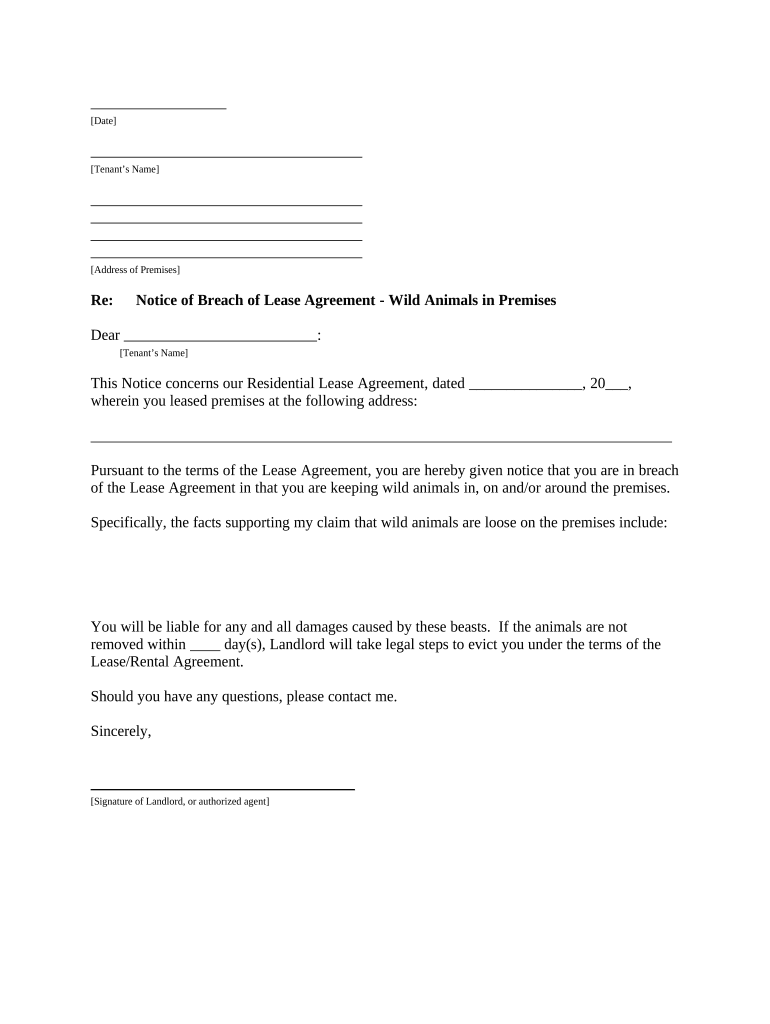
A Landlord Notice is a formal written communication from a landlord to a tenant that declares a condition, demand, or change affecting a tenancy. Common examples include notices to pay rent or quit, notices to cure a lease violation, rent increase notices, and termination notices. Landlord Notices create a record of service and, when correctly completed and delivered, start statutory timelines tied to eviction, cure periods, or other legal remedies. Precise language, correct dates, and proper delivery are essential to preserve legal rights and to avoid procedural defects that can invalidate enforcement.

Why an accurate Landlord Notice matters legally

An accurate Landlord Notice creates binding notice and starts statutory deadlines under landlord-tenant law; electronic signatures are generally recognized under the ESIGN Act (15 U.S.C. ch. 96) and state UETA statutes where applicable. Clear notices reduce disputes, shorten enforcement timelines, and document attempts to resolve issues without court intervention.

Why an accurate Landlord Notice matters legally

Who typically prepares and receives a Landlord Notice

Tenants receive notices and should read them carefully for cure periods, deadlines, and methods to respond; retaining the notice and proof of delivery is essential.

  • Individual landlords — maintain proof of service and tenant communication for single-unit or small multi-unit properties.
  • Property management companies — use standardized templates and tracking for multiple tenancies and jurisdictions.
  • Housing authorities and legal counsel — ensure statutory compliance for notices tied to subsidy or eviction proceedings.

Core elements that make a Landlord Notice valid and enforceable

A professionally prepared Landlord Notice is concise, legally compliant, and documents key facts. Include clear dates, the specific lease clause or law relied on, a precise remedy or demand, delivery method, and signature and contact information for verification.

Notice Date

The date the notice is issued. It triggers cure and eviction timelines and must be unambiguous to avoid disputes.
Tenant Identity

Full legal name(s) of tenant(s). Mismatched names can complicate enforcement or service challenges in court.

Property Description

Full address and unit number. Precise location ensures the notice is tied to the correct tenancy and avoids misdelivery claims.

Legal Basis

Cite the lease section or state law (e.g., unpaid rent, lease violation). Specific citations clarify the reason for the notice.

Demand or Remedy

State the required action (pay, cure, vacate) and the exact deadline in MM/DD/YYYY format or number of days from service.

Signature Block

Name, title, and signature of the landlord or authorized agent plus printed contact details for follow-up.

Required information to include on a Landlord Notice

Tenant Name: Full legal name
Premises: Street address
Notice Type: Pay/Cure/Terminate
Deadline: MM/DD/YYYY
Reason: Lease clause
Landlord ID: Name and contact

Step-by-step: preparing and serving a Landlord Notice

Follow a consistent sequence to prepare, sign, and serve a notice so timelines are clear and enforceable in court if needed.

  • 01
    Prepare Document: Complete all fields, reference the lease clause, and set the deadline.
  • 02
    Choose Delivery: Select authorized service method required by state law or lease (personal, posted, mail).
  • 03
    Record Service: Create proof of delivery: affidavit of service, certified mail receipt, or posting photo and timestamp.
  • 04
    Retain Files: Store the executed notice, service proof, and any tenant responses for retention period.

How to configure an online Landlord Notice workflow

Set up templates and routing rules so notices are consistent and proof of delivery is captured automatically for each tenancy.

Field Configuration
Template Pre-fill dates, clause references, and landlord contact
Signer Role Landlord/agent with authority to sign
Delivery Method Email link, certified mail record, or manual upload of service affidavit
Audit Trail Capture timestamp, IP, and signer identity

Where a completed Landlord Notice goes and who sees it

Route the notice and supporting records to all required parties and internal systems to ensure consistent recordkeeping and quick access if litigation arises.

  • Tenant: Delivered via chosen service method; tenant retains copy
  • Property File: Attach signed notice and proof of service to tenant ledger
  • Legal Counsel: Provide copy if escalation or eviction is likely
  • Accounting: Update rent balances and fees

Digital delivery and eSigning considerations

Use platforms that retain an unalterable audit log and export final signed documents with certificate-of-completion for admissibility.

  • File Formats: PDF, DOCX supported
  • Authentication: Email link or SMS code
  • Audit Trail: Timestamps and IP capture

Common statutory timelines and processing expectations

Timeframes for cure and termination vary by notice type and jurisdiction. Confirm the applicable local statute or lease provision before issuing a notice.

Pay or Quit Notices:

Commonly 3–5 calendar days to pay, varies by state and lease

Cure Violation Notices:

Often 7–30 days depending on violation severity and state law

Unconditional Termination:

May be immediate or short period depending on material breach

Notice of Rent Increase:

Typically 30 days for month-to-month tenancies

Eviction Filing Window:

File after cure period expires; court schedules vary locally

Common mistakes to avoid when preparing a Landlord Notice

  • Using vague language about the reason or remedy, which can render the notice unenforceable or allow tenant defenses.
  • Incorrect or inconsistent dates that create ambiguity about when the cure period begins or ends.
  • Failing to use the statutory service method required by the state or lease, such as personal delivery versus certified mail.
  • Not retaining verifiable proof of service (affidavit, certified mail receipt, timestamped photo), which is critical in court.

Consequences of an incorrect or improperly served notice

Notice Invalidity: May bar eviction or enforcement
Court Delay: Extended timelines and additional costs
Monetary Exposure: Possible damages or fee awards
Regulatory Risk: Violations for improper housing practices
Tenant Defenses: Invalid notice strengthens tenant objections
Loss of Priority: Delayed claims on unpaid rent or property rights

Notarization and witness workflow for authenticated Landlord Notices

When your jurisdiction or lease requires notarization or witnesses, follow the prescribed steps to ensure the notice is properly authenticated and admissible.

01

Prepare Final Copy

Ensure all fields are complete and consistent before signing.

02

Sign in Presence

Signer executes document before notary and witnesses as required.

03

Notary Acknowledgement

Notary completes acknowledgement and journal entry.

04

Attach Proof

Affix the certificate of service or affidavit of posting as applicable.

05

File or Store

Submit to court if filing or store in property record.

06

Scan Copies

Create time-stamped digital copies with audit trail.

07

Deliver to Tenant

Serve via the required statutory method.

08

Retain Originals

Keep signed originals per retention schedule.

Real-world examples of Landlord Notices in practice

These examples illustrate how property owners and managers document notices and retain service proof to support enforcement when needed.

Martin Properties

Martin Properties replaced paper notices with a digital workflow to standardize forms and capture timestamps.

  • That change reduced disputes about delivery.
  • The company preserved signed notices and proof-of-service records centrally, making subsequent eviction filings faster and better documented for local courts.

BIS

BIS implemented templated notices across multiple sites to ensure consistent lease-clause language.

  • Templates included precise cure actions and deadlines.
  • Having standardized notices simplified attorney review and reduced time spent verifying notice compliance before filing legal actions.

eSignature vendor comparison for executing Landlord Notices

Compare basic plan pricing and key capabilities relevant to executing and storing Landlord Notices; signNow is listed first per vendor comparison conventions.

signNow DocuSign Adobe Sign PandaDoc HelloSign
Starting Price $8/user/mo $15/user/mo $14/user/mo $19/user/mo $15/user/mo
Free Trial 7-day free trial Varies by plan Varies by plan Varies by plan Varies by plan
Bulk Send Yes Yes Yes Yes Varies
Audit Trail Yes Yes Yes Yes Yes
HIPAA Compliant Yes Varies by plan Varies by plan Varies by plan Varies by plan
Envelope Cap No cap 100 envelopes/user/year Varies by plan Varies by plan Varies by plan

Frequently asked questions about Landlord Notices

Answers to common questions about eSigning, service methods, corrections, and when to seek legal advice are below to help avoid procedural errors.


Need help? Contact support

be ready to get more
Join over 28 million airSlate SignNow users