Establishing secure connection…Loading editor…Preparing document…

Get-Well Message to Friend or Relative

This template is fully customizable. Edit the text, fill out the fields, and send it for signature. Give it a try!
Get-Well Message to Friend or Relative

What a Get-Well Message to Friend or Relative Is

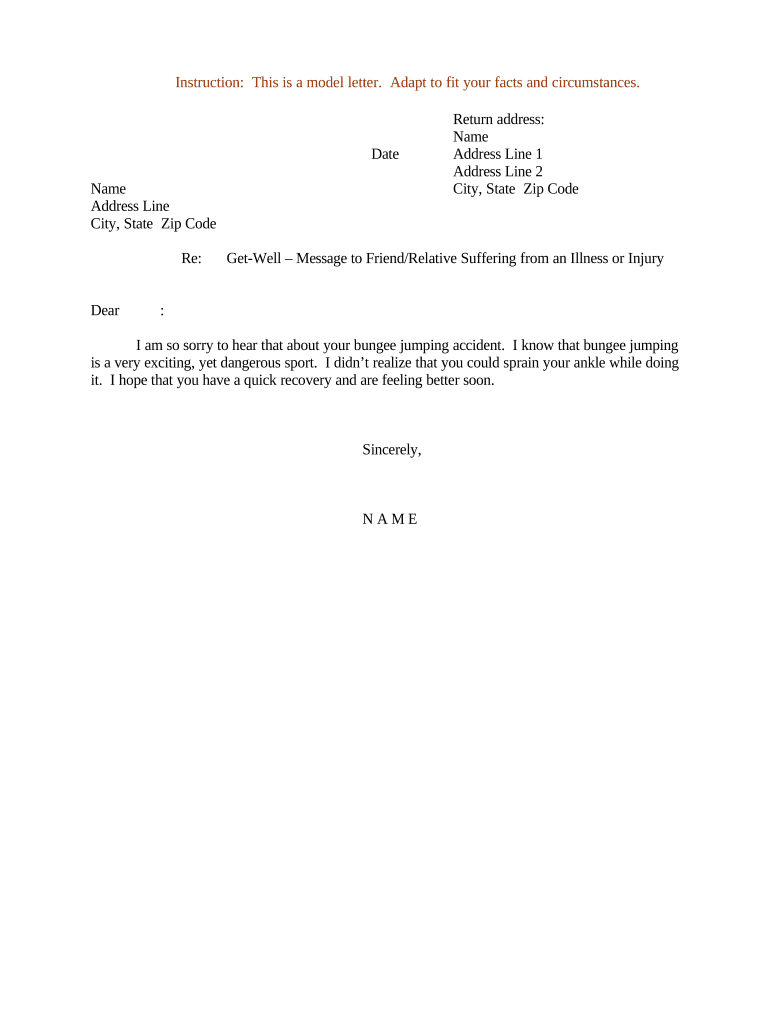
A Get-Well Message to Friend or Relative is a short, personal written note intended to express concern, encouragement, and best wishes to someone recovering from illness, surgery, or injury. These messages can be cards, emails, printed letters, or digitally signed notes when proof of delivery or authorship is useful. Typical content includes an acknowledgement of the recipient's condition, supportive remarks, and an offer of help. A dated electronic copy can serve as a compact record for family or caregivers without converting the note into a formal legal document.

Why a Clear, Dated Get-Well Message Helps

A concise Get-Well Message communicates empathy, documents intent, and preserves clarity about offers of assistance or follow-up. Dated digital copies help confirm when outreach occurred and who sent it, which can be useful in coordinating care or family support while remaining informal.

Why a Clear, Dated Get-Well Message Helps

Who Typically Sends or Receives These Messages

Individuals, families, and small groups typically send Get-Well Messages to express support, coordinate care, or offer practical help during recovery.

  • Close friends and relatives who want to record a thoughtful note and offer assistance.
  • Workplace colleagues sending group messages that track contributors and delivery dates.
  • Community groups or faith organizations coordinating meals, visits, or support tasks.

Essential Elements to Include in a Professional Get-Well Message

Including clear structural elements makes the message both compassionate and useful: identify the sender, keep the body concise, date the note, provide contact details, sign appropriately, and retain a copy for records when needed.

Sender Identity

State your full name and relation to the recipient at the top or bottom of the message; this prevents misattribution and enables replies or follow-up when required by family or caregivers.
Message Body

Keep the body brief, empathetic, and non-judgmental; avoid medical advice unless you are qualified or have explicit permission to share clinical details to protect privacy and clarity.

Date

Include the full date in MM/DD/YYYY format to document when outreach occurred; dated messages are easier to archive and reference for subsequent care coordination or family review.

Contact Info

Provide a direct phone number or email and indicate preferred contact times; accurate contact details reduce delays when arranging assistance, visits, or further communication.

Signature

Sign with a typed full name or include a scanned handwritten signature for a personal touch; signatures help confirm authorship and give a familiar closing for recipients.

Archived Copy

Retain a dated copy in a personal folder or digital archive; if the message contains health information, include it in clinical records only after confirming privacy permissions.

Step-by-Step: Drafting and Sending a Get-Well Message

Follow these straightforward steps to compose, verify, and deliver a considerate Get-Well Message while preserving a dated record if needed.

  • 01
    Draft: Open with empathy and mention the situation briefly to acknowledge the recipient.
  • 02
    Personalize: Include a short memory or a specific offer of help to make the message meaningful.
  • 03
    Format: Date the message, add contact details, and proofread names for accuracy before sending.
  • 04
    Deliver: Choose email, printed card, or signed PDF depending on privacy and recordkeeping needs.

Configure an Online Workflow for Sending and Archiving

Set up a simple online workflow to place fields, request signatures, and control recipient authentication for a Get-Well Message.

Field Configuration
Signature Field Optional typed signature or upload image signature
Date Stamp Auto-insert MM/DD/YYYY on completion
Authentication Email link or optional SMS code
Retention Auto-save PDF with audit trail

How Delivery and Archiving Typically Work

A typical workflow covers preparing the message, authenticating the sender, delivering the note, and archiving a dated copy for records or caregivers.

  • Prepare: Compose the message and validate recipient name and relation.
  • Authenticate: Use an email link or eSignature audit trail to attribute the message.
  • Deliver: Send by email, print mail, or a secure shareable link depending on privacy needs.
  • Archive: Save a dated PDF or store it in a private folder or clinical record if permitted.

Platform Features to Look For When Sending Messages

Basic platform features for secure message sending include eSignature fields, time-stamped audit trails, exportable PDFs, and configurable authentication options.

  • File Types: PDF, DOCX, HTML supported
  • Integrations: Google Workspace, Microsoft 365, Salesforce
  • Security: TLS 1.2/1.3 in transit; AES-256 at rest

Timing Considerations for Sending and Recording Messages

Time considerations for Get-Well Messages cover responsiveness, proper dating, and any institutional deadlines for patient communications or recordkeeping.

Best Time to Send:

Within 24–72 hours after learning of the illness or procedure

Document Date:

Record MM/DD/YYYY at the time you send the message

Healthcare Records Policy:

Follow the institution's timeline for patient communication retention

Privacy Review Window:

Obtain consent before including any protected health information

Correction Period:

Issue a corrected note promptly if factual errors are discovered

Common Mistakes to Avoid When Preparing a Message

  • Writing overly detailed medical information that could violate patient privacy or disclose protected health information without authorization.
  • Failing to proofread names, dates, or contact details, which causes confusion or prevents effective follow-up by friends or providers.
  • Using casual platforms without saving a dated copy when documentation of outreach is necessary for care coordination.
  • Assuming electronic messages are private; forwarding or group replies can spread sensitive details beyond intended recipients.

Risks Associated with Incorrect or Insecure Messages

Privacy breach: May trigger HIPAA concerns
Incorrect medical detail: Can confuse caregivers
Misattribution: Recipient may doubt sender
Alteration risk: Unsigned changes go undocumented
Legal misunderstanding: Avoid contractual language
Permanent record: Archived messages may persist

Practical Examples of Get-Well Messages in Use

These examples illustrate personal and clinical uses of dated Get-Well Messages and how copies support coordination.

Personal Note

A close friend sends a dated, handwritten note scanned and emailed to the recipient during recovery to maintain a personal touch.

  • Delivered alongside small care offers.
  • The scan preserves the original handwriting while the email records the delivery date; the sender kept a copy for family records and included contact information for follow-up calls or visits if needed.

Care Team Note

A hospice nurse documents a supportive message in the patient's digital file and emails a copy to designated family members for coordination.

  • Used to confirm outreach and next steps.
  • Including the message in the clinical record creates a dated entry that supports continuity of care, preserves the communication trail, and helps avoid duplicated outreach by multiple team members during sensitive recovery periods.

Required Information and Fields at a Glance

Sender Name: Full name as shown on ID
Recipient Name: Use preferred name and relation
Date: MM/DD/YYYY format recommended
Message Body: Brief, compassionate, and clear
Sender Contact: Phone or email for follow-up
Signature: Typed or scanned signature line

Frequently Asked Questions About Get-Well Messages

Answers to common questions about preparing, sending, signing, and securely storing Get-Well Messages are provided below for practical guidance.


Need help? Contact support

eSignature Pricing Comparison Relevant to Message Sending

Selected vendor pricing and feature availability for common eSignature requirements; signNow is listed first per comparison conventions.

signNow DocuSign Adobe Sign PandaDoc HelloSign
Starting Price $8/user/mo $15/user/mo $14/user/mo $19/user/mo $15/user/mo
Free Trial 7-day trial Varies Varies Varies Varies
Bulk Send Yes Yes Yes Yes No
Audit Trail Yes Yes Yes Yes Yes
HIPAA Compliant Yes Yes Yes No No
Envelope Cap No cap 100 envelopes/user/yr Varies Varies Varies
be ready to get more
Join over 28 million airSlate SignNow users