Establishing secure connection…Loading editor…Preparing document…

Letter Requesting Additional MSDS Information

This template is fully customizable. Edit the text, fill out the fields, and send it for signature. Give it a try!
Letter Requesting Additional MSDS Information

What this Letter Is and When to Use It

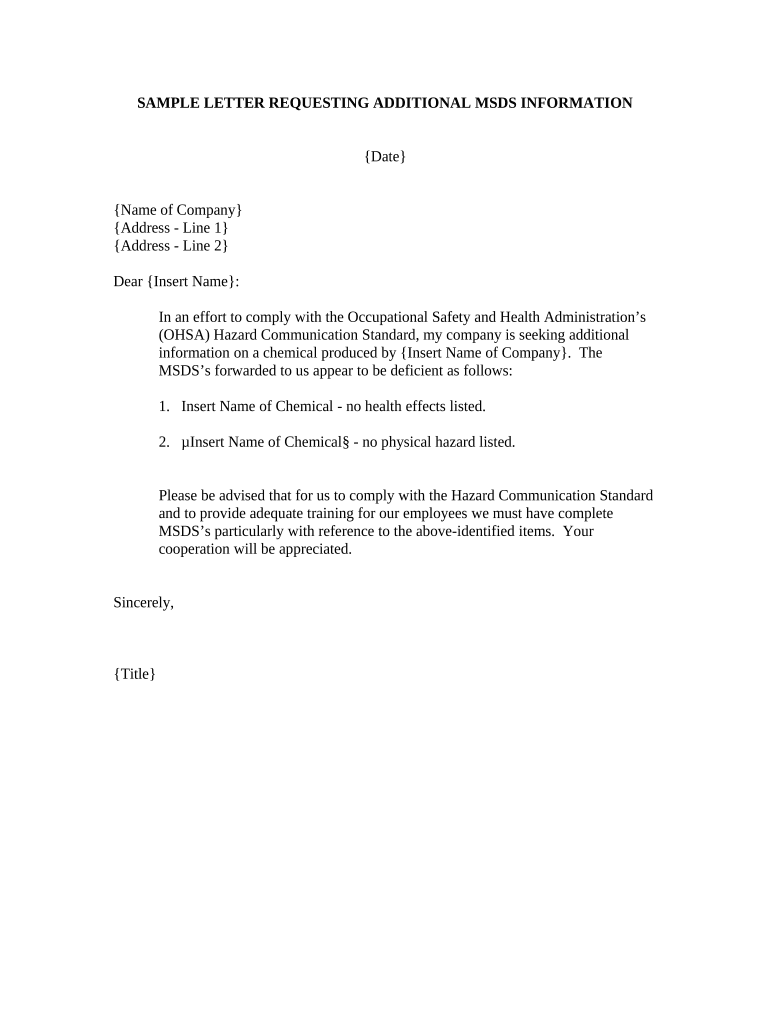
A Letter Requesting Additional MSDS Information is a formal written request a purchaser, employer, safety officer, or downstream user sends to a manufacturer, distributor, or supplier to obtain a more complete Material Safety Data Sheet (SDS/MSDS) or clarifications about hazard classifications, ingredients, exposure controls, storage, transport, or emergency measures. The letter documents a specific information gap, cites the product and lot number, and creates a record of supplier communication for compliance, hazard communication programs, and procurement due diligence. It is used when the provided SDS is incomplete, unclear, or when regulatory or workplace changes require updated data.

Why a Clear Request Matters and Its Legal Basis

A precise written request improves workplace safety, ensures regulatory alignment with Hazard Communication requirements, and creates an auditable record. Electronic delivery and signed acknowledgements support enforceability under federal frameworks such as the ESIGN Act (15 U.S.C. ch. 96) and state UETA provisions where applicable.

Why a Clear Request Matters and Its Legal Basis

Who Typically Prepares and Sends These Letters

The letter is commonly used by compliance staff, purchasing agents, and workplace safety professionals before, during, or after procurement of chemical products.

  • Environmental, Health & Safety teams verifying hazard data for workplace controls and training.
  • Purchasing or procurement officers confirming SDS completeness before acceptance or stocking.
  • Facility managers and supervisors ensuring emergency response details match on-site procedures.

Creating a clear, documented request reduces exposure risk and supports recordkeeping for audits and inspections.

Fill and Send: Step-by-step Completion

Follow these steps to prepare a precise, professional request letter and ensure reliable delivery and tracking.

  • 01
    Identify gap: Confirm exactly what information is missing or unclear on the existing SDS.
  • 02
    Assemble identifiers: Collect product name, SKU, lot number, supplier name, and purchase order reference.
  • 03
    Draft request: Write a numbered list of required SDS sections and clarifying questions.
  • 04
    Send and track: Deliver via documented channel (email with read receipt, certified mail, or e-signature platform) and retain evidence.

How to Configure an Online Request Workflow

Set up an electronic workflow to standardize requests, capture acknowledgements, and retain proof of delivery.

Field Configuration
Request Template Create a reusable template with prefilled product fields and numbered information items.
Recipient Mapping Map supplier contacts to vendor records for one-click routing.
Authentication Require email verification or SMS code for supplier acknowledgement.
Audit Trail Enable automatic timestamps, IP logs, and delivery receipts for each request.

Typical Delivery and Response Flow

A clear routing path reduces delays and ensures both parties keep a consistent record of the request and response.

  • Prepare Letter: Complete template with identifiers and the exact SDS data required.
  • Send to Supplier: Use an agreed contact email, procurement portal, or e-signature service.
  • Supplier Acknowledges: Supplier confirms receipt and estimated response timeline.
  • Receive SDS: Supplier returns updated SDS or clarifying statement with version and date.

Digital Delivery and Technical Considerations

Choose delivery channels that preserve the record and support secure attachments and signatures.

  • Document Formats: PDF or PDF/A preferred to preserve layout and embedded metadata.
  • Authentication: Email plus optional SMS or platform authentication to confirm identity.
  • Retention: Store both the request and supplier response in an access-controlled repository.

Ensure the chosen platform supports audit trails, secure storage, and export formats for inspections and internal records.

Typical Timelines and Response Expectations

Establish expectations up front to reduce operational risk: specify acknowledgement and final delivery timelines in your letter.

Acknowledgement Request:

Ask supplier to confirm receipt within 3 business days of delivery.

Complete SDS Delivery:

Request the full SDS or required clarifications within 10 business days.

Escalation Window:

If unanswered, escalate to procurement or quality within 5 additional business days.

Record Retention:

Keep the request and response according to your retention policy for audits.

Emergency Response:

Require immediate notification if missing data affects hazard response or shipping.

Frequent Preparation Errors to Avoid

  • Vague requests that fail to identify product lot or CAS numbers slow supplier response and create follow-ups.
  • Omitting contact information or preferred delivery format results in returned or unreadable submissions.
  • Mixing multiple unrelated products in one request causes confusion and slows hazard assessment.
  • Failing to record acknowledgements and timestamps undermines your ability to prove timely compliance.

Risks of Incomplete or Delayed SDS Information

Regulatory Citation: Possible OSHA citation for incomplete hazard communication.
Workplace Injury: Inadequate SDS data can increase exposure and injury risk.
Contract Breach: Supplier failure may trigger contractual remedies or penalties.
Shipping Delays: Missing transport classification can halt hazardous shipments.
Liability Exposure: Incomplete records may increase legal and insurance costs.
Operational Disruption: Production or procurement hold until compliant SDS received.

Core Elements Every Professional Request Should Include

Include these components to make the request actionable and defensible for compliance reviews.

Product ID

Precise product name, SKU, lot or batch number, and manufacturer details so supplier locates the correct SDS without follow-up.
Requested Sections

Numbered list of specific SDS sections or data points needed (composition, exposure limits, first-aid measures, transport classifications).

Legal Purpose

State the compliance, procurement, or safety reason—e.g., workplace hazard evaluation or transport compliance—to emphasize priority.

Delivery Instructions

Specify preferred format (PDF), method (secure email or e-sign platform), and any authentication required for acceptance.

Required Dates

Include a clear deadline for acknowledgement and final SDS delivery in MM/DD/YYYY format to manage expectations.

Recordkeeping Note

Request supplier versioning information (SDS version, revision date) and include statement that both parties will retain records.

Essential Data Points to Request from Suppliers

Product Details: Name, SKU, lot
Manufacturer: Company name
CAS Numbers: Chemical IDs
Hazard Classifications: GHS hazard codes
Exposure Limits: PEL, TLV values
Emergency Contacts: 24/7 phone

Practical Tips for Accurate, Efficient Requests

Use standard language and version control to reduce ambiguity and repeated follow-ups.

Template Use
Maintain a standardized request template with numbered information items and required formats to speed creation and supplier response.
Single-Product Focus
Send one product per letter whenever possible. Bundling multiple products commonly delays supplier processing and complicates audit trails.
Confirm Receipt
Require explicit supplier acknowledgement with date and expected delivery timeframe to create a reliable compliance record.
Store Evidence
Archive both sent request and supplier response with metadata (timestamps, signer identity) in a secure, access-controlled system.

Use-case Examples of Effective Requests

Two brief scenarios show how focused requests reduce back-and-forth and improve safety outcomes.

Case Study 1

A maintenance supervisor discovered missing exposure limits on an SDS for a solvent used on-site

  • The supervisor listed product lot and requested sections 3 and 8
  • The supplier returned a revised SDS within five business days with CAS numbers and PPE guidance, enabling immediate PPE updates and a reduced exposure risk.

Case Study 2

A transportation coordinator needed UN numbers before scheduling a hazardous shipment

  • The coordinator sent a numbered request specifying transport classification and packing group
  • The supplier provided the transport classification and emergency response guidance within two business days, avoiding a shipment delay and ensuring compliant labeling.

Comparing eSignature Options for Sending and Signing Requests

Platform capabilities influence delivery, auditability, and cost. The table below compares starting price and select features across common vendors; signNow is listed first.

signNow DocuSign Adobe Sign PandaDoc HelloSign
Starting Price $8/user/mo $15/user/mo $14/user/mo $19/user/mo $15/user/mo
Free Trial 7-day free trial No No No No
Bulk Send Yes Yes Yes Yes No
Audit Trail Yes Yes Yes Yes Yes
HIPAA Compliant Yes Yes Yes No No

Frequently Asked Questions and Quick Troubleshooting

Answers to common questions about preparing, sending, and tracking SDS information requests, with practical remedies for typical issues.


Need help? Contact support

be ready to get more
Join over 28 million airSlate SignNow users