Establishing secure connection…Loading editor…Preparing document…

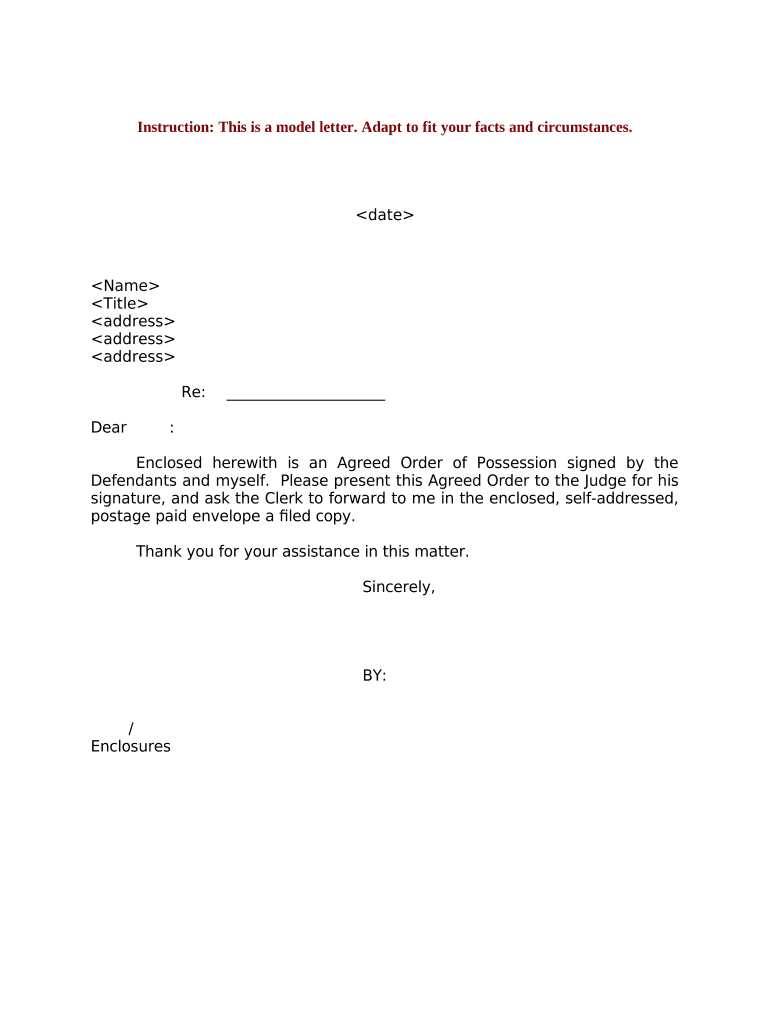
Letter to Court

This template is fully customizable. Edit the text, fill out the fields, and send it for signature. Give it a try!
Letter to Court

What a Letter to Court Is and when it’s used

A Letter to Court is a formal written communication filed with or delivered to a court clerk, judge, or judicial officer to provide information, request action, update case contact details, or respond to court orders. Letters must follow the court’s caption, case number, and local formatting rules and may include attachments or exhibits. Many courts accept electronically submitted PDFs through e-filing systems, but procedural rules determine whether an electronic letter, scanned copy, or original signed document is required. Always confirm the applicable local rules before submitting.

Why a clear, correctly formatted Letter to Court matters

A properly prepared letter preserves the record, communicates requests succinctly, and supports timely court action while reducing risks of rejection or sanctions. Following caption, service, and filing rules helps ensure the court and other parties receive and recognize the submission.

Why a clear, correctly formatted Letter to Court matters

Who commonly prepares and files Letters to Court

The following users most often draft or file Letters to Court depending on case type and representation.

  • Attorneys and litigators — Prepare case-specific statements, cite docket items, and follow signature and bar-number rules for filings.
  • Self-represented litigants — Submit procedural requests or clerk communications; must follow local formality rules carefully.
  • Paralegals and legal assistants — Draft, assemble exhibits, and manage e-filing or service under attorney supervision.

Who files or signs may affect authentication, service method, and whether additional steps (notarization, attorney signature, or e-filing) are required.

Essential parts of a professional Letter to Court

A court letter should be concise, organized, and include every element the court expects so clerks and judges can process it quickly without additional requests for clarification.

Caption

Top-of-page case caption listing court name, parties, and case number so the clerk can index the letter correctly and link it to the docket entry.
Recipient

Identify the proper recipient (e.g., Clerk of Court, presiding judge) and include department or division if applicable to avoid misrouting.

Statement of purpose

A short opening paragraph that explains why the letter is submitted and the specific relief or action requested from the court.

Facts and context

A concise factual summary limited to what the court needs to decide on the requested administrative action or clarification.

Attachments

List exhibits by label (Exhibit A, B) and attach PDFs; indicate any sealed or confidential material per local rules.

Signature block

Signer name, title, firm, physical address, phone, email, date, and attorney bar number if required by local rules.

Security and compliance basics for court correspondence

Encryption: TLS 1.2/1.3 in transit
Data at rest: AES-256 encrypted storage
Audit trail: Timestamps, IP, action log
HIPAA capability: BAA available when required
Signature law: ESIGN and UETA compliant
Accessibility: WCAG 2.0 Level AA support

Step-by-step: drafting a compliant Letter to Court

Follow a short, ordered checklist to prepare the letter, attach supporting materials, and complete filing and service rules.

  • 01
    Confirm case caption: Verify court name, party names, and docket number before drafting.
  • 02
    Write purpose statement: Start with a single sentence stating the request or notification.
  • 03
    Attach exhibits: Combine and label PDFs; reference exhibits clearly in the text.
  • 04
    File and serve: E-file or deliver to clerk and serve opposing parties per local rules.

Typical workflow for submitting a Letter to Court

Court submissions move through clearly defined steps: preparation, signing, filing, and service. Follow each step to avoid processing delays.

  • Prepare document: Draft in Word or PDF, ensure caption and attachments are complete.
  • Authenticate signature: Sign physically or use permitted e-sign method consistent with court rules.
  • File with clerk: Submit via court e-filing system or deliver paper copy as required.
  • Serve other parties: Proof of service should be filed or retained as required by local rules.

How to customize an online Letter to Court workflow

When completing the letter online, configure fields and authentication to match the court’s procedural and evidentiary requirements.

Field Configuration
Case Caption Auto-fill from docket or manual entry; exact party names
Signature Field Require signer authentication and date stamp
Exhibit Upload Accept PDF, combine and label exhibits
Service Method Select e-file, email service, or mail with proof

Technical considerations for electronic submission

Ensure your platform supports accepted file formats, required signer authentication levels, and integrations with court e-filing or document stores.

  • File formats: PDF/A and DOCX are widely accepted
  • Integrations: Works with Google Workspace, Microsoft 365, NetSuite
  • Authentication: Support for email, SMS, or advanced auth

Match platform settings to local court e-filing specifications and retain an audit trail and signer metadata for the official record.

Timing to watch for when sending a Letter to Court

Deadlines vary by court and case type; confirm filing windows in scheduling orders, local rules, and the court’s e-filing calendar before submitting a letter.

Schedule orders:

Comply with dates set in the court’s scheduling order.

Response periods:

Opposing parties may have specific days to respond under local rules.

Filing hours:

Courts may enforce business hours or e-filing cutoffs.

Service deadlines:

Proof of service may be due when filing the letter.

Appeal timing:

Separate appeal deadlines exist and are not extended by clerical filings.

Key milestones from drafting to docketing

Track these sequential milestones to ensure the letter is drafted, authenticated, filed, and served in time for the court to act.

01

Draft Completed

Finalize text, attachments, and case caption before signing.

02

Signature & Authentication

Obtain required signature, notary, or electronic authentication.

03

File with Court

Submit via court e-filing or deliver to clerk for docketing.

04

Serve Parties

Provide proof of service and file certificate if required.

Common preparation mistakes to avoid

  • Using an incorrect or incomplete case caption that prevents proper docketing and causes clerk requests for correction.
  • Failing to attach or correctly label exhibits referenced in the letter, leaving the court unable to verify assertions.
  • Omitting required signature details such as attorney bar number or contact information, which can invalidate the filing.
  • Serving other parties improperly or failing to file proof of service, exposing the submission to procedural objections.

Consequences of submitting an improper Letter to Court

Clerk rejection: Letter may be returned or not docketed
Sanctions: Court may impose fines or orders
Default risk: Late or missing responses can lead to default judgment
Evidence exclusion: Untimely exhibits may be excluded
Contempt: Deliberate noncompliance risks contempt findings
Fee exposure: Adverse fee awards for frivolous submissions

Comparing eSignature options for authenticating Letters to Court

When choosing an eSignature provider for legal correspondence, evaluate price, bulk capabilities, audit trail, HIPAA support, and envelope or session limits.

signNow DocuSign Adobe Sign PandaDoc HelloSign
Starting Price $8/user/mo $15/user/mo $14/user/mo $19/user/mo $15/user/mo
Free Trial 7-day free trial Varies Varies Varies Varies
Bulk Send Yes (Premium) Yes Yes Yes No
Audit Trail Yes Yes Yes Yes Yes
HIPAA Compliant Yes Yes Yes No No

Frequently asked questions about Letters to Court

Answers to common questions about electronic submission, notarization, service, and correcting mistakes when sending a Letter to Court.


Need help? Contact support

be ready to get more
Join over 28 million airSlate SignNow users