Establishing secure connection…Loading editor…Preparing document…

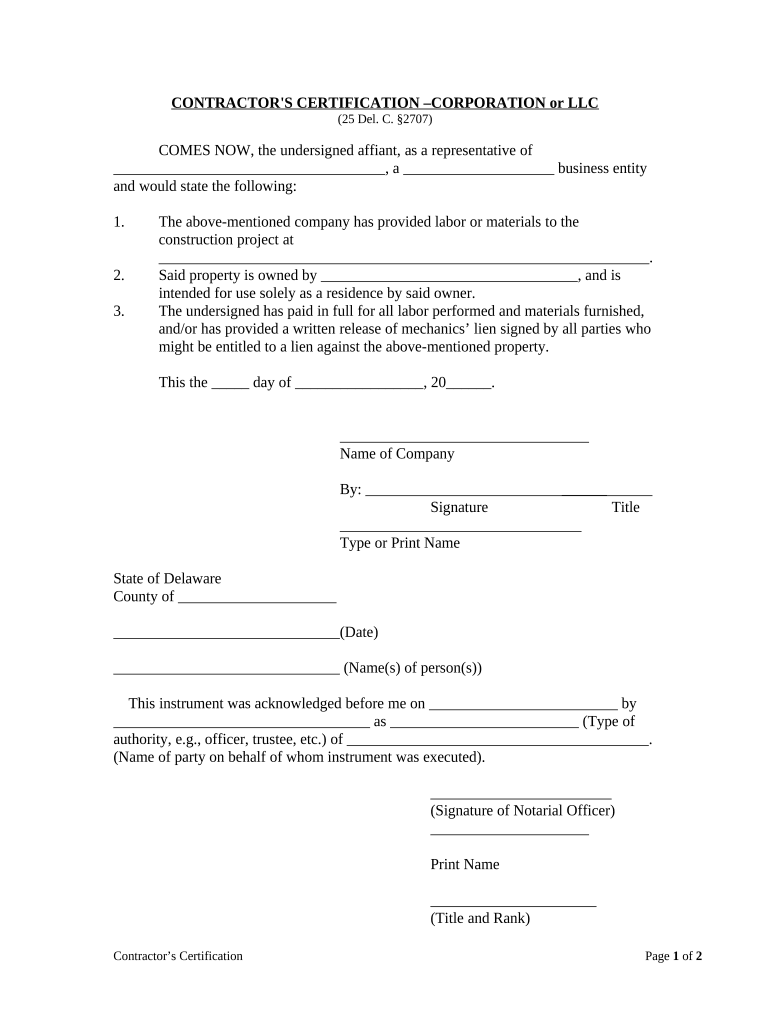
Delaware Contractor's Certification

This template is fully customizable. Edit the text, fill out the fields, and send it for signature. Give it a try!
Delaware Contractor's Certification

What the Delaware Contractor's Certification Is

A Delaware Contractor's Certification is a state-specific sworn statement used by contractors when bidding on or performing work for Delaware public agencies or projects. The form typically attests to the contractor's licensing status, tax and employment compliance, insurance coverage, subcontractor disclosure, and adherence to prevailing wage or minority contracting requirements when applicable. Agencies use the certification to confirm the legal and administrative qualifications of bidders and contractors before awarding contracts, issuing permits, or processing payments. The certification is a legal attestation; false statements can trigger penalties or contract remedies under Delaware law.

Why the Certification Matters for Contractors

Completing the Delaware Contractor's Certification documents compliance and reduces bid evaluation delays by giving agencies verifiable contractor information. It supports accurate risk assessment, confirms statutory requirements are met, and helps ensure timely payment processing when government procurement or permit rules require certification.

Why the Certification Matters for Contractors

Who Typically Prepares and Reviews the Certification

Typical users include prime contractors, subcontractors, procurement officers, and compliance managers engaged in Delaware government contracting and permitting workflows.

  • Prime contractors submitting bids or contract documents to state or local agencies.
  • Subcontractors certifying wage, compliance, or specialty licensing on project scopes.
  • Procurement and grant officers verifying contractor eligibility and administrative completeness.

Step-by-Step: Complete and Submit the Certification

Follow this step-by-step process to complete and submit the Delaware Contractor's Certification accurately and on time.

  • 01
    Gather Documents: Collect licenses, EIN, insurance certificates, and payroll records as applicable.
  • 02
    Complete Form: Enter required fields, use MM/DD/YYYY for dates, and avoid abbreviating state names.
  • 03
    Sign: Authorized representative signs; include printed name and title.
  • 04
    Submit: Send to the contracting agency by their required method and retain a copy.

Common Submission Paths and What They Record

Typical submission flows vary; below are common routing options and what the agency records each step captures for compliance.

  • Email: Attach PDF, include subject with project name, request read receipt when allowed.
  • Portal: Upload to agency procurement portal; confirm required fields and file types.
  • In-person: Deliver printed, signed copy to procurement office and obtain timestamped receipt.
  • eSubmission: Use approved eSignature platform and retain audit trail with timestamps.

Configure a Digital Workflow for the Certification

Configure a digital workflow to map form fields, set signer roles, and automate routing to the responsible agency contact.

Field Configuration
Signers Assign signer roles and signing order; include authorized representative and optional reviewer.
Authentication Use email link or SMS code; KBA if required by agency.
Fields Make license, EIN, and signature fields required; add conditional wage fields.
Retention Enable automatic archive and PDF export with certificate of completion.

Platform Requirements for eSubmission

Digital submission requires platform support for PDF, eSign, audit trails, and secure storage.

  • File Types: PDF and DOCX file formats supported.
  • Integrations: Works with Salesforce, NetSuite, and Google Workspace.
  • Security: TLS and AES-256 encryption.

Key Elements a Professional Certification Should Include

A professional Delaware Contractor's Certification includes clear attestations, required identifiers, insurance statements, and signature blocks tailored for state procurement rules.

Attestation

A concise sworn statement where the contractor affirms compliance with contract terms, truthful disclosures, non-debarment, and acceptance of statutory remedies for false statements, signed under penalty of perjury where applicable.
Identifiers

Include business legal name, trade name where used, federal EIN, and Delaware business or registration number to ensure accurate vendor identity and tax reporting records.

Licenses

List all applicable contractor licenses, trade classifications, expiration dates, and issuing authority; include copies or links to verify active standing before contract award documentation promptly.

Insurance

Explicitly state general liability, workers' compensation, and automobile coverage with policy limits, carrier name, policy numbers, and effective periods; attach certificates of insurance as requested.

Prevailing Wage

Where applicable, indicate prevailing wage classifications, attach certified payroll documentation, and confirm procedures for fringe benefits and apprentice utilization required under Delaware law or project specifications.

Signature Block

Provide printed name, title, company, signature, and date; include corporate officer authorization language if signing on behalf of an entity, and explicitly indicate signer authority.

Required Information Checklist

Business Name: Exact legal name as registered.
Tax ID: Federal EIN or SSN provided.
License Number: State license and classification.
Insurance Info: Policy numbers and effective dates.
Payroll Records: Certified payroll if prevailing wage.
Signature: Authorized signatory with date.

Common Preparation Errors to Avoid

  • Submitting mismatched business names or tax IDs leads to payment delays, backup withholding, or rejection by the contracting agency; verify entity records before submitting.
  • Incomplete insurance details or missing certificates commonly result in noncompliance findings and can halt contract approval until proof of coverage is provided.
  • Failing to sign, dating incorrectly, or using initials where a signature is required can void the certification or force resubmission.
  • Relying on scanned but unsigned attachments without an audit trail may not satisfy agency eSubmission standards for authenticity and intent.

Potential Consequences of an Incorrect Certification

Contract Suspension: Suspension or termination risk.
Financial Penalties: Fines or withheld payments.
Tax Consequences: Backup withholding triggers.
Debarment Risk: Loss of eligibility.
Legal Liability: Perjury or false claims.
Project Delays: Contract processing delayed.

Key Deadlines and Processing Expectations

Timelines for submission and agency review vary; note common deadlines and processing expectations for bids, certifications, and contract compliance.

Bid Submission:

Align certification with bid due date; late certifications may disqualify bids.

Contract Award:

Provide certified documents before final award and contract signing.

Payment Processing:

Agencies may hold payments until certification is verified.

Renewals:

Update certifications when licenses or insurance policies change.

Audit Response:

Keep copies accessible for audits for the retention period.

eSignature Pricing and Feature Comparison for Certification Workflows

Compare entry-level pricing and essential features across common eSignature vendors for handling Delaware Contractor's Certification eSubmissions.

signNow DocuSign Adobe Sign PandaDoc HelloSign
Starting Price $8/user/mo $15/user/mo $14/user/mo $19/user/mo $15/user/mo
Free Trial 7-day free trial No No Yes, limited Yes, limited
Bulk Send Yes Yes Yes Yes No
Audit Trail Yes Yes Yes Yes Yes
HIPAA Compliant Yes Yes Yes No No

Frequently Asked Questions About the Delaware Contractor's Certification

Answers to common questions about completing, signing, and submitting the Delaware Contractor's Certification, including digital signing and recordkeeping guidance.


Need help? Contact support

be ready to get more
Join over 28 million airSlate SignNow users