Establishing secure connection…Loading editor…Preparing document…

Louisiana Plea Form

This template is fully customizable. Edit the text, fill out the fields, and send it for signature. Give it a try!
Louisiana Plea Form

What the Louisiana Plea Form Is and When It’s Used

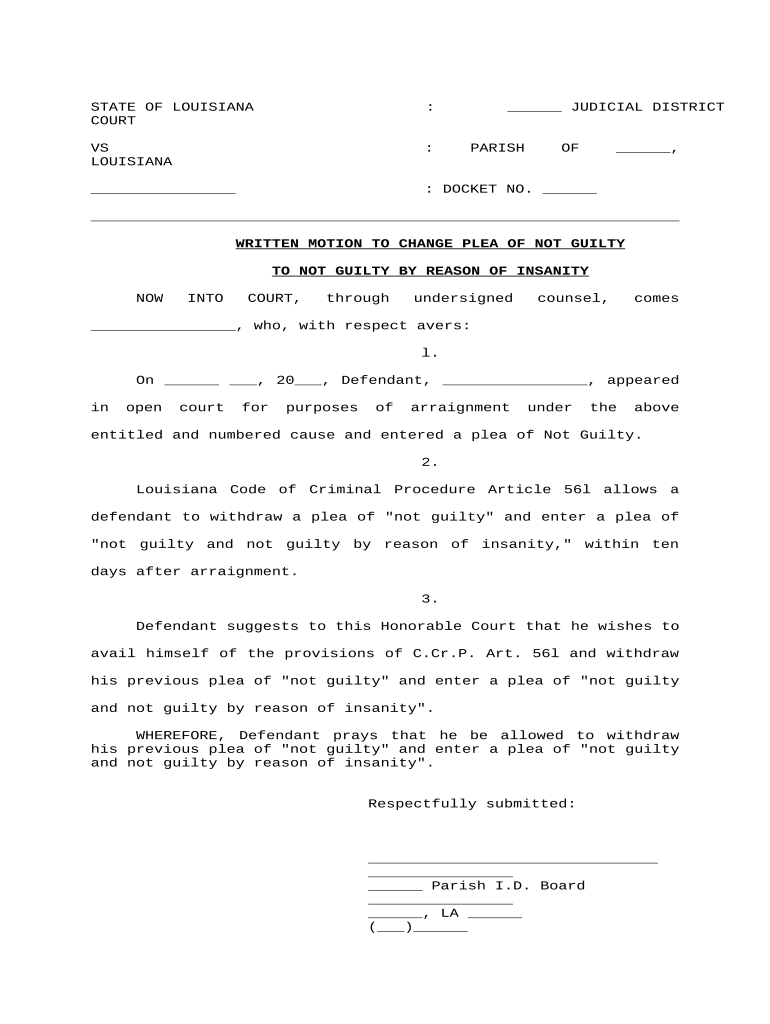
The Louisiana Plea Form is a court document used in state criminal proceedings to record a defendant’s plea, waiver of rights, and related acknowledgements. It typically identifies the charge, plea option (guilty, not guilty, nolo contendere), sentence recommendations, and whether the defendant waives constitutional rights such as trial by jury and confrontation. Courts use the completed form to confirm the defendant’s understanding of consequences and to create an official record for sentencing and appeal purposes. Accurate completion preserves procedural rights and helps the clerk docket the plea correctly.

Why the Louisiana Plea Form Matters to Court Proceedings

The form documents a defendant’s informed decision, records any waiver of rights, and creates a clear official record for sentencing and appeals. Courts rely on it to verify voluntariness and competence before accepting a plea.

Why the Louisiana Plea Form Matters to Court Proceedings

Who Typically Prepares and Signs This Form

Several participants commonly interact with the Louisiana Plea Form before it is filed with the court.

  • Public defenders and private criminal defense attorneys reviewing and advising the defendant prior to signing.
  • Prosecutors confirming the charge, plea agreement terms, and any recommended sentence to be entered.
  • Court clerks and judges who accept the plea and record the entry in the official docket.

Each role is responsible for accuracy: attorneys ensure informed consent, prosecutors verify terms, and the court validates the voluntariness and registry of the plea.

Step-by-Step: Filling Out the Louisiana Plea Form

Follow these core steps to prepare a complete and court-ready plea form.

  • 01
    Review Charge: Confirm the offense code and case caption match court records.
  • 02
    Consult Counsel: Discuss consequences and any plea agreement with your attorney.
  • 03
    Select Plea: Mark guilty, not guilty, or nolo contendere as appropriate.
  • 04
    Sign & Date: Sign where indicated and add the MM/DD/YYYY date.

FAQs and Common Questions About the Louisiana Plea Form

Answers below address frequent procedural and technical questions defendants and attorneys raise when completing or filing a plea.


Need help? Contact support

Key Security and Compliance Considerations

In-transit Encryption: TLS 1.2/1.3
At-rest Encryption: AES-256
Regulatory Certifications: SOC 2 Type II available
Health Data Support: HIPAA-compliant with BAA
Legal Framework: ESIGN and UETA compliant
Audit Trail: Detailed timestamps and event history

Penalties and Risks from Incorrect or Incomplete Forms

Delayed Proceedings: Court may continue the hearing
Loss of Rights: Invalid waiver risks appeal issues
Case Dismissal Risk: Procedural defects can affect disposition
Contempt Exposure: False statements may trigger sanctions
Additional Costs: Repeat filings or attorney time
Record Inaccuracy: Misfiled data complicates future motions

Common Preparation Errors to Avoid

  • Entering an incorrect case number or parish leads to misfiling and significant administrative delay for court staff and parties.
  • Failing to initial each waiver line when required creates ambiguity about the defendant’s informed consent and may prompt judicial questioning.
  • Using inconsistent names or abbreviations can block criminal record checks and slow the clerk from matching the form to the docket.
  • Submitting unsigned or undated forms often results in immediate rejection and a continuance to obtain proper court confirmation.

How Electronic Completion and Submission Typically Works

A streamlined digital workflow reduces handling time while preserving the court record and audit information.

  • Prepare Form: Populate fields and upload supporting documents.
  • Authenticate Signer: Use email link, SMS code, or stronger methods.
  • Sign Electronically: Apply signature and capture timestamp and audit trail.
  • Submit to Clerk: Send per parish rules — e-file or deliver paper copy.

Typical Digital Workflow Settings for Plea Forms

Configure the workflow to match local court requirements and the parties’ authentication expectations.

Field Configuration
Signer Authentication Email link with optional SMS code for verification
Routing Order Sequential routing: defendant, prosecutor, court official
Save Format PDF/A with embedded audit trail and metadata
Notifications Automated email to all parties when signed

Technical Requirements and Integration Options

Check the court’s e-filing and e-signature acceptance before selecting a platform or method.

  • File formats: PDF and DOCX widely supported
  • Integrations: Salesforce, Microsoft 365, NetSuite examples
  • Authentication: Email, SMS, or stronger methods

Typical Timelines and Court Deadlines to Watch

Timing varies by parish and charge; confirm deadlines with the clerk or counsel to avoid missed opportunities or sanctions.

Arraignment Deadline:

Plea may be entered at arraignment unless the court sets otherwise

Plea Deadline:

Some plea agreements require submission before a scheduled sentencing date

Sentencing Date:

Usually set at disposition or within days after a guilty plea

Motion to Withdraw:

Deadlines and grounds vary; file promptly if needed

Record Retention:

Retain original for multiple years per retention rules

eSignature Vendor Pricing Snapshot for Plea Form Workflows

Compare typical plan starting prices and core capabilities relevant to high-volume legal or court workflows; signNow is listed first per vendor comparison conventions.

signNow DocuSign Adobe Sign PandaDoc HelloSign
Starting Price $8/user/mo $15/user/mo $14/user/mo $19/user/mo $15/user/mo
Free Trial 7-day free trial, no card Varies by plan Varies by plan Varies by plan Varies by plan
Bulk Send Yes Yes Yes Yes No
Audit Trail Yes Yes Yes Yes Yes
HIPAA Compliant Yes Yes Yes No No

Practical Use Cases: How Offices Handle Plea Forms

Real-world scenarios illustrate how the form is used by different court-related offices and counsel.

Public Defender Office

A defender prepares the plea form in advance and discusses every waiver with the client

  • This saves in-court time
  • Careful pre-filing reduces continuances, preserves client rights, and improves docket predictability for the office and court.

Parish Clerk Workflow

Clerks receive completed plea forms and verify case numbers and signatures

  • Electronic submission speeds validation
  • Standardizing formats and metadata enables the clerk to docket pleas faster and maintain clearer public records.

be ready to get more
Join over 28 million airSlate SignNow users