Establishing secure connection…Loading editor…Preparing document…

Minnesota Certificate of Trust

This template is fully customizable. Edit the text, fill out the fields, and send it for signature. Give it a try!
Minnesota Certificate of Trust

What the Minnesota Certificate of Trust Is and when it matters

A Minnesota Certificate of Trust is a short, public-facing document that confirms a trust exists and identifies the trustee(s) with authority to act on behalf of the trust without disclosing the trust's private terms. It is commonly used to record or transfer real estate, open accounts in a trustee capacity, or provide third parties assurance of trustee authority while preserving confidentiality of the trust instrument. The certificate typically lists the trust name, trustee names, the trust date, a statement of powers, and a notarized attestation of the trustee's signature.

Why a Certificate of Trust is useful for Minnesota transactions

A Certificate of Trust provides a concise record of trustee authority while protecting private trust terms, streamlining real estate recording and third-party verification. It reduces the need to produce the full trust document and gives recorders, title companies, banks, and transfer agents a standardized way to confirm authority under state practice and interstate e-signature frameworks such as ESIGN (15 U.S.C. ch. 96) and UETA.

Why a Certificate of Trust is useful for Minnesota transactions

Typical users and organizations that rely on Certificates of Trust

Who commonly prepares or requests this document before a transaction.

  • Trustees and settlors preparing to convey or encumber real property.
  • Title companies, escrow officers, and closing attorneys verifying authority.
  • Banks and financial institutions opening accounts in a trust's name.

Use by these groups reduces friction at closing and avoids unnecessary exposure of the trust instrument while preserving evidence of authority.

Core elements that belong in a professional Certificate of Trust

A complete Certificate of Trust contains several discrete elements to verify identity, authority, and recording readiness.

Trust Name

Full legal name of the trust as stated in the trust instrument, exactly matching recorded documents to avoid title issues.
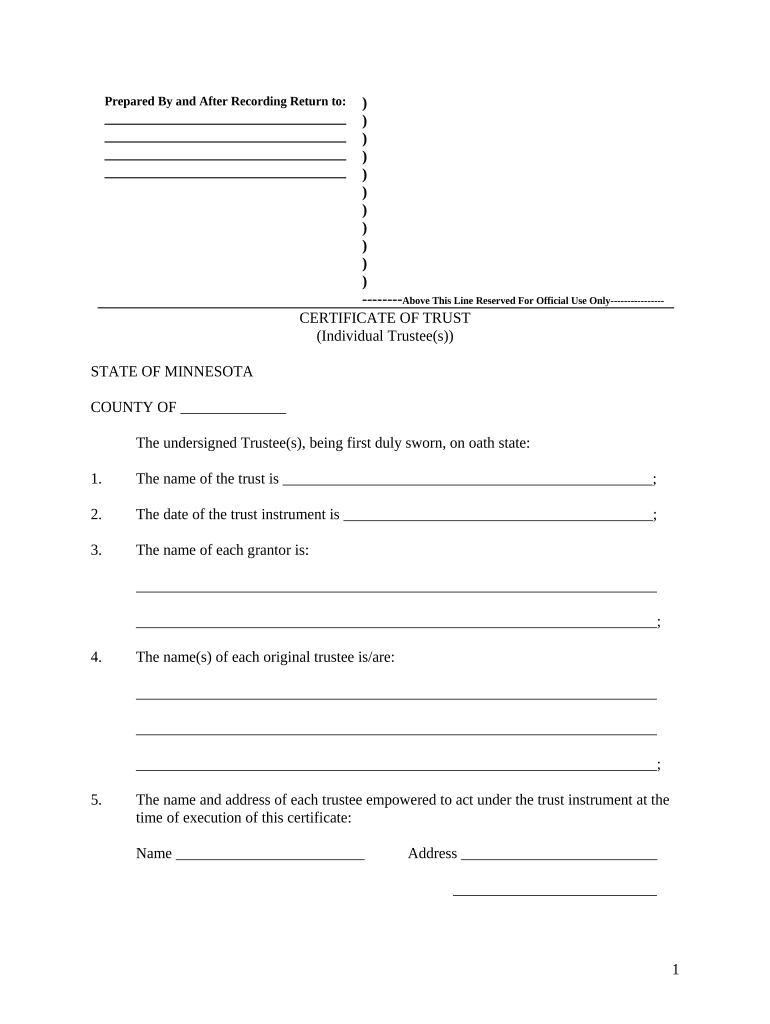
Trust Date

The original trust execution date or amendment date that uniquely identifies the trust document referenced by the certificate.

Trustee Identity

Full legal names of acting trustee(s), including titles (e.g., Successor Trustee), to establish who may sign or convey.

Statement of Authority

A concise clause describing the trustee's power to sell, encumber, or manage trust property, limited to what is necessary for the transaction.

Notary Attestation

Notary acknowledgment or jurat verifying the trustee signature; required for recording in many jurisdictions and to establish sworn authority.

Recording Instructions

Optional fields for county recorder use: legal description, parcel ID, and preferred return address or e-recording details.

Required data fields at a glance

Trust Name: Exact legal trust name
Trust Date: MM/DD/YYYY format
Trustee Name(s): Full legal names
Authority Statement: Scope of trustee powers
Notary Block: State and county specified
Return Info: Recorder address or email

Step-by-step: completing a Minnesota Certificate of Trust

Follow these core steps to prepare a certificate suitable for recording or third-party verification.

  • 01
    Identify the trust: Confirm the exact trust name and execution date from the signed trust instrument.
  • 02
    List trustees: Enter the current trustee(s) full legal names and any successor designations.
  • 03
    State authority: Add a brief clause describing the trustee power relevant to the transaction.
  • 04
    Notarize signature: Have the trustee sign before a notary; include acknowledgment language required by local recorder.

Completing and customizing the Certificate of Trust online

Typical digital workflow settings that streamline preparation and signing for Minnesota transactions.

Upload file types PDF | DOCX accepted
Signer authentication Email link, SMS code, or advanced auth
Notary integration Enable RON or local notary instructions
Field automation Use auto-fill for trustee names and dates
Return delivery Email copy and e-recording output

Where to file or send the completed Certificate of Trust

After execution and notarization, know the common destinations for the certificate depending on purpose.

  • County Recorder: Primary venue for recording deeds and trust certificates.
  • Title Company: Provide certificate to close or issue title insurance.
  • Banks and Institutions: Deliver certified copies when opening trust accounts.
  • Escrow or Closing Agent: Include the certificate in closing packages when required.

Digital signing and platform requirements for eSubmission

Choose a platform that supports legal compliance, required file formats, and common integrations for recording or closing workflows.

  • Formats supported: PDF and DOCX
  • Key integrations: Salesforce, NetSuite, Google Workspace
  • Authentication options: Email, SMS, KBA

Platforms that provide tamper-evident PDF output, an audit trail (timestamps, IP, signer attribution), and optional remote notarization support simplify submission to recorders and third parties.

Saving and exporting the signed Certificate of Trust

Choose file formats and archival settings that preserve evidentiary value and meet recorder or institution requirements.

Certified PDF

Export as a tamper-evident PDF with an embedded audit trail timestamp to maintain evidentiary integrity for third parties and recorders.

Printable copy

Produce a high-resolution printable PDF for notary ceremonies and in-person recordation when required by county procedures.

Editable source

Keep an editable DOCX master for internal revisions; store separately from the signed, notarized copy.

Cloud retention

Store encrypted copies with restricted access controls to meet privacy and retention policies.

Real-world examples of use

Two examples show how a Certificate of Trust is used in practice during property and operational transactions.

Tim Martin, Founder — Martin Properties

During closings Tim used digital certificates to confirm trustee power without revealing trust terms.

  • The certificate reduced time spent producing full trusts.
  • I can process and execute all of these documents online with 100% compliance and built-in security. Whether on mobile or working offline, I can get forms back to their necessary parties efficiently.

Brian Fitzgibbons, COO — Optica Ventures LLC

A concise certificate allowed the title company to verify authority quickly at funding.

  • Title accepted the certificate in lieu of the full trust.
  • The interface is simple and easy-to-use for our team; more importantly, it is just as easy for our customers.

Practical tips for accurate and efficient preparation

Apply these workplace practices to reduce rejections and speed closings when using a Certificate of Trust.

Match names exactly
Verify every name against the trust instrument and government ID; mismatched names commonly cause title holds and require re-execution or affidavits.
Keep the certificate concise
Include only the minimum authority language needed for the specific transaction to preserve confidentiality and minimize review time by third parties.
Coordinate with the recorder
Confirm county recording requirements in advance — some counties require specific notary wording or additional cover sheets for e-recording.
Retain proof of delivery
Keep signed, notarized copies and an audit trail or delivery receipt stored securely for evidence in future disputes or title examinations.

Common mistakes that delay recording or acceptance

  • Using abbreviated or informal names instead of the exact legal name from the trust instrument, which creates title mismatches and rejects.
  • Omitting the notary acknowledgment or using incorrect notary language for the county, leading to recorder non-acceptance.
  • Stating overly broad authority without tying powers to specific trust provisions, prompting third-party refusal to rely on the certificate.
  • Failing to include parcel identification or legal description with real property transfers, which delays indexing and title insurance issuance.

Risks and legal consequences of incorrect certificates

Recording rejection: Delay or refusal
Title defects: Clouds on title
Contract liability: Invalid conveyance risk
Financial exposure: Losses or indemnity claims
Criminal risk: Fraud allegations possible
Insurance denial: Title insurer refusal

Timelines and processing expectations for recording and verification

Understand typical timing windows so parties can schedule closings and funding without surprises.

Pre-closing verification:

Allow at least 3–5 business days for title companies to review certificates

County e-recording:

Many Minnesota e-recordings process in 1–3 business days; county backlogs can extend this

Manual recording:

Paper submissions may take 1–4 weeks depending on county workload

Bank account openings:

Expect 2–10 business days for financial institutions to accept trustee documents

Notary scheduling:

Factor in same-day to multi-day availability for in-person or remote notary appointments

Frequently asked questions and troubleshooting

Answers to common questions about preparing, signing, notarizing, and recording a Minnesota Certificate of Trust.


Need help? Contact support

be ready to get more
Join over 28 million airSlate SignNow users