Establishing secure connection…Loading editor…Preparing document…

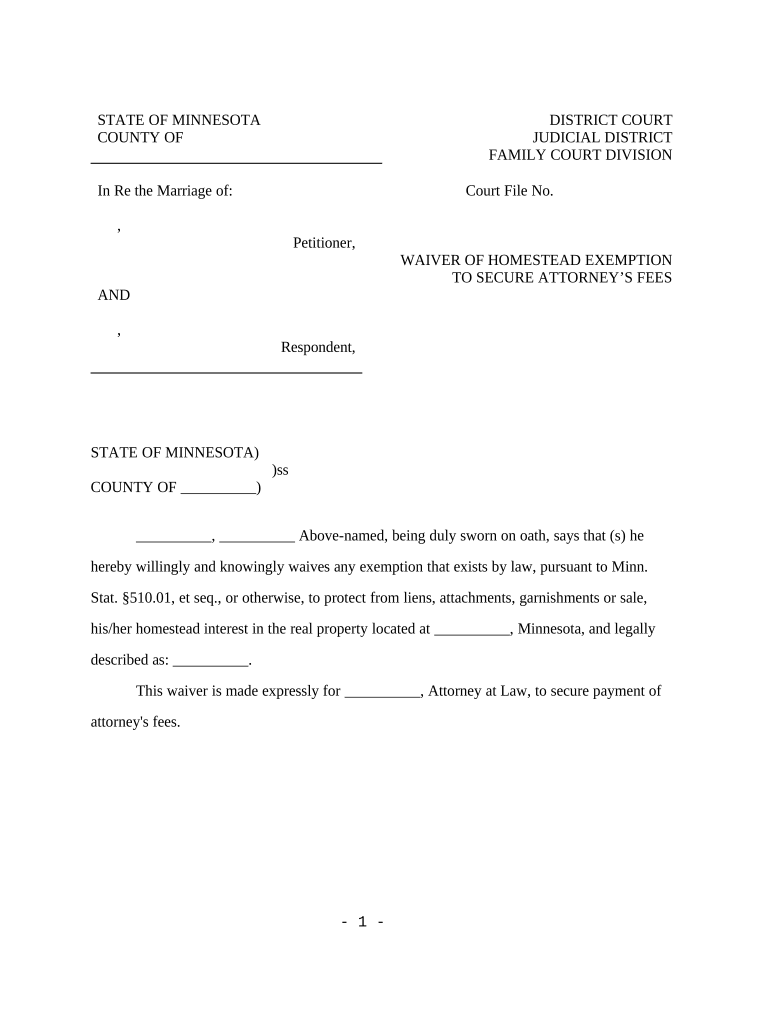
Minnesota Homestead Form

This template is fully customizable. Edit the text, fill out the fields, and send it for signature. Give it a try!
Minnesota Homestead Form

What the Minnesota Homestead Form Is and when it matters

The Minnesota Homestead Form is the county-level declaration homeowners submit to establish a property as their primary residence for homestead classification, exemptions, or tax deferral programs. Completing the form notifies the assessor that the parcel qualifies for homestead benefits tied to occupancy, ownership, and eligible exemptions such as senior or disabled homeowner provisions. Counties use the declaration to set assessment classification and apply property tax calculations; inaccurate or late submissions can affect tax bills, eligibility for credits, or future appeals.

Why filing this form matters for property tax treatment

A correct Minnesota Homestead Form can reduce property tax liability, enable access to targeted exemptions or deferral programs, and ensure proper assessment classification with your county assessor.

Why filing this form matters for property tax treatment

Who typically completes the Minnesota Homestead Form

The form is primarily completed by property owners or their authorized representatives to claim homestead status with the local tax assessor.

  • Owner-occupants filing for primary residence classification within the county.
  • Seniors or disabled homeowners claiming age/disability deferrals or exemptions.
  • Tax preparers or attorneys filing on behalf of clients where allowed.

If you represent multiple owners or an estate, confirm authority and include documentation proving the right to file.

Core elements found on a professional Minnesota Homestead Form

A complete homestead form gathers identity, property, timing, and legal assertions that the property meets state and county occupancy and ownership requirements.

Primary Residence

Explicit statement that the property is the owner’s principal place of residence and will be used as the basis for homestead classification and tax calculations.
Owner Information

Full legal name, title or ownership capacity, and contact details for each owner or claimant listed on the deed or title record.

Property Details

Street address, legal description or parcel number, and county assessor account number used to link the declaration to the correct tax parcel.

Date of Occupancy

Effective occupancy date when the claimant first established the property as their primary residence; affects eligibility and tax year applicability.

Exemption Selection

Checkboxes or fields for senior, disabled, veteran, or other local exemption types with related eligibility statements.

Signatures and Declarations

Signature block for owner(s), date signed, and any required notarization or witness attestation to validate the declaration.

Required identifying fields at a glance

Owner Name: Full legal name as on deed
Property Address: Street, city, state, ZIP
Parcel Number: County assessor parcel ID
Date of Occupancy: MM/DD/YYYY format preferred
Identification: SSN or Tax ID for verification
Signature: Owner signature and date

Key legal risks and consequences of errors

Loss of Exemption: Claim may be denied; back taxes assessed
Interest and Penalties: Late or incorrect filings can trigger interest
False Statements: Possible civil penalties or criminal fines
Audit Exposure: Assessor or state audit may follow
Lien Priority Impact: Incorrect status may affect lien resolution
Delayed Processing: Missing data prolongs classification decisions

Step-by-step: completing the Minnesota Homestead Form

Follow these four practical steps to prepare, complete, sign, and submit the declaration to your county assessor.

  • 01
    Gather documents: Collect deed, ID, parcel number, and proof of occupancy
  • 02
    Complete form: Enter owner, property, occupancy, and exemption fields accurately
  • 03
    Sign and notarize: Sign per county instructions; obtain notarization if required
  • 04
    Submit to assessor: File with county assessor by accepted delivery method

Where to file and what happens after you submit

The filing route determines processing: county assessor offices receive declarations, verify eligibility, and update parcel classification for tax purposes.

  • Prepare package: Include completed form and supporting documents
  • Deliver to assessor: File by mail, in-person, or electronic submission if available
  • Assessment review: Assessor verifies ownership, occupancy, and exemption eligibility
  • Notification: Assessor sends confirmation or request for additional information

Online completion workflow settings to consider

If you or your office collect homestead declarations electronically, configure authentication, attachments, and routing to meet assessor requirements.

Field Configuration
Authentication Email verification, SMS code, or identity proofing
Attachments Require deed and ID upload as PDF or image
Conditional Fields Show exemption fields only when claimed
Routing Send signed copy to owner and county assessor

Technical considerations for eSubmission and signatures

Confirm accepted file formats, authentication level, and whether your county accepts electronic submissions or requires paper or notarized originals.

  • File formats: PDF and DOCX accepted by most platforms
  • Integrations: Supports CRM or cloud storage sync
  • Authentication: Email, SMS, KBA, or two-factor options

Use a platform that preserves an audit trail and stores tamper-evident copies. Confirm county-specific acceptance of electronic signatures and whether a notary or witness is still required by the assessor.

Practical tips to complete the form accurately and efficiently

Follow these recommended practices to minimize processing delays and reduce the risk of appeals or rejection.

Use official county form
Always start with the county assessor’s prescribed form or online portal; using an unofficial template can cause rejection or require re-filing.
Match deed and ID
Ensure owner names and property descriptions match the deed and government ID exactly to prevent linkage issues and additional verification requests.
Attach supporting evidence
Include deed, driver’s license, utility bills showing occupancy, and any documents supporting claimed exemptions to speed assessor review.
Confirm submission method
Verify whether the county accepts electronic submissions or requires original notarized paperwork; follow assessor instructions for delivery and receipt confirmation.

Common filing timelines and time-sensitive events

Timelines vary by county and program; confirm local deadlines to protect tax year eligibility and appeal rights.

Initial Filing Deadline:

File by the assessor’s stated deadline for the tax year in question

Change of Ownership:

Report occupancy changes within county-specified days after closing

Annual Recertification:

Some programs require periodic recertification or renewal

Late Filing Window:

Late claims may be accepted with documentation but risk denial

Appeal Period:

Follow assessor notice for deadlines to appeal classification decisions

Frequently asked questions about the Minnesota Homestead Form

Answers to common questions about e-signatures, notarization, filing corrections, and processing expectations for county assessors.


Need help? Contact support

eSignature vendor comparison for completing and submitting forms

Common vendor pricing and feature distinctions for organizations choosing an eSignature provider to collect homestead declarations and supporting documents.

signNow DocuSign Adobe Sign PandaDoc HelloSign
Starting Price $8/user/mo $15/user/mo $14/user/mo $19/user/mo $15/user/mo
Free Trial 7-day free trial, no credit card required No No Yes, limited Yes, limited
Bulk Send Yes Yes Yes Yes No
Audit Trail Yes Yes Yes Yes Yes
HIPAA Compliant Yes Yes Yes No No
be ready to get more
Join over 28 million airSlate SignNow users