Establishing secure connection…Loading editor…Preparing document…

Minnesota Corporate Authorization

This template is fully customizable. Edit the text, fill out the fields, and send it for signature. Give it a try!
Minnesota Corporate Authorization

What the Minnesota Corporate Authorization Is and When It’s Used

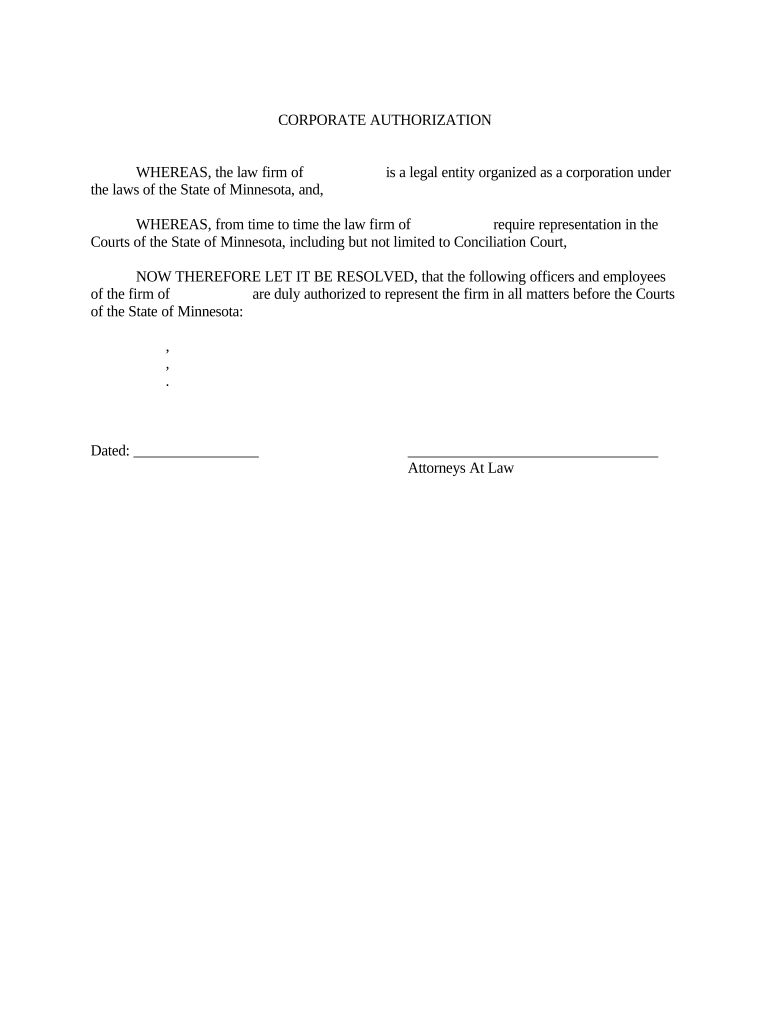
A Minnesota Corporate Authorization is a written corporate act—often a board resolution or officer certification—granting authority for specified persons to sign contracts, open bank accounts, file documents, or complete transactions on the corporation’s behalf. It documents who may act, the scope of authority, and any limits or timeframes. Corporations use this instrument to demonstrate internal approval to third parties (banks, vendors, government agencies) and to create an auditable record of delegated authority that can be reproduced and retained under electronic record rules where permitted by ESIGN and state law.

Why a Clear Authorization Matters

A precise corporate authorization reduces commercial friction by proving signatory authority, limiting scope and exposure, and enabling consistent acceptance by banks, counterparties, and regulators under ESIGN/UETA frameworks.

Why a Clear Authorization Matters

Who Typically Prepares and Relies on This Document

Corporate secretaries, general counsel, executives, and bank compliance officers commonly prepare or request an authorization when parties need verified signing authority.

  • Corporate officers and secretaries who must document delegations for internal governance and audits.
  • Bank and treasury teams that need verified signatory lists for account control and wire authorization.
  • External counterparties, escrow agents, and filing authorities that require proof of corporate authority.

Core Parts of a Professional Corporate Authorization

A well-drafted authorization is concise, identifies parties, states the granted powers, sets effective dates, includes execution blocks, and notes any required approvals or conditions.

Caption

Corporate name, state of incorporation, and business address at the document top so third parties can match records and filings to the correct legal entity; include exact LLC or corporation style.
Authority Scope

Clear, itemized authority descriptions such as signing contracts up to a dollar threshold, opening/closing bank accounts, or authorizing filings; avoid vague phrasing that can be disputed by counterparties.

Effective Period

State the start and end dates, or indicate 'until revoked'; define whether authority survives officer changes and any automatic expiration triggers like project completion.

Approvals

Reference board minutes, corporate bylaws, or shareholder consents that authorize issuance; include meeting date, resolution number, or certificate of incumbency if applicable.

Execution Blocks

Signature lines for officers with printed names and titles, dates, and any notary acknowledgement or witness lines when required by the recipient or jurisdiction.

Limitations

Explicit constraints such as financial caps, geographic limits, or prohibition of sub-delegation to prevent unintended authority expansion.

Essential Information to Include

Entity Legal Name: Exact corporate name
State of Formation: State and filing number
Authorized Person: Full name and title
Scope Summary: Short authority description
Effective Date: MM/DD/YYYY
Execution Details: Signatures and date

Step-by-Step: Preparing and Executing the Authorization

Follow these sequential steps to prepare an enforceable corporate authorization and ensure smooth third-party acceptance.

  • 01
    1. Confirm Authority: Check bylaws and minutes to ensure the board authorized the delegation.
  • 02
    2. Draft Text: Write a focused description of powers with limits and dates.
  • 03
    3. Execute Formally: Have authorized officers sign; obtain notary or witness if required.
  • 04
    4. Provide to Recipient: Deliver certified copy to bank, vendor, or filing office for acceptance.

How Authentication and Third-Party Acceptance Typically Work

A clear chain of authority and supporting records helps banks and counterparties accept signatures without further inquiry.

  • Record Link: Reference board minutes or resolution number to show internal approval.
  • Identity Check: Recipient confirms signer identity via ID, incumbency certificate, or notarization.
  • Document Delivery: Provide original or certified electronic copy depending on recipient policy.
  • Ongoing Reliance: Recipients may keep the authorization on file and rely on it until revoked.

Configuring an Online Authorization Workflow

Set up fields and routing in your signing platform to mirror the paper process and preserve audit trails.

Field Configuration
Entity Name Field Locked text field to prevent edits
Signer Block Signature + printed name + title + date
Supporting Docs Attach minutes or certificate PDF
Routing Sequential signers then record custodian

Digital Signing and System Requirements

Ensure the provider supports ESIGN/UETA compliance, secure storage (AES-256), and exportable audit reports to satisfy banks and regulators.

  • File Formats: PDF, DOCX supported
  • Integrations: Salesforce, NetSuite, Microsoft 365
  • Authentication: Email, SMS, or advanced methods

Common eSignature Pricing and Feature Snapshot

Compare typical starting prices and core capabilities for common eSignature providers; signNow is listed first per platform comparison conventions.

signNow DocuSign Adobe Sign PandaDoc HelloSign
Starting Price $8/user/mo $15/user/mo $14/user/mo $19/user/mo $15/user/mo
Free Trial Yes, 7-day trial No No No No
Bulk Send Yes Yes Yes Yes No
Audit Trail Yes Yes Yes Yes Yes
HIPAA Compliant Yes Yes Yes No No

Common Risks and Consequences

Invalid Authority: Transaction may be unenforceable
Bank Rejection: Delays or additional verification
Incorrect TIN: Triggers 24% backup withholding
Missing Minutes: Third parties may demand board proof
Improper Notarization: Document rejected by registrars
Tax Penalties: Information-reporting penalties possible

Practical Tips for Accurate, Efficient Completion

Follow these practices to reduce rework, speed acceptance, and preserve legal effect.

Match Public Records
Compare the authorization’s entity name and filing number against the Secretary of State record before delivering to banks or registrars; mismatches cause delays and additional identity verification steps.
Limit and Specify
Draft authority narrowly by action type and monetary limits where possible; precise limits reduce risk and make reliance easier for external parties and internal auditors.
Keep Supporting Minutes
Attach or reference the minutes, resolution number, and date authorizing the delegation to enable rapid third-party confirmation and to strengthen evidentiary weight during disputes.
Use Audit-Ready eSign
When signing electronically, ensure the platform provides tamper-evident PDFs and complete audit trails including signer attribution, timestamps, and IP addresses for recordkeeping.

How Organizations Use a Corporate Authorization

Two representative examples illustrate practical uses and how digital execution shortens cycles and preserves governance.

Martin Properties

A property manager needed remote execution for lease signings during closings

  • Projected rental contracts required officer sign-off on high-volume days
  • The team executed delegations electronically, kept audit trails, and reduced closing time while maintaining compliance.

Optica Ventures

A small investment firm required quick bank signatory changes to open a new account

  • Board adopted a short resolution naming two authorized signers
  • The certified authorization was delivered to the bank digitally and accepted alongside corporate minutes.

Frequently Asked Questions About Minnesota Corporate Authorizations

Answers to common issues when drafting, signing, and submitting a corporate authorization in Minnesota or interstate transactions.


Need help? Contact support

be ready to get more
Join over 28 million airSlate SignNow users