Establishing secure connection…Loading editor…Preparing document…

Minnesota Parental Authorization Form

This template is fully customizable. Edit the text, fill out the fields, and send it for signature. Give it a try!
Minnesota Parental Authorization Form

What the Minnesota Parental Authorization Form Is and When It’s Used

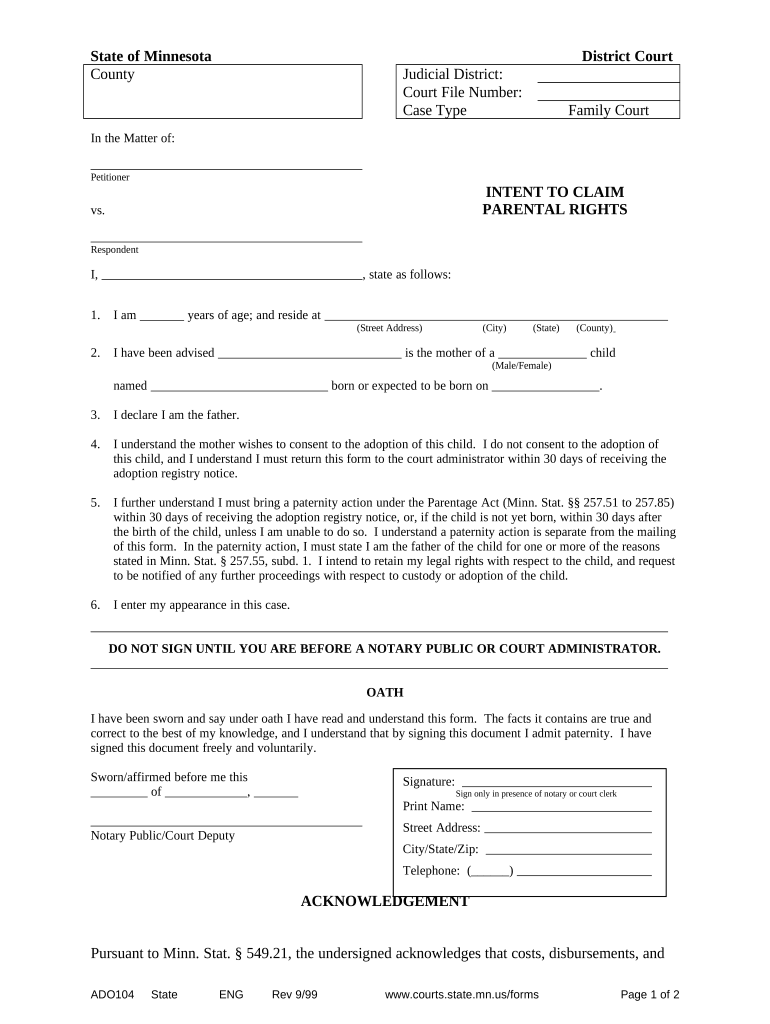
The Minnesota Parental Authorization Form documents a parent or guardian's written permission for a minor to receive medical care, travel with a non-parent, or participate in specific activities. It identifies the child, the consenting adult, the authorized party, scope of permission, and effective dates. The form can include emergency contact information and any medical limitations or insurance details. Electronic completion and signing are generally valid under ESIGN and UETA where applicable, though some recipients still request notarization or witnesses for added assurance.

Why a Clear Parental Authorization Matters

A completed parental authorization reduces delays at medical facilities, border checkpoints, and school events by proving consent and emergency contacts. It clarifies scope and duration of permission and reduces disputes about authority to act on a minor's behalf.

Why a Clear Parental Authorization Matters

Who Typically Prepares and Accepts These Forms

Parents and guardians commonly prepare the form; organizations rely on it to verify permission and safety instructions before providing services or travel.

  • Parents and legal guardians who must authorize medical care, travel, or supervised activities for a minor.
  • Schools, youth organizations, and camps that require documented parental consent for field trips and overnight events.
  • Healthcare providers, urgent care centers, and airlines that need proof of authority for treatment or cross-border travel.

Step-by-Step: Complete, Sign, and Deliver the Form

Follow these concise steps to create a valid, practical authorization ready for use by institutions or travel checkpoints.

  • 01
    Gather documents: Collect child ID, parent ID, and insurance card if applicable.
  • 02
    Fill fields: Complete all required data in MM/DD/YYYY format where requested.
  • 03
    Sign and notarize: Sign in presence of notary if recipient requires notarization.
  • 04
    Distribute copies: Provide originals to provider and keep certified copies for travel.

Essential Sections Every Professional Authorization Should Include

A well-structured form balances clear identification, precise authority language, and verifiable signature lines to avoid ambiguity.

Child Identification

Full legal name, date of birth, and identifying details such as school or file number to ensure the authorization applies to the correct minor.
Consenting Party

Full legal name, relationship, contact details, and identification information for the parent or guardian granting authority.

Authorized Individual

Name, phone, and address of the person entrusted with care or transport, with any limitations or special instructions included explicitly.

Scope and Limits

Clear description of permitted activities, medical treatments allowed or prohibited, travel boundaries, and any time or location restrictions.

Emergency Contacts

Primary and alternate emergency contact names, relationships, and phone numbers so providers can reach decision-makers fast.

Signatures and Authentication

Parent/guardian signature, date, and optional notary or witness block. Include identity verification details if required by recipient.

How to Configure an Electronic Workflow for This Form

Set up fields and authentication to match recipient acceptance standards and maintain an audit trail for future verification.

Field Configuration
Authentication Email link | SMS code | ID check
Signature Type Electronic signature | In-person notarized
Notary Option RON session or in-person notary
Retention PDF with audit trail stored securely

Typical eSubmission Sequence for a Signed Authorization

Electronic completion follows a compact sequence: prepare form, assign signers, authenticate, collect signatures, and archive with an audit trail.

  • Upload form: Add PDF or DOCX to the signing platform.
  • Assign signers: Enter parent and authorized adult emails or phone numbers.
  • Authenticate signer: Use email link, SMS code, or ID verification.
  • Complete and store: Collect signatures and store signed PDF with certificate.

Electronic Signing Considerations and Integrations

Choose a platform that supports identity verification, audit trails, and the file formats your recipients accept.

  • Integrations: Salesforce, NetSuite, Google Workspace
  • File formats: PDF, DOCX, and fillable forms
  • Notary support: Remote online notarization (RON) available

Security and Compliance Features to Expect

Encryption in transit: TLS 1.2/1.3
Encryption at rest: AES-256
Audit trail: Detailed signing metadata
HIPAA support: BAA available
ESIGN / UETA: Federal and state legal compliance
Industry certs: SOC 2 Type II, ISO 27001

Consequences of an Incorrect or Incomplete Authorization

Unenforceable consent: Document may be invalid
Denied services: Medical care or travel refused
Operational delays: Providers will require additional verification
Liability exposure: Caretaker or parent disputes possible
Notary rejection: Improper notary invalidates signature
Privacy risk: Sensitive data improperly stored

Common Preparation Errors to Avoid

  • Incomplete child identification (missing middle name or mismatched DOB) often triggers refusal by schools or medical centers and causes last-minute delays.
  • Vague scope language such as 'general permission' leads to uncertainty; specify allowed medical treatments, travel destinations, and activity types to prevent disputes.
  • Unsigned or undated signature blocks and absent witness or notary details can render the authorization unusable for airlines or foreign medical providers.
  • Failing to provide emergency contact numbers or insurance information increases response times and may prevent providers from confirming coverage or consent when needed.

How This Form Differs from a General Power of Attorney

Compare common attributes so you choose the right document based on authority needed and revocation flexibility.

Criteria Minnesota Parental Authorization Form Power of Attorney
Primary purpose short-term consent broad legal authority
Duration specific dates potentially indefinite
Notarization sometimes required often required
Revocation simple written notice formal process advised

eSignature Vendor Comparison for Signing and Managing Authorizations

Key vendor features and starting prices to consider when choosing an eSignature provider for high-volume or individual parental authorizations.

signNow DocuSign Adobe Sign PandaDoc HelloSign
Starting Price $8/user/mo $15/user/mo $14/user/mo $19/user/mo $15/user/mo
Free Trial 7-day free trial Trial varies Trial varies Trial varies Trial varies
Bulk Send Yes Yes Yes Yes No
Audit Trail Yes Yes Yes Yes Yes
HIPAA Compliant Yes Yes Yes No No

Realistic Use Examples for the Minnesota Parental Authorization Form

Two representative scenarios show typical fields and recipient expectations for travel and medical consents.

School Field Trip

A parent signs for a day trip with school supervision

  • Authorization limited to day activities only
  • The form names the supervising adult, lists allergies and emergency contacts, and remains valid only for the trip date to avoid broader implied consent.

Travel and Medical Care

A guardian authorizes travel with a relative for two weeks

  • Permission includes emergency medical treatment
  • The authorization identifies insurers, gives explicit medical treatment scope, and is notarized to satisfy carrier or foreign provider requirements during travel.

Practical Tips for Reliable, Acceptable Authorizations

Apply these best practices to reduce rejection risk and to ensure institutions accept the authorization without additional verification.

Verify identity documents
Compare names and dates on the authorization to the parent and child IDs. Keep copies of IDs with the signed form to speed verification at points of service.
Be specific about permissions
Avoid vague language. Explicitly list allowed medical treatments, travel endpoints, activity types, and any prohibited procedures to eliminate ambiguity and protect caregivers.
Consider notarization
Notarization increases acceptance by airlines and foreign medical facilities. Use remote online notarization (RON) where accepted to avoid travel to a notary.
Keep secure copies
Store a signed PDF with an audit trail and a printed copy with the authorized adult. Limit access to sensitive information to reduce privacy and liability risks.

Timing and Recommended Validity Periods

Set clear start and end dates on the authorization and confirm any recipient-specific timing requirements before travel or treatment.

Effective date:

Specify start as MM/DD/YYYY

Expiration date:

End date or event-based expiry recommended

Airline requirements:

Carrier acceptance policies often vary

Medical facility policy:

Hospitals may require current, dated consent

Revocation notice:

Send written revocation to providers promptly

Frequently Asked Questions About the Minnesota Parental Authorization Form

Answers to common questions about legality, notarization, revocation, and cross-border acceptance for parental authorization forms.


Need help? Contact support

be ready to get more
Join over 28 million airSlate SignNow users