Mississippi Waiver
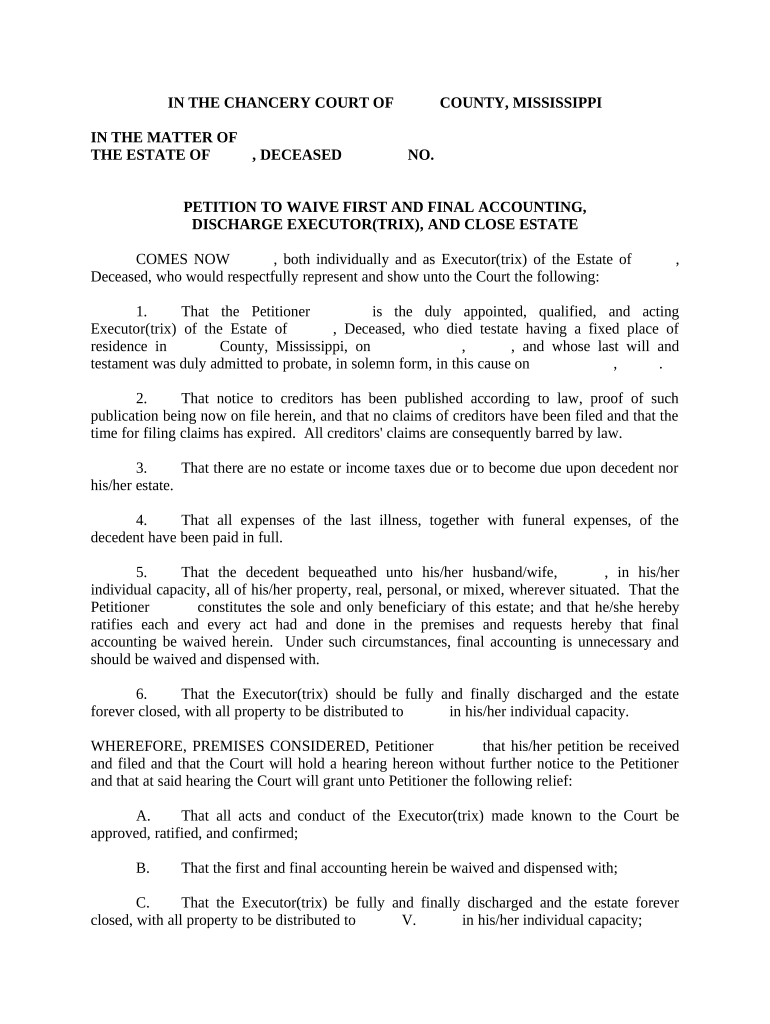
What the Mississippi Waiver Is and when it’s used
Why a properly drafted Mississippi Waiver matters
A clear waiver reduces ambiguity about who gives up which rights, when obligations end, and which law governs disputes. Proper form and execution help protect organizations from avoidable litigation, clarify risk allocation for participants, and document informed consent where regulators or payers require proof of authorization.

Who commonly prepares and signs this waiver
Multiple groups use Mississippi Waivers depending on purpose: operators of recreational programs, healthcare providers, contractors, landlords, and administrative agencies all rely on waivers to document consent or releases.
- Event organizers and recreation providers — obtain participant consent and limit liability for activities and equipment use.
- Healthcare and research administrators — secure patient consent for nonroutine procedures, data use, or treatment exceptions.
- Property managers and contractors — document acceptance of risk or release of claims related to site access or work performed.
Ensure the person signing has legal authority to waive rights; when in doubt, require corporate resolution, power of attorney, or notarized acceptance to reduce challenge risk.
How to complete a Mississippi Waiver step by step
-
01Identify parties: List full legal names and contact details for all parties.
-
02Define scope: Describe risks, activities, and claims being released precisely.
-
03Choose execution method: Decide in-person, notarized, or eSigned execution with authentication level.
-
04Document signatures: Collect dated signatures and retain an audit trail or notarization record.
Configuring an online waiver workflow
| Field | Configuration |
|---|---|
| Signature | Required; date-stamped with audit trail |
| Initials | Place on key clauses to confirm review |
| Authentication | Email link or SMS code per risk level |
| Retention | Automatic PDF copy stored for compliance |
Digital signing and eSubmission essentials
For reliable e-signing, choose a platform that supports secure authentication, tamper-evident documents, and reliable audit trails.
- Authentication: Email link, SMS code, or higher-assurance methods
- Document formats: PDF and DOCX support for archival and editing
- Integrations: Connectors for CRMs and cloud storage
Ensure your chosen provider supports applicable compliance standards (ESIGN, UETA) and, if required, HIPAA or 21 CFR Part 11 capabilities; verify BAA or attestation when handling PHI or regulated records.
Where to send or file the completed waiver
-
Internal retention: Keep original or signed PDF in secured records.
-
Regulatory filing: Submit to the relevant state agency if statute requires.
-
Third-party delivery: Provide copies to insurers, landlords, or contractors as appropriate.
-
Court filings: Attach signed waiver when it is part of litigation or settlement.
Typical timelines and important dates to track
Effective Date:
Date entered in the Effective Date field; governs when waiver takes effect.
Rescission Window:
If consumer law applies, track any permitted withdrawal period for consent.
Agency Filing:
If required, submit within the agency's prescribed filing window.
Notarization Scheduling:
Schedule notarization or RON session before the effective date if required.
Record Retention Start:
Retention clock typically runs from the date of execution.
Key milestones from drafting to archived record
Draft Completed
Waiver text finalized and reviewed by counsel or compliance.
Execution Scheduled
Signer availability and notarization or e-sign slot booked.
Signed and Verified
Signatures captured, authentication validated, audit trail saved.
Archive and Distribute
Final PDF stored and copies distributed to relevant parties.
Common preparation errors to avoid
- Using overly broad release language without specific activities or claims described, which courts may find ambiguous or unenforceable.
- Failing to confirm signer authority for corporate or guardian signers, risking later challenges to execution validity.
- Omitting dates or leaving effective date blank, creating disputes over when the waiver took effect or what conduct it covers.
- Relying on low-assurance authentication for high-risk releases (no ID verification for medical or high-liability waivers).
Consequences of incorrect or incomplete waivers
Drafting and execution practices that reduce risk
eSignature pricing and capability comparison for signing waivers
| signNow | DocuSign | Adobe Sign | PandaDoc | HelloSign | |
|---|---|---|---|---|---|
| Starting Price | $8/user/mo | $15/user/mo | $14/user/mo | $19/user/mo | $15/user/mo |
| Free Trial | 7-day free trial | Varies by plan | Varies by plan | Varies by plan | Varies by plan |
| Bulk Send | Yes | Varies by plan | Varies by plan | Varies by plan | Varies by plan |
| Audit Trail | Yes | Yes | Yes | Yes | Yes |
| HIPAA Compliant | Yes | Yes | Yes | No | No |
| Envelope Cap | No envelope cap | 100 envelopes/user/year | Varies by plan | Varies by plan | Varies by plan |
Frequently asked questions about Mississippi Waivers
-
Can a waiver be signed electronically?
Yes. Electronic signatures are generally enforceable under the ESIGN Act (15 U.S.C. ch. 96, 2000) and UETA where adopted, provided the four ESIGN validity elements are met: intent, consent, attribution, and retention capability.
-
Does a waiver need a notary in Mississippi?
Most waivers do not require notarization, but specific instruments or those affecting title or statutory rights may need notarization; verify the document type and agency rules before execution.
-
What makes a waiver unenforceable?
Ambiguous scope, unconscionable terms, lack of consideration, or signing by someone without authority can render a waiver unenforceable in court.
-
Are witness signatures required?
Witness requirements vary by state and by document type; plain liability waivers rarely require witnesses, but certain statutory instruments or state rules may demand them.
-
How long should I retain signed waivers?
Retain for the active term plus a prudent post-termination period (commonly 3–7 years) and follow any applicable federal rules such as HIPAA (6 years) or IRS guidance (3 years).
-
Can I revoke a waiver after signing?
Revocation depends on the waiver language and governing law; consumer-facing waivers may require a consent disclosure and withdrawal procedure under 15 U.S.C. §7001, so consult counsel for formal revocation steps.