Establishing secure connection…Loading editor…Preparing document…

Minnesota Appellant's Reply Brief and Appendix

This template is fully customizable. Edit the text, fill out the fields, and send it for signature. Give it a try!
Minnesota Appellant's Reply Brief and Appendix

What the Minnesota Appellant's Reply Brief and Appendix Are

The Minnesota Appellant's Reply Brief and Appendix is the document an appellant files to respond to arguments raised in the respondent's brief and to supply record excerpts that support rebuttal points. The reply brief narrows contested issues, emphasizes controlling authority, and addresses any factual or legal errors. The appendix collects transcripts, exhibits, and relevant docket entries cited in the reply. Together they form the appellate filing package reviewed by the Minnesota appellate court under the applicable briefing schedule and Minnesota Rules of Appellate Procedure.

Why a Clear Reply Brief and Appendix Matter

A focused reply brief preserves issues for appeal, corrects misstatements, and directs the court to record evidence. A properly organized appendix ensures the court can verify citations and reduces procedural defects that could lead to waiver or refusal to consider materials.

Why a Clear Reply Brief and Appendix Matter

Who Prepares and Submits This Filing

Appellate counsel, solo practitioners, and self-represented appellants prepare reply briefs and appendices when responding to a respondent's brief.

  • Appellate attorneys — Draft concise legal rebuttals and assemble record excerpts to support legal arguments and cite precedent.
  • Pro se appellants — May prepare a reply brief to correct factual assertions and reference the appendix for key transcripts or exhibits.
  • Court clerks and support staff — Receive, check formatting, and docket reply briefs per local appellate procedures.

Who files depends on representation and local rules; confirm the court's electronic filing and service requirements before submission.

Core Components of an Effective Reply Brief and Appendix

Organize the package so the court can locate legal argument and supporting record material quickly; follow page and citation rules precisely.

Cover Page

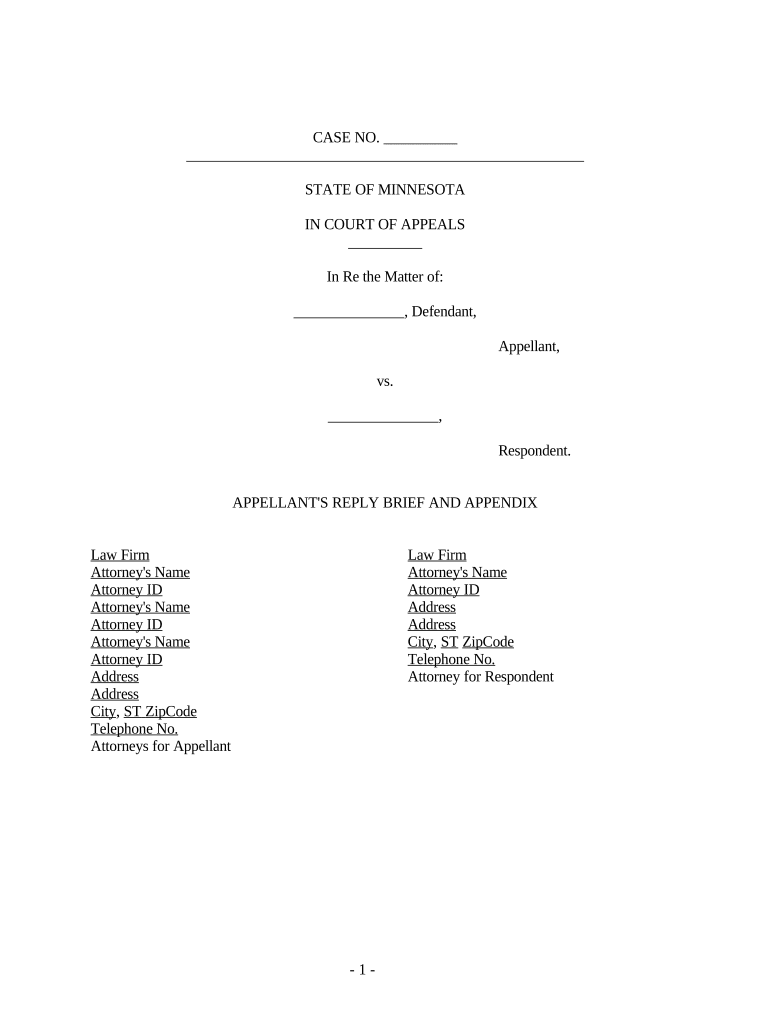
Case caption, appellants/respondents, court and docket number, brief title, attorney contact information, and word or page count as required by the appellate rules.
Statement of Issues

Short, discrete issue statements that the reply addresses; avoid introducing new issues not preserved in the opening brief or in the record.

Argument

Focused rebuttal points responding to the respondent's arguments with legal authority and citations to appendix materials and relevant statutes or case law.

Citation Table

Pinpoint citations to the appendix and record pages so the court and opposing counsel can verify quotations or factual references immediately.

Appendix

Concise excerpts from transcripts, exhibits, and orders referenced in the reply; each item labeled and paginated to match citations in-text.

Certificate of Service

Confirmation that opposing counsel and the court received the brief and appendix, including method of service and date.

Required Filing Elements and Metadata

Case Caption: Exact party names and docket number
Court Name: Correct appellate court designation
Filing Date: MM/DD/YYYY format
Page Count: Total pages in brief and appendix
Signature Block: Attorney name, bar number, contact
Service Info: Method and recipients listed

Step-by-Step: Preparing the Reply Brief and Appendix

Follow a structured process to avoid omissions and preserve appellate issues.

  • 01
    Review Record: Identify transcript pages and exhibits that directly rebut respondent claims.
  • 02
    Outline Issues: List only issues that respond to the respondent and were preserved below.
  • 03
    Draft Concisely: Limit repetition, cite authority, and address only the respondent's arguments.
  • 04
    Assemble Appendix: Extract and paginate record items with clear tabs and cross-references.

How to Customize and Complete the Package Online

Set up a digital workflow to upload documents, add fields, authenticate signers, and produce a single filing package.

Upload Documents Combine brief and appendix PDFs into a single organized file.
Add Signature Fields Place attorney signature and date fields in the signature block area.
Authentication Choose signer authentication (email, SMS, or advanced methods) per court preference.
Attach Appendix Ensure appendix exhibits are bookmarked and paginated for easy reference.
Submit Filing Export a court-ready PDF and use the court's e-filing system or instructed physical delivery.

Where and How to File or Serve Your Reply Brief

Filing and service follow the court's briefing schedule and local appellate procedures; confirm preferred formats.

  • Court E-Filing: Use the appellate court's authorized e-filing system where available.
  • Clerk Submission: Submit to the clerk according to local submission requirements and filing hours.
  • Serve Opponent: Serve opposing counsel using the method required by rules or local practice.
  • Certificate Filed: File the certificate of service contemporaneously with the brief.

Digital Signing and File Format Considerations

Use PDF/A-compatible files, embedded bookmarks for appendix items, and validated signer authentication for court submissions when permitted.

  • Document Formats: PDF preferred; preserve text-searchability and bookmarks
  • Authentication Options: Email or SMS codes; stronger ID where required
  • Integrations: Platforms commonly integrate with cloud storage and case management

Confirm the appellate court's e-filing technical specifications before finalizing digital signatures or submitting the appendix electronically.

Timing and Typical Schedule Items to Confirm

Briefing schedules vary by case and court order; always consult the specific schedule and Minnesota Rules of Appellate Procedure.

Briefing Schedule:

Follow the court-issued dates rather than only local practice.

Reply Deadline:

Check the specific due date set in the respondent's brief order.

Appendix Filing:

Submit appendix per instruction: with or attached to the brief.

Service Deadline:

Serve opposing parties by the method and time the court requires.

Extension Requests:

File motions for extensions before expiration when necessary.

Common Pitfalls to Avoid

  • Failing to tie each citation in the reply to a specific appendix page makes verification difficult and may undermine credibility with the court.
  • Introducing new issues in a reply brief that were not raised earlier risks waiver and can lead the court to decline consideration.
  • Submitting an unsearchable scanned appendix or mismatched pagination between brief and appendix causes delays and may prompt rejection by the clerk.
  • Omitting a timely certificate of service or using an improper service method can result in the filing being treated as untimely or improperly served.

Consequences of Procedural or Substantive Errors

Waiver of Issues: Failure to preserve or timely raise issues may forfeit appellate review
Late Filing: Untimely briefs can be stricken or deemed untimely
Incomplete Appendix: Missing record pages can prevent consideration of arguments
Incorrect Citations: Misleading citations reduce credibility and impede review
Format Noncompliance: Violating page or font rules risks rejection or sanction
Service Failures: Improper service can nullify filing or lead to delay

Practical Examples of Typical Filing Scenarios

Two concise scenarios illustrate how practitioners organize reply briefs and appendices to address common needs.

Small Firm Example

A two-attorney firm files a reply focused on a narrow statutory point

  • They extract the cited transcript pages
  • The appendix is bookmarked and paginated to match each textual citation, enabling quick review by the panel over five business days.

Pro Se Example

A self-represented appellant compiles a brief responding to respondent factual claims

  • They highlight specific exhibit pages
  • The appendix includes the key exhibit images and a certificate of service documenting email delivery to opposing counsel.

Key Milestones from Notice of Appeal to Decision

Track milestones closely; each stage triggers specific drafting, assembly, and service tasks to keep the appeal moving.

01

Notice of Appeal Filed

Initiates the appellate timeline and may set deadlines for the record and briefing.

02

Record Preparation

Prepare transcripts and exhibits and ensure items needed in the appendix are identified.

03

Briefing Window

Follow the court's schedule for appellant, respondent, then appellant reply briefs.

04

Oral Argument / Decision

The court may schedule argument or issue a written opinion based on the briefs and appendix.

eSignature Vendor Comparison for Completing and Certifying the Package

Common eSignature plans differ by price model, bulk-send features, and compliance options; choose a vendor that meets court and client security needs.

signNow DocuSign Adobe Sign PandaDoc HelloSign
Starting Price $8/user/mo $15/user/mo $14/user/mo $19/user/mo $15/user/mo
Free Trial 7-day free trial Varies Varies Varies Varies
Bulk Send Yes Yes Yes Yes Varies
Audit Trail Yes Yes Yes Yes Yes
HIPAA Compliant Yes Yes Yes No No

Frequently Asked Questions and Practical Answers

Answers to common procedural and technical questions about preparing and submitting a Minnesota Appellant's Reply Brief and Appendix.


Need help? Contact support

be ready to get more
Join over 28 million airSlate SignNow users