Establishing secure connection…Loading editor…Preparing document…

Montana Notice

This template is fully customizable. Edit the text, fill out the fields, and send it for signature. Give it a try!
Montana Notice

What the Montana Notice Is and When it Applies

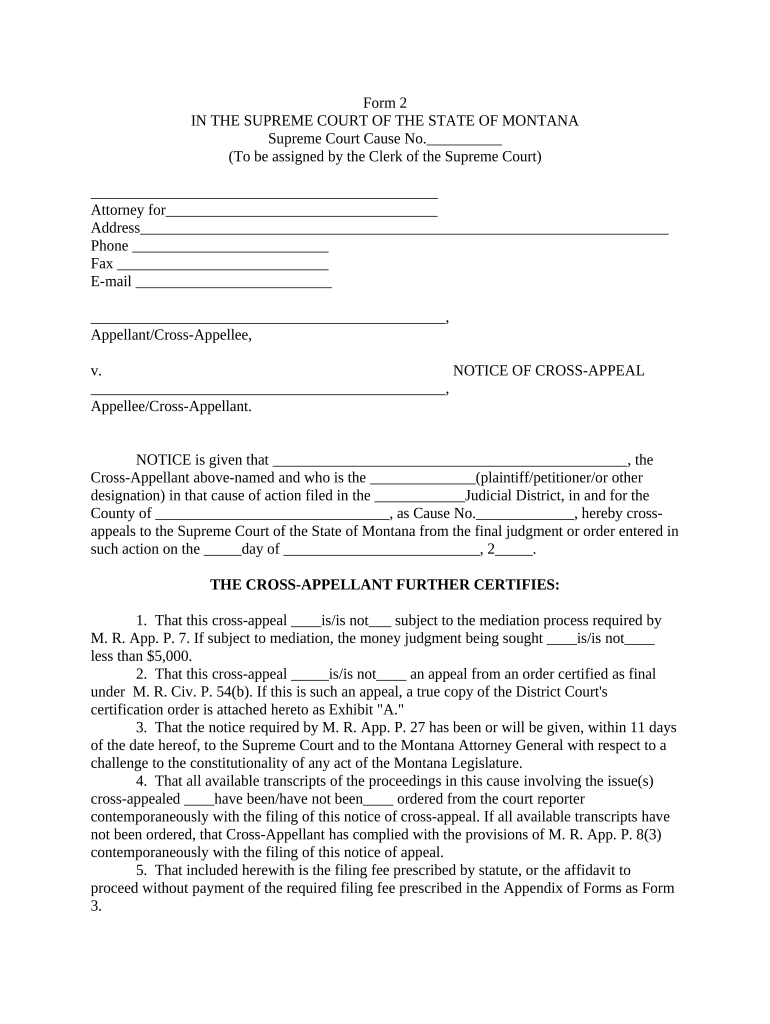
The Montana Notice is a formal written notification used to communicate a legal or administrative event that affects parties in Montana or under Montana law. It typically documents facts, dates, and required actions, and serves as the record used for service, compliance, or dispute resolution. Depending on context the term may apply to statutory consumer notices, landlord-tenant communications, creditor notices, or other jurisdictional filings. Recipients should treat the Montana Notice as an actionable record that can trigger deadlines, obligations, or rights under state or federal law.

Why the Montana Notice Matters

A clear Montana Notice creates a documented chain of communication that preserves legal rights and timelines, reduces dispute risk, and provides evidence of notice delivery for regulatory or contractual compliance.

Why the Montana Notice Matters

Who typically prepares or receives a Montana Notice

The Montana Notice is used by organizations and individuals who must document formal communications under Montana or related federal law.

  • Property managers and landlords notifying tenants of lease matters or disclosures.
  • Legal counsel or courts serving parties with process or formal notifications.
  • Businesses and creditors issuing statutory consumer or collection notices.

Primary signers and preparers

Property Manager — Administrator

A property manager completes and issues the notice to tenants and contractors, documents delivery dates, and retains copies for compliance and potential eviction or accounting procedures; accurate names and addresses are critical for enforceability.

Attorney — Legal Representative

An attorney prepares statutory Montana Notices to ensure required language, timing, and service methods are met, and often coordinates notarization, filing, and record retention to support future court or administrative proceedings.

Filling out a Montana Notice: step-by-step

Follow these core steps to complete a Montana Notice accurately and reduce later challenges.

  • 01
    Prepare document: Assemble facts, dates, and the statutory language required for the notice.
  • 02
    Enter recipient details: Include full legal names, street address, and contact information.
  • 03
    Sign and date: Ensure authorized signatory signs and includes the execution date.
  • 04
    Serve and record: Send by the method required and retain proof of delivery and a copy.

Typical delivery and confirmation workflow

A standard workflow captures document creation, signing, delivery, and archival steps to support legal evidence of notice.

  • Create: Draft notice with required language and attachments.
  • Sign: Obtain authorized signature in person or electronically.
  • Deliver: Serve by the statutorily prescribed method and capture proof.
  • Archive: Store executed notice and delivery records securely.

Configuring an online Montana Notice workflow

Set up fields, signer order, and authentication to match legal requirements before sending the notice.

Field Configuration
Signer Order Single signer or sequential as required
Authentication Email, SMS code, or stronger KBA where needed
Attachments Include exhibits as PDF attachments
Audit Trail Enable IP and timestamp capture

Digital delivery and format requirements

Choose delivery channels and file formats that preserve the notice text and evidence of transmission.

  • File types: PDF, DOCX accepted
  • Integrations: Salesforce, NetSuite, Google Workspace
  • Authentication: Email, SMS, KBA options

Core elements to include in a professional Montana Notice

A well-constructed Montana Notice combines clear identification, statutory language, execution evidence, service method, and retention instructions to ensure enforceability.

Identification

List full legal names and addresses for all parties so the recipient and any reviewing authority can conclusively identify the parties to the notice.
Statement of Facts

Provide a concise factual description of the event prompting the notice, including dates and relevant contract references to avoid ambiguity.

Legal Basis

Reference the controlling statute or contract clause when required; this clarifies the legal consequence and reduces later dispute about authority.

Remedy or Request

State the required action, cure period, or consequence clearly, including any monetary amounts, deadlines, or contacts for response.

Service Details

Document how the notice was served (mail, personal delivery, email) and include proof such as tracking numbers or a signed receipt.

Execution Evidence

Include signature block with signer name, title, date, and any notarization or witness lines required by statute or organizational policy.

Supporting documents to attach with a Montana Notice

Attach documents that substantiate the notice to reduce follow-up disputes and speed resolution.

Contract Copy

Attach the relevant contract or lease excerpt showing the clause relied upon for the notice.

Invoice or Account Statement

Provide a dated statement showing amounts due, payments, and balances if the notice concerns payment.

Photographs or Reports

Include photographic or inspection reports supporting factual claims where relevant.

Proof of Prior Communications

Add prior notices, emails, or demand letters to demonstrate the communication history.

Security and compliance features to consider

Encryption: TLS 1.2/1.3
Data at rest: AES-256 encryption
Access controls: Role-based permissions
Audit trail: IP and timestamp
BAA available: HIPAA support
Certifications: SOC 2, ISO 27001

Common pitfalls to avoid when preparing a Montana Notice

  • Using informal or vague language that fails to state the required remedy or deadline precisely, creating ambiguity about the recipient's obligations or the triggering event.
  • Entering incorrect or incomplete recipient information (misspelled names, wrong address), which can invalidate service or require re-issuance and delay enforcement.
  • Failing to preserve proof of delivery such as tracking, certificate of mailing, or electronic audit trail; absence of evidence weakens legal standing in disputes.
  • Overlooking statutory exceptions to electronic signing or service under ESIGN/UETA; some notices or court filings still require wet signatures or in-person notarization.

Consequences of an incorrect or late Montana Notice

Loss of remedy: May forfeit rights
Administrative fines: State or regulatory penalties
Contract disputes: Increased litigation risk
Court rejection: Evidence may be excluded
Service defects: Requires re-service
Statutory delays: Missed cure windows

Typical timing considerations and response windows

Timing below is illustrative; confirm statutory or contractual deadlines that apply to your specific Montana Notice.

Immediate delivery recommended:

Issue notice promptly after the triggering event to avoid missed windows.

Recipient response window:

Common cure periods are 7–30 days depending on contract or statute.

Filing with authority:

Some notices must be filed with an agency within 30–90 days.

Record retention minimum:

Retain notice copies for at least 3 years as a baseline.

I-9 and employment:

I-9 retention: 3 years after hire or 1 year after termination per 8 CFR §274a.2.

Key milestones from drafting to archival

These sequential milestones show the stages typically required to create, serve, and preserve a Montana Notice.

01

Draft and review

Assemble facts, confirm statutory language, and review with counsel.

02

Sign and authenticate

Obtain signature and any required notarization or witness signatures.

03

Serve the notice

Deliver using the statutory or contractually required method and capture proof.

04

Archive records

Store executed document and delivery evidence in a secure system.

How the Montana Notice compares with general statutory notices

Compare common attributes to decide whether a Montana Notice or a general notice form is appropriate for your situation.

Criteria Montana Notice General statutory notice
Notarization sometimes required varies by state
Witnesses usually none varies by document
Electronic signing permitted (esign/ueta) often permitted
Filing location local agency or court depends on statute

eSignature vendor comparison relevant to Montana Notice workflows

Compare basic pricing and capability lines for eSignature vendors when choosing a platform to sign, serve, and archive Montana Notices.

signNow DocuSign Adobe Sign PandaDoc HelloSign
Starting Price $8/user/mo $15/user/mo $14/user/mo $19/user/mo $15/user/mo
Free Trial 7-day trial Varies by plan Varies by plan Varies by plan Varies by plan
Bulk Send Yes Yes Yes Yes No
Audit Trail Yes Yes Yes Yes Yes
HIPAA Compliant Yes Yes Yes No No
Envelope Cap No cap 100 envelopes/user/year Varies by plan Varies by plan Varies by plan

Real-world examples using electronic notices

Two customer examples show how electronic delivery and archival fit practical workflows for notices.

Optica Ventures (COO)

Optica automated tenant notices and lease attachments to reduce processing time

  • Implemented a standardized template for notices
  • The team reports simpler recipient interaction, clearer audit trails, and fewer follow-up disputes because documents and delivery logs were consistently preserved.

Martin Properties (Founder)

Martin Properties shifted to end-to-end electronic notices for lease terminations

  • Combined eSign and tracked delivery
  • They achieved consistent proof of service, reduced in-person meetings, and accelerated resolution of tenant matters while maintaining compliance.

Practical tips for accurate, defensible Montana Notices

Adopt consistent templates, enforce field validation, and preserve delivery evidence to reduce errors and litigation exposure.

Use standardized templates
Templates reduce drafting errors and ensure required statutory language is present each time a notice is issued.
Enable field validation
Require full name, standardized date format (MM/DD/YYYY), and a complete address to avoid re-service.
Capture proof of delivery
Retain tracking numbers, certificate of mailing, or electronic audit trails to demonstrate service.
Consult counsel for exceptions
Verify whether the particular notice is excluded from ESIGN/UETA or requires notarization or witnesses.

Frequently asked questions about the Montana Notice

Answers to common questions about completion, signing, and recordkeeping for the Montana Notice.


Need help? Contact support

be ready to get more
Join over 28 million airSlate SignNow users