Establishing secure connection…Loading editor…Preparing document…

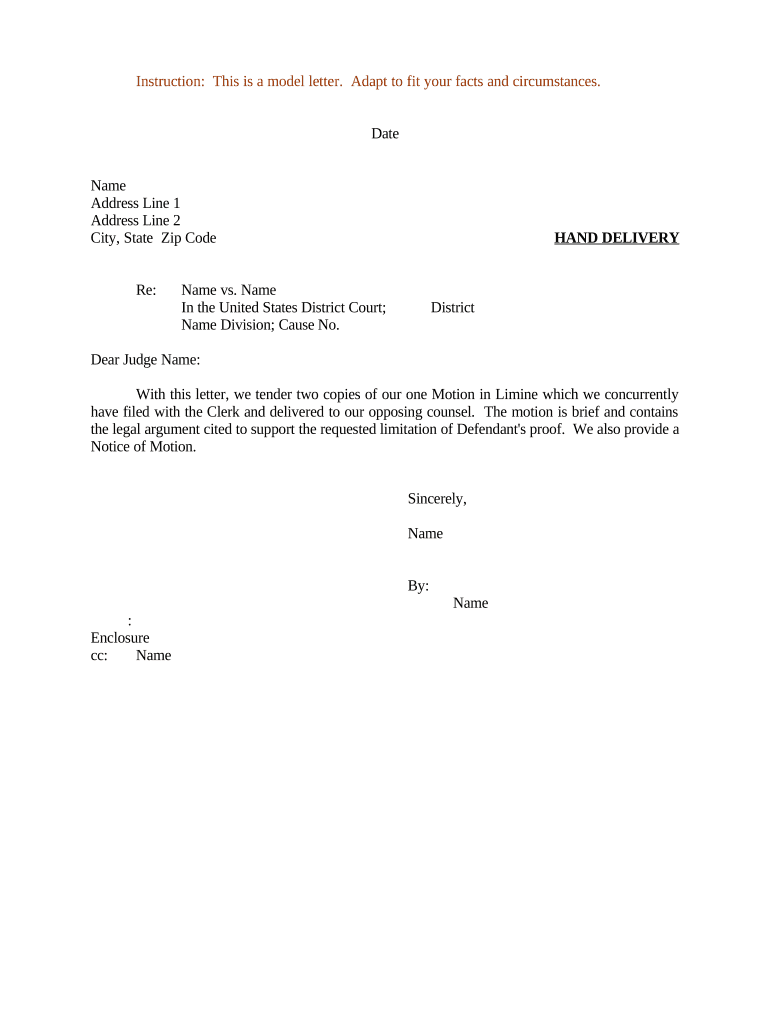
Motion in Limine

This template is fully customizable. Edit the text, fill out the fields, and send it for signature. Give it a try!
Motion in Limine

What a Motion in Limine Is and when it’s used

Motion in Limine is a pretrial written request asking the court to exclude or limit certain evidence from trial. Parties file motions in limine to prevent jurors from hearing prejudicial, irrelevant, or inadmissible material and to narrow disputed evidentiary issues before opening statements. These motions identify the specific evidence at issue, cite applicable rules of evidence, and explain legal grounds for exclusion. Courts resolve many evidentiary disputes at pretrial hearings or at side bars, often shaping trial scope and testimony admissibility while reducing the need for repeated objections during trial.

Why filing a Motion in Limine matters

A Motion in Limine limits jury exposure to unfairly prejudicial or irrelevant evidence, streamlines trial issues, and preserves appellate arguments. Early rulings reduce interruptions, focus witness examinations, and give counsel clearer boundaries for admissible testimony and exhibits.

Why filing a Motion in Limine matters

Who prepares and uses Motions in Limine

Typical users who prepare or oppose Motions in Limine include trial counsel, prosecutors, defense attorneys, and litigation support staff shaping evidentiary strategy.

  • Trial attorneys preparing evidentiary arguments and proposed exclusions to shape courtroom proof and jury instruction.
  • Prosecutors seeking to exclude defense evidence or limit prejudicial testimony before jury selection.
  • Defendants' counsel filing motions to prevent introduction of prior convictions, inflammatory photographs, or hearsay.

Step-by-step: prepare, file, and argue a Motion in Limine

Follow these steps to prepare and present a Motion in Limine effectively before trial promptly.

  • 01
    Draft motion: Describe the evidence, legal basis, and requested exclusion with citations.
  • 02
    Attach exhibits: Include relevant documents and redacted excerpts supporting exclusion request.
  • 03
    File & serve: File per local rules and serve opposing counsel before the hearing.
  • 04
    Argue hearing: Highlight prejudice versus probative value and respond to opponent's positions.

Configure digital workflow and court filing settings

Configure the filing and eSubmission workflow to match court rules and service requirements for Motions in Limine.

Field Configuration
Document format PDF/A or PDF with embedded text
Signature method Electronic signature compliant with ESIGN/UETA
Authentication level Email link, SMS OTP, or KBA per court needs
Service method File via e-filing system or serve counsel per local rule

How eSubmission and courtroom handling typically proceed

Typical workflow from drafting through ruling for a Motion in Limine submitted before trial promptly.

  • Draft: Prepare motion, cite authority, and attach supporting exhibits.
  • File: File with court clerk and serve opposing counsel per local rule.
  • Hearing: Present arguments, offer legal citations, and answer judge's inquiries.
  • Ruling: Court issues order granting, denying, or limiting admission of evidence.

Platform essentials for eFiling and eSigning

eFiling and eSignature platform requirements vary by jurisdiction and court rules; confirm local specifications early.

  • Formats: PDF, PDF/A, or court-specified format.
  • Audit Trail: Timestamps, IP logs, and action history retained.
  • Auth methods: Email OTP, SMS code, SSO, or KBA options.

Common timing considerations and response windows

Key timing rules and typical deadlines for filing and responding to Motions in Limine in many jurisdictions.

Filing deadline:

Often required several weeks before trial; check local rule for exact timing.

Response time:

Opposing party typically has 7 to 14 days to respond unless court orders otherwise.

Hearing schedule:

Court may rule at pretrial conference or at the start of trial; expect shortened oral argument.

Preservation:

File timely to preserve objections for appeal; late motions risk waiver of arguments.

Extension requests:

File a motion or stipulation if additional time is needed; seek court leave promptly.

Milestones from filing to entry of order

Milestone sequence from filing to final order for a Motion in Limine in federal and state courts.

01

File motion

Submit motion and exhibits in accordance with local filing rules.

02

Opponent response

Opposing counsel files response and optionally submits counter exhibits.

03

Hearing and argument

Judge hears oral argument, asks questions, and may request supplemental briefs.

04

Court order

Court issues written order granting, denying, or partially granting relief.

Common risks and consequences of incorrect Motions in Limine

Waiver of objections: Late or improper filing can waive issues.
Sanctions risk: Frivolous motions may trigger FRCP 11 sanctions.
Evidentiary exclusion: Failure to preserve records can exclude evidence.
Delayed proceedings: Improper filings cause continuances and scheduling issues.
Appellate limitations: Untimely objections may limit appellate review.
Reputation harm: Repeated improper motions harm credibility.

Key security and compliance considerations for filings and eSignatures

Encryption in transit: TLS 1.2/1.3 protects documents.
Encryption at rest: AES-256 secures stored files.
Audit trail: Detailed logs include timestamps and IPs.
HIPAA compliance: BAA required for PHI workflows.
Certifications: SOC 2, ISO 27001, PCI DSS
Access controls: Role-based permissions and SSO.

eSignature vendor comparison for Motion in Limine workflows

Compare common eSignature providers for filing and signing Motions in Limine. signNow listed first per plan and capability.

signNow DocuSign Adobe Sign PandaDoc HelloSign
Starting Price $8/user/mo $15/user/mo $14/user/mo $19/user/mo $15/user/mo
Free Trial 7-day free trial Varies by vendor Varies by vendor Varies by vendor Varies by vendor
Bulk Send Yes Yes Yes Yes No
Audit Trail Yes Yes Yes Yes Yes
HIPAA Compliant Yes Yes Yes No No
Envelope Cap No envelope cap 100 envelopes/user/year Varies by plan Varies by plan Varies by plan

Frequently asked questions and quick answers

Answers to frequent questions about preparing, filing, and eSigning Motions in Limine under U.S. evidence and eSignature frameworks.


Need help? Contact support

be ready to get more
Join over 28 million airSlate SignNow users