Establishing secure connection…Loading editor…Preparing document…

Letter Regarding Motion to Join Additional Defendants

This template is fully customizable. Edit the text, fill out the fields, and send it for signature. Give it a try!
Letter Regarding Motion to Join Additional Defendants

What this letter is and when it’s used

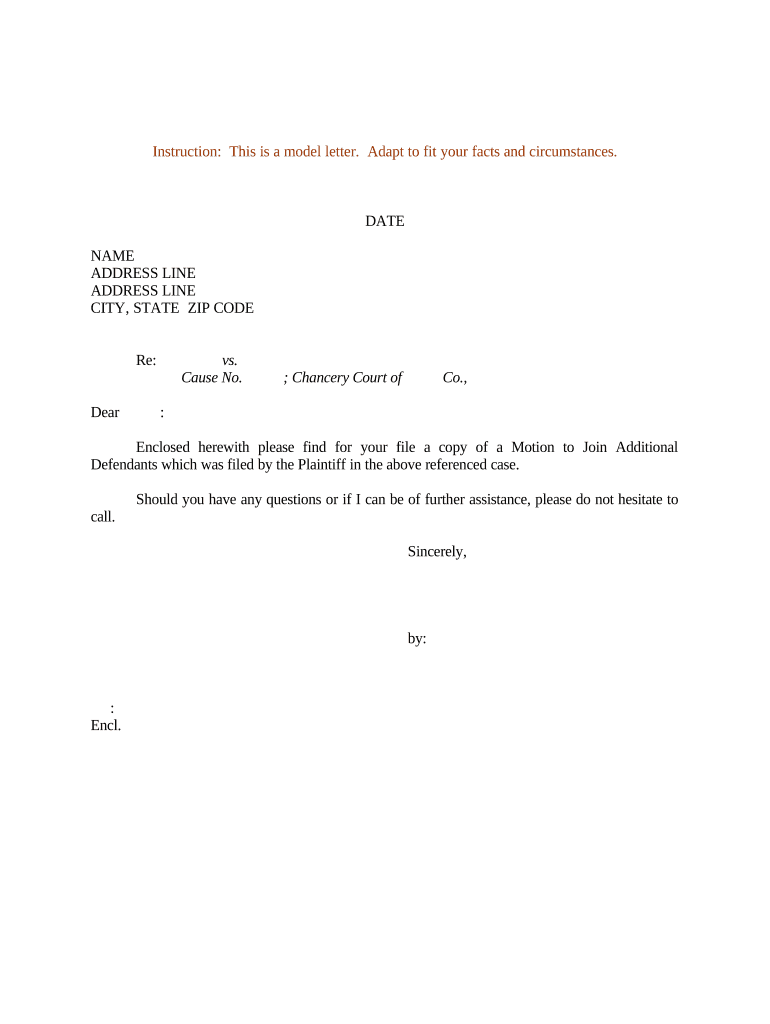
A Letter Regarding Motion to Join Additional Defendants is a formal written communication sent to the court and opposing parties to accompany or announce a motion to add one or more defendants to an existing lawsuit. It explains the legal basis for joinder, identifies the proposed parties to be joined, and summarizes relevant facts and relief requested. The letter typically attaches or references the proposed amended complaint, the proposed order, and a certificate of service. Use plain, court-appropriate language and follow local rules for format, captioning, and filing procedures.

Why a clear letter matters in joinder motions

A concise, correctly formatted letter frames the court’s consideration, clarifies who should be added, and documents service and procedural compliance for the record.

Why a clear letter matters in joinder motions

Who typically prepares and receives this letter

The letter is prepared by counsel or a pro se party and sent to the court clerk and opposing counsel as part of motion practice.

  • Plaintiff’s counsel initiating joinder requests and submitting proposed pleadings to the court.
  • Defense counsel receiving notice and evaluating impact on strategy, discovery, and potential settlement dynamics.
  • Corporate legal departments or in-house counsel coordinating with outside counsel when additional corporate entities face claims.

Step-by-step: preparing and filing the letter

Follow a consistent sequence to prepare, serve, and file the letter so the court and all parties have clear notice before the motion hearing.

  • 01
    Draft: Prepare letter, proposed amended complaint, and proposed order.
  • 02
    Review: Confirm local rules and attachment formatting requirements.
  • 03
    Serve: Serve counsel and parties per rules (CM/ECF or permitted service).
  • 04
    File: File via the court’s electronic system and retain proof of filing.

Digital workflow settings for online completion

Configure document and signing settings to match court filing requirements and evidence standards.

Field Configuration
Document format Use PDF/A for long-term compatibility and court compliance.
Signature placement Place signature blocks for counsel with date fields adjacent.
Authentication Select email or SMS code authentication for signers.
Retention Enable audit trail and secure storage for at least six years.

How electronic submission fits the court process

Electronic handling speeds distribution and creates a reproducible record; adapt authentication to court and opposing-party expectations.

  • Upload: Upload final PDF and all exhibits to the e-filing portal.
  • Attach: Attach proposed amended complaint and proposed order.
  • Serve: Serve via CM/ECF, email where permitted, or process server as required.
  • Confirm: Save filing receipt and audit trail for the record.

Technical expectations for eSubmission and signatures

Courts and opposing parties commonly require PDFs, reliable audit trails, and verifiable signer authentication for electronic submissions.

  • File formats: PDF, PDF/A, Word DOCX supported for drafting and conversion.
  • Authentication: Email link, SMS code, or stronger multifactor options.
  • Integrations: Salesforce, NetSuite, Microsoft 365, Box, Google Workspace supported.

Security and compliance considerations

Encryption: AES-256 at rest; TLS 1.2/1.3 in transit
Audit trail: Timestamped action log and signer metadata
ESIGN / UETA: Complies with ESIGN and UETA requirements
HIPAA: BAA available for health-related matters
21 CFR Part 11: Support for regulated electronic records
SOC 2 / ISO: SOC 2 Type II and ISO 27001 certified

Consequences of defective or late joinder letters

Motion denied: Court may refuse the joinder request
Waiver risk: Untimely service can waive defenses
Sanctions: Possible sanctions under FRCP 11
Default judgment: Failure to serve new defendants risks default
Evidence loss: Delayed joinder may limit discovery access
Increased costs: Additional fees and extended litigation expense

Common mistakes to avoid when preparing the letter

  • Failing to identify the precise legal basis for joinder, resulting in vague or unsupported requests that courts may deny.
  • Omitting required attachments such as the proposed amended complaint or proposed order, which can cause the clerk to reject the filing.
  • Serving the letter incorrectly or outside permitted methods, creating disputes over proper notice and potentially delaying hearings.
  • Using inconsistent party names or incorrect case numbers, which leads to administrative misfiling and additional correspondence to correct the record.

Vendor pricing snapshot for eSignature when preparing joinder letters

Compare typical starting prices, feature availability, and compliance capabilities relevant to legal filings and secure service.

signNow DocuSign Adobe Sign PandaDoc HelloSign
Starting Price $8/user/mo $15/user/mo $14/user/mo $19/user/mo $15/user/mo
Free Trial 7-day free trial Varies Varies Varies Varies
Bulk Send Yes Yes Yes Yes No
Audit Trail Yes Yes Yes Yes Yes
HIPAA Compliant Yes Yes Yes No No

Essential components to include in the letter

A well-structured letter improves clarity and helps the court and parties understand the scope and effect of the joinder request.

Case caption

Begin with the court, case caption, and docket number to ensure the filing is associated with the correct matter.
Introduction

Briefly state that the communication accompanies a motion to join additional defendants and summarize the requested relief.

Proposed parties

Identify each proposed defendant by legal name, capacity, and last known contact information for service.

Basis for joinder

Explain the factual and legal grounds for joinder, referencing applicable rules or statutes without extensive argument.

Attachments listed

List and describe attached documents such as the proposed amended complaint, proposed order, and supporting affidavits.

Certificate of service

Describe how service was made, recipients, dates, and method to document proper notice to all parties.

Supporting documents commonly filed with the letter

Attach documents the court expects so the motion can be considered without a separate round of administrative requests.

Proposed amended complaint

Provide a clean, redlined, or tracked-change version as required by local rules so the court and parties can see added claims and parties.

Proposed order

Supply a concise proposed order that the judge may sign to effectuate joinder if the motion is granted.

Affidavits or declarations

Attach sworn statements supporting factual assertions about identity, service, jurisdiction, or timeliness.

Exhibit index

Include a numbered exhibit list to make review and citation easier for the court and opposing counsel.

Practical tips for accurate and efficient letters

Follow these best practices to reduce the chance of rejection or procedural delay when filing a joinder motion.

Confirm local rules before filing
Check the court’s local civil rules for page limits, exhibit labeling, required cover letters, and preferred filing formats to avoid administrative rejection.
Use consistent party names
Match names exactly as they appear in the complaint and corporate registration records to prevent ambiguity and ensure proper service.
Provide a concise legal basis
Summarize relevant rule or statute in one paragraph and reserve detailed legal argument for the motion brief to keep the letter focused.
Preserve proof of service
Attach or prepare a certificate of service showing method, recipients, and date to document notice and meet procedural requirements.

Typical timing and response expectations

Deadlines vary by jurisdiction; verify deadlines in local rules and CM/ECF notices to avoid missed responses.

Check local response periods:

Many courts allow 14–21 days to respond to a non-dispositive motion; confirm with local rules.

Hearing scheduling:

Courts will schedule hearings per docket availability; expect several weeks lead time in busy courts.

Service timing:

Service must precede hearing dates and comply with procedural notice periods.

Amendment windows:

Some courts require leave to amend after set deadlines; identify whether stipulation or leave is needed.

Preserve objections:

File timely responses or notices of intent to oppose to preserve rights and raise procedural defenses.

Two practical scenarios where this letter is used

Realistic examples illustrate when concise joinder letters streamline court handling and preserve parties’ rights.

Construction dispute example

A prime contractor seeks to add a subcontractor as a defendant after discovery revealed its role.

  • The letter identifies the subcontractor and attaches the proposed amended complaint.
  • The court accepted the attachments, calendared the motion, and allowed limited discovery tailored to the newly joined party while preserving existing deadlines.

Healthcare provider example

A plaintiff learns of an additional treating physician during initial discovery and requests joinder.

  • The letter lists the physician and cites jurisdictional basis for joinder.
  • The court directed limited service and ordered protective measures for PHI, requiring a BAA before sharing certain records.

Who can legally sign and submit the letter

Plaintiff’s Attorney

An attorney of record signs and files the letter on behalf of the plaintiff. The signing counsel certifies compliance with procedural rules and service obligations and takes responsibility for filing accuracy and timeliness.

Authorized Corporate Officer

For pro se corporate matters or stipulated letters, a duly authorized corporate officer may execute documents if local rules permit; counsel involvement is standard for substantive motions.

Frequently asked questions about joinder letters

Answers to common questions address service, form, and procedural consequences so parties can avoid routine errors.


Need help? Contact support

be ready to get more
Join over 28 million airSlate SignNow users