Establishing secure connection…Loading editor…Preparing document…

Motion Peremptory

This template is fully customizable. Edit the text, fill out the fields, and send it for signature. Give it a try!
Motion Peremptory

What the Motion Peremptory Is and when it applies

A Motion Peremptory is a court filing used to request an immediate or summary ruling on a discrete legal or procedural issue without a full trial. It typically asserts that the opposing party's claim or a portion of it is legally deficient, procedurally barred, or fails as a matter of law, and asks the court to dismiss or resolve the matter promptly. The motion should cite controlling law, present supporting facts, and explain the requested relief. Local civil procedure and court rules determine format, timing, and service requirements.

Why a Motion Peremptory matters in litigation

Using a Motion Peremptory can shorten litigation, focus the issues for trial, and preserve client rights by securing an early disposition on claims that lack legal merit. It can reduce discovery costs and clarify case posture before substantial expense is incurred.

Why a Motion Peremptory matters in litigation

Who prepares and files a Motion Peremptory

Counsel and self-represented parties use this motion when statutory or procedural grounds justify dismissal or immediate ruling; courts expect clear legal argument and proper notice.

  • Civil litigators and defense counsel seeking dismissal or judgment on the pleadings within set procedural windows.
  • Plaintiffs or petitioners when seeking summary judgment on narrow legal issues before costly discovery.
  • Self-represented litigants in simple matters when statutes or clear precedent eliminate the need for further proceedings.

Core parts every professional Motion Peremptory contains

A complete Motion Peremptory combines a short, precise statement of relief with legal authority, a fact summary, supporting exhibits, and a proposed order. Formatting and content must match the court's local rules for filing and service.

Caption

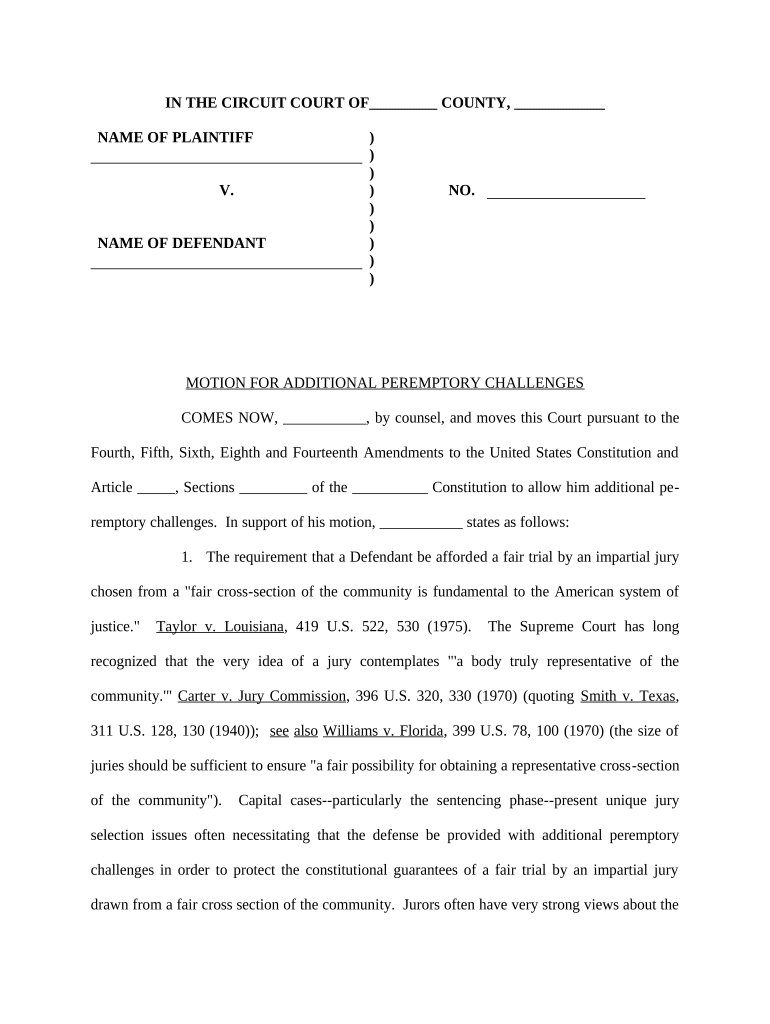
Court name, case number, party names, and title 'Motion Peremptory' or equivalent must appear exactly as required by the local rules and judge's preferences.
Relief Sought

A concise statement of the specific ruling requested (dismissal, judgment, striking a claim), with a one-sentence remedy description for the proposed order.

Statement of Facts

A brief factual recitation tied to the legal standard; avoid argument here but reference exhibits or pleadings that support the factual assertions.

Legal Argument

Cite statutes, controlling case law, or procedural rules compactly; identify elements and show why they are not met by the opposing party.

Exhibits

Attach essential documents (complaint, contract excerpts, declarations, relevant correspondence) numbered and referenced in the text for quick judicial review.

Proposed Order

Provide a clean, judge-ready order that states the exact disposition and any ancillary directions such as costs, stays, or further deadlines.

Step-by-step: preparing and filing a Motion Peremptory

Follow this sequence to prepare a compliant, court-ready motion and minimize procedural setbacks.

  • 01
    Research: Confirm governing statutes and controlling case law.
  • 02
    Draft: Write concise facts, argument, and a proposed order.
  • 03
    Assemble Exhibits: Label and paginate supporting documents.
  • 04
    File and Serve: File with the court and serve opposing parties per local rules.

Digital workflow settings for eFiling and eService

Set up an e-filing and e-service workflow that matches the court's electronic submission requirements and preserves an audit trail.

Field Configuration
Document Format Upload PDF/A to preserve formatting for eFiling
Signature Placement Add signature and date fields for counsel and declarants
Authentication Require email plus SMS code for signer verification
Audit Trail Enable IP, timestamp, and download history logging

Typical process: from drafting to judge's review

A Motion Peremptory typically moves through drafting, filing, service, and judicial consideration; each step has procedural checks and timing consequences.

  • Draft Motion: Prepare legal argument and exhibits in court-ready format
  • File with Court: Submit via the court's eFiling system or clerk's office
  • Serve Opponent: Serve all parties according to local rules and record service
  • Judicial Review: Court may rule on papers, schedule oral argument, or request briefing

Common deadlines and response windows to track

Deadlines for responding to a Motion Peremptory are set by local civil procedure, the judge's scheduling order, or state rules; always confirm the exact window before filing.

Response Period:

Often 14 to 30 days depending on jurisdiction and service method

Reply Deadline:

Reply briefs typically due 5 to 14 days after response filing

Hearing Scheduling:

Court may set a hearing 15 to 60 days after filing

Emergency Relief:

Motions for immediate relief require expedited filing and notice

Local Rule Compliance:

Timelines can differ by court; check local civil rules and standing orders

Key milestones from filing to resolution

Track these milestones to maintain case momentum and preserve rights during the motion lifecycle.

01

Draft Complete

All argument and exhibits finalized before filing

02

File & Docket

Clerk accepts filing and assigns a docket number

03

Service Confirmed

Proof of service filed to establish notice

04

Court Ruling

Judge issues order, either dispositive or setting further proceedings

Consequences of incorrect or defective motions

Dismissal Risk: Court may deny relief for procedural defects
Default Judgment: Improper service can lead to default for the noncompliant party
Waiver: Late or inadequate filing can waive arguments
Sanctions: Frivolous or bad-faith filings can trigger sanctions
Cost Shifting: Court may award fees to the prevailing party
Delay: Repeated defects lengthen case timelines

Common preparation pitfalls to avoid

  • Failing to verify local court formatting and page limits causes clerk rejection and delays.
  • Relying on unsupported exhibits or unauthenticated documents undermines factual assertions and credibility before the court.
  • Omitting a proposed order forces unnecessary follow-up and may reduce the likelihood of immediate judicial adoption.
  • Insufficient service detail or not filing proof of service can result in motions being treated as unopposed or stricken.

Technical requirements for eFiling and eSigning

Verify court eFiling format, accepted authentication level, and whether the court accepts electronically signed filings or requires wet signatures or notarization.

  • File Formats: PDF/A is broadly accepted
  • Integrations: CRM and cloud integrations (Salesforce, NetSuite, Google Workspace)
  • Authentication: Email, SMS code, or stronger 2FA recommended

eSignature vendor comparison for executing and serving a Motion Peremptory

Compare baseline pricing and features for eSignature providers commonly used to sign, notarize, and deliver court documents; signNow is listed first for reference.

signNow DocuSign Adobe Sign PandaDoc HelloSign
Starting Price $8/user/mo $15/user/mo $14/user/mo $19/user/mo $15/user/mo
Free Trial 7-day trial Varies Varies Varies Varies
Bulk Send Yes Yes Yes Yes Varies
Audit Trail Yes Yes Yes Yes Yes
Envelope Cap No cap 100 envelopes/user/yr Varies Varies Varies

Real-world examples of using eSigning with court documents

These customer examples show practical uses of electronic signing and document workflows in legal and business contexts.

Optica Ventures

The interface is simple and easy-to-use for our team; more importantly, it is just as easy for our customers.

  • They used electronic signing for investor documents to reduce turnaround.
  • The workflow reduced manual handling and improved tracking while preserving an audit trail required for regulatory review.

Martin Properties

I can process and execute all of these documents online with 100% compliance and built-in security.

  • The firm adopted remote signing for property-related filings.
  • This eliminated in-person coordination, shortened execution time, and maintained court-ready signed PDFs with embedded audit records.

Frequently asked questions when preparing a Motion Peremptory

Answers to common procedural and technical questions about drafting, signing, filing, and preserving Motion Peremptory documents.


Need help? Contact support

be ready to get more
Join over 28 million airSlate SignNow users