Establishing secure connection…Loading editor…Preparing document…

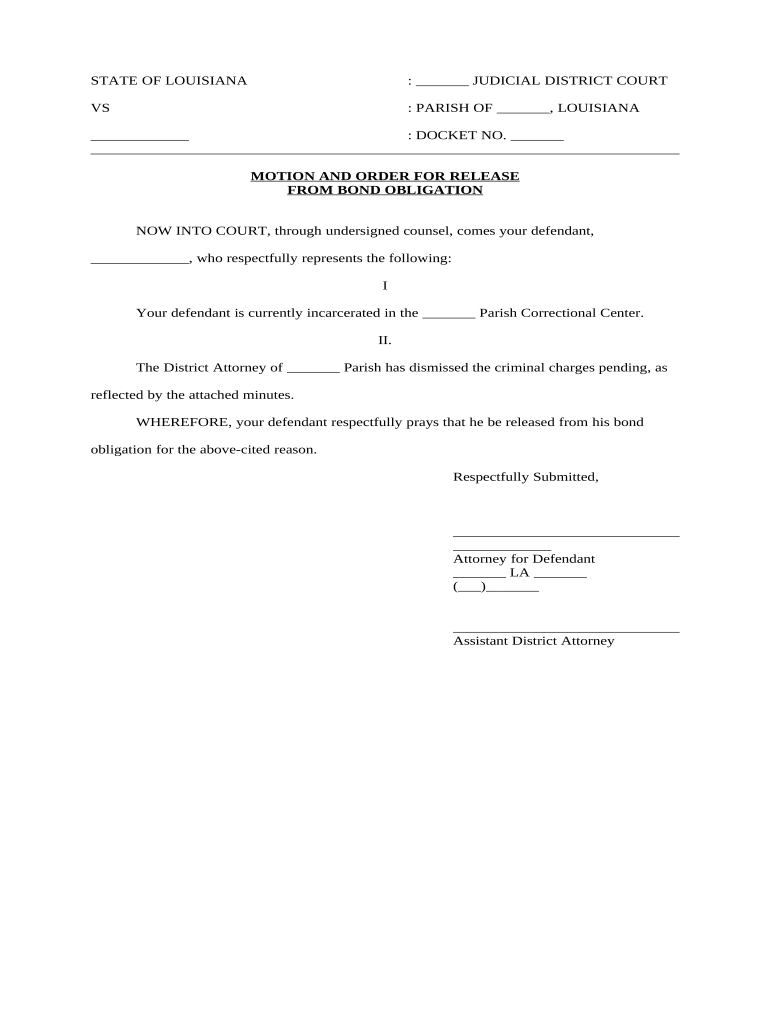
Motion Release Bond

This template is fully customizable. Edit the text, fill out the fields, and send it for signature. Give it a try!
Motion Release Bond

What a Motion Release Bond Is and when it applies

A Motion Release Bond is a surety instrument filed with a court or administrative body to secure the release of property, funds, or lien rights while litigation or an administrative proceeding continues. It binds the obligor, surety, and obligee to conditions set by the court and protects the obligee against loss if the court later determines the release should not have occurred. Motion Release Bonds are commonly used to obtain a temporary release pending appeal, to lift seizures, or to release attached assets while rights are adjudicated.

Why a Motion Release Bond matters in disputes

A Motion Release Bond allows an affected party to regain possession or access to property or funds while the underlying dispute proceeds, limiting economic harm and preserving business operations. The bond assures the court and other parties that compensation or restitution is available if the release proves improper.

Why a Motion Release Bond matters in disputes

Who typically prepares and signs a Motion Release Bond

Professionals and parties involved in litigation frequently complete Motion Release Bonds to obtain temporary relief without waiving substantive claims.

  • Plaintiffs and appellants often provide bonds to secure an appeal or to release property pending review.
  • Defendants may post bonds to secure the release of seized assets, permitting continued business operations.
  • Surety companies and attorneys prepare bond language and attach required underwriting or power-of-attorney documentation.

Required core information on a Motion Release Bond

Obligor: Name of the party providing the bond
Obligee: Name of court or party protected
Bond Amount: Principal sum secured
Penal Sum: Maximum liability amount
Effective Date: Date bond takes effect
Surety: Issuer name and signature

Step-by-step: filling out a Motion Release Bond

Follow these steps to complete a standard Motion Release Bond accurately and in the order courts typically expect.

  • 01
    Identify parties: Enter obligor, obligee, and surety legal names.
  • 02
    Set amounts: Specify bond amount and penal sum in numerals and words.
  • 03
    State conditions: Describe release conditions, duration, and triggering events.
  • 04
    Sign and notarize: Obligor and surety sign; obtain required notarization.

Process overview: from filing to release

A Motion Release Bond flows through a few predictable steps from preparation to court acceptance and, if necessary, claim resolution.

  • Prepare: Draft bond using court-approved language and required exhibits.
  • Underwrite: Surety performs risk review and issues the bond.
  • File: Submit bond to clerk and attach proof of surety.
  • Effect: Court orders release and bond becomes enforceable.

Essential components to include in a professional Motion Release Bond

A properly drafted bond combines precise legal language with practical attachments so courts and opposing parties can evaluate coverage and enforceability without delay.

Bonding Parties

Clear identification of obligor, obligee, and surety including full legal names, business types and addresses, to avoid ambiguity in enforcement and service of process.
Monetary Terms

Exact penal sum and bond amount stated in both numerals and words, with currency specified, to prevent disputes about the secured liability amount.

Conditions of Release

Concise statement of the duties and conditions that trigger bond liability, including what constitutes breach, remedies, and the timeline for claims.

Duration and Term

Start and end dates plus conditions for automatic extension or termination, clarifying whether the bond survives judgment or is limited to a specified proceeding.

Surety Attestation

Surety signature block, underwriting reference, bond number, and a power-of-attorney or certification that binds the issuing surety company to the bond obligations.

Attachment List

Exhibits such as court docket entries, underlying motion, settlement drafts, and any financial underwriting required by the court or surety company.

Practical tips for accurate and efficient completion

Adopt consistent procedures to reduce errors and accelerate court acceptance of Motion Release Bonds.

Use exact legal names and entity types
Confirm names against government or corporate records; mismatches between bond parties and court pleadings commonly trigger clerical rejections and delay relief.
Spell out amounts clearly and double-check arithmetic
Write sums in both numerals and words, verify arithmetic, and avoid abbreviations or commas that may create ambiguity in the penal sum.
Attach court references and relevant filings
Include the underlying motion, docket number, and judge assignment with the bond so the clerk can match it to the correct case without manual searching.
Coordinate with the surety early
Engage the surety before filing to confirm underwriting needs, attach required affidavits, and secure necessary countersignatures to prevent filing delays.

Common timing considerations and filing expectations

Timing requirements vary by court and jurisdiction; confirm local rules and clerk office hours before scheduling filing or service.

Pre-filing review:

Allow 3–7 business days for surety underwriting and document assembly.

Court filing:

File before the hearing date or as ordered; same-day filings may be accepted by clerk.

Notary or RON:

Obtain notarization consistent with state rules; RON may be accepted if allowed.

Proof of service:

Serve opposing parties promptly per local rules after filing.

Claims period:

Bond remains subject to claims until release or expiration per bond terms.

Key milestones from bond execution to final disposition

Track these sequential milestones to ensure the bond remains effective and responsive to court or claimant actions.

01

Execution

Obligor and surety sign; bond becomes binding on the effective date.

02

Court Acceptance

Clerk files the bond and issues an order releasing the property or funds.

03

Monitoring Period

Maintain records and respond to any administrative or claimant inquiries during the bond term.

04

Closure or Claim

Court discharges bond at final judgment or surety responds to claims per bond terms.

How to configure the bond workflow for eFiling and review

Set up a clear digital workflow mapping who prepares, reviews, executes, and files the Motion Release Bond.

Field Configuration
Preparer Assigned attorney or clerk drafts bond
Reviewer Surety underwriter and counsel review
Execution Signatures, notarization, and date stamping
Filing Upload to court eFiling system or deliver to clerk

Practical examples of Motion Release Bond use

These two scenarios illustrate common situations where a Motion Release Bond enables interim release while legal matters proceed.

Construction lien release

A contractor sought to release funds tied to a disputed invoice

  • Surety issued a bond covering the contractor’s obligation
  • The bond allowed project completion while the parties resolved the dispute through arbitration and claim procedures.

Asset seizure stay

A business obtained a bond to lift a temporary asset seizure pending appeal

  • The bond specified the penal sum and claim procedures
  • This allowed the business to continue operations while the appellate court reviewed the underlying judgment.

Consequences of incomplete or incorrect Motion Release Bonds

Forfeiture: Surety liability
Filing Refusal: Clerk may reject
Delay Costs: Operational disruptions
Claims Exposure: Increased indemnity risk
Invalid Signatures: Potential unenforceability
Perjury Risk: False affidavits risk penalties

Common mistakes that cause delays or rejection

  • Using informal or abbreviated party names that do not match court pleadings, causing clerks to return the bond for correction.
  • Failing to attach required underwriting documents, such as the surety’s power of attorney or proof of corporate authority, prompting administrative rejection.
  • Listing inconsistent bond amounts in numerals versus words, creating ambiguity that delays court acceptance or triggers surety clarification.
  • Omitting docket numbers, hearing dates, or the exact relief sought, which prevents the clerk from matching the bond to the correct matter.

Typical eSignature vendor comparison for Motion Release Bond workflows

eSignature platforms differ on pricing, bulk send, and compliance features that affect how you prepare, sign, and file Motion Release Bonds.

signNow DocuSign Adobe Sign PandaDoc HelloSign
Starting Price $8/user/mo $15/user/mo $14/user/mo $19/user/mo $15/user/mo
Free Trial 7-day free trial Varies by plan Varies by plan Varies by plan Varies by plan
Bulk Send Yes Yes Yes Yes No
Audit Trail Yes Yes Yes Yes Yes
HIPAA Compliant Yes Yes Yes No No
Envelope Cap No envelope cap 100 envelopes/user/year Varies by plan Varies by plan Varies by plan

Frequently asked questions about Motion Release Bonds

Answers to common procedural and legal questions about preparing, signing, and filing Motion Release Bonds in the United States.


Need help? Contact support

be ready to get more
Join over 28 million airSlate SignNow users