Establishing secure connection…Loading editor…Preparing document…

Motion to Set Aside

This template is fully customizable. Edit the text, fill out the fields, and send it for signature. Give it a try!
Motion to Set Aside

What a Motion to Set Aside Is and When Parties Use It

A Motion to Set Aside is a formal court filing asking a judge to vacate, modify, or reopen a prior order or judgment. Common bases include mistake, newly discovered evidence, lack of proper service, fraud, or procedural defects. Motions are governed by court rules—federal filings invoke Fed. R. Civ. P. 60—while state courts follow parallel statutes and local rules. The motion describes the legal and factual grounds, attaches supporting evidence such as affidavits or declarations, and proposes an order for the court to sign.

Why a Motion to Set Aside Matters in Litigation

A Motion to Set Aside lets a party correct errors, challenge defective notice or service, present new evidence, or address fraud that produced an unfair result. Successfully setting aside a judgment restores the parties to litigation or reopens rights the earlier order extinguished, preserving substantive and procedural fairness under applicable rules and statutes.

Why a Motion to Set Aside Matters in Litigation

Who Typically Prepares and Files This Motion

The Motion to Set Aside is most often filed by parties or their counsel seeking relief from a prior court decision; courts expect a clear statement of grounds and supporting evidence.

  • Plaintiff or Movant: Individual or entity that lost a judgment and seeks reopening or relief from a prior order.
  • Defense or Respondent: Party defending against the motion often files an opposition memorandum and evidence.
  • Attorneys and Pro Se Litigants: Both lawyers and self-represented parties prepare motions, but attorneys typically include legal citations and affidavits.

Local rules and procedural formality matter: parties should confirm filing, service, and timing requirements in the relevant court's rules before filing.

Typical Signatories and Their Roles

Movant — Attorney

A licensed attorney signing on behalf of a client certifies the factual allegations and legal grounds; counsel attests to truth under penalty of perjury and typically files accompanying declarations or exhibits to support the motion.

Respondent — Counsel

Opposing counsel signs oppositions or replies and may submit affidavits countering the movant's claims; the signature confirms the filing meets professional rules of conduct and local court formatting requirements.

Key Document Controls and Security Elements

Electronic Authentication: Email, SMS code, or advanced signer verification
Audit Trail: Timestamped record of signing events
Encryption: TLS 1.2/1.3 in transit, AES-256 at rest
Access Controls: Role-based permissions for viewing and editing
HIPAA BAA: Required for PHI in healthcare filings
Retention Logs: Immutable access and modification history

Risks and Consequences of an Incorrect Motion

Dismissal Risk: Court may deny the motion for procedural defects
Sanctions: Improper filings can trigger monetary sanctions
Waiver: Late or untimely motions can forfeit relief
Adverse Findings: Factual misstatements may harm credibility
Service Errors: Improper service can invalidate the filing
Increased Costs: Additional fees, attorney time, and delays

Common Preparation Errors to Avoid

  • Failing to attach necessary affidavits or exhibits that establish the factual basis for relief.
  • Missing local formatting or filing requirements such as page limits, caption rules, or required certificates of service.
  • Incorrect or incomplete service on parties, which can render the motion procedurally defective.
  • Misstating applicable law or deadlines—check Fed. R. Civ. P. 60 and comparable state rules before filing.

Step-by-Step: Drafting and Submitting the Motion

Follow these sequential actions to prepare a clear, properly supported Motion to Set Aside and reduce the risk of procedural rejection.

  • 01
    Identify Basis: Select grounds (mistake, service defect, fraud, newly discovered evidence)
  • 02
    Draft Motion: State facts, legal authority, and requested relief concisely
  • 03
    Attach Evidence: Include affidavits, declarations, exhibits, and proposed order
  • 04
    File and Serve: File with court clerk and serve opposing parties per local rules

Filing Flow: From Preparation to Court Decision

The typical workflow moves from drafting to court action; each step requires attention to service rules and local timelines.

  • Prepare Documents: Complete motion, declaration, exhibits, and proposed order
  • E-File or Paper File: Submit via court electronic filing system or clerk
  • Serve Parties: Deliver per court rules: e-service or certified mail
  • Judge Rules: Court may set hearing, grant, deny, or modify relief

Essential Components of a High-Quality Motion to Set Aside

A professional motion includes discrete parts so the court and opposing parties can assess legal and factual claims quickly and accurately.

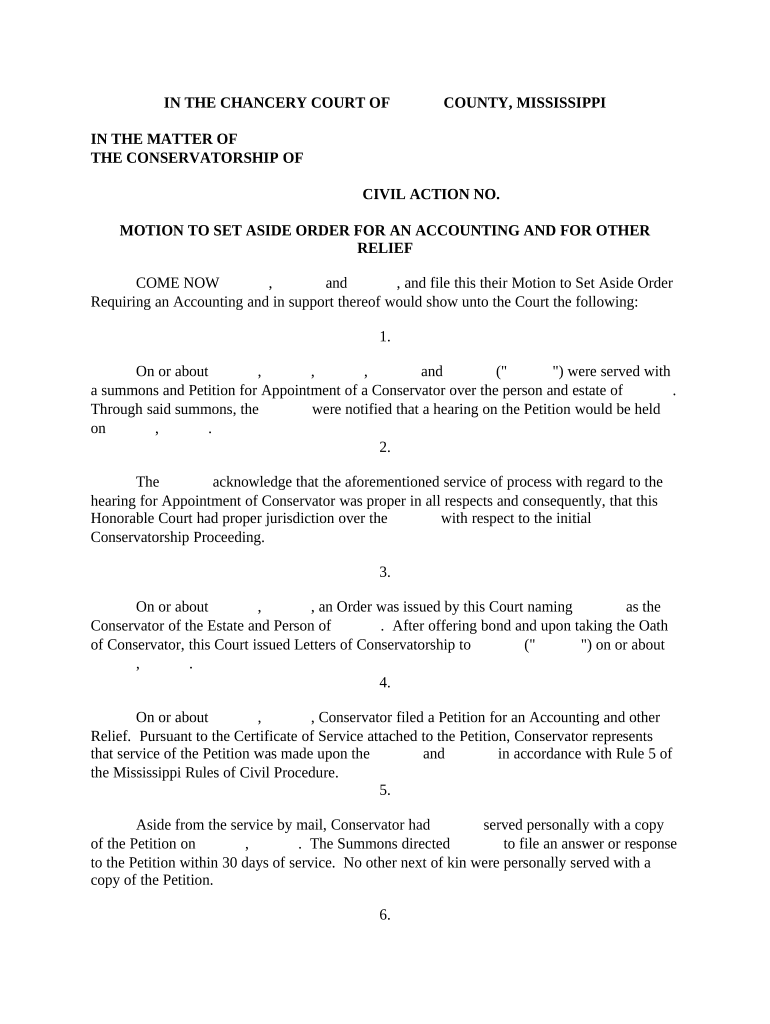
Caption

Court name, case number, parties, and correct caption formatted to the court's local rules and included on every page.
Statement of Facts

A concise chronology of relevant events that supports the motion's grounds, with citations to attached exhibits or the record.

Legal Argument

Clear explanation of the legal standard (e.g., Fed. R. Civ. P. 60) and how the facts satisfy it, with supporting citations.

Supporting Declarations

Affidavits or declarations under penalty of perjury that establish facts not apparent from the record and corroborate the motion.

Proposed Order

A signed proposed order for the judge to adopt if relief is granted, formatted per local template or court preference.

Certificate of Service

Proof that all required parties were served in accordance with court and rule-based requirements, specifying method and date.

Checklist: Information to Enter and Where It Appears

Use this quick configuration checklist when assembling the electronic motion package and preparing e-filing or service.

Field Configuration
Court Name and Division Enter exact court name and division per caption rules
Case Number Use the official case number from the docket
Supporting Declaration Attach signed declaration and exhibits as separate files
Certificate of Service List recipients, service method, and date

Digital Filing and Signing: Platform Capabilities to Check

Confirm the e-filing portal and e-signature service meet authentication, audit trail, and file-format requirements before submitting electronically.

  • File Formats: PDF/A or court-accepted PDF
  • Signer Authentication: Email, SMS, or advanced verification
  • Integration: E-filing system and cloud storage support

For secure, auditable signatures and integrations with common systems, verify your vendor provides exportable audit trails and preserves original file integrity.

Timing Rules and Typical Deadlines to Watch

Deadlines depend on the governing rules: federal courts follow FRCP 60 and local orders, while state courts may have distinct time constraints—confirm specific timelines before filing.

Fed. Rule 60(c):

Certain grounds require motion within one year; otherwise file within a reasonable time

Local Court Deadlines:

Some courts set specific windows; review local rules or scheduling orders

Service Timing:

Serve opposing parties promptly after filing per court rules

Hearing Notices:

Allow the minimum hearing notice period mandated by the court

Appeal Impact:

Filing a motion may affect appeal timelines; seek guidance early

Key Processing Stages for a Motion to Set Aside

These numbered milestones represent the typical lifecycle from draft to court decision on the motion.

01

Preparation

Draft the motion, declarations, exhibits, and proposed order

02

Filing

E-file or deliver to clerk and obtain docket entry confirmation

03

Service

Serve all parties per court rules and file certificate of service

04

Court Disposition

Judge issues ruling or sets a hearing for oral argument

eSignature Pricing and Feature Comparison for Motion Workflows

Compare starting price and core features that matter when signing, sharing, and storing motion documents; signNow is shown first for vendor comparison consistency.

signNow DocuSign Adobe Sign PandaDoc HelloSign
Starting Price $8/user/mo $15/user/mo $14/user/mo $19/user/mo $15/user/mo
Free Trial 7-day free trial Varies by plan Varies by plan Varies by plan Varies by plan
Bulk Send Yes Yes Yes Yes No
Audit Trail Yes Yes Yes Yes Yes
HIPAA Compliant Yes Yes Yes No No

Frequently Asked Questions About Motions to Set Aside

Answers to common procedural and technical questions about preparing, signing, filing, and serving a Motion to Set Aside.


Need help? Contact support

be ready to get more
Join over 28 million airSlate SignNow users