Establishing secure connection…Loading editor…Preparing document…

Motion for Summary Judgment

This template is fully customizable. Edit the text, fill out the fields, and send it for signature. Give it a try!
Motion for Summary Judgment

What a Motion for Summary Judgment Is and when it applies

A Motion for Summary Judgment asks the court to rule on dispositive legal issues without a trial because no genuine dispute of material fact exists and the movant is entitled to judgment as a matter of law. It frames undisputed facts, cites controlling law, and attaches evidence such as declarations, deposition excerpts, and documents to support the legal arguments.

Why filing a clear Motion for Summary Judgment matters

A well‑crafted motion can resolve claims efficiently, narrow issues for trial, and conserve client resources. Motions rely on Federal Rule of Civil Procedure 56 or applicable state summary judgment standards and must show there is no genuine factual dispute.

Why filing a clear Motion for Summary Judgment matters

Who typically prepares and files a Motion for Summary Judgment

Attorneys and litigated parties prepare these motions as part of pretrial strategy; paralegals and litigation support teams often assemble exhibits and citations.

  • Plaintiff counsel preparing a dispositive argument before trial.
  • Defense counsel seeking to narrow or dismiss plaintiff's claims.
  • In-house counsel coordinating evidence and local counsel filings.

Who may sign and submit the Motion for Summary Judgment

Lead Attorney

The attorney of record signs and files the motion under Rule 11 obligations; signing attorney certifies factual and legal bases and accepts responsibility for filings.

Corporate Officer

If a party is a corporation, an authorized officer may sign declarations or certifications; counsel typically files the motion and attaches declarations signed by corporate representatives.

Essential components of a professional Motion for Summary Judgment

A professional motion is organized to the court's expectations: a concise cover, clear statement of uncontested facts, legal standard, argument, supporting evidence, and a proposed order tailored to local rules.

Caption & Intro

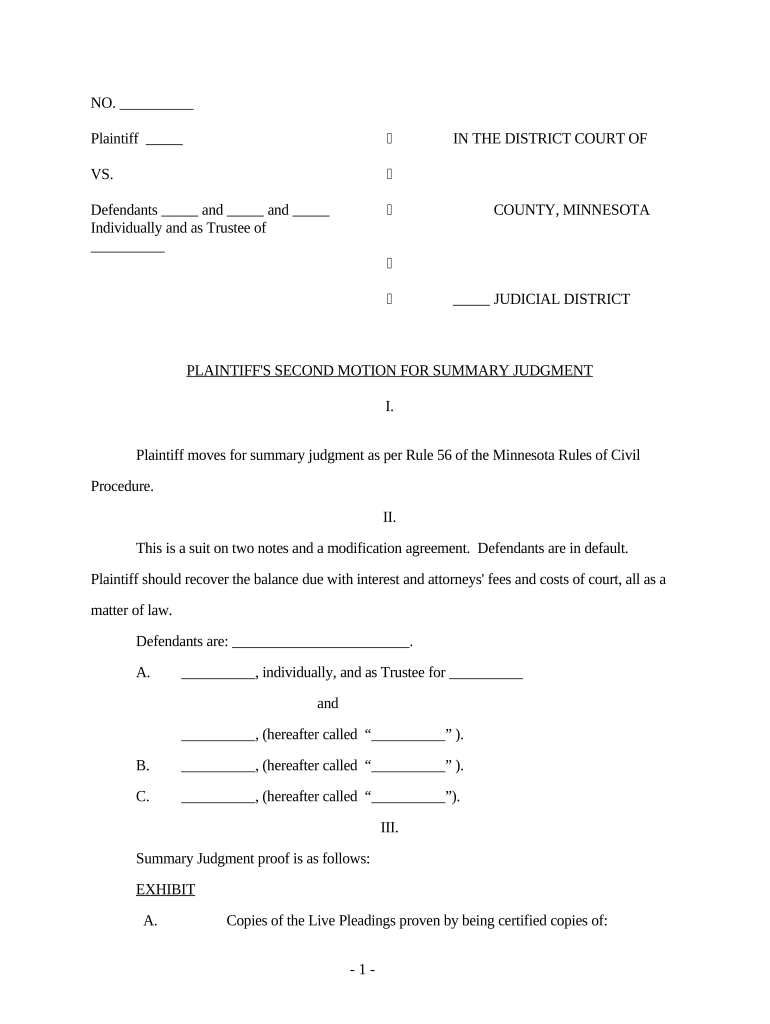
Include full case caption, court and docket number, a short summary of relief sought, and identification of moving party; follow local formatting and page limits precisely to avoid clerical rejection.
Statement of Facts

Provide numbered, concise, undisputed facts with pinpoint citations to admissible evidence such as declarations, deposition excerpts, or authenticated documents; avoid argumentative language in the facts section.

Legal Standard

State the controlling summary judgment standard (e.g., Federal Rule of Civil Procedure 56 or applicable state rule), explaining burdens of movant and nonmovant with relevant authority and citations.

Argument

Organize discrete legal issues into headings; apply law to the undisputed facts, showing why no triable issue remains on essential elements of the claim or defense.

Evidence Appendix

Attach exhibits, declarations, and authenticated records with exhibit tabs and a table of contents; ensure each exhibit is referenced in the facts and argument with precise page or line citations.

Proposed Order

Provide a short proposed order granting the specific relief requested and an optional form order formatted per local rules to expedite the clerk's handling and judicial review.

Stepwise process to prepare and file a Motion for Summary Judgment

Follow a clear sequence to reduce risk: gather evidence, draft facts and argument, assemble exhibits, and comply with service and filing rules before the hearing.

  • 01
    Gather Evidence: Assemble declarations, transcripts, and authenticated documents supporting undisputed facts.
  • 02
    Draft Motion: Draft statement of facts, legal argument, and a concise introduction tailored to controlling law.
  • 03
    Assemble Exhibits: Label exhibits, paginate, and produce a table of contents with exhibit citations.
  • 04
    File and Serve: File via court e-filing and serve opposing counsel following local rules and proof of service procedures.

How to file, serve, and upload the motion to the court record

Filing and service steps vary by jurisdiction; confirm local e-filing requirements and the clerk's preferred formats before submission.

  • File with Clerk: Submit the motion through the court's e-filing system or clerk's office per local rules.
  • Serve Opposing Counsel: Serve via e-service, email, or court-approved methods with proof of service attached to the filing.
  • Upload Exhibits: Upload exhibits as separate, bookmarked PDF files named by exhibit identifier.
  • Confirm Acceptance: Verify the clerk's acceptance notice and docket entry to ensure the filing is part of the official record.

Online workflow settings to complete before e-filing

Configure your e-sign and document assembly settings in advance to preserve metadata and ensure consistent exhibit handling during submission.

Field Configuration
Signature Field Set as required; include signer name and date fields.
Date Field Auto-populate MM/DD/YYYY or require manual entry.
Exhibit Attachments Require separate PDF uploads and consistent naming.
Authentication Enable email or two-factor signer verification where required.

Digital signing and technical delivery requirements

Courts accept electronic filings differently across jurisdictions; check local e-filing formats and signature acceptance policies before e-submission.

  • Accepted Formats: PDF with searchable text and bookmarks preferred.
  • Authentication Methods: Email and SMS codes are commonly accepted; stronger ID may be required.
  • Integrations: Connectors with document management systems help preserve exhibit metadata.

Required information and common fields to include

Case Caption: Court, parties, docket number
Title of Motion: Clear descriptive title
Undisputed Facts: Numbered, evidence-linked facts
Legal Citations: Statutes and authority cited
Exhibit Index: List with identifiers
Signature Block: Attorney name and contact

Common drafting errors to avoid when preparing the motion

  • Overstating disputed facts as 'undisputed' without admissible evidence, which invites evidentiary objections and weakens credibility before the court.
  • Failing to follow local page limits, font, or filing format requirements, often resulting in clerk rejection or judicial admonishment.
  • Relying on hearsay or improperly authenticated documents without declarations or foundational testimony to establish admissibility.
  • Neglecting to include a proposed order, which increases administrative work for the court and may delay issuance of relief.

Penalties and risks from incorrect or deficient motions

Dismissal Risk: Motion denied; claims proceed to trial
Rule 11 Sanctions: Sanctions under Fed. R. Civ. P. 11
Exhibit Exclusion: Evidence excluded for lack of authentication
Fee Awards: Court may shift costs or fees
Missed Deadlines: Waived relief or procedural prejudice
Appeal Complications: Insufficient record harms appellate review

Typical timing and deadlines to watch when planning the motion

Deadlines vary significantly by jurisdiction; consult the scheduling order and local rules. Federal Rule of Civil Procedure 56(b) governs timing for summary judgment motions.

Scheduling Order:

Follow the court's discovery and motion cutoffs precisely.

Rule 56(b) Window:

Motions normally filed after discovery, per FRCP 56(b).

Opposition Deadline:

Court or local rules set opposition timing—often 14–30 days.

Reply Deadline:

Replies typically due within the local rule time frame.

Hearing Date:

Hearing may be set 30–90 days after filing, court-dependent.

Key procedural milestones from complaint to motion hearing

Track milestones in sequence to ensure discovery is complete before filing the motion and that briefing follows required intervals.

01

Complaint Filed

Initial pleading begins the case and triggers discovery timelines.

02

Discovery Closes

Complete discovery before filing per scheduling order and Rule 56 timing.

03

Motion Filed

File the motion with exhibits and proof of service according to local rules.

04

Hearing/Decision

Court hears oral argument or issues a ruling on submitted briefing.

How a Motion for Summary Judgment differs from similar dispositive filings

Compare the motion's purpose, timing, and factual focus against other dispositive motions to choose the correct procedural vehicle.

Criteria Motion for Summary Judgment Motion to Dismiss Judgment as a Matter of Law
Primary Focus no genuine fact dispute legal sufficiency trial record sufficiency
Typical Timing after discovery close early, pre-discovery during or after trial
Evidence Considered admissible evidence submitted pleadings only trial evidence
Legal Standard frcp 56 standard fed. r. civ. p. 12(b)(6) frcp 50 standard

eSignature vendor comparison for signing and submitting motions (signNow first)

Common selection criteria for legal teams: starting price, free trial availability, bulk send, audit trails, HIPAA compliance, and envelope or invite caps; signNow is listed first per vendor comparison conventions.

signNow DocuSign Adobe Sign PandaDoc HelloSign
Starting Price $8/user/mo $15/user/mo $14/user/mo $19/user/mo $15/user/mo
Free Trial 7-day free trial No No Yes, limited Yes, limited
Bulk Send Yes Yes Yes Yes No
Audit Trail Yes Yes Yes Yes Yes
HIPAA Compliant Yes Yes Yes No No

Real-world examples of digital workflows for legal documents

Law firms and companies use e-signature platforms for affidavits, declarations, and to coordinate filings with multiple signers across time zones.

Optica Ventures LLC

The interface is simple and easy-to-use for our team; more importantly, it is just as easy for our customers.

  • 'The interface is simple and easy-to-use for our team'
  • The workflow reduced turnaround time and allowed remote witnesses and signers to complete documents without in-person meetings.

BIS

We felt most comfortable with airSlate SignNow given their SOC 2 certification and strict focus on ESIGN and UETA act compliance.

  • 'We felt most comfortable with airSlate SignNow'
  • The firm standardized its motion exhibits and audit trail practices across multiple jurisdictions to improve consistency and compliance.

Frequently asked questions about Motion for Summary Judgment preparation and e-submission

Answers address common drafting, service, and electronic filing questions to reduce procedural mistakes and preserve judicial review options.


Need help? Contact support

be ready to get more
Join over 28 million airSlate SignNow users