Establishing secure connection…Loading editor…Preparing document…

Motion for Summary Judgment

This template is fully customizable. Edit the text, fill out the fields, and send it for signature. Give it a try!
Motion for Summary Judgment

What a Motion for Summary Judgment Is and When It Applies

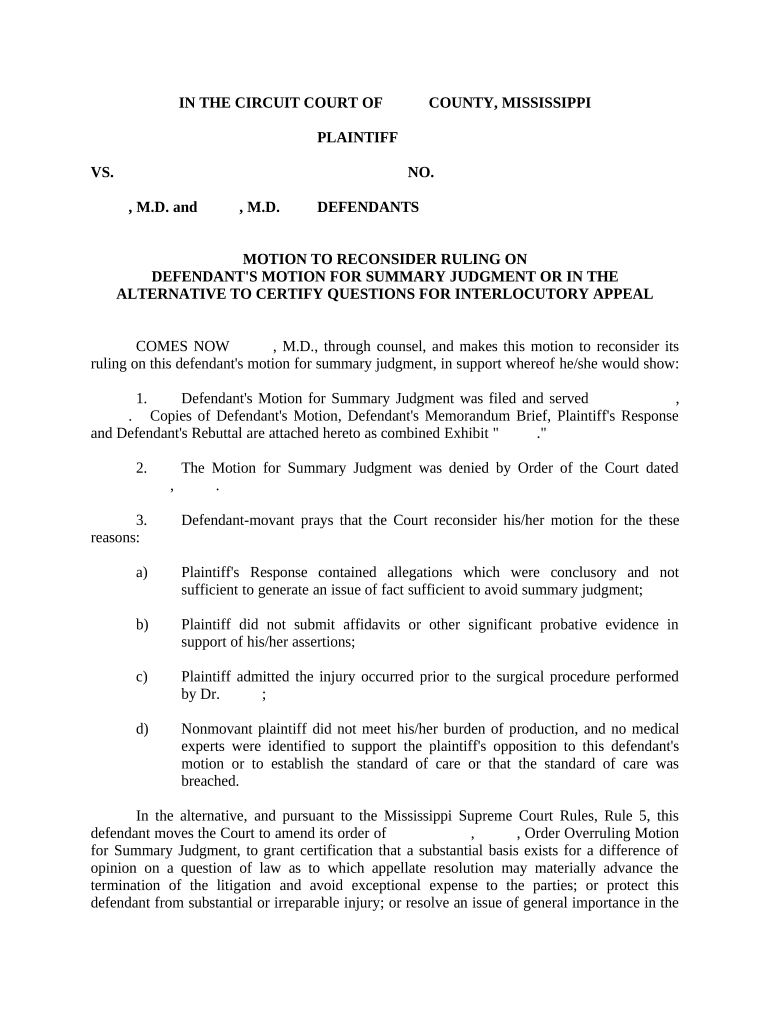
A Motion for Summary Judgment asks the court to decide a case, or specific claims, without a trial because there is no genuine dispute as to any material fact and the moving party is entitled to judgment as a matter of law under Federal Rule of Civil Procedure 56 or comparable state rules. The motion must include a legal memorandum, a concise statement of undisputed facts supported by admissible evidence, and citations to governing law; courts evaluate both the substance of evidence and whether reasonable jurors could differ.

Why Parties File This Motion

A well‑prepared Motion for Summary Judgment can resolve dispositive legal issues, narrow claims, reduce litigation costs, and avoid the time and expense of a jury or bench trial when facts are not genuinely disputed.

Why Parties File This Motion

Who Typically Prepares and Uses This Motion

The Motion for Summary Judgment is prepared by litigators and parties in civil cases to seek a final or partial ruling before trial.

  • Plaintiff counsel seeking judgment on liability where evidence shows no factual dispute and statutory elements are met.
  • Defense counsel seeking dismissal of claims where plaintiff lacks admissible evidence on an essential element.
  • Pro se litigants filing concise motions when facts and law plainly favor one side.

Courts, mediators, and opposing counsel rely on these motions to clarify remaining issues and reduce trial scope.

Who Has Authority to Sign

Lead Counsel

The attorney of record signs filings on behalf of a represented party; signature certifies compliance with procedural rules and accuracy of submissions and binds counsel to the court’s certificate of service and professional responsibility obligations.

Corporate Officer

For corporate parties, an authorized officer or in‑house counsel may sign attachments or verifications when required; the signer must have authority to bind the entity and may need a corporate resolution showing that authority.

Essential Information to Include

Case Caption: Court name, parties
Docket Number: Civil case number
Movant Identification: Party name
Undisputed Facts: Concise numbered facts
Supporting Evidence: Exhibit list
Proposed Order: Requested disposition

Key Risks and Consequences of Errors

Denial of Motion: Loss of early disposition
Sanctions: Monetary or procedural penalties
Waiver: Argument or evidence waiver
Re‑filing Costs: Added attorney fees
Service Defects: Delayed proceedings
Privacy Breach: Improperly filed sealed material

Common Preparation Mistakes to Avoid

  • Failing to attach admissible evidence or relying on unauthenticated hearsay rather than properly sworn declarations or exhibits.
  • Submitting an overbroad or unsupported statement of undisputed facts that the opposing party effectively disputes under local rules.
  • Missing local rule formatting, page limits, or required meet‑and‑confer certification before filing the motion.
  • Serving parties incorrectly or failing to update the certificate of service, creating grounds to quash or delay the motion.

Core Components of a Professional Motion for Summary Judgment

A complete motion combines legal argument with a clear factual record; include these six elements to meet court expectations and improve chances of success.

Notice of Motion

A short cover statement that identifies the relief requested, the moving party, and the hearing date or request that the court set a hearing as permitted by local rules.
Memorandum of Law

A legal brief explaining the standard (Fed. R. Civ. P. 56 or state equivalent) and applying law to undisputed facts with citations to binding authority and precedent.

Statement of Undisputed Facts

Numbered paragraphs stating facts the movant contends are undisputed, each cross‑referenced to admissible evidence such as affidavits, deposition excerpts, or documents.

Declarations and Exhibits

Sworn statements and documentary exhibits authenticated for admissibility, with exhibit tabs and a table of contents to aid judicial review.

Local Rule Compliance

Certificates of service, page limits, formatting, and meet‑and‑confer statements demonstrating adherence to the court’s procedural requirements.

Proposed Order

A clean, judge‑ready order specifying the exact relief and any retained claims or scheduling adjustments if partial judgment is requested.

Step‑by‑Step: Preparing and Filing the Motion

Follow these basic steps to prepare a defensible Motion for Summary Judgment that meets procedural and evidentiary requirements.

  • 01
    Draft the Brief: Outline legal standards and arguments.
  • 02
    Assemble Evidence: Collect declarations, exhibits, and transcripts.
  • 03
    Meet and Confer: Attempt resolution as required by local rule.
  • 04
    File and Serve: Submit via court ECF or clerk and serve parties.

How to Configure an Online eFiling and Signing Workflow

Set up a reproducible online workflow for drafting, signing, and serving motions to ensure compliance and auditability.

Workflow Field | Configuration Action | Setting
Authentication Method Email link, SMS code, or multi‑factor
Signature Placement Fixed signature block for counsel
Conditional Exhibits Attach only required exhibits per party
Retention Policy Save signed PDF and audit trail

Where to File and How to Serve

Know the destination for filing and the acceptable service methods before submission to avoid procedural rejection.

  • Court Clerk (ECF): File electronically via the court’s ECF system
  • Opposing Counsel: Serve by email if permitted or as local rules require
  • Mail or Overnight: Use where court rules or counsel consent require physical service
  • Certificate of Service: Include a signed certificate noting service method and date

Technical Requirements for eSubmission and Signing

Ensure your filing package is in accepted formats and that signer authentication meets court and opposing counsel expectations.

  • Accepted Formats: PDF/A and searchable PDF
  • Authentication Options: Email link, SMS code, or stronger ID verification
  • Integration Needs: ECF compatibility and audit logging

Verify local court rules for electronic filing and confirm whether the chosen eSignature method satisfies procedural and evidentiary requirements before submission.

Typical Deadlines and Timing Considerations

Deadlines for responses and hearings vary by court; confirm local rules and the judge’s scheduling order before filing.

Local Rule Deadlines:

Response times often range from 14–30 days; verify court local rules

Hearing Scheduling:

Clerk or judge sets hearing date after filing per procedures

Page and Time Limits:

Observe local page limits and time for oral argument

Meet‑and‑Confer:

Some districts require certification of prefiling discussions

Extensions:

Court may grant extensions for good cause

Key Milestones in the Motion Timeline

Use a milestone view to track drafting, filing, opposition, and resolution so no deadlines are missed.

01

Drafting Complete

Compile facts, exhibits, and legal arguments before meet‑and‑confer

02

File Motion

Submit brief, facts, exhibits, and proposed order to court

03

Opposition Filed

Opposing party files response with counter‑evidence and citations

04

Hearing / Ruling

Court holds hearing or issues ruling on submitted papers

Representative Use Cases and Practical Outcomes

Two hypothetical examples illustrate how a Motion for Summary Judgment can resolve specific disputes when evidence is clear.

Contract Dispute Example

A small business moves for summary judgment after producing an unambiguous signed contract and payment records

  • The court finds no genuine issue of material fact
  • The claim for breach is decided without trial, saving months and substantial litigation expense.

Employment Claim Example

An employer files a motion with time‑stamped performance reviews and contemporaneous discipline documents

  • The employee provides no admissible contrary evidence
  • The court grants judgment on the discrimination claim for lack of evidentiary support.

eSignature Vendor Comparison for Signing and Serving Motions

Compare common vendor pricing and capabilities relevant to preparing, signing, and retaining court filings; signNow is listed first for reference.

signNow DocuSign Adobe Sign PandaDoc HelloSign
Starting Price $8/user/mo $15/user/mo $14/user/mo $19/user/mo $15/user/mo
Free Trial 7‑day free trial Varies by vendor Varies by vendor Varies by vendor Varies by vendor
Bulk Send Yes Yes Yes Yes No
Audit Trail Yes Yes Yes Yes Yes
HIPAA Compliant Yes Yes Yes No No
Envelope Cap No envelope cap 100 envelopes/user/year Varies Varies Varies

Frequently Asked Questions About Motions for Summary Judgment

Answers to common procedural and technical questions about preparing, signing, filing, and serving Motions for Summary Judgment.


Need help? Contact support

be ready to get more
Join over 28 million airSlate SignNow users