Establishing secure connection…Loading editor…Preparing document…

Muniment of Title

This template is fully customizable. Edit the text, fill out the fields, and send it for signature. Give it a try!
Muniment of Title

What a Muniment of Title Is and when it’s used

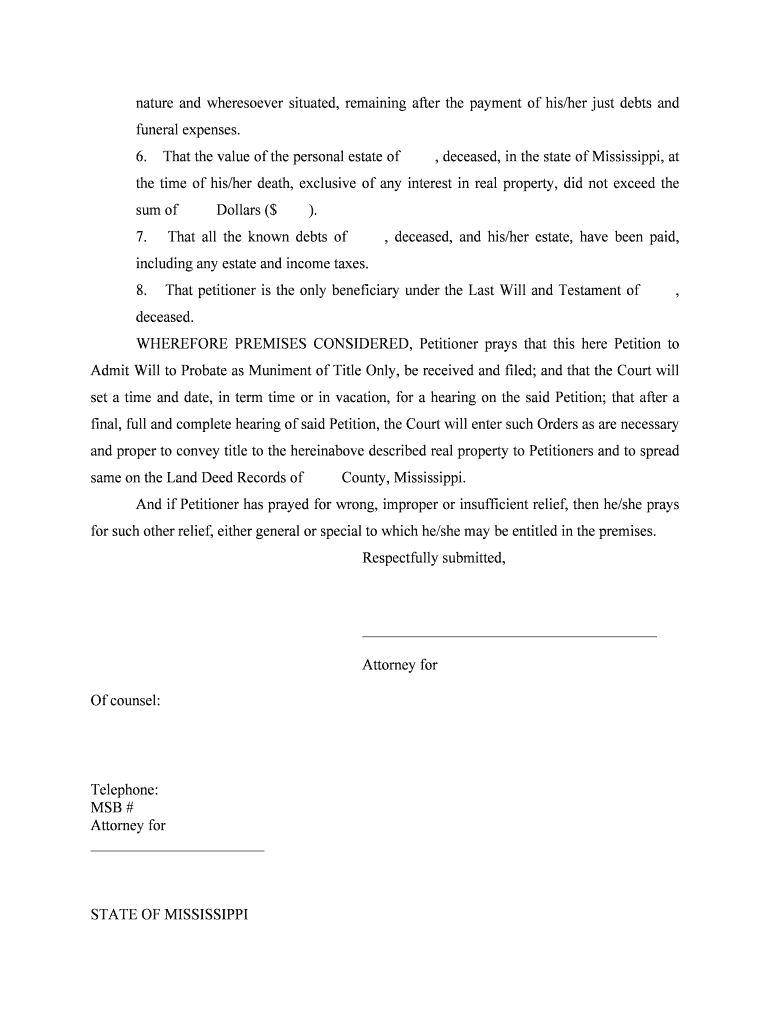
A Muniment of Title is a narrow probate tool used to transfer real property ownership where a decedent left a valid will but a personal representative or full administration is not necessary. The court admits the will as evidence of title, and a record (the muniment) is filed to clear or establish ownership without appointing an executor for estate administration. It is most often used for uncontested estates with no outstanding debts that require formal administration, and requirements vary by state and county court rules.

Why attorneys and property owners choose a Muniment of Title

A Muniment of Title offers a streamlined, lower-cost path to record title when probate is otherwise unnecessary. It reduces courtroom steps, limits ongoing estate administration duties, and can speed property transfers when heirs are in agreement.

Why attorneys and property owners choose a Muniment of Title

Who typically prepares or signs a Muniment of Title

Estate lawyers, title companies, and heirs commonly prepare or file a Muniment of Title where statutory requirements are met.

  • Estate attorneys advising on probate and property transfer, preparing filings and court submissions.
  • Heirs or beneficiaries who need clear recorded title without full estate administration.
  • County clerks and title abstractors who record the admitted will and update property records.

Parties should verify local probate rules before proceeding; some counties require additional forms or hearings even when a muniment is allowed.

Core elements you should include in a professional Muniment of Title

A complete Muniment filing combines clear identification, the admitted will, a concise legal description, and proof required by the probate court.

Decedent

Full legal name, date of death, and last residence to match court and property records and avoid identity mismatches during recording.
Will

Certified copy of the will admitted to probate with court stamp or clerk certificate showing the instrument was admitted as a muniment.

Legal description

Complete metes-and-bounds or lot-and-block description as recorded in county land records; a street address alone is insufficient.

Heirs/Devisees

Names and contact information for the persons receiving title under the will, including mailing addresses for recorded notices.

Court order

Clerk or judge order admitting the will as a muniment of title, or the petition and clerk's admission entry if the court issues no separate order.

Recording cover

Cover sheet and recording fee payment method for the county recorder; include reference to parcel ID and grantor/grantee names.

Step-by-step: completing a Muniment of Title filing

Follow this ordered process to prepare the petition, admit the will, and record the admitted will as a muniment of title.

  • 01
    Locate will: Confirm original will or certified copy is available for filing.
  • 02
    Prepare petition: Draft and sign petition requesting admission as a muniment of title.
  • 03
    Court filing: File with probate court; secure clerk admission or court order.
  • 04
    Record: Submit admitted will and required coverage to county recorder for indexing.

Where to file, who receives copies, and next steps

A Muniment of Title interacts with the probate court, county recorder, and interested parties; follow local routing rules after admission.

  • Probate court: File petition and will at the county probate court clerk's office.
  • Court clerk: Obtain clerk entry or certified copy admitting the will as muniment.
  • County recorder: Record the certified will and cover sheet in the county land records.
  • Interested parties: Serve or notify heirs, mortgagees, and taxing authorities as required.

Configuring an online workflow for Muniment filings

Set up the e-filing workflow to match the offline court-and-recorder steps and to capture required evidence.

Field Configuration
Signers List petitioners, witnesses, and notarizing officers as separate roles
Authentication Use email plus SMS or knowledge-based verification for identity
Notary Enable remote online notarization (if allowed) or schedule in-person notarization
Retention Store certified copies and audit trail for the statutory retention period

Digital signing: technical and format considerations

Choose a platform that produces court-acceptable, tamper-evident PDFs and supports required signer authentication.

  • File formats: PDF/A preferred; preserve metadata and fonts
  • Authentication: Email plus SMS or KBA for stronger signer identity
  • Integrations: Connect with cloud storage and case management systems

Ensure the platform can attach certified court stamps, generate an audit trail, and export notarization recordings when RON is used.

Required identification and document items at a glance

Decedent Name: Full legal name
Date of Death: MM/DD/YYYY
Probate Docket: Court case number
Property ID: Parcel or deed reference
Admitted Will: Certified copy or clerk stamp
Heir List: Names and addresses

Consequences and legal risks of errors in Muniment filings

Recording Rejection: Incorrect legal description prevents recording
Title Defect: Mismatched names can cloud title
Contested Claim: Missing creditors may later assert claims
Litigation Costs: Corrective actions can be expensive
Delay in Transfer: Administrative errors lengthen processing
Tax Impacts: Improper filings may affect property tax records

Common preparation mistakes to avoid

  • Using an incomplete or informal property description instead of the recorded legal description, which leads to recorder rejection and delays.
  • Submitting uncertified copies of the will or failing to obtain the clerk's admission entry, causing the recorder to refuse the instrument for indexing.
  • Not verifying witness or notarization requirements for the specific state or county, resulting in the need for re-execution or supplemental affidavits.
  • Failing to notify mortgagees or taxing authorities, which can create liens or unpaid tax obligations against the property.

How organizations use electronic workflows alongside Muniment filings

These brief examples show how signNow customers used digital tools for property and probate documentation.

Tim Martin — Martin Properties

Tim Martin integrated eSigning for property transfers to avoid in-person meetings and travel.

  • He needed secure, mobile-friendly signing.
  • "I can process and execute all of these documents online with 100% compliance and built-in security. Whether on mobile or working offline, I can get forms back to their necessary parties efficiently."

Brian Fitzgibbons — Optica Ventures LLC

Optica streamlined customer-facing closing documents and remote acknowledgments for smaller estates.

  • The team prioritized ease of use and speedy turnaround.
  • "The interface is simple and easy-to-use for our team; more importantly, it is just as easy for our customers."

Common eSignature vendor options for Muniment workflows

Compare baseline vendor pricing and capabilities relevant to secure document signing, bulk delivery, HIPAA support, and audit trails.

signNow DocuSign Adobe Sign PandaDoc HelloSign
Starting Price $8/user/mo $15/user/mo $14/user/mo $19/user/mo $15/user/mo
Free Trial 7-day free trial Varies Varies Varies Varies
Bulk Send Yes Yes Yes Yes No
Audit Trail Yes Yes Yes Yes Yes
HIPAA Compliant Yes Yes Yes No No
Envelope Cap No cap 100 envelopes/user/year Varies Varies Varies

Frequently asked questions about Muniment of Title

Answers to common questions about eligibility, signing, notarization, and recording when using a Muniment of Title.


Need help? Contact support

be ready to get more
Join over 28 million airSlate SignNow users