Caption
Include court name, case number if known, title of action, and parties. Proper captioning ensures correct docketing and helps the clerk assign the filing to the appropriate case or open a new matter.
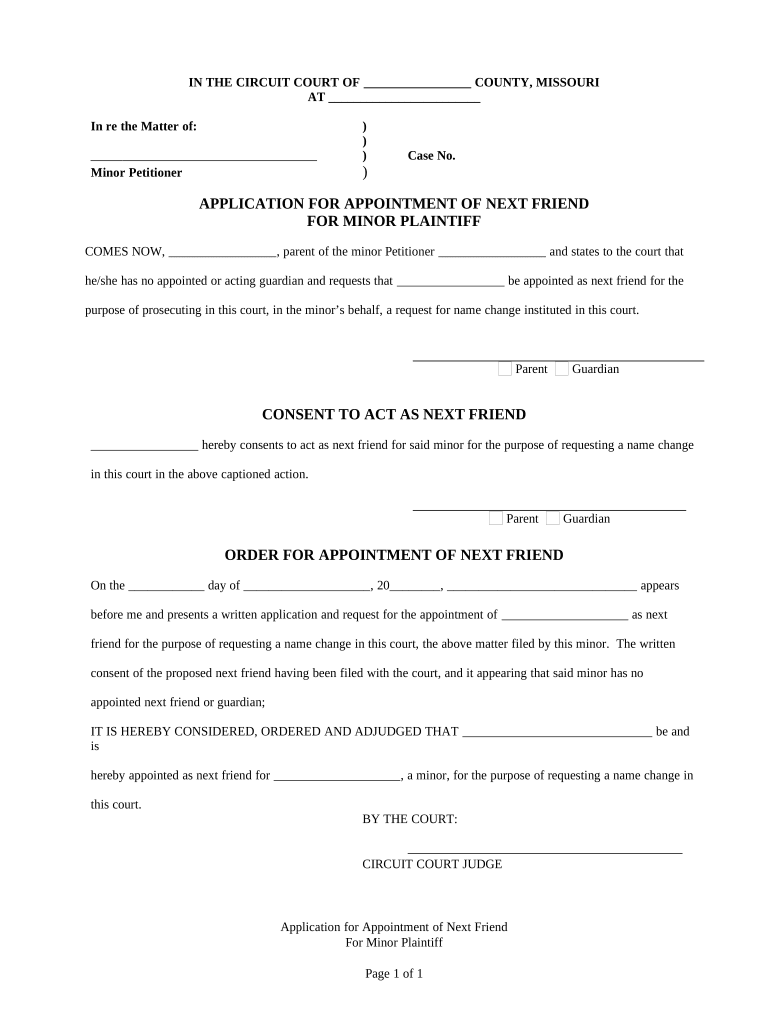
Filing this application enables a responsible adult to seek court authority to represent and protect a minor's legal rights in litigation, clarifies the scope of authority requested, and provides formal notice to defendants and interested parties under procedural rules.

Typical filers include parents, guardians, conservators, or close relatives seeking court appointment to pursue claims on a minor's behalf.
Include court name, case number if known, title of action, and parties. Proper captioning ensures correct docketing and helps the clerk assign the filing to the appropriate case or open a new matter.
Narrative explaining why the minor cannot prosecute, including age, disability, or absence of a legal guardian. Provide concise factual assertions backed by documentary evidence where available.
Define the powers requested for the next friend — litigation, settlement authority, or limited actions — and specify any conditions or reporting obligations the court should impose.
Attach supporting records: birth certificate, custody orders, medical reports, declarations, and any retention of counsel agreements. Each attachment should be labeled and indexed for easy court review.
Describe service efforts and attach proofs of service. Provide names and addresses for defendants, interested parties, and any governmental entities that require notice under state law.
Include draft orders for appointment, scope of authority, and any interim relief. Clear proposed language helps the court rule efficiently and reduces post-hearing revisions.
| Field | Configuration |
|---|---|
| Minor Name Field | Auto-detect with Magic Fields; required; verify format |
| Date of Birth Field | Set MM/DD/YYYY mask; required for age checks |
| Supporting Docs Upload | Allow PDF/DOCX uploads; require labels and index numbers |
| Signature Field | Require signer email verification; attach audit trail metadata |
Electronic filing and eSignature capabilities depend on the court's e-filing portal and local clerk acceptance of electronic records.
| signNow | DocuSign | Adobe Sign | PandaDoc | HelloSign | |
|---|---|---|---|---|---|
| Starting Price | $8/user/mo | $15/user/mo | $14/user/mo | $19/user/mo | $15/user/mo |
| Free Trial | 7-day free trial | Varies by plan | Varies by plan | Varies by plan | Varies by plan |
| Bulk Send | Yes | Yes | Yes | Yes | Varies |
| Audit Trail | Yes | Yes | Yes | Yes | Yes |
| Envelope Cap | No cap | 100 envelopes/user/year | Varies by plan | Varies by plan | Varies by plan |
Filing affects tolling; verify state-specific deadlines
Serve defendants per local civil procedure rules
Court sets date after filing and service
Respond to clerk requests promptly to avoid dismissal
File motions for extensions per court rules