Establishing secure connection…Loading editor…Preparing document…

Notice Action Form

This template is fully customizable. Edit the text, fill out the fields, and send it for signature. Give it a try!
Notice Action Form

What the Notice Action Form Is and when it’s used

A Notice Action Form is a concise written notice that requires a recipient to perform, cease, or cure a specific action by a stated deadline. Commonly used for contract cure notices, lease violation notices, employment warnings, and regulatory compliance demands, it identifies parties, describes the required action, sets a deadline, and explains consequences for noncompliance. Because a Notice Action Form can create or preserve legal rights, its language, delivery method, and recordkeeping affect enforceability. Electronic delivery and signatures are commonly used and governed by ESIGN and applicable state law.

Why a clear Notice Action Form matters

A precise Notice Action Form creates an auditable record, clarifies expectations and timelines, and helps preserve contractual or statutory rights; properly executed notices reduce disputes and support enforcement under ESIGN, UETA, or state law.

Why a clear Notice Action Form matters

Who commonly issues and receives these notices

Various professionals use Notice Action Forms to set clear, enforceable expectations and to document next steps for noncompliance.

  • Landlords and property managers — issue lease cure or eviction notices with explicit deadlines and required remedies.
  • HR and employers — document performance improvement plans, policy violations, or final warnings before termination.
  • Legal and compliance teams — serve contractual cure notices, regulatory remediation demands, or administrative action notices.

Core components of a professional Notice Action Form

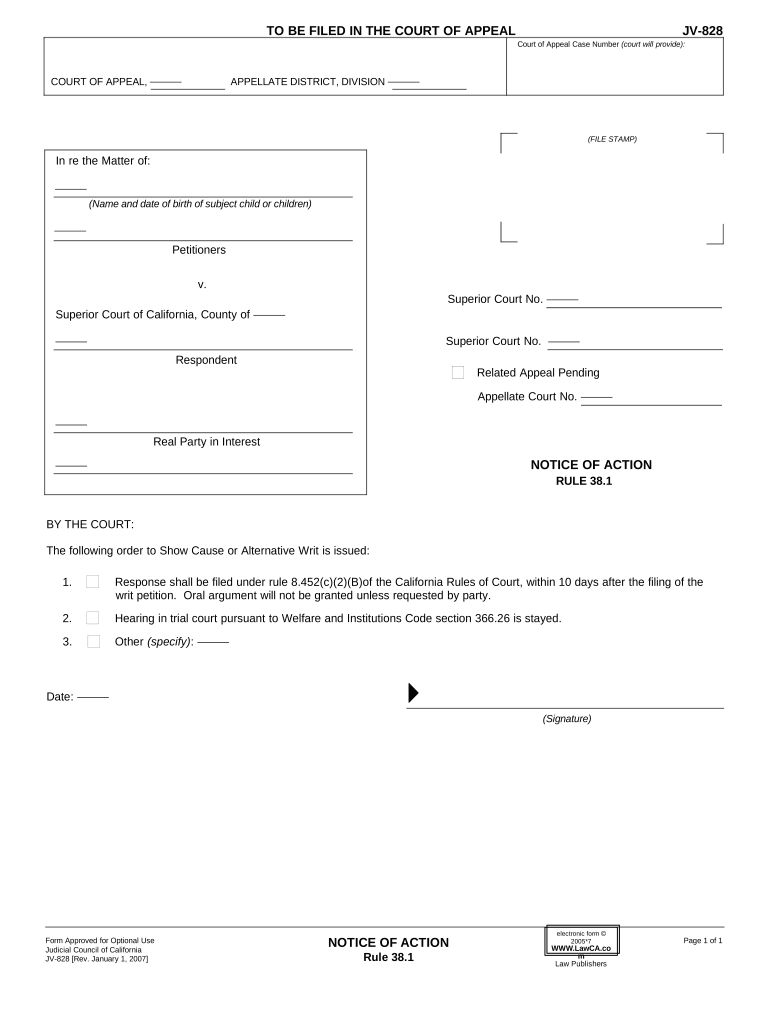
A complete Notice Action Form combines clear identification, an unambiguous action request, an explicit deadline, and delivery details to support enforceability and recordkeeping.

Notice Header

Document title, date, and a brief statement of purpose placed at the top so recipients immediately understand the notice type and urgency.
Parties

Full legal names and contact details for sender and recipient; mismatched names can affect service and enforcement so use government or corporate records.

Action Required

A precise description of the steps the recipient must take, including deliverables, acceptable formats, and any conditions for compliance.

Deadline

A specific date and time (MM/DD/YYYY and time zone) for performance, plus any cure periods or extensions if contractually allowed.

Consequences

Clear description of contractual, statutory, or administrative consequences for failure to act, including potential escalation steps.

Signature & Delivery

Signature block with signer authority, signature date, and chosen delivery method documented to support proof of service.

Step-by-step: complete and issue a Notice Action Form

Follow these sequential steps to prepare, deliver, and document a valid notice that supports enforcement and preserves rights.

  • 01
    Draft the Notice: State parties, describe the required action, and set a clear deadline.
  • 02
    Check Authority: Confirm the sender has contractual or statutory authority to issue the notice.
  • 03
    Select Delivery: Choose permitted delivery method per contract or applicable statute.
  • 04
    Document Service: Retain proof of delivery, signed copy, and audit trail for the record.

How electronic delivery and signing typically flow

An e-delivery workflow follows predictable steps from upload through signature and archival; maintain an audit trail at every stage.

  • Upload Document: Store the final notice as PDF or DOCX.
  • Place Fields: Add signature, date, and recipient fields on the document.
  • Send to Recipient: Deliver via email link, secure portal, or registered address.
  • Sign and Archive: Signer authenticates, signs, and completed copy archives with audit trail.

Configuring a digital Notice Action Form workflow

Set workflow parameters to match required authentication, signing order, and retention policies before sending the notice.

Field Configuration
Authentication Method Email link, SMS code, or stronger KBA as needed
Signature Order Sequential or parallel signer sequence
Expiration Settings Specify link expiration relative to deadline
Reminder Schedule Automatic reminders frequency and timing

Choosing platform features and file formats

Select platform capabilities—file format support, authentication options, and integrations—based on notice type and compliance needs.

  • Supported Formats: PDF, DOCX, XLSX, HTML
  • Authentication Options: Email, SMS, KBA, SSO
  • Integrations: Salesforce, NetSuite, Google Workspace

Typical deadlines and timing considerations

Notices often trigger strict timing obligations; document the effective date, response window, and any statutory cure period.

Effective Date:

The date the notice is sent or received.

Response Window:

Cure period or response time in days or date.

Service Deadline:

When delivery methods must be completed to be timely.

Escalation Date:

Date when consequences or next steps occur.

Record Retention:

How long proof of service must be kept.

Key milestones from issuance to resolution

Track these numbered milestones so each stage—from issuance to escalation—is documented and auditable.

01

Draft and Review

Prepare the notice and confirm legal authority to issue it.

02

Deliver Notice

Send via contract-approved method and record proof of service.

03

Recipient Response

Monitor for cure, communication, or dispute within the set period.

04

Escalation or Close

Proceed with enforcement or close the matter after resolution.

Common preparation and service mistakes to avoid

  • Vague deadlines or unspecified time zones that create uncertainty and permit late-performance disputes.
  • Serving the wrong legal entity or individual, often caused by outdated contact or registration information.
  • Using an unauthorized delivery method that contract or statute does not permit, jeopardizing service validity.
  • Failing to retain signed records, audit trails, or delivery receipts needed to prove notice in disputes.

Potential consequences of an incorrect or defective notice

Loss of Rights: Statutory defenses may bar enforcement.
Contractual Waiver: Improper notice can waive remedies.
Regulatory Fines: Fines possible for regulated notices.
Evidentiary Risk: Missing proof weakens litigation position.
Delay Costs: Missed deadlines increase expenses.
Reputational Harm: Repeated errors affect relationships.

Essential security and compliance elements

Encryption in Transit: TLS 1.2/1.3
Encryption at Rest: AES-256
Audit Trail: Timestamped events retained
HIPAA Support: BAA available where required
Access Controls: SSO and role-based permissions
Regulatory Standards: SOC 2, ISO 27001 compliance

Typical eSignature pricing and feature differences for notice workflows

Compare starting price, trial availability, bulk send, audit trail, HIPAA support, and envelope caps across vendors to match compliance and volume needs.

signNow DocuSign Adobe Sign PandaDoc HelloSign
Starting Price $8/user/mo $15/user/mo $14/user/mo $19/user/mo $15/user/mo
Free Trial Yes, 7-day trial Varies Varies Varies Varies
Bulk Send Yes Yes Yes Yes No
Audit Trail Yes Yes Yes Yes Yes
HIPAA Compliant Yes Yes Yes No No
Envelope Cap No cap 100 envelopes/user/year Varies Varies Varies

Real-world examples of Notice Action Form usage

These short examples show how organizations use notices to advance workflow and preserve compliance when time-sensitive actions are required.

Martin Properties

A property manager needed faster lease cure responses and moved notices online to document service.

  • The change reduced turnaround on cure actions.
  • The firm reported more predictable timelines and an auditable record, letting managers track responses and escalate only when documented noncompliance occurred.

Fertility Centers of Illinois

A healthcare provider standardized notice language for patient administrative actions and used electronic delivery with secure audit trails.

  • Templates ensured consistency.
  • Standardization reduced administrative follow-up, preserved privacy controls under a BAA, and kept six-year retention for compliance with healthcare record rules.

FAQs and troubleshooting for Notice Action Forms

Common questions about validity, delivery, and evidence are answered here to help reduce errors and support reliable service.


Need help? Contact support

be ready to get more
Join over 28 million airSlate SignNow users