Statutory Basis
Identify the specific state statute authorizing the garage lien to show legal authority and to help courts and recipients understand the claim's foundation.
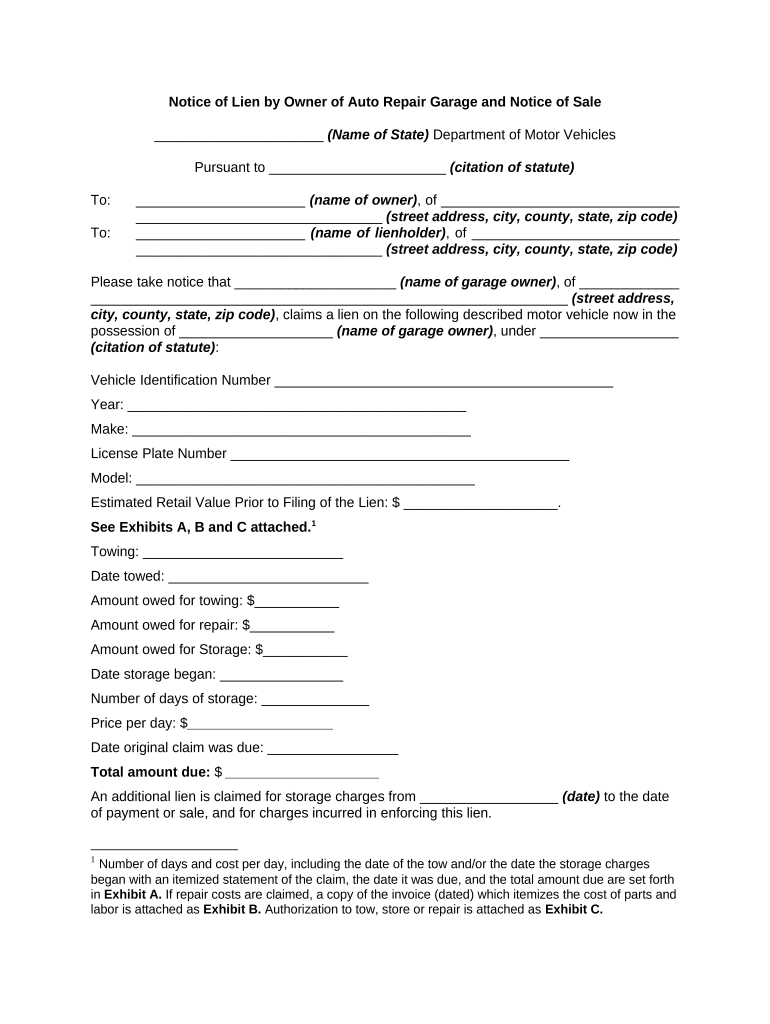
Filing a Notice of Lien by Owner of Auto Repair Garage secures statutory lien rights, creates formal notice to owners and lenders, and improves enforceability for collection or sale. Accurate notice reduces dispute risk and preserves legal remedies if informal collection fails.

Typical users include repair shop owners, managers, and accounts receivable staff who handle unpaid repair or storage balances.
An owner or authorized manager who contracts for repairs, retains vehicles for unpaid fees, documents labor and parts, issues the notice, and follows statutory procedures for sale or collection when necessary to recover debt.
An attorney representing the garage to verify statutory compliance, prepare court filings or sale notices, advise on title transfer, and preserve chain-of-notice evidence should litigation or auction proceedings be required.
A family-owned garage issued a notice after three months of unpaid storage and repair charges on a customer vehicle.
A metropolitan tow yard used the notice mechanism after statutory notices expired to start a public auction for an abandoned vehicle.
Identify the specific state statute authorizing the garage lien to show legal authority and to help courts and recipients understand the claim's foundation.
Include make, model, year, license plate, and full VIN; precise vehicle identification prevents challenges and supports title transfer steps.
List labor, parts, storage, towing, dates, and totals so recipients can verify the debt and minimize disputes over amounts claimed.
Provide the garage's legal name, business address, contact person, and license or registration number if required by state law to enable response and payment.
State how notice was delivered (certified mail, personal service, publication) and attach proof such as receipts or affidavit of publication where applicable.
Explain next steps allowed by statute — sale, auction, or court filing — and any timeframes for cure to ensure recipients understand consequences.
| Field | Configuration |
|---|---|
| Signers and roles | Gatekeeper, owner, lender contact fields with required signatures |
| Authentication | Email link, SMS code, or KBA depending on risk |
| Notice template | Prepopulate vehicle, itemization, and statutory language |
| Notification method | Certified mail workflow and proof attachments |
Choose a platform that creates tamper-evident records, retains audit trails, and supports attachments such as certified mail receipts.
Usually within 30–90 days after nonpayment; check state law for exact timing
Many states allow 10–30 days to cure before further action
Typical hold ranges 10–45 days before sale/auction permitted
If required, publish once and/or multiple times per statute prior to sale
Sale often permitted after the hold and publication requirements are met
| signNow | DocuSign | Adobe Sign | PandaDoc | HelloSign | |
|---|---|---|---|---|---|
| Starting Price | $8/user/mo | $15/user/mo | $14/user/mo | $19/user/mo | $15/user/mo |
| Free Trial | 7-day free trial | Varies | Varies | Varies | Varies |
| Bulk Send | Yes | Yes | Yes | Yes | Yes |
| Audit Trail | Yes | Yes | Yes | Yes | Yes |
| HIPAA Compliant | Yes | Yes | Yes | No | No |