Establishing secure connection…Loading editor…Preparing document…

Notice to Debtor of Assignment of Debt

This template is fully customizable. Edit the text, fill out the fields, and send it for signature. Give it a try!
Notice to Debtor of Assignment of Debt

What the Notice to Debtor of Assignment of Debt Is and Why it Matters

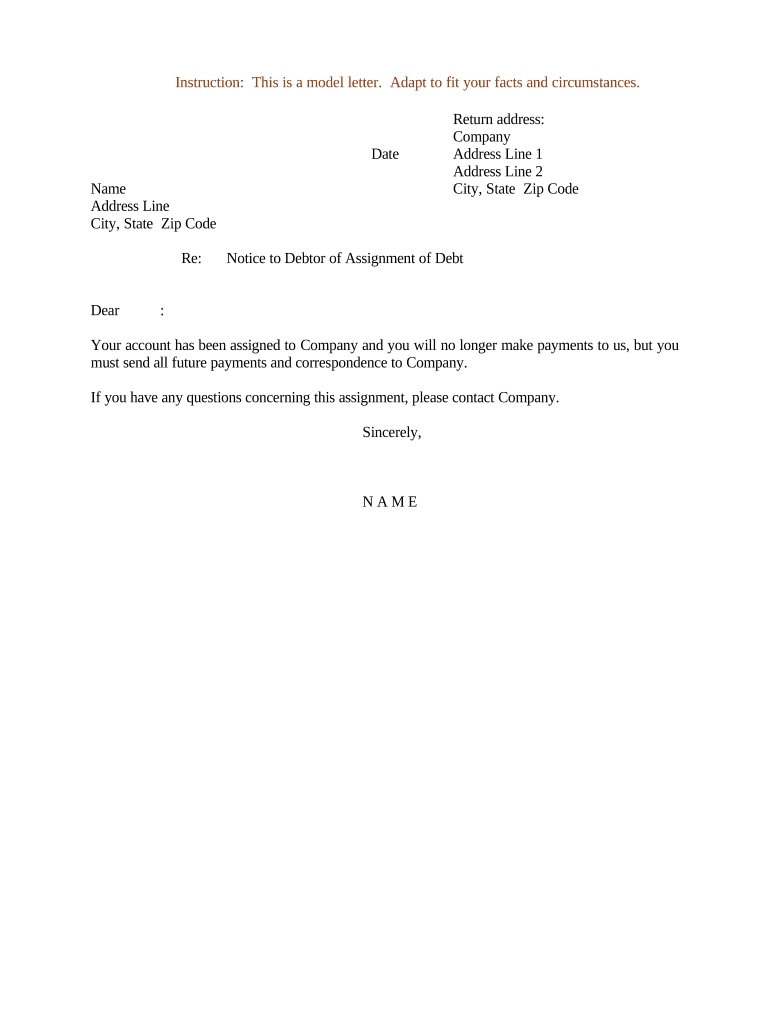
A Notice to Debtor of Assignment of Debt is a written notification provided to a debtor informing them that their obligation has been transferred from the original creditor to a new creditor or assignee. The notice identifies the original creditor, the assignee, the account or contract referenced, the outstanding balance or calculation method, and where future payments should be directed. It establishes clear communication, prevents duplicate payments, and creates evidence of transfer for credit reporting and collection. This document is commonly used in consumer collections, commercial receivables sales, and debt servicing relationships.

Why Sending a Clear Assignment Notice Protects All Parties

A clear notice reduces payment errors, limits disputes about who holds the debt, preserves evidence for collection or credit reporting, and helps the assignee demonstrate standing to collect. It also supports compliance with disclosure obligations and improves reconciliation between payor and payee accounts.

Why Sending a Clear Assignment Notice Protects All Parties

Who Typically Issues and Receives This Notice

Common users include originating creditors, debt buyers, and collection agencies who need to notify debtors of a change in ownership or servicing.

  • Original creditors notifying a sale or transfer of a receivable to an assignee for collection or securitization.
  • Assignees or collection agencies establishing payment instructions and contact details for future communications.
  • Debtors and guarantors who must know where to send payments and who may report to credit agencies.

The notice helps each party confirm account details and avoid duplicate or misdirected payments while preserving documentation of the transfer.

Key Signatory Roles

Original Creditor

The entity transferring the debt; signs or authorizes the assignment and provides the account history and documentation of the original obligation for the record and for consumer disputes.

Assignee / Collector

The entity acquiring the debt or engaging in collection; must supply its contact details, remittance instructions, and proof of assignment if requested by the debtor or regulator.

Required Data Elements to Include

Debtor Name: Full legal name
Account Number: Original account number
Original Creditor: Name of original creditor
Assignee Contact: New creditor name
Assignment Date: Date of transfer
Amount Due: Current balance

Short Risks When the Notice Is Incorrect

Duplicate Payment: Duplicate payments risk
Misrouting: Funds sent to wrong party
Collection Dispute: Debtor contesting validity
Credit Reporting: Inaccurate credit entries
Statute Issues: Limitations miscalculation
Legal Costs: Increased litigation expense

Common Preparation Errors to Avoid

  • Failing to include the original account number or using an obsolete identifier, which can cause the debtor to deny knowledge of the obligation and increase dispute rates.
  • Providing unclear remittance instructions or an incorrect payment address, which can lead to duplicate or rejected payments and reconciliation delays.
  • Neglecting to attach or reference a copy of the assignment agreement when requested, reducing the assignee's ability to demonstrate legal standing.
  • Using ambiguous language about amounts owed or interest calculations instead of a clear numeric balance and method for computing additional fees.

Step-by-Step: Completing the Notice to Debtor of Assignment of Debt

Follow these sequential steps to prepare, verify, and deliver a compliant notice that documents the transfer and directs future payments.

  • 01
    Prepare Document: Populate debtor, account, assignment, and balance fields accurately.
  • 02
    Attach Proof: Attach assignment agreement or chain-of-title documentation.
  • 03
    Sign and Date: Authorized party signs; record the effective assignment date.
  • 04
    Deliver Notice: Send via required method and retain delivery evidence.

How Assignment Notice Delivery Typically Works

The process moves from preparation to signature, delivery, and recordkeeping. Each step produces evidence that supports enforceability and reduces dispute risk.

  • Prepare: Draft notice with full account and assignment details.
  • Execute: Authorized representative signs and dates the assignment.
  • Notify Debtor: Deliver notice by mail, email, or electronic service.
  • Record: Retain copy and proof of delivery for compliance.

Essential Components of a Professional Assignment Notice

A complete notice combines identity, account details, assignment proof, clear payment instructions, a dispute contact, and an audit trail to reduce confusion and support collection or reporting activities.

Debtor Identity

Full legal name and any aliases to avoid mismatches with credit files and to ensure correspondence reaches the intended individual or business.
Account Reference

Original contract or account number and a brief description of the obligation to help the debtor identify the debt instantly.

Assignment Facts

Name of assignee, the assignment date, and a brief statement of transferred rights, enabling proof of standing for collection.

Balance Summary

Current principal, accrued interest, fees, and how future interest will be calculated, stated in clear dollar amounts or a defined formula.

Payment Directions

Exact remittance address, electronic payment details, or lockbox information and instructions to prevent misdirected payments.

Dispute Contact

Phone, email, or mailing address for questions, plus instructions for submitting disputes or requesting account verification.

Configuring an Online Workflow for the Notice

Use these workflow settings when preparing the notice for electronic delivery and tracking in a document platform or eSignature system.

Field Configuration
Template Name Notice to Debtor of Assignment
Signer Roles Original creditor signer; assignee approver
Delivery Method Email with read receipt or certified mail
Authentication Email link or SMS code for signer verification

Digital Delivery and Signing: Platform Considerations

Choose a platform that supports secure PDF, audit trails, and evidence of delivery to support enforceability and recordkeeping.

  • File Types: PDF, DOCX supported
  • Authentication: Email or SMS code
  • Integrations: CRM and accounting systems

Ensure the platform provides tamper-evident signed files, an exportable audit trail, and retention controls compatible with your compliance obligations.

Key Dates and Typical Timeframes for Assignment Notices

Track the effective assignment date, service date to the debtor, payment due date, and any statutory response window to manage follow-up actions.

Assignment Effective Date:

Date assignment takes legal effect and directs payments

Notice Served Date:

Date the debtor receives the assignment notice

Payment Due Date:

When next payment must be made to assignee

Dispute Response Period:

Commonly 30 days to request validation or dispute

Record Retention Start:

Retention counts from assignment or notice date

Milestone Timeline for an Assignment Notice Workflow

A concise milestone sequence helps teams coordinate preparation, execution, delivery, and retention for each assignment transaction.

01

Draft and Verify

Confirm account details and supporting assignment documentation

02

Authorize and Sign

Authorized representative signs assignment and notice

03

Deliver Notice

Send by chosen method and record delivery evidence

04

Follow Up

Track payment routing and respond to disputes or verification requests

How This Notice Differs from Similar Debt Documents

Compare the Notice to Debtor of Assignment of Debt with related documents to choose the right form and avoid redundant steps.

Document Type Assignment Notice Acknowledgment
Purpose notify transfer confirm debtor agreement
Required Content account and assignee debtor signature
Effect on Payments redirect payments acknowledge receipt
Recordability usually administrative often evidentiary

Real-World Examples of Assignment Notices in Practice

Two compact examples show how organizations use standardized notices to reduce disputes and speed collections.

Optica Ventures LLC

Optica standardized assignment notices across accounts to reduce reconciliation errors.

  • The team attached assignment documentation for each transfer to prevent disputes.
  • As a result, Optica reported fewer payment misdirections and faster account resolution while maintaining a consistent audit trail for collections and reporting.

Martin Properties

Martin Properties shifted to templated notices when selling receivables.

  • Templates included clear remittance instructions and dispute contacts.
  • The property manager experienced smoother payment redirection and fewer tenant queries because notices clearly identified the assignee and stated when payments should be sent.

Frequently Asked Questions About Notices of Assignment

Answers to common questions about preparing, delivering, and validating a Notice to Debtor of Assignment of Debt.


Need help? Contact support

be ready to get more
Join over 28 million airSlate SignNow users